
InfluxDB (Flux) Datasource [BETA]
This plugin will work with InfluxDB 2.x and InfluxDB 1.8+
In a future grafana releases, this plugin will be incorporated into the main influx plugin and allow a single datasource to support flux queries or influxql (SQL style) queries.
Using
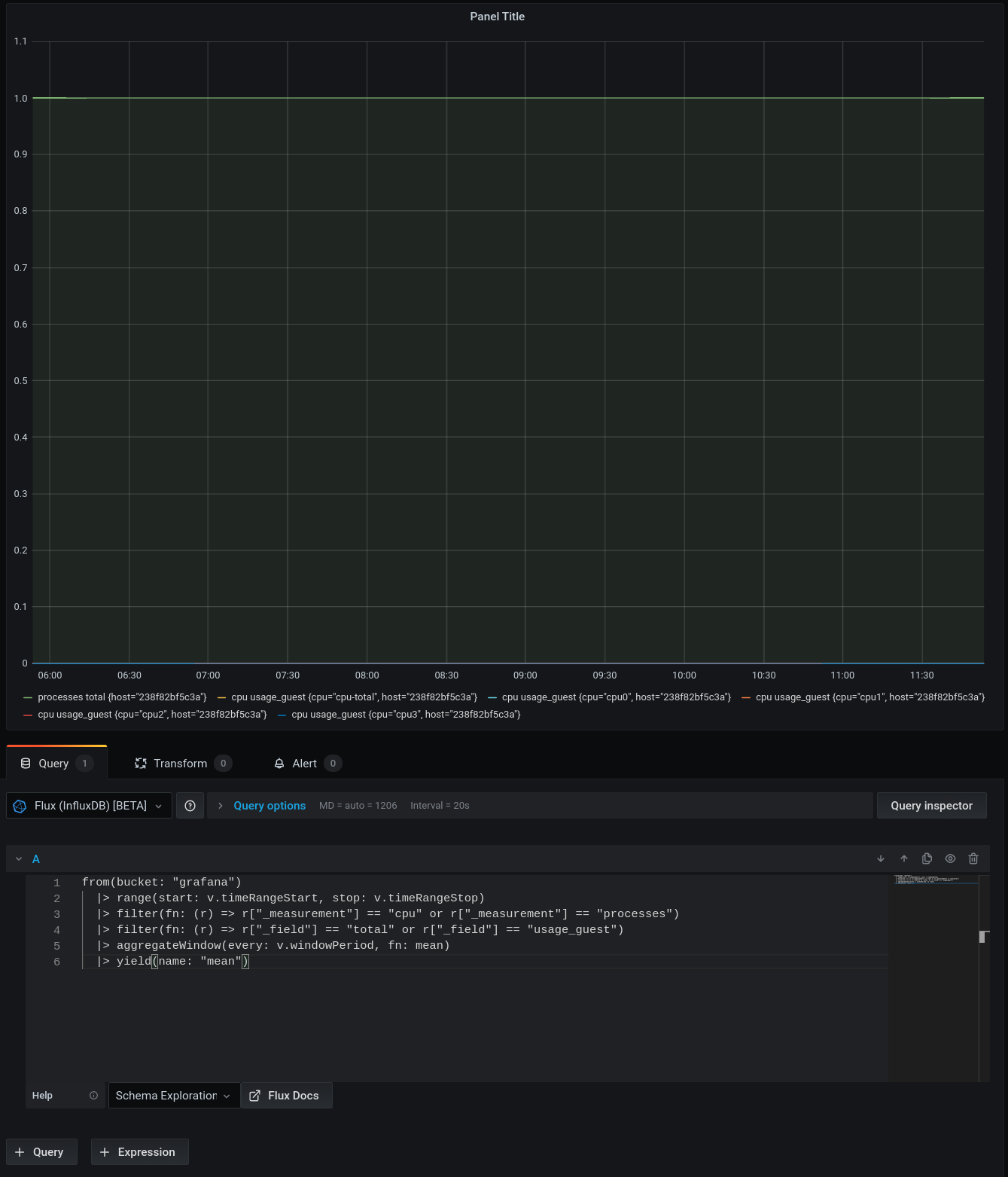
The plugin contains a monaco editor as the query editor which you can copy/paste flux queries into. For now, there are a number of flux queries templated in the query editor that you can use as examples.
For a more graphical experience, your data explorer will be available at:
<url specified in config editor>/orgs/<org-id>/data-explorer
Finding your flux org id
In order to find the proper URL, you will ned to get your org-id. This can be done using a query similar to below:
https://influxdb.company.com:9999/api/v2/orgs
Embedded in this JSON response, you will find an array of all organizations, with two fields (shown below)
  "id": "059b46a59abab000",
  "name": "grafana",
Look for the name specified as your default bucket, and you can use the cooresponding id if the id field.
So, if I entered in the config editor, my url to influxdb as https://influxdb.company.com:9999, your data-explorer url would be https://influxdb.company.com:9999/orgs/059b46a59abab000/data-explorer.
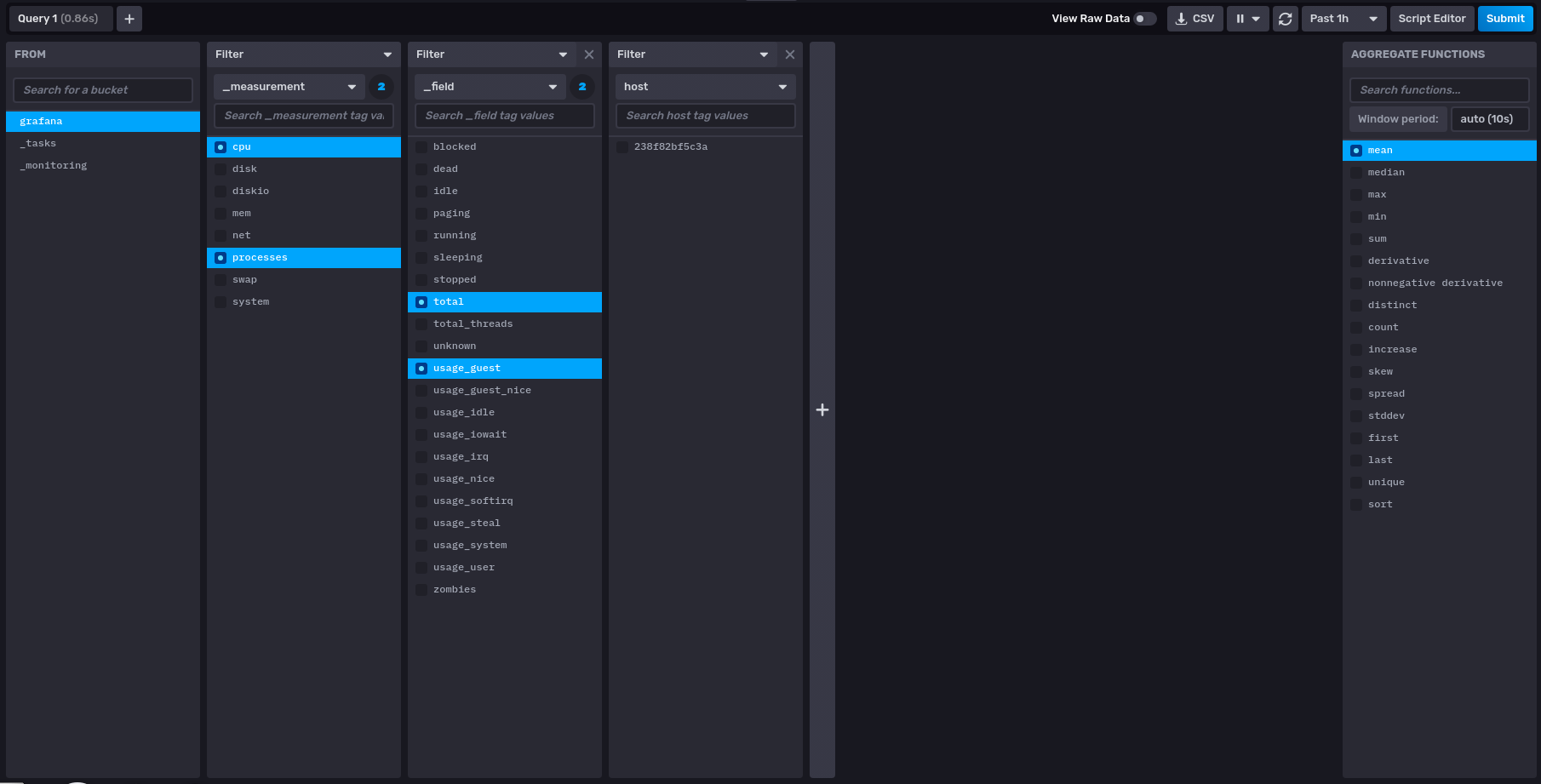
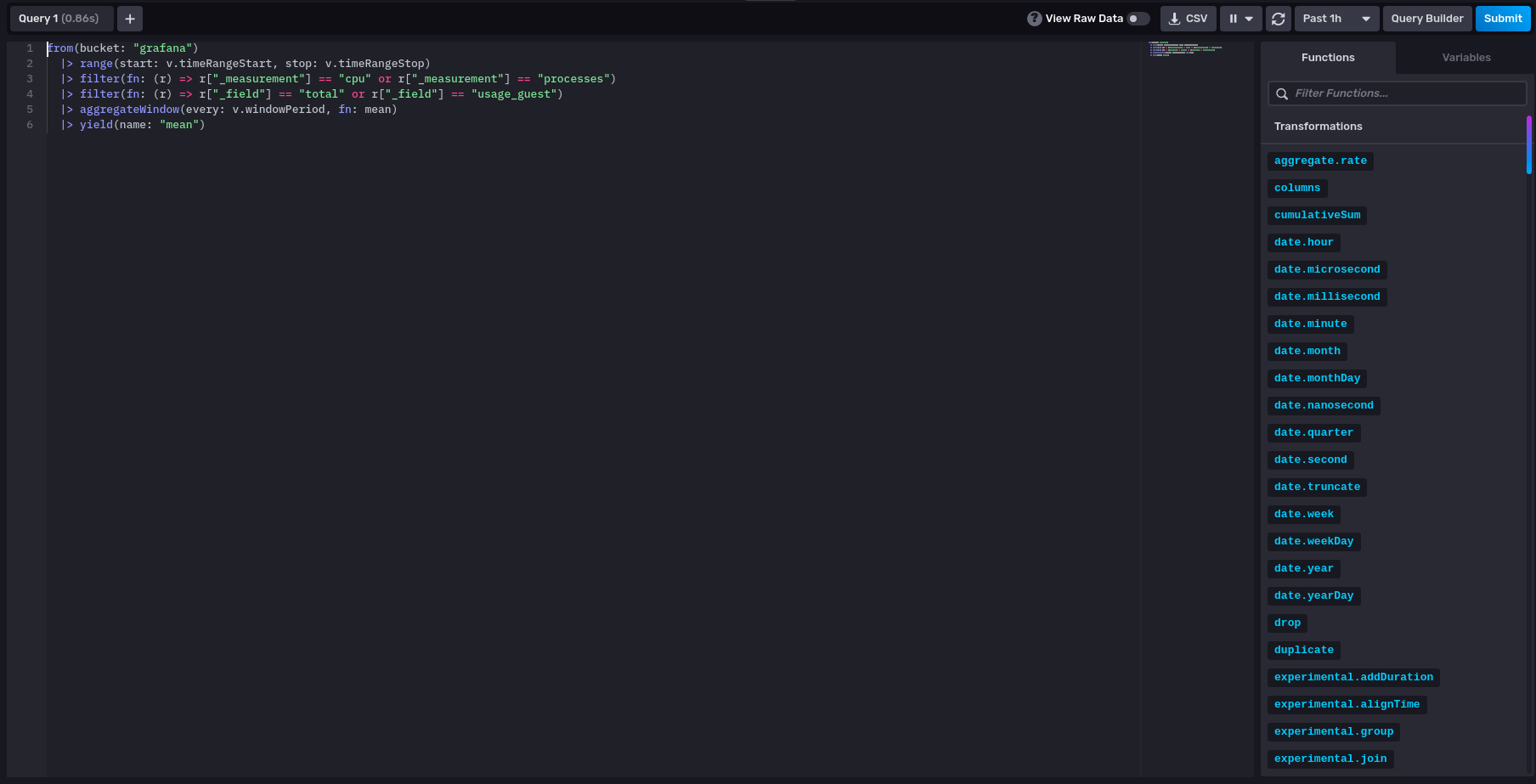
In the influx data explorer, you have a graphical query editor you may use. Hit the "Script Editor" button to go to flux langage mode, copy your request, and paste it into the influx query editor.
Grafana Cloud
Connect any plugin in Grafana Cloud.
- 150+ data source integrations
- Grafana Assistant - AI that correlates your data, builds queries, and answers questions
- 10k Prometheus metrics + 50 GB logs, traces, and profiles on the free tier
- ...and more
Insights
- Adoption
Running on 1,582 active Grafana instances.
- Activity
Last updated 17 May 2020.
0 releases in the past year.
- Queries
0 total queries served across all Grafana Cloud instances.
- Version
- 7.0.0
- Developer
- Grafana Labs
Grafana Cloud
Connect any plugin in Grafana Cloud.
- 150+ data source integrations
- Grafana Assistant - AI that correlates your data, builds queries, and answers questions
- 10k Prometheus metrics + 50 GB logs, traces, and profiles on the free tier
- ...and more