
NodeJS Application Dashboard
node.js prometheus client basic metrics
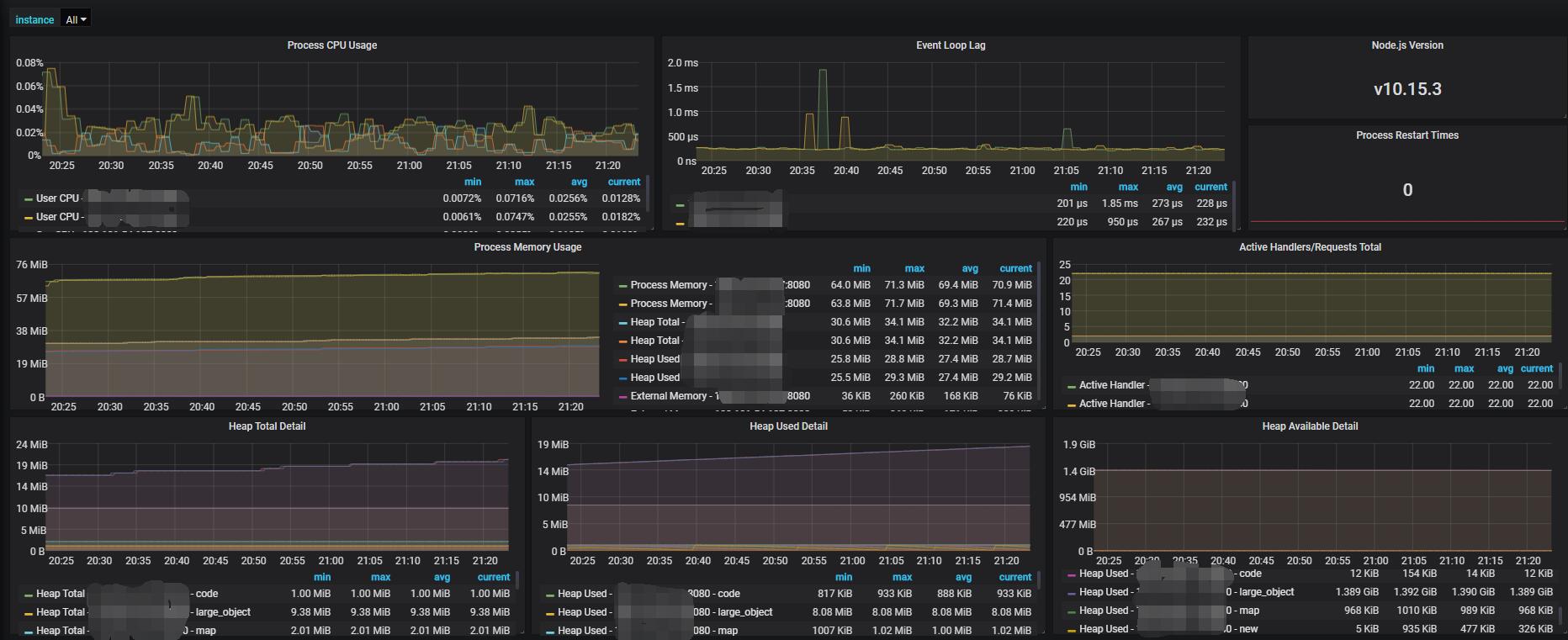
Quick Start
Step1. Install Node.js Prometheus client and collect default metrics
npm install prom-client
import { collectDefaultMetrics } from 'prom-client';
collectDefaultMetrics({ timeout: 5000 });
https://github.com/siimon/prom-client
Step2 Expose your metrics endpoint and customize your metrics
Take koa2 (with pino logger) as example
import { yourRouter} from './routes';
import { collectDefaultMetrics, register, Counter, Gauge } from 'prom-client';
import Router = require('koa-router');
// tslint:disable-next-line: no-var-requires
const { startTime } = require('pino-http');
yourRouter.get('/metrics', (ctx) => {
ctx.headers['content-type'] = register.contentType;
ctx.body = register.metrics();
});
// Customized Http Metrics (Optional)
const httpMetricsLabelNames = ['method', 'path'];
const totalHttpRequestCount = new Counter({
name: 'nodejs_http_total_count',
help: 'total request number',
labelNames: httpMetricsLabelNames
});
const totalHttpRequestDuration = new Gauge({
name: 'nodejs_http_total_duration',
help: 'the last duration or response time of last request',
labelNames: httpMetricsLabelNames
});
function initMetrics4EachRoute(layer: Router.Layer) {
layer.stack.unshift(async (ctx, next) => {
await next();
totalHttpRequestCount.labels(ctx.method, layer.path).inc();
// start time symbol defined in pino-http
totalHttpRequestDuration
.labels(ctx.method, layer.path)
.inc(new Date().valueOf() - (ctx.res as any)[startTime]);
});
}
// call this function to intecept ALL routes with detailed HTTP metrics (Optional)
export function initRoutingMetrics() {
yourRouter.stack.forEach(initMetrics4EachRoute);
}
Data source config
Collector config:
Upload an updated version of an exported dashboard.json file from Grafana
| Revision | Description | Created | |
|---|---|---|---|
| Download |

Node.js

Easily monitor your deployment of Node.js, the open source JavaScript runtime, with Grafana Cloud's out-of-the-box monitoring solution.
Learn more