
%3Aquality(90)%2F&w=3840&q=75)
%3Aquality(90)%2F&w=3840&q=75)
Improve service reliability and ops culture with Grafana Cloud Service Center


Today’s engineering organizations are built around service ownership. Service owners are accountable for keeping their services reliable, performant, and ready to scale. But no service operates in isolation; every team depends on others, and those dependencies form a complex web that can be hard to see, let alone understand.
To truly deliver reliable systems, you need visibility not only into how your own service performs, but also how it affects others. A slowdown in one service can ripple across the stack, impacting customers and the engineers responsible for keeping things running. Understanding these relationships helps teams make better decisions about managing on-call rotations, tackling technical debt, and shipping new features.
And there's another pitfall that can come from this service-based approach: engineers often find themselves burning out under constant on-call pressure. Pages pile up, incidents repeat, alert storms never end, and the same people get overloaded. Engineers experience burnout when rotations aren’t balanced, services lack clear reliability goals, and teams aren’t using notification signals like SLOs to guide improvement.
The result? Teams are reactive instead of proactive, and systems are hard to trust.
These combined pressures can have deep, negative impacts on an organization, which is why we're excited to introduce you to Service Center, a new Grafana Cloud feature designed to improve service reliability and operational culture.
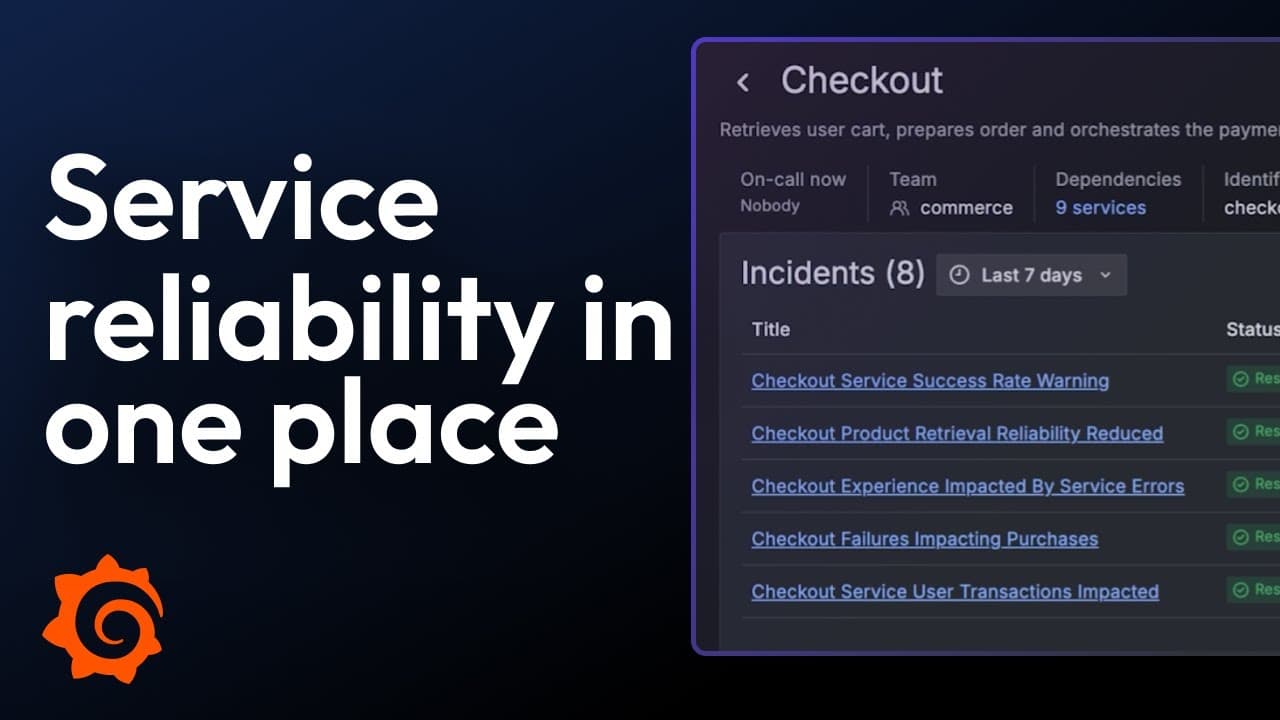
Service Center: A new way to see and manage your services
Service Center serves as a comprehensive hub for all service-related activities. It establishes a solid foundation of operational service data, empowering teams to monitor performance trends, minimize disruptive alerts, analyze past incidents for ongoing service reliability enhancements, and understand on-call page load to help prevent engineer fatigue.
With this unified view, your teams can define their services with the same labels and identifiers that already exist in their systems. Once a service is defined, Grafana Cloud automatically builds a dedicated service page, filled with key information and direct links to all the relevant areas across Grafana:
- SLOs with clear summary data to understand how reliability is trending
- Alerts with quick insight into current or recurring issues
- Dashboards that visualize performance metrics in real time
- Incidents for context on recent or ongoing disruptions
- On-call and paging information to know who’s responding and how often they’ve been paged
Teams can quickly discern whether services are performing well, identify areas requiring attention, and set priorities for investing in increased reliability over adding more features. These operational reviews translate data into actionable insights, reduce manual effort, and help consistently cultivate a stronger reliability culture.
%3Aquality(90)%2F&w=3840&q=75)
Service Center makes these conversations easier, more data-driven, and more impactful. It transforms what used to be scattered across dashboards and tools into a single, shared view of operational health.
And by centralizing data that used to live across different tools and dashboards, Service Center helps teams quickly answer critical questions such as:
- How is our service performing this week?
- Who owns it, and who’s on call?
- What’s broken, and what’s improving?
- What should we focus on next?
A behind-the-scenes example: How we use Service Center
To illustrate how Service Center can help in practical terms, I want to share some internal examples. Afterall, we're big believers that operational excellence reviews are the cornerstone of keeping services performant and engineers happy, so it makes sense that the Grafana SLO team is already using Service Center as the primary source of information during our weekly reviews.
Setting and achieving goals
We're aggressive with our SLOs—never becoming complacent and always looking to work with our remaining error budget so our engineers can focus on other services, adding new features, and not treating every alert as a fire drill.
But how should you decide where to set your SLOs?
We recommend starting with a 99% service availability target as an achievable SLO and adjusting up or down based on each service’s requirements and real world performance. “Three nines” or 99.9% is an industry standard baseline for high availability services, although some service owners may wish to achieve even greater availability targets. You can also use our predictive functionality to see the probability that you'll actually hit your SLO.
Setting lofty but achievable service targets allows our engineers to continue to improve our reliability without burning out. If you notice that you have SLOs that never burn any budget, you could be tracking the wrong indicators or your target percentage isn’t aggressive enough. The Grafana SLO team reviews our SLOs weekly, walking through each service page to view the prior week’s performance. We tune our SLOs and alerts to ensure we are continuously providing a better experience for our customers without generating too much noise.
Improving incident response operations
Incidents are the next area we focus on. All Incidents tagged to our service within the service page’s timeframe are reviewed. It’s very easy after an incident is resolved to go back to your daily tasks—engineers are tired, the service is “fixed,” and budget stops burning. But often these fixes are done in haste with the intention to go back and put the real fixes in later.
Depending on the nature of the incident, better SLIs, alerts, or follow up changes may be needed. Reviewing previous incidents and ensuring their tasks are completed is a major part of the SLO team’s operational review. We want to learn from our incidents and prevent reoccurrence; scheduled fixes are always easier than 3 a.m. pages.
Preventing burnout
Our final service check is to ensure none of our engineers are getting burned out. Our service page shows how often each engineer was paged, and how many alert groups have fired during the set time period.
We review the Grafana Cloud IRM alert groups for each of our engineers. If one person is taking the brunt of on-call work, they could be suffering in silence. No one wants to call out that they're getting too much work, especially when they designed parts of the service they’re getting paged on.
Ensuring there is an even spread of work going to your engineers will help prevent burnout, increasing a team’s overall engineering culture. Service Center makes it very easy for us to gauge workload balancing and manually rotate our schedule if we’re having a tough on-call week.
A stakeholder self service landing page
Defining our services within the Service Center lets our engineers focus on building and fixing, and it provides stakeholders with direct access to the information they need. The Service Center eliminates the need for teams to compile resources for stakeholders, providing instant updates on service performance and reliability. Stakeholders can access dedicated service pages for performance insights, identify on-call personnel for immediate issues, and review cost or resource consumption dashboards.
Previously, stakeholders relied on chat channels for assistance, requiring our team to manually gather monthly/quarterly data. By defining services within the Service Center, engineers can prioritize development and issue resolution, while stakeholders gain direct access to essential information.
Get started with Service Center today
Grafana Service Center is free for all Grafana Cloud customers. Service pages are created by users or can be pulled in via our Backstage module.
The pages utilize the service_name label, so the first thing you need to do to get started is to ensure you are labeling your SLOs, alerts, and incidents with the service_name label that is set in the Service Center identifier object. Dashboards are then synced via dashboard tags, and OnCall information is derived from the team that is added to the service definition during creation.
While we don't yet have a connection to your observability services in Grafana Cloud (Application Observability, Kubernetes Monitoring, Frontend Observability, Cloud Provider Observability, and Database Observability ), we do utilize the static metadata links for our services to add the URLs to our Kubernetes Monitoring dashboards and entity catalog pages. This makes for easy navigation to the opinionated areas for our services that Grafana Cloud provides out of the box.
To learn more about how to use Service Center, check out our docs today.
Grafana Cloud is the easiest way to get started with metrics, logs, traces, dashboards, and more. We have a generous forever-free tier and plans for every use case. Sign up for free now!
%3Aquality(90)%2F&w=3840&q=75)
%3Aquality(90)%2F&w=3840&q=75)


