
%3Aquality(90)%2F&w=3840&q=75)
%3Aquality(90)%2F&w=3840&q=75)
%3Aquality(90)%2F&w=3840&q=75)
Shorten your 'inner loop' as a new hire and get past imposter syndrome with Grafana Assistant


Let's talk about being new.
Four months ago, I joined Grafana Labs as a senior solutions engineer. It wasn’t just a new company, it was a new industry. I came from the visual workspace provider Miro, where I was comfortable doing discovery and talking about visual collaboration and innovation. But stepping into observability? I was in the deep end.
And let me tell you, the imposter syndrome was real.
Everyone around me was fluent in this language of metrics, logs, and traces. I was still mentally mapping acronyms. I knew the concepts—I can read a blog post about RED vs. USE, after all. But there's a huge gap between "I read the manual" and "I know how to fix this service."
That gap is all about the inner loop: the time it takes to ask a question, try something, fail, and then learn why you failed. When you're adapting to a complex new stack, that loop can take hours. You guess a metric name … you write a bad query … you wait for it to time out … you ask a question in Slack … you wait for an answer. It's slow, and it's frustrating.
In this blog, I'm going to show you how I shortened that inner loop with some help from Grafana Assistant, our AI agent designed specifically for Grafana. If you're new to Grafana like me, hopefully you can learn from my experience so you can get up to speed quicker, too.
Learning Grafana with an AI assist
The problem I described about a slow inner loop is essentially a leaky abstraction. Knowing the theory of the RED method is like knowing the Java language standard. It’s necessary, but it’s not sufficient. It doesn't tell you that this specific service emits a metric named http_requests_total_wow_v2 instead of what the textbook says.
So I decided to try and shorten that loop. I opened the assistant in Grafana Cloud and treated it like a pair programmer who already had the map.
I asked: “Explain RED vs USE for the productcatalog service. Show where to inspect each in our data. Then draft PromQL for RED and a short USE checklist.”
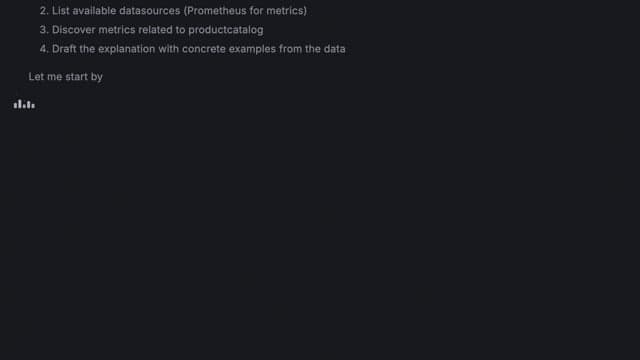
The response was the key. It didn't lecture me. Instead, it taught me.
- It connected theory to practice. It didn't just define RED. It said, "For this service, the signals you care about are in these panels on this dashboard." It closed the "Where is it?" gap.
- It wrote the first draft. It gave me a clean PromQL query for p95 latency and error rate. This is huge. It got me from a blank page to 80% done.
- It acted as a mentor.This is the best part. It offered to optimize the query. When I said yes, it flagged a filter I’d added: "This is going to create very high cardinality. You should probably filter on this other label."
That one interaction was a complete learning loop. I had a question. I got a contextual answer. I wrote code. I got a code review. And I avoided a costly mistake.
I went from "I don’t even know what to even look at" to "I'm confirming slow spans in the trace data" in minutes.
This is the power of augmentation. It's not AI replacing you. It's AI as a compassionate helper, a backplane for your brain that connects your intent (“I need to see errors”) with the implementation (“the exact PromQL and dashboard”).
How you can start shortening your own inner loop
I’ve learned that how you ask matters. Treat Grafana Assistant like a teammate who can move fast, but only with the context you give it, and you’ll get much better results.
- Give it a frame, not just a question: Name the service, the environment, and the time range, then ask for the exact dashboard panels and a first-draft query you can run.
- Ask for a draft plus a review: Try something like, “Write the PromQL, then tell me what could go wrong.” This is where Assistant really helps with onboarding, helping you understand things like label choices, rate windows, and cardinality traps.
- Know when not to lean on it: if the answer depends on business context, a deploy timeline, or something that is not in your telemetry, Assistant can’t invent that. Use it to get oriented fast, then validate with the data and your team’s runbooks.
If you're new to a Grafana Cloud stack, try this experiment:
Pick a service. Try to find the slowest operation the "traditional” way—all the tabs, the guessing, the query rewrites. Time it.
Then ask Grafana Assistant to do the same task.
What you'll find isn't just a faster answer. It's a less frustrating path to that answer. And that's what lets us stay in the flow, learn faster, and do our best work.
Grafana Cloud is the easiest way to get started with metrics, logs, traces, dashboards, and more. We have a generous forever-free tier and plans for every use case. Sign up for free now!
%3Aquality(90)%2F&w=3840&q=75)
%3Aquality(90)%2F&w=3840&q=75)


