
SPC CAD Panel
Bring your 3D models to life inside Grafana. Visualize CAD geometry, overlay real measurement data, and spot quality issues at a glance — all from your dashboard.
Why SPC CAD?
Manufacturing quality teams spend hours switching between measurement software, spreadsheets, and reporting tools. SPC CAD Panel puts everything in one place: your 3D model, your data, and your analysis — live, interactive, and shareable across your organization.
Key Features
Interactive 3D Visualization
Load STL, 3MF, PLY, and ASC files directly into your dashboard. Rotate, pan, and zoom with intuitive trackball controls. Display multiple models side by side for assembly-level inspection.
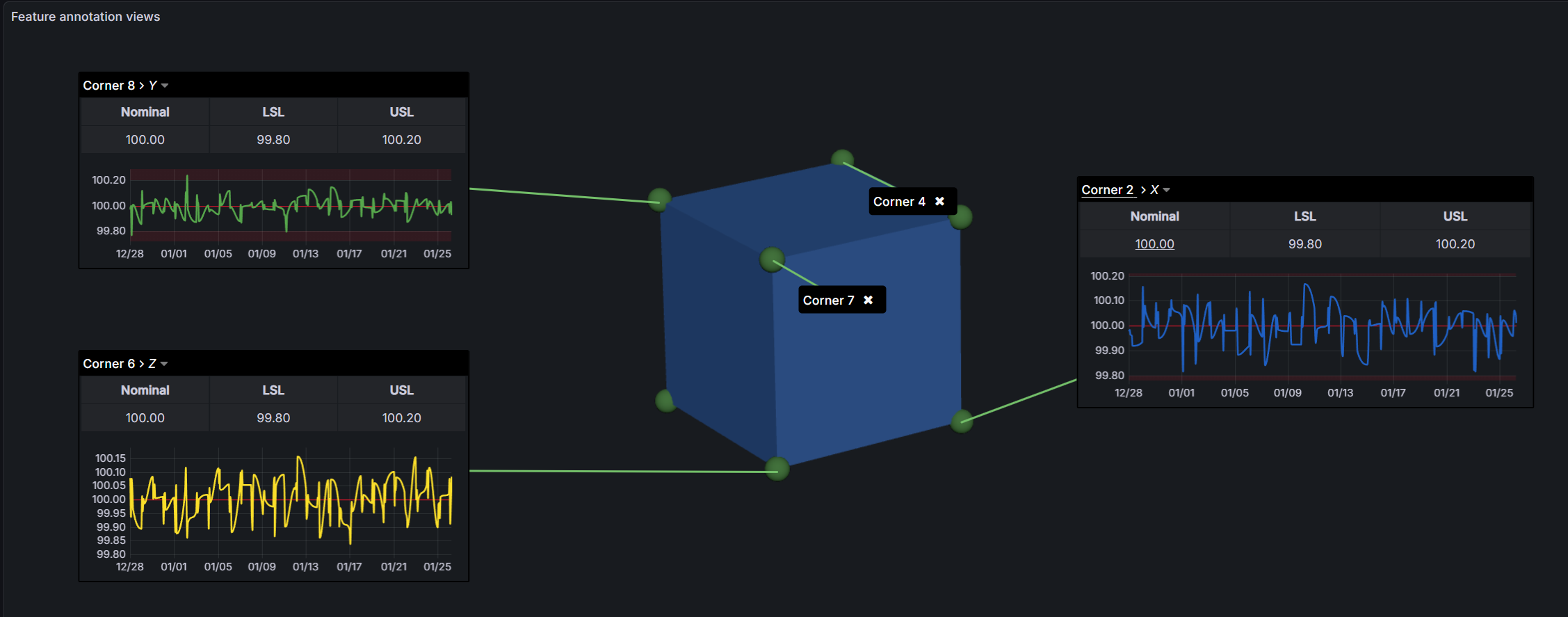
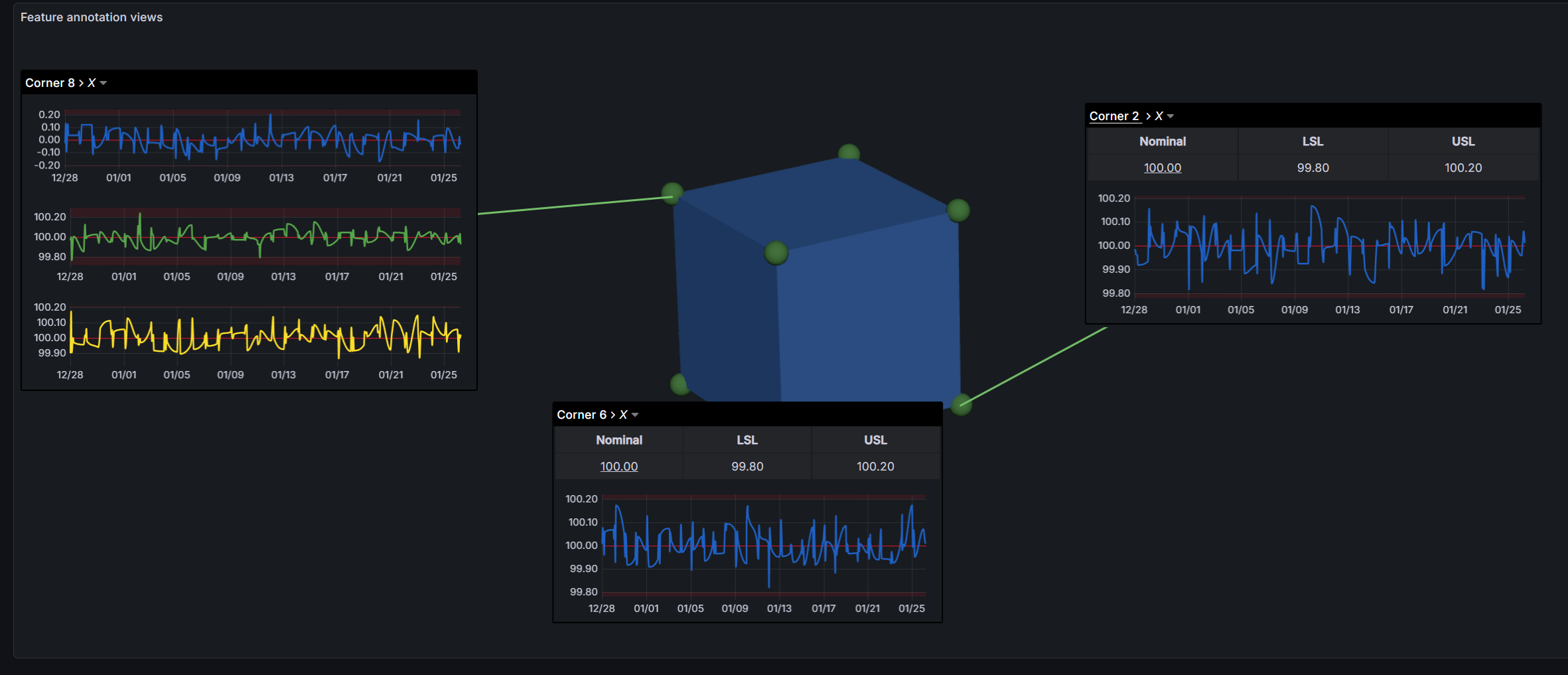
Feature Annotations
Click any measurement feature on your model to see its data. Annotations combine tables, time-series charts, and custom grid layouts — all populated from your Grafana queries in real time.
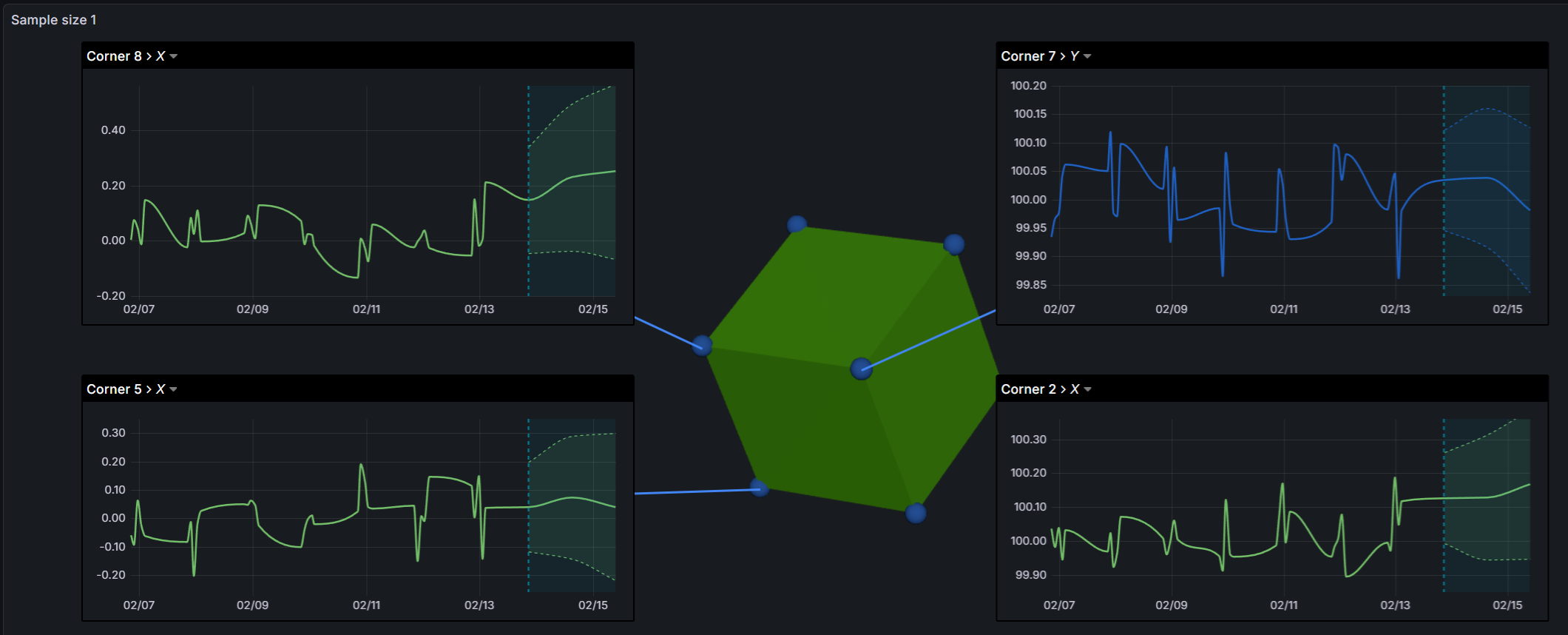
Forecasting
See where your process is heading. When paired with the KensoBI SPC Characteristic Datasource, the panel displays forecast trends with upper and lower confidence bands directly on feature charts — helping you act before problems occur.
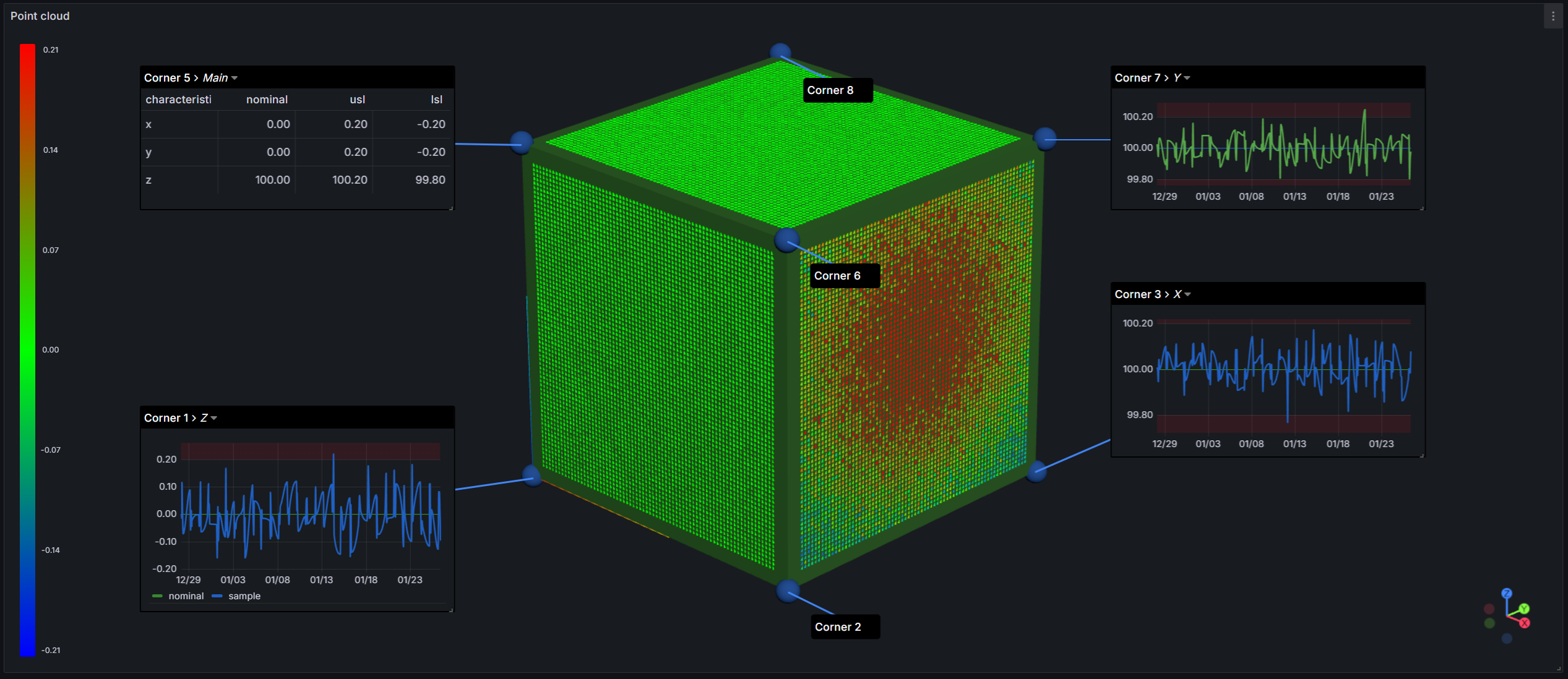
Point Cloud Deviation Analysis
Overlay scan data on your CAD model with automatic deviation color mapping. A blue-to-red gradient instantly highlights where your part deviates from nominal.
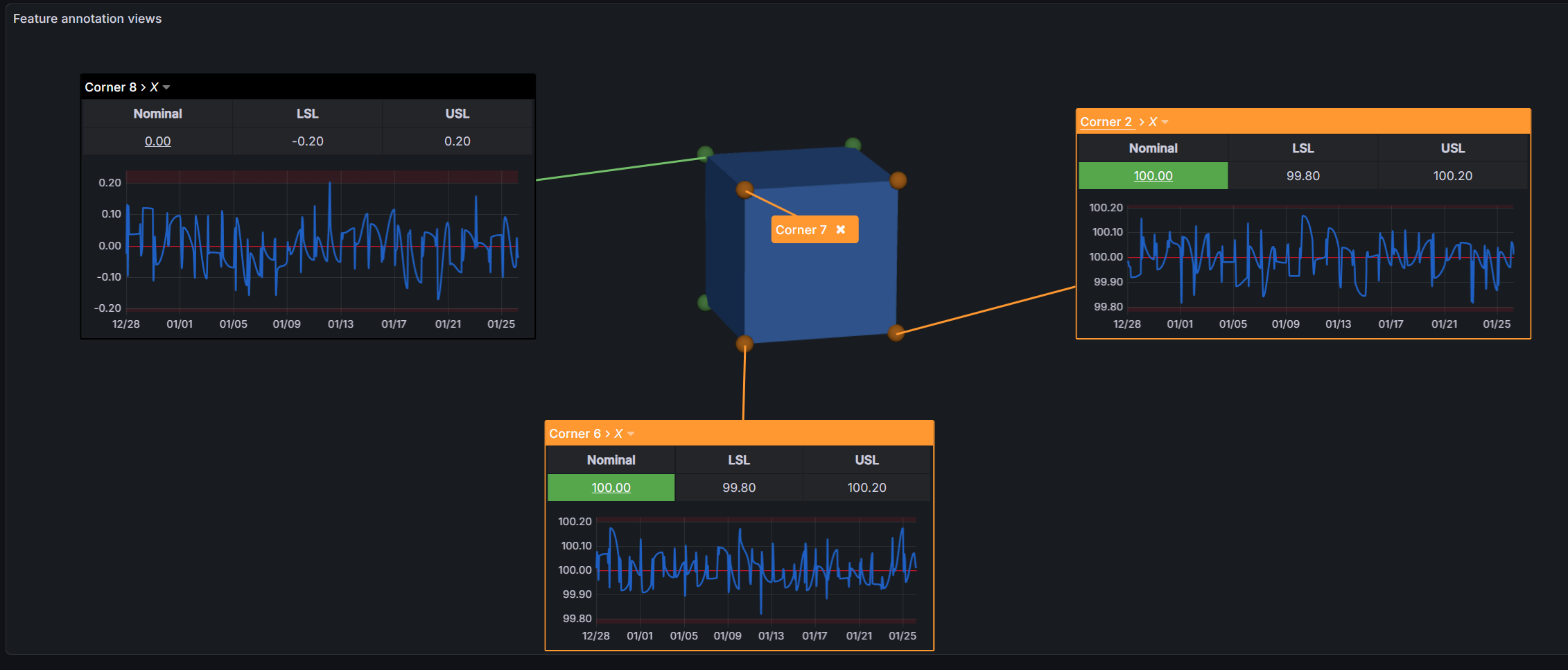
Color-Coded Quality Status
Define rules to color features based on measurement values — green for in-spec, red for out-of-tolerance, or any scheme that fits your workflow. Spot problems without reading a single number.
13 Built-in Templates
Pre-configured annotation layouts for common feature types: point, circle, cylinder, sphere, ellipse, line, rectangle, slot, plane, slab, cone, and more. Select a template and your annotation is ready — or customize it to fit your needs.
Scan Timeline
Navigate through historical scan data with a built-in timeline slider. Play back inspections over time to track process trends and catch drift early.
Getting Started
- Install the plugin in your Grafana instance
- Create a new panel and select SPC CAD as the visualization
- Add a CAD model URL or upload a file (STL, 3MF, PLY, or ASC)
- Connect a data query with your feature measurements
- Click features on the model to create annotations
Supported Formats
| Format | Extension | Description |
|---|---|---|
| STL | .stl |
Stereolithography (binary and ASCII) |
| 3MF | .3mf |
3D Manufacturing Format |
| PLY | .ply |
Polygon File Format |
| ASC | .asc |
ASCII Point Cloud with deviation data |
All formats support GZIP compression for faster loading.
Documentation
For detailed setup guides, data model requirements, configuration options, and troubleshooting, visit the full documentation.
Getting Help
- Documentation — Setup guides and reference
- Discord Community — Ask questions and share dashboards
- GitHub Issues — Report bugs and request features
License
This software is distributed under the GNU Affero General Public License v3.0.
Copyright
Copyright (c) 2026 Kenso Software
Grafana Cloud
Connect any plugin in Grafana Cloud.
- 150+ data source integrations
- Grafana Assistant - AI that correlates your data, builds queries, and answers questions
- 10k Prometheus metrics + 50 GB logs, traces, and profiles on the free tier
- ...and more
Insights
- Adoption
Running on 270 active Grafana instances.
- Activity
Last updated 28 Apr 2026.
2 releases in the past year.
- Version
- 3.1.1
- Dependencies
- Grafana >=11.0.0
- Developer
- Kenso Software
Grafana Cloud
Connect any plugin in Grafana Cloud.
- 150+ data source integrations
- Grafana Assistant - AI that correlates your data, builds queries, and answers questions
- 10k Prometheus metrics + 50 GB logs, traces, and profiles on the free tier
- ...and more