Plugins 〉Split Flap


Developer

Dzaczek

Sign up to receive occasional product news and updates:


Panel
community

Split Flap

  • Overview
  • Installation
  • Change log
  • Related content

Split Flap Panel for Grafana
Split Flap Logo

A retro-style Split Flap display panel for Grafana.

It brings the classic mechanical look of airport departure boards (Solari boards) to your dashboards. I built this to offer a high-quality, animated visualization that feels "real"—with proper physics for the flaps and smooth animations. Perfect for status boards, KPIs, or just making your dashboard look awesome.

Features

🕒 Clock Mode

Turn your dashboard into a stylish world clock.

  • Standalone: Does not require any data source.
  • Timezones: Support for all major world timezones (400+ timezones available).
  • Formats: 12h/24h options, show/hide seconds.
  • Time Separator: Choose between Colon (:), Dot (.), Dash (-), Space ( ), or None.
  • Date Format: Optional date display (DD/MM/YYYY, MM/DD/YYYY, YYYY-MM-DD, DD.MM.YYYY).
  • Day of Week: Optionally display the current day name (short format).

🔄 Smart Animation

The flip logic isn't just random:

  • Numbers: Flip fast using a numeric-only path (e.g., 1 -> 2 is quick).
  • Text: Goes through the full alphabet cycle, just like the real mechanical ones.
  • Physics: Long flips accelerate and then slow down at the end (easing).

🎨 Themes

Comes with a bunch of built-in styles so you don't have to write CSS:

ThemeDescriptionBest For
ClassicStandard dark grey, flat look.General use
Classic 3DLike Classic but with more depth and shadows.Realistic look
Aviation: DepartureClassic airport board style with yellow text on black.Flight departure boards
Aviation: CockpitTechnical instrument style with cyan text.Aircraft cockpits
Aviation: TarmacOrange/amber high-visibility style.Ground operations
Swiss SBB: BlackSwiss railway black display style.Transportation
Swiss SBB: WhiteSwiss railway white display style.Transportation
Swiss SBB: BlueSwiss railway blue with red border.Transportation
AirportGold text on black background.Flight boards
MechanicalWhite/Metal industrial style.IoT / Machinery
CyberpunkNeon cyan with CRT scanlines.Sci-fi dashboards
MatrixActual digital rain animation in the background.Hacker vibes
NeonDark background with heavy text glow.Night mode
E-InkHigh contrast, paper-like with vignette.E-readers look
GlassFrosted glass effect with transparency.Modern UI
Blue GlassBlue-tinted glass effect.Modern UI
RainbowColorful gradient display.Colorful dashboards
NewspaperHalftone newspaper print style.Vintage look
iOS LightApple iOS light mode style.Modern Apple-style UI
iOS DarkApple iOS dark mode style.Modern Apple-style UI
WoodWooden texture style.Natural/organic look
Red 3DRed 3D gradient style.Alerts / Warnings

📊 Data Options

OptionWhat it does
Value AggregationPick what to show from the series: Last, First, Min, Max, Mean, Sum, Count, etc.
Main ContentChoose what goes on the flaps: Value, Name, Name + Value, or Value + Name.
Auto FitAutomatically calculates the best card size to fit the panel. Turn off for fixed size.
Name PositionPosition of series name: Top, Bottom, Left, or Right.
Name AlignmentAlignment of series name: Start, Center, or End.
Name Font SizeCustom font size for series name (8-100px).
Unit PositionPosition of unit: Top, Bottom, Left, Right, or None.
Unit AlignmentAlignment of unit: Start, Center, or End.
Unit RotationRotate unit text 90 degrees.
Custom UnitOverride the unit with custom text.
Unit Font SizeCustom font size for unit (8-100px).

Examples

See the panel in action with different configurations:

Default View
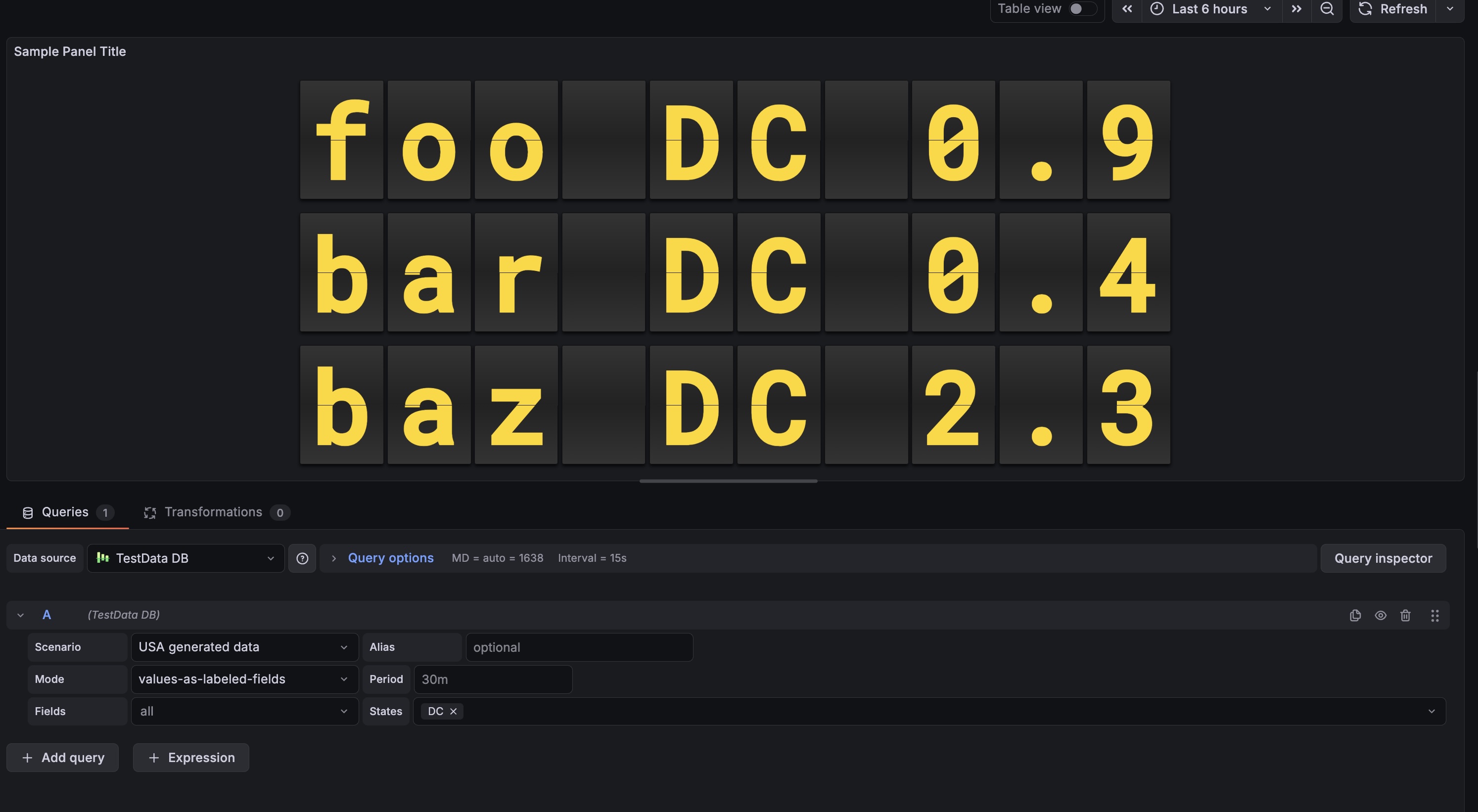
Split Flap Panel Example Shows numeric values with the classic airport look.

Usage

  1. Add it: Find "Split Flap" in the visualization list.
  2. Choose Mode:
    • Data Series: Connect a data source to visualize metrics.
    • Clock: Display current time for any timezone (no data source needed).
  3. Tweak it:
    • Change layout (Vertical/Horizontal).
    • Pick a theme that fits your dashboard.
    • Set up Thresholds to change colors dynamically (e.g., red when value > 80).

Configuration

Panel Options

SettingDescriptionDefault
ModeChoose between Data Series or Clock.Data Series
LayoutDirection of the series grid (Horizontal / Vertical).Horizontal
Show SeparatorsDraw lines between different series.Off
ThemeVisual style of the flaps (see Themes section above).Classic
Show NameDisplay series name outside the flaps.On
Name PositionWhere to place the name: Top, Bottom, Left, or Right.Top
Name AlignmentHow to align the name: Start, Center, or End.Center
Name Font SizeFont size for the name (8-100px).18
Show UnitDisplay unit outside the flaps.On
Unit PositionWhere to place the unit: Top, Bottom, Left, Right, or None.Right
Unit AlignmentHow to align the unit: Start, Center, or End.Center
Unit RotationRotate unit text 90 degrees.Off
Custom UnitOverride the unit with custom text.(empty)
Unit Font SizeFont size for the unit (8-100px).24
Threshold TargetWhat to colorize: Text, Tile (card background), or Panel background.None

Clock Options (Clock Mode Only)

SettingDescriptionDefault
12-Hour FormatUse 12-hour format (AM/PM) instead of 24-hour.Off
Show SecondsDisplay seconds in the time.On
TimezoneSelect timezone (400+ available) or use browser local time.Browser Local
Show TimezoneDisplay timezone name (e.g., "EST", "PST", "UTC") outside the clock.Off
Timezone PositionWhere to place the timezone: Top, Bottom, Left, or Right.Bottom
Timezone AlignmentHow to align the timezone: Start, Center, or End.Center
Timezone Font SizeFont size for the timezone (8-100px).18
Time SeparatorCharacter between hours, minutes, seconds: Colon (:), Dot (.), Dash (-), Space ( ), or None.Colon
Date FormatOptional date display format: DD/MM/YYYY, MM/DD/YYYY, YYYY-MM-DD, DD.MM.YYYY, or None.None
Show Day of WeekDisplay abbreviated day name (Mon, Tue, etc.).Off
AM/PM PositionPosition of AM/PM indicator: In Text (Default), Left, or Right.In Text
AM/PM OrientationOrientation of AM/PM: Horizontal or Vertical.Horizontal
AM/PM Font SizeFont size for AM/PM indicator.18
AM/PM GapSpacing between AM/PM and the clock digits.12

Flip Options

SettingDescriptionDefault
DigitsMinimum number of characters/cards to show.6
RoundingDecimal places for numbers.1
Auto FitAuto-scale card size to fill the panel.On
Size (px)Fixed card height (if Auto Fit is off).50
GapSpace between individual cards.4
SpeedAnimation speed multiplier (0.1-2.0).0.49
Fast SpeedSpeed for quick number transitions (0.05-0.5).0.1

Installing Split Flap on Grafana Cloud:

For more information, visit the docs on plugin installation.

Changelog

2.4.1 (2026-04-16)

Features

  • Board (Solari) Display Mode: Added a new Board display mode that renders data as a classic Solari departure-board layout with configurable header, title, column names, row numbers, compact layout, and scrolling support.
  • True Wall Display: Added True Wall styling variant for the Board mode with fixed column widths and per-digit recess effect for a realistic recessed-cell Solari board appearance.
  • Uniform Digit Width in Board Split Mode: Digits per column are now padded to a uniform count so rows stay visually aligned even when values have different lengths.
  • Threshold Coloring in Board Rows: Panel-level threshold configuration is now respected when coloring Board mode row values.
  • Board Demo Dashboard: Added a provisioned demo dashboard (board-demo.json) for easy out-of-the-box testing of the Board mode.

Improvements

  • Board Mode UX: Auto-generated column names, optional row numbers, compact layout toggle, and vertical scrolling for long data sets.
  • Alignment Options: Board mode rows support left, center, and right alignment.

Maintenance

  • Security Patches: Updated yarn resolutions to address multiple security vulnerabilities:
    • dompurify: 3.2.5 → 3.4.0 (GHSA-39q2-94rc-95cp)
    • lodash: 4.17.21 → 4.18.1
    • picomatch: 4.0.2 → 4.0.4
    • serialize-javascript: 7.0.3 → 7.0.5
    • yaml: 2.7.1 → 2.8.3
    • immutable: 5.0.3 → 5.1.5
    • minimatch: 9.0.6 → 10.2.3
    • brace-expansion: 2.0.3 → 5.0.5
  • Library Updates:
    • @grafana/ui and @grafana/i18n: 12.3.2 → 12.4.2
    • @emotion/css: 11.10.6 → 11.13.5
    • @testing-library/react: 14.0.0 → 15.0.7
    • webpack-cli: 5.1.4 → 7.0.2
    • style-loader: 3.3.3 → 4.0.0
    • eslint-webpack-plugin: 5.0.2 → 6.0.0
    • prettier: 2.8.8 → 3.8.2
    • @swc/helpers: 0.5.18 → 0.5.21
    • @types/node: 20.19.30 → 25.6.0
  • Workflow & CI:
    • actions/checkout: v4 → v6
    • actions/upload-artifact: v5 → v7
    • softprops/action-gh-release: v1 → v3
    • grafana/plugin-actions: updated create-plugin-update (v2.0.2) and is-compatible (v1.0.3)
    • Fixed react-data-grid installation issues and optimized Grafana compatibility workflow.

2.4.0-dev.1 (2026-04-16)

Features

  • Merged the board branch into main for development testing of the Board (Solari) mode features.

Maintenance

  • Updated dompurify resolution to ^3.4.0 to address Dependabot alert #41 (GHSA-39q2-94rc-95cp).

2.4.0-beta.1 (2026-04-15)

Features

  • Added the Board (Solari) display mode with alignment controls, compact layout options, scrolling, and threshold-aware row rendering.
  • Added the True Wall board styling and a provisioned demo dashboard for easier testing.
  • Normalized digit widths per column in Board split mode so rows stay visually aligned even when values have different lengths.

Maintenance

  • Merged the main dependency and CI workflow updates into board for testing on top of the latest base.

2.3.1 (2026-04-15)

Maintenance

  • Merged the pending Dependabot updates for frontend packages and GitHub Actions workflows.
  • Fixed the Grafana compatibility workflow to use the repository's committed Yarn lockfile instead of npm ci.
  • Kept the Playwright report publishing job on actions/checkout@v5 to avoid the Duplicate header: "Authorization" failure seen with v6.

2.2.7 (2026-01-09)

Fixes

  • Provisioning: Fixed Docker Compose configuration to use correct plugin ID (dzaczek-splitflap-panel), enabling proper provisioning and testing of the plugin.

2.2.1 (2026-01-08)

Fixes

  • CI/CD: Fixed dependency installation issues in GitHub Actions by switching react-data-grid to HTTPS protocol.
  • Linting: Fixed missing dependency in useEffect hook in FlipDigit component.

2.2.0 (2026-01-08)

Features

  • AM/PM Customization: Added full control over AM/PM indicator in 12-hour clock mode:
    • Position: Can be placed Left, Right, or Inline (In Text).
    • Orientation: Support for Vertical (stacked characters) or Horizontal layout.
    • Styling: Independent control over font size and gap/spacing.
    • Independent Rendering: AM/PM is now rendered as a separate FlipDisplay component even in "In Text" mode, allowing for consistent styling and animation.

Improvements

  • Clock Logic: Optimized clock animation to use a dedicated 0-9 numeric drum for seconds/minutes, eliminating lag and "scrolling" through special characters during time changes.
  • Layout: Improved layout engine for FlipItem to better handle "shrink-wrap" sizing, ensuring the clock stays centered regardless of timezone or AM/PM alignment.

2.1.38 (2025-12-12)

Fixes

  • Flip Animation Logic: Fixed a synchronization issue where the bottom half of the digit changed too early (before the flap finished falling). Now implements correct split-flap physics:
    • Top half reveals the new character immediately.
    • Bottom half keeps the old character until covered by the falling flap.
    • Falling flap transitions from old character (front) to new character (back).
  • Animation Speed: Adjusted default flip duration from 0.6s to 0.49s for snappier, more realistic mechanical movement.

Documentation

  • Intro Rewrite: Made the README introduction more accessible and developer-friendly.

2.1.37 (2025-12-12)

Summary

This release represents a major evolution of the Split Flap Panel, with significant improvements across security, architecture, themes, and documentation. The journey from 1.1.31 to 2.1.37 has been organized into three main development stages:

  1. Etap 1: Security & Architecture Overhaul (1.1.32) - Complete security hardening and React migration
  2. Etap 2: Theme Expansion & Visual Enhancements (1.2.x - 2.0.x) - Major theme expansion from 9 to 22 themes
  3. Etap 3: Final Polish & Documentation (2.1.x) - Comprehensive documentation updates

Statistics

  • Themes: Expanded from 9 to 22 themes (+144% increase)
  • Security: Eliminated all XSS vulnerabilities, full CSP compliance
  • Code Quality: Migrated 754 lines of legacy code to modern React architecture
  • Documentation: Complete rewrite covering all features and options

Statistics

  • Themes: Expanded from 9 to 22 themes (+144% increase)
  • Security: Eliminated all XSS vulnerabilities, full CSP compliance
  • Code Quality: Migrated 754 lines of legacy code to modern React architecture
  • Documentation: Complete rewrite covering all features and options

Documentation

  • Complete README overhaul: Comprehensive update documenting all 22 available themes, all configuration options, Clock Mode features, and layout customization options
  • CHANGELOG expansion: Added detailed changelog entries for all versions from 1.1.31 to 2.1.37, organized by development stages
  • Configuration documentation: Fully documented Clock Mode options (time separator, date format, day of week)
  • Layout documentation: Complete documentation of name and unit positioning, alignment, rotation, and font size options
  • Animation documentation: Added Fast Speed option documentation

Etap 3: Final Polish & Documentation (2.1.x)

2.1.32 (2025-12-08)

Documentation

  • Complete README update: Added all 22 available themes to documentation with descriptions and use cases:
    • Aviation themes (Departure, Cockpit, Tarmac)
    • Swiss SBB themes (Black, White, Blue)
    • iOS themes (Light, Dark)
    • Specialty themes (Wood, Red 3D, Blue Glass, Rainbow, Newspaper)
  • Configuration options: Documented all Clock Mode options:
    • Time separator options (Colon, Dot, Dash, Space, None)
    • Date format options (DD/MM/YYYY, MM/DD/YYYY, YYYY-MM-DD, DD.MM.YYYY)
    • Day of week display option
  • Layout options: Documented name and unit positioning, alignment, rotation, and font size options
  • Animation options: Added Fast Speed option documentation
  • Data options: Documented value aggregation, main content display modes, and auto-fit functionality

Etap 2: Theme Expansion & Visual Enhancements (1.2.x - 2.0.x)

2.0.0 (2025-12-04)

Features

  • Major Theme Expansion: Added 13 new professional themes bringing total to 22 themes:
    • Aviation Collection (3 themes):
      • aviation-departure: Classic airport board style with yellow text (#f7d100) on black background, uses Oswald font
      • aviation-cockpit: Technical instrument style with cyan text (#00ffcc) on dark gray, uses Share Tech Mono font
      • aviation-tarmac: Orange/amber high-visibility style (#fdcb6e) for ground operations
    • Swiss SBB Collection (3 themes):
      • swiss-sbb-black: Black background with white text
      • swiss-sbb-white: White background with black text
      • swiss-sbb-blue: Dark blue with red border (added in 1.2.0)
    • iOS Collection (2 themes):
      • ios-light: Apple iOS light mode style with white background
      • ios-dark: Apple iOS dark mode style with dark background
    • Specialty Themes (5 themes):
      • wood: Natural wooden texture with brown tones
      • red-3d: Red 3D gradient style for alerts/warnings
      • blue-glass: Blue-tinted glass effect with transparency
      • rainbow: Colorful gradient display with rainbow effect
      • newspaper: Halftone newspaper print style with vintage look

Improvements

  • Font System: Updated logo and theme fonts to use system fonts for improved cross-platform compatibility
    • Aviation themes automatically load Google Fonts (Oswald, Share Tech Mono) when available
    • Graceful fallback to system fonts for offline/air-gapped environments
  • Theme Organization: Better categorization and naming of themes for easier discovery
  • Visual Polish: Enhanced gradients, shadows, and effects across all new themes

1.2.0 (2025-12-11)

Features

  • Swiss SBB Blue Theme: Added official Swiss railway blue theme (swiss-sbb-blue) with:
    • Dark blue background (#0B1E3C)
    • White text
    • Red border accent (#EB0000) matching SBB branding
    • Gradient effects for depth

Improvements

  • Theme Refinements: Improved visual consistency across all themes
  • Theme Organization: Better categorization of themes in the selector

Etap 1: Security & Architecture Overhaul (1.1.32)

1.1.32 (2025-12-11)

Security

  • XSS Protection: Removed XSS vulnerabilities by replacing innerHTML (lines 328, 584 in old flip-engine) with React rendering
  • Character Escaping: Added character escaping in FlipDigit to only allow safe characters (numbers, letters, and specific symbols)
  • Safe DOM Updates: All DOM updates now use React's safe rendering mechanisms

CSP Compatibility

  • Removed Google Fonts: Removed Google Fonts @import statements (lines 330-331) that violated Content Security Policy
  • System Font Fallbacks: Replaced with system font fallbacks (e.g., -apple-system, BlinkMacSystemFont, 'Segoe UI', sans-serif)
  • Local Fonts Only: All fonts now use local/system fonts that work with strict CSP policies

Architecture Overhaul

  • React Migration: Complete migration from custom elements to React components
    • Created FlipDigit.tsx — React component for individual flip digits with animation logic
    • Created FlipDisplay.tsx — Component managing multiple digits
    • Removed custom element (FlipSensorCard) in favor of React components
    • Updated FlipBoard.tsx to use the new React components
  • Styling Modernization:
    • Converted all styles to Emotion CSS-in-JS (Grafana best practice)
    • Removed shadow DOM and inline styles
    • All themes preserved with the same visual appearance
  • Code Cleanup:
    • Removed deprecated src/core/flip-engine.ts (754 lines removed)
    • Removed duplicate src/core/flip-engine.tx file
    • Improved code organization and maintainability

Impact

  • Security: Plugin is now safe from XSS attacks and CSP-compliant
  • Maintainability: React-based architecture is easier to maintain and extend
  • Performance: Better React optimization and rendering performance
  • Compatibility: Works in environments with strict CSP policies

1.1.31 (2025-11-30)

Maintenance

  • Fixed incorrect path for grafana/plugin-actions/build-plugin in release workflow (reverted to explicit tag path).

1.1.30 (2025-11-30)

Maintenance

  • Reverted to official grafana/plugin-actions/build-plugin workflow, now that signing issues are resolved via CLI flags.
  • Kept softprops/action-gh-release for artifact publishing.

1.1.29 (2025-11-30)

Maintenance

  • Official release (removed -beta suffix).
  • Stabilized build workflow with manual signing and packaging steps.

1.1.28-beta.26 (2025-11-30)

Maintenance

  • Fixed release artifact naming by using git tag version instead of parsing JSON.
  • Marked release as full release (not prerelease).

1.1.28-beta.25 (2025-11-30)

Maintenance

  • Replaced opaque package-plugin action with manual zip command to ensure artifact creation and correct naming for release upload.

1.1.28-beta.24 (2025-11-30)

Maintenance

  • Switched to softprops/action-gh-release for reliable GitHub Release creation.

1.1.28-beta.23 (2025-11-30)

Maintenance

  • Added manual MD5 checksum generation step to release workflow.

1.1.28-beta.22 (2025-11-30)

Maintenance

  • Corrected artifact path pattern for GitHub Release upload (checking root directory instead of dist/).

1.1.28-beta.21 (2025-11-30)

Maintenance

  • Added GitHub Release step to upload plugin artifacts (.zip and .md5) to the release page.

1.1.28-beta.20 (2025-11-30)

Maintenance

  • Added id-token: write and attestations: write permissions to workflow for build provenance attestation.

1.1.28-beta.19 (2025-11-30)

Maintenance

  • Removed rootUrls from plugin.json to satisfy plugin validator (using command line flag for signing instead).
  • Cleaned up build workflow.

1.1.28-beta.18 (2025-11-30)

Maintenance

  • Added --rootUrls flag to yarn sign command as a fallback for JSON configuration.

1.1.28-beta.17 (2025-11-30)

Maintenance

  • Fixed GitHub Action path for package-plugin.
  • Added forced injection of rootUrls into dist/plugin.json before signing to ensure field presence.

1.1.28-beta.16 (2025-11-30)

Maintenance

  • Switched to manual build workflow in GitHub Actions to debug signing issues.

1.1.28-beta.15 (2025-11-30)

Maintenance

  • Added debug step to CI to verify plugin.json content.

1.1.28-beta.14 (2025-11-30)

Maintenance

  • Bump version to retry build process.

1.1.28-beta.13 (2025-11-30)

Maintenance

  • Added rootUrls to plugin.json to fix signing error for private plugin token.

1.1.28-beta.12 (2025-11-30)

Maintenance

  • Re-trigger release build with correct secrets configuration.

1.1.28-beta.11 (2025-11-30)

Maintenance

  • Fixed Github Action reference for grafana/plugin-actions/build-plugin.

1.1.28-beta.10 (2025-11-30)

Maintenance

  • Fixed yarn registry configuration to resolve installation issues in CI.
  • Updated workflow configurations.

1.0.0 (2025-11-30)

Features

  • Smart Flip Logic: Numbers spin fast using a numeric drum, while text uses the full alphanumeric drum for realistic effect.
  • Animation Easing: Added physics-based easing (acceleration/deceleration) for long flip sequences.
  • New Themes: Added Matrix (digital rain), Cyberpunk (CRT effect), Airport, Mechanical, Glass, and Neon styles.
  • Data Aggregation: Added selector for Last, First, Min, Max, Mean, Sum, Count value reduction.
  • Display Content: Option to show Value, Name, or both directly on the flaps (e.g. "London 20").
  • Performance: Added will-change: transform for GPU acceleration and optimized React re-renders.
  • Accessibility: Added ARIA labels and roles for screen readers.

Fixes

  • Thresholds: Fixed conflict where themes overrode Grafana threshold colors (removed !important from styles).
  • Text Formatting: Fixed issue where "Name + Value" ignored rounding settings (now formats numbers before combining).
  • Visual Glitches: Fixed "TTkyo" glitch by preventing animation on disconnected DOM elements.
  • Spacing: Added proper spacing for "Name + Value" display mode.
  • Memory: Added cleanup logic to stop animations when panel is unmounted.
  • Timestamp: Fixed logic to prioritize value fields over time fields.