%3Aquality(90)%2F&w=3840&q=75)
%3Aquality(90)%2F&w=3840&q=75)
Tempo 3.0 release: a new architecture for scale and lower TCO, TraceQL metrics GA, and more


Tempo started with a simple goal: make distributed tracing easier to run at scale. As tracing adoption has grown, however, so have the challenges, including higher data volumes, more complex architectures, and increasing demand for real-time insights directly from traces.
Over the last year, we’ve been evolving Tempo’s architecture to meet that moment. And today, we’re sharing the results of those efforts with the release of Tempo 3.0.
The latest major release of the open source distributed tracing backend introduces a Kafka-compatible architecture for microservices deployments that changes how Tempo ingests, stores, and queries trace data at scale.
With the general availability of TraceQL metrics, Tempo 3.0 also makes it easier to create metrics and gain insights directly from tracing data. Alongside improvements to query performance, trace redaction, and more, these updates help teams deploy tracing more efficiently and cost effectively.
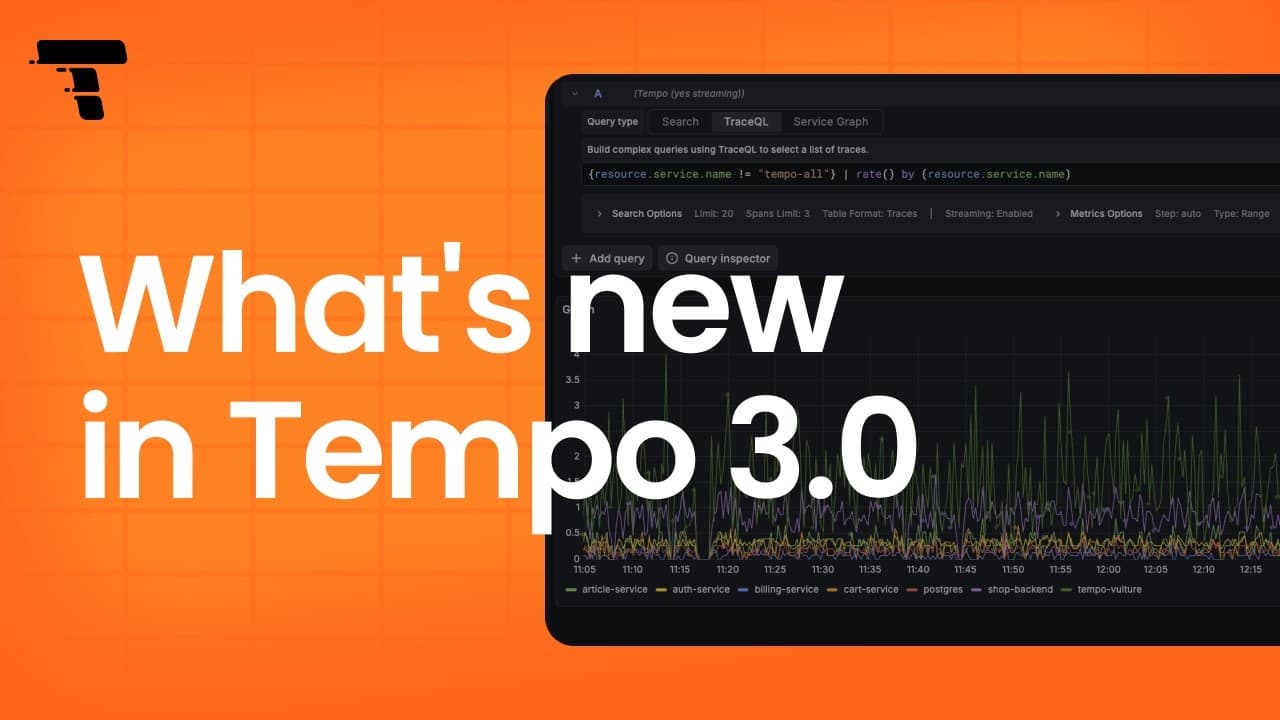
You can continue reading and check out the video below to learn more about these and other updates. The Tempo 3.0 release notes and changelog also provide more in-depth details and include all the changes included in this release.
New Tempo architecture for lower TCO
In the Tempo 2.9 release blog and release notes, we introduced a new Tempo architecture, codenamed Project Rhythm, with three goals: remove the replication factor 3 (RF3) requirement, decouple the read and write paths, and lay the groundwork for lower total cost of ownership (TCO). In practice, this means storing one copy of your trace data instead of three, which directly reduces object storage costs.
With Tempo 3.0, that architecture is now the default.
%3Aquality(90)%2F&w=3840&q=75)
Why we evolved the Tempo architecture
The previous Tempo architecture centered on ingesters. Distributors sent trace data to ingesters, ingesters buffered recent data and flushed blocks to object storage, and compactors handled backend block maintenance.
This created some challenges, including:
- Tempo needed RF3 replication across ingesters for durability, and TraceQL metrics added a second set of blocks through the metrics-generator and local-blocks processor. This meant storing 3 to 3.5 times the actual volume of tracing data.
- TraceQL metrics had availability limitations. Metric data was tied to individual generators, so if a generator went down, the data it held became temporarily unavailable.
- The read and write paths shared the same components, so one bad workload could destabilize both. Real incidents made this clear: Mimir queries took down ingestion, slow queries starved fast ones, and large Tempo trace attributes OOMed queriers.
To learn more about these and other factors leading up to Tempo’s re-architecture, check out the GrafanaCON 2026 talk, “When theory meets scale: Operating Mimir and Tempo in production.”
These updates to Tempo also align with other recent architectural changes we’ve made to Mimir, Loki, and Pyroscope to optimize performance across the OSS projects.
Splitting the read and write path
The solution to these issues was to fully separate the read and write paths so neither can affect the other. As a result, one of the main architectural changes in Tempo 3.0 is that the read and write paths are now split while in microservices mode, reducing storage and overhead while improving performance and reliability.
The distributor still receives trace data first, but what happens next is different. In microservices mode, the distributor writes that data to a Kafka-compatible system, which becomes the durable buffer between ingestion and the rest of the system. From there, block-builders consume trace data and write Parquet blocks to object storage, while live-stores, a read-path component, consume the same stream to serve recent traces before those blocks are available in storage. This is what lets newly ingested traces show up in queries quickly, without tying recent reads to the old ingester path.
The metrics-generator now consumes trace data from the same Kafka topic (a named stream that multiple components can read from independently), instead of receiving it through the previous distributor push path. Compaction also moves into the new architecture: compactors are replaced by the backend scheduler and backend worker, which coordinate compaction, retention, blocklist maintenance, and redaction jobs.
For smaller deployments, monolithic mode is still the simpler option with no Kafka required. Everything runs in a single binary.
To learn more, check out our Tempo architecture documentation.
Deeper insights: TraceQL metrics is now GA
TraceQL metrics, now generally available, lets you query ad-hoc metrics directly from trace data, making it easy to answer questions about performance, error rates, and service behavior across distributed systems.
Using TraceQL metrics, you can compute time series directly from trace data using queries such as:
{} | rate() by (resource.service.name)With the new architecture, TraceQL metrics no longer depends on the metrics-generator component and is enabled by default. Recent TraceQL metrics queries are served by the live-store, and historical TraceQL metrics queries read RF1 blocks from object storage.
This matters during migration: Tempo 3.0 can query old RF3 blocks for normal trace search and trace-by-ID lookups, but TraceQL metrics queries only read RF1 blocks. If your 2.x deployment didn’t use the local-blocks processor, TraceQL metrics results cover data ingested after the upgrade.
Note: Alerting on TraceQL metrics remains experimental.
Comparison operators in TraceQL metrics
TraceQL metrics queries now support comparison operators: >, <, >=, <=, =, and !=. This lets you filter metric query results directly, so you can focus on the series that cross a threshold instead of scanning every returned series manually.
For example, this query returns the per-second span rate for every service except tempo-all, grouped by service name:
{ resource.service.name != "tempo-all" } | rate() by (resource.service.name)%3Aquality(90)%2F&w=3840&q=75)
Previously, you'd get results back for every service and filter from there. Now you can add a threshold directly to the query. For example, to return only services where the rate exceeds 1 span per second:
{ resource.service.name != "tempo-all" } | rate() by (resource.service.name) > 1%3Aquality(90)%2F&w=3840&q=75)
See the PR and release notes for more information. To mirror the specific example above, you can run the single-binary example.
Enhancements to the metrics-generator
Metrics-generator is an optional Tempo component that derives metrics from ingested traces, including span metrics, service graphs, and host info metrics.
In the 3.0 release, we focused on making it easier to manage cardinality, filter generated metrics, and compensate for sampling.
Per-label cardinality limiting
High-cardinality labels can quickly cause a cardinality explosion, consume the active series budget, and overwhelm the downstream systems (e.g, Prometheus, Mimir, or Cortex) where you remote write metrics. A common example is a label like http.url, where every unique URL can create another set of series.
The new per-label limiter gives operators more control on the upper bound of the cardinality per label. You can set the per-tenant max_cardinality_per_label override, and when a label exceeds that threshold, only that label’s value is replaced with __cardinality_overflow__. The rest of the label set is preserved. The new per-label limiter runs before the existing max_active_series / max_active_entities limiters, which remain as the last-resort safety net. This gives you a way to limit one problematic label without dropping all the other useful dimensions.
New metrics also help estimate per-label cardinality demand. Cardinality demand is tracked using HyperLogLog sketches, so the new metrics that help estimate per-label cardinality demand are estimates rather than exact counts. If cardinality drops back below the threshold, the limiter recovers automatically once the label ages out.
Check out the PR, configuration docs, troubleshooting docs, and HyperLogLog blog for more information. Benchmarks can also be found in the PR.
DRAIN-based span_name sanitizer
Span names with dynamic values (for example: GET /users/123) can create an active series per value and quickly drive up cardinality. The DRAIN-based span name sanitizer clusters similar span name values and uses heuristics to replace data-like tokens (e.g. numbers, uuids, etc) with a placeholder, so those span name values are grouped under a stable placeholder pattern instead of exploding active series.
In practice, this reduces total metrics cardinality, active series, and keeps metrics-generator and downstream systems stable from the cardinality explosion due to dynamic values. It’s disabled by default and can be enabled with span_name_sanitization, including a dry_run mode to estimate impact before applying changes.
See the PR for more details.
More flexible filtering with a new include_any policy
Span metrics filters now support a new include_any policy, giving you more flexibility to express OR-style inclusion rules that were previously impossible to configure.
Previously, multiple include policies behaved like a logical AND. That worked for strict filtering, but it made some configurations hard or impossible to express.
With include_any, you can express OR-style logic while keeping the existing include behavior unchanged.
metrics_generator:
     processor:
       span_metrics:
         filter_policies:
           # Main rule: only public/server traffic.
           - include:
               match_type: strict
               attributes:
                 - key: kind
                   value: SPAN_KIND_SERVER
           # Exception: also keep one critical internal span.
           - include_any:
               match_type: strict
               attributes:
                 - key: kind
                   value: SPAN_KIND_INTERNAL
                 - key: resource.service.name
                   value: auth-service
    - key: name
                   value: check-token
See the PR and documentation for configuration and more information.
Sampling compensation with probability sampling state
For environments that use head-based sampling, generated metrics can undercount real traffic unless the processor knows how to scale back the metrics from the sampled spans.
Tempo has support for span_multiplier_key config to configure a span or resource attribute that has the sampling ratio and scales the metrics accordingly. For example, if spans have attribute X-SampleRatio=0.1 (10% sampling), setting span_multiplier_key: "X-SampleRatio" results in each span counting as 10 requests.
New in 3.0, we also added the enable_tracestate_span_multiplier config on span metrics and service graphs to provide an alternative approach that extracts the multiplier from the W3C tracestate header using the OpenTelemetry probability sampling threshold.
When enabled, enable_tracestate_span_multiplier takes priority over span_multiplier_key.
For more information, check out the PR and documentation for more information.
Trace redaction to protect sensitive data
Trace data can include sensitive data, including personally identifiable information (PII). This release includes new redaction capabilities to help operators remove trace data when needed.
The new tempo-cli redact command submits redaction jobs to the backend scheduler over gRPC. Operators provide a tenant and one or more trace IDs, and Tempo creates backend jobs to rewrite the affected blocks in object storage, removing the matching trace data.
tempo-cli redact \
  --tenant=STRING \
  --trace-id=TRACE-ID,... \
  <scheduler-addr>
See the PR and the documentation for more information.
Improvements to query performance
Tempo 3.0 delivers major query performance improvements across both vParquet5 and TraceQL execution.
vParquet5
Tempo uses the Apache Parquet columnar block format to store traces, and TraceQL queries operate on traces stored in those Parquet blocks.
vParquet5, the latest iteration of the Parquet-based columnar block format in Tempo, now supports up to 20 dedicated string columns per scope (span, resource, and event), doubled from 10, and up to 5 integer columns. It also does this dynamically, to reduce overhead to only what you actually use.
Dedicated columns can improve query performance by storing commonly used or queried attributes in their own columns, to put like-data together for best efficiency, and targeted reads when you query them. The Tempo CLI analysis and suggestion commands were also updated to help determine the best attributes to dedicate for your data. It's not always the case that more is better, and your optimal configuration might not need to use all available columns.
Please see the PR for more details.
TraceQL AST optimization
Tempo now automatically rewrites supported repeated conditions on the same attribute into a faster internal array operation, speeding up query execution. For example, a query like { resource.service.name="frontend" || resource.service.name="backend" || resource.service.name="api" } can be rewritten internally before execution, with no changes required from users.
This is a breaking change. The implicit array matching semantics of the operators != and !~ have changed: != now means NOT IN, and !~ now means MATCH NONE. Regex operands must now be strings or string arrays; values that were previously accepted because they could be converted to regex strings may now be rejected. Review the upgrade notes before moving to Tempo 3.0 if you use complex TraceQL queries.
TraceQL AST (Abstract Syntax Tree) optimizations can be disabled by setting skip_ast_transformations=all in the query frontend config. You can opt out per query with the hint skip_ast_transformations=all.
See the PR #6353 and PR #7012 for more details, including limitations and breaking changes.
A new way to enable Tempo MCP server
In Tempo 2.9, we introduced MCP server support as an experimental way for LLMs and AI agents to query and analyze Tempo data through TraceQL and other endpoints. In addition to enabling the feature via configuration, you can now use a dedicated flag to enable it as well:
--query-frontend.mcp-server.enabled=trueSee the PR and documentation for more details.
Migrating to Tempo 3.0
Because Tempo 3.0 includes major architectural changes, we created a migration guide to help you move your Tempo 2.x configurations to 3.0. Also, see Upgrade your Tempo installation for breaking changes and migration guidance before upgrading to Tempo 3.0.
We also added a new migration command to the Tempo CLI.
For monolithic deployments, we recommend using:
tempo-cli migrate config old-config.yaml > new-config.yaml
For microservices deployments, we recommend using:
tempo-cli migrate config \
  --kafka-address=<KAFKA_BROKER_ADDRESS> \
  --kafka-topic=<YOUR_TOPIC> \
  old-config.yaml > new-config.yaml
The tempo-cli migrate command:
- Removes obsolete config sections:
ingester,ingester_client, andcompactor - Adds Kafka (microservices mode only)
- Removes the local-blocks processor
- Disables compaction during parallel migration
For step-by-step instructions and more details, refer to the migration guide and the PR.
How to learn more
To see the full list of improvements, bug fixes, and breaking changes in Tempo 3.0, refer to the release notes and changelog.
If you’re upgrading from Tempo 2.x, start with the migration guide and upgrade notes and review the breaking changes carefully, especially the removal of ingesters, compactors, the local-blocks processor, v2 block format, the OpenCensus receiver, and the scalable single binary target.
If you are interested in learning more about Tempo, please join us on the Grafana Labs Community Slack channel #tempo, post a question in our community forums, reach out on X (formerly Twitter), or join our monthly Tempo community call. See you there!
ObservabilityCON 2026 is live! Check out our blog post recapping all the big announcements!