
Eliminate noisy log lines with Adaptive Logs drop rules


Most platform and observability teams have logs they know are noise. These could be throwaway health check logs, forgotten DEBUG logs, or verbose INFO logs from little used services that only serve to inflate your bill.
Regardless of what they contain and why they're there in the first place, the hard part is getting rid of them. Centralized teams want to easily and quickly prevent these logs from being ingested, without having to work with toilsome infrastructure change management to do so. There hasn't been a simple way to use Grafana Cloud to drop them—until now.
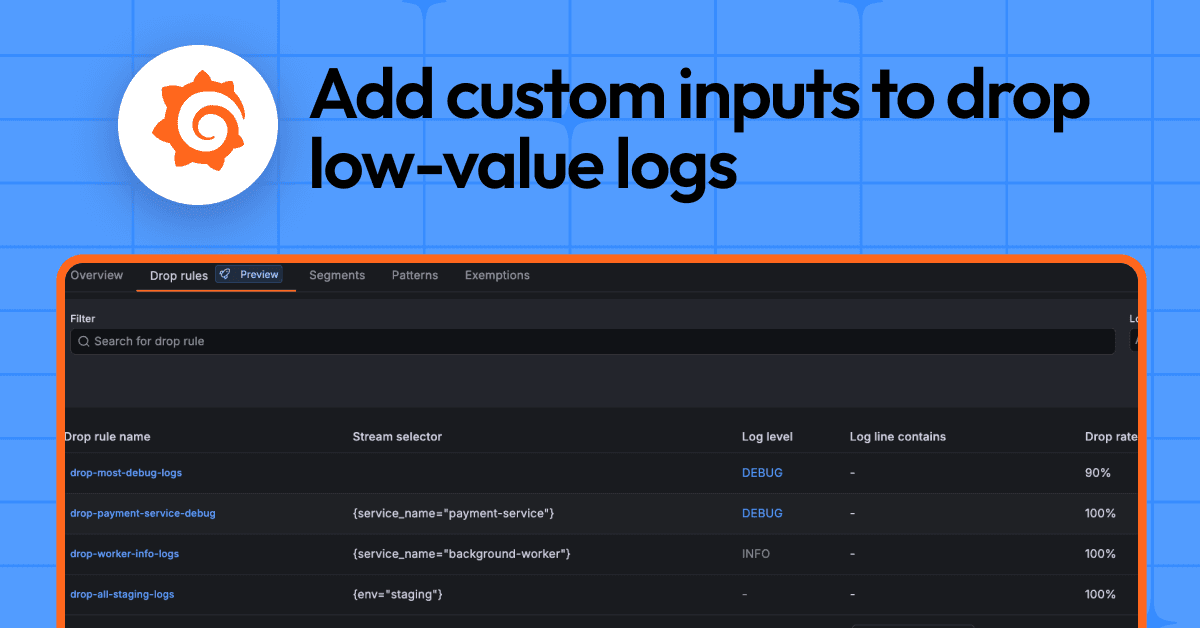
With the new drop rules feature in Adaptive Logs, now in public preview, you can define your own rules to drop low-value logs before they are written to Grafana Cloud Logs, reducing noise and saving money right away.
With this latest update, you get the same capability—to supplement our intelligent optimization recommendations with your own custom inputs to drop data—already available in Adaptive Metrics and Adaptive Traces.
How drop rules help you reduce waste with Adaptive Logs
With each drop rule, you can create logic using any combination of log labels, detected log levels, or line content to drop logs before they are written to Cloud logs. Check out our documentation to learn how it works.
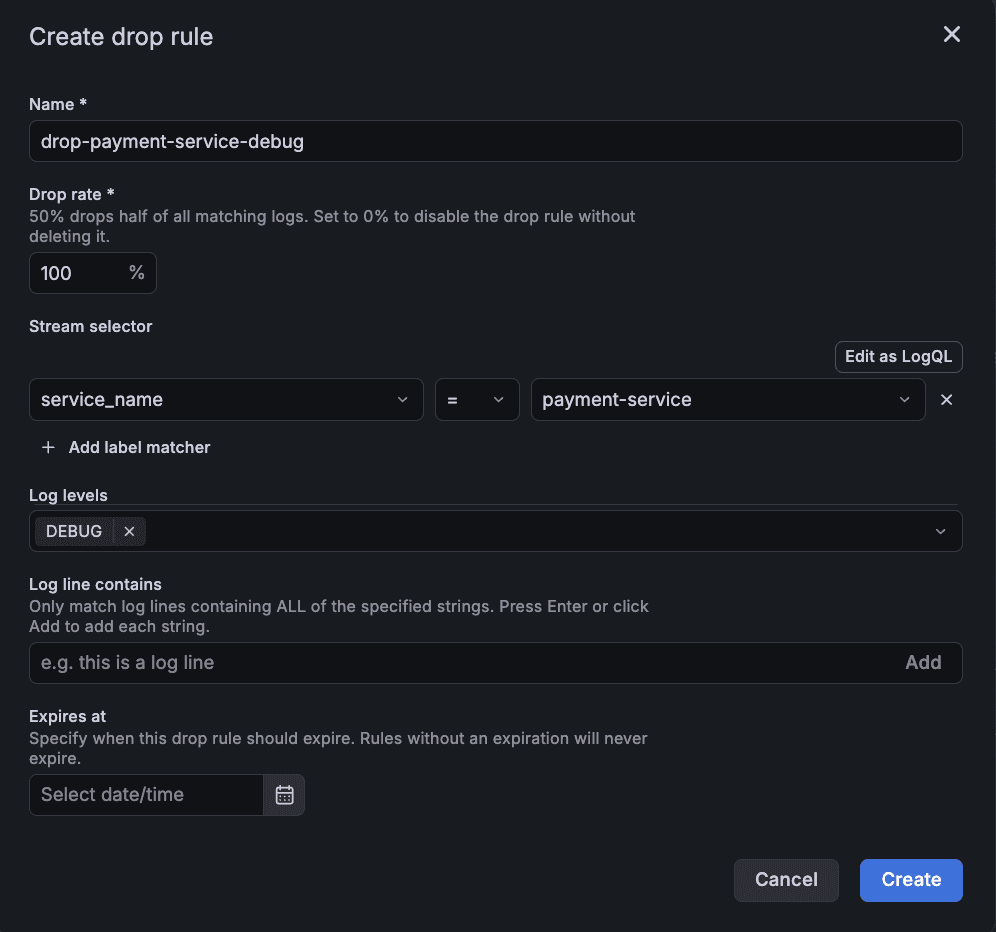
Here are a few examples of things you can do with drop rules:
- Drop logs by level. Drop noisy DEBUG logs which eat the logging budget.
- Sample chatty, repetitive logs. Adaptive Logs drop rules allow you to specify a drop percentage, effectively allowing you to sample noisy logs you don’t want to entirely discard.
- Target a specific noisy producer of logs. A particular service may have just started emitting lots of high-volume, low-value logs. Target these logs by specifying a label selector in combination with other criteria such as a log level or text string.
How drop rules fit into Adaptive Logs
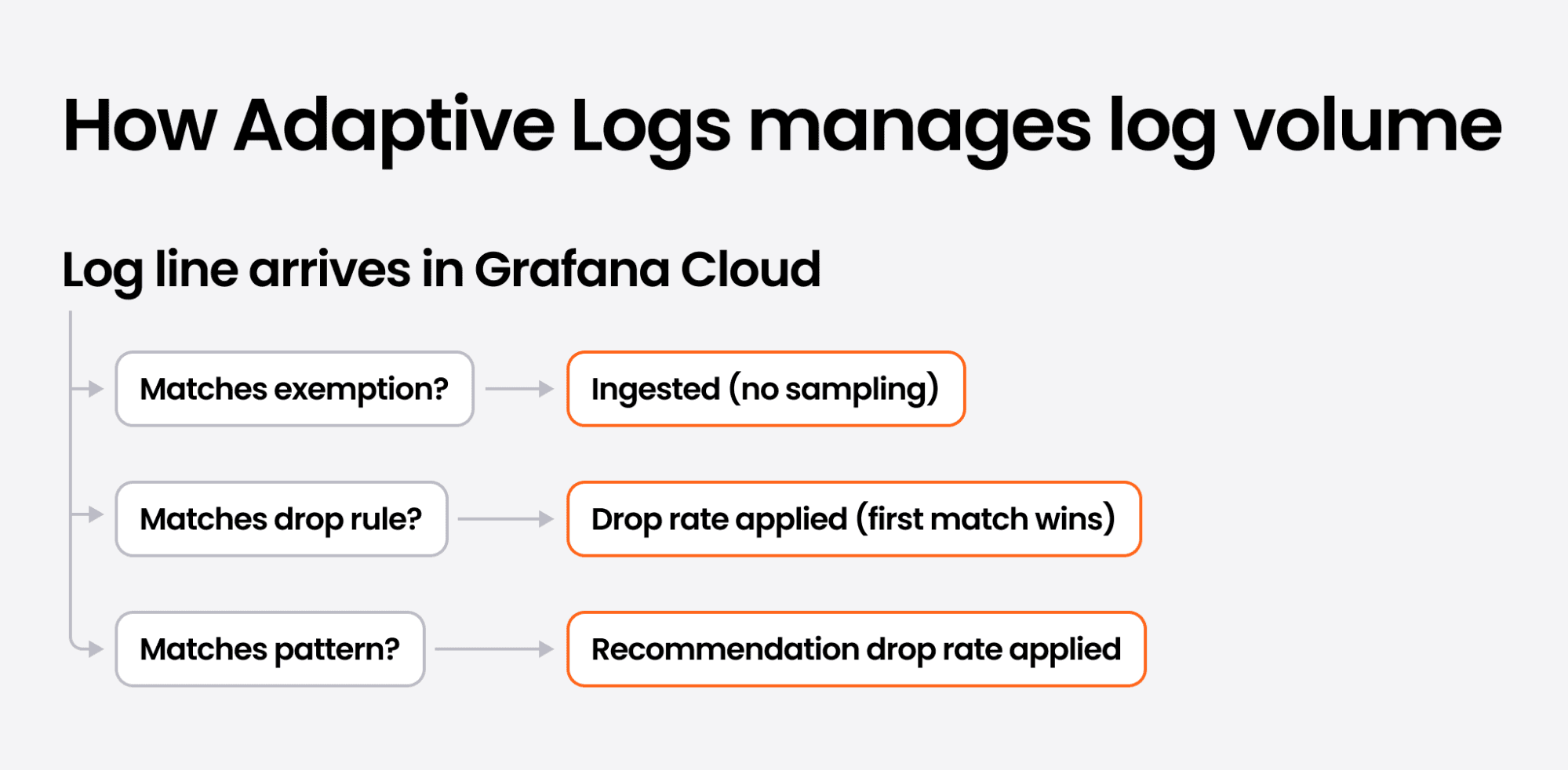
Drop rules are one of three mechanisms Adaptive Logs uses to manage log volume. When a log line arrives in Grafana Cloud, it's evaluated in this order:
- Exemptions: Protected logs pass through untouched. If a log line matches an exemption, no sampling is applied.
- Drop rules: Evaluated in priority order. The first matching rule applies its drop rate.
- Patterns: Optimization recommendations can be applied to remaining log lines that weren't exempted or filtered using drop rules.
Drop rules, recommendations, and exemptions: a complete system
Drop rules are one piece of a complete log cost management system in Adaptive Logs. Each mechanism serves a different purpose:
Drop rules eliminate known noise. Your platform team knows health check logs don't need to be stored in Grafana Cloud. A single rule with a 100% drop rate enforces that standard across every service, without requiring individual teams to change their logging configuration.
Drop rules apply sampling to specific workloads. A batch processing job generates repetitive log output. Target it with a stream selector and a 90% drop rate to keep a representative sample without the full volume.
Recommendations surface waste you haven't identified. Adaptive Logs analyzes 15 days of query behavior and surfaces patterns you're not using. This is where optimization recommendations excel—finding the waste that no one on your team has noticed yet.
Exemptions retain known business-critical logs. Your compliance team requires full retention of audit logs. Your SRE team needs every error log from payment processing. Exemptions protect specific log streams from any drop rules or recommendations—a targeted way to retain the logs you can't afford to lose.
Pause Adaptive Logs for full visibility. When more visibility is needed, such as an incident or a deployment, you can pause Adaptive Logs to selectively override drops for one hour. Combined with persistent exemptions, your team gets full visibility exactly when it matters.
Drop rules handle the noise you already know about. Pattern-based recommendations surface the waste you haven't spotted yet. Exemptions protect the logs you can't afford to lose. Together, they give your platform team complete control over log volume and cost.
How to get started
Drop rules are available now in public preview in Grafana Cloud. This is an admin experience designed for platform and observability teams who manage log ingestion centrally.
To create your first rule, navigate to Adaptive Telemetry → Adaptive Logs → Drop rules tab → Create a new drop rule.
Next, you need to configure your criteria. We recommend starting simple. A good first rule: drop 90% of debug-level logs from a known-noisy service. The rule takes effect immediately. Monitor impact from the drop rules page, where you can see how much volume each rule is dropping.
Since our public preview release is designed for admins, drop rules require the Adaptive Logs admin role (plugins:grafana-adaptivelogs-app:admin), which is granted by default to Grafana Admins and Org Admins. This keeps rule creation and management in the hands of the team responsible for your organization's observability costs and policies.
And if you're already using Adaptive Logs recommendations, drop rules are available in the same UI. Open the drop rules tab to start combining both approaches today.
Additionally, you can check out gcx, our new agent friendly CLI, to create and manage drop rules.
Adaptive Logs is included at no additional cost on all Grafana Cloud tiers. For more information on drop rules or any of the other capabilities discussed here, check out our documentation for Adaptive Logs and Adaptive Telemetry.
Grafana Assistant is the easiest way to get started with metrics, logs, traces, dashboards, and more in Grafana Cloud. We have a generous forever-free tier and plans for every use case. Sign up for free now!