
Factry Historian Datasource
⚠️ Minimum supported Factry Historian version: v7.3.0. Compatibility code for older Historian versions has been removed. Please upgrade your Historian before installing or updating this plugin.
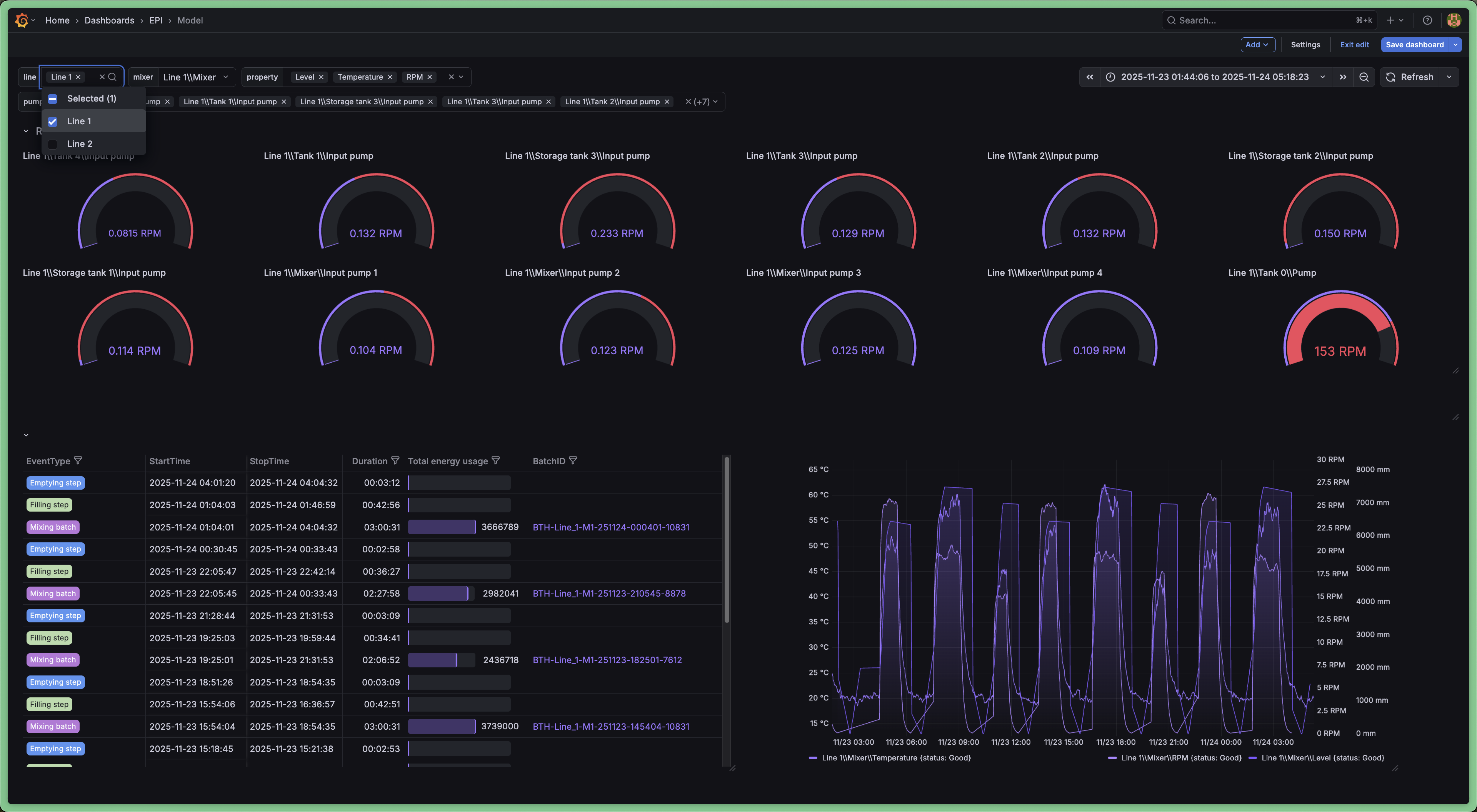
The Factry Historian datasource plugin for Grafana allows you to seamlessly visualize time-series and event data collected and stored by Factry Historian. Connect your Historian instance and start building dashboards with your industrial data in minutes.
⚡ New to Factry Historian? If you don’t have Factry Historian running yet, no problem! You can quickly trial the software using a ready-to-run docker-compose setup. It spins up a local Historian instance with a 2-hour runtime limit, perfect for testing the Grafana datasource and exploring your data without installing anything permanently.
⚠️ Warning: Before upgrading this datasource, make sure to read the changelog to understand any breaking changes or required migration steps. For every new release we will support at least the two latest major versions of Grafana.
Features
- Query historical data using the asset tree defined in Factry Historian
- Query historical data using measurements from Factry Historian
- Autoload units of Measurement, Y-axis scaling and HI/LO boundaries
- Query Events from Factry Historian (e.g. batches, CIP cycles)
- Annotate trends with Event data from Factry Historian
- Use assets, measurements and events from Factry Historian as variables to build dynamic dashboards
Typical use cases
- Browsing your asset structure (e.g. ISA88/ISA95 equipment model)
- Trending time-series data, while auto-configuring units of measurement
- Overlaying of events (e.g. golden batch analysis)
- Ad-hoc overlaying of time-series data on top of events
Getting Started
1. Install Factry Historian
If you don't have a licensed version of Factry Historian, you can try it for yourself with a trial. Go to https://github.com/factrylabs/historian to download your copy and run it locally.
2. Install the Factry Historian datasource plugin
Install the datasource in Grafana by navigating to Home > Administration > Plugins and data > Plugins and searching for "Factry" there.
Alternatively, you can install it using the grafana-cli or by cloning the repository directly into the Grafana plugins directory.
grafana-cli plugins install factry-historian-datasource
3. Configure the datasource
Create a new instance of the data source from the Grafana Data Sources administration page and configure the necessary settings.
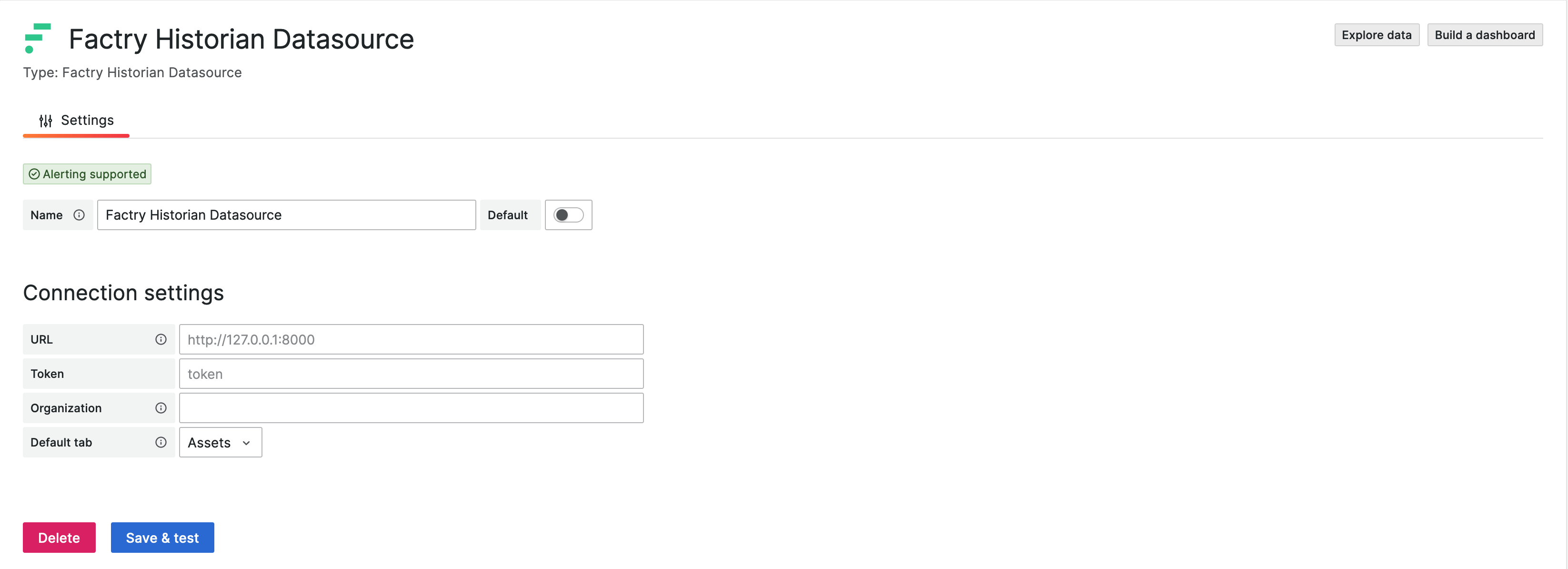
- URL: The URL of the Factry Historian API (e.g. http://localhost:8000 or http://historian:8000 when running in Docker)
- Token: The API token to authenticate with the Factry Historian API
- Organization: The UUID of the organization to query data from
- Default tab: The default tab to show when opening the query editor
A full step-by-step guide can be found in the 'Configuring the Factry Historian Datasource' How-To.
Documentation
Other documentation can be found at the Factry documentation site: https://docs.factry.io/reference/factry-historian-datasource-plugin-for-grafana
Questions?
For help, visit: Factry Community https://www.reddit.com/r/Factry/ Factry Knowledge Base https://docs.factry.io
Plugin Insights
Quality scores for version 4.0.1
- Status: PassedSecurity
All checks passed
- Status: PassedMaintenance
All checks passed
- Status: PassedDocumentation
All checks passed
- Version
- 4.0.1
- Dependencies
- Grafana >=11.6.0
- Developer
- factry
- Last Updated
- September 14, 2026