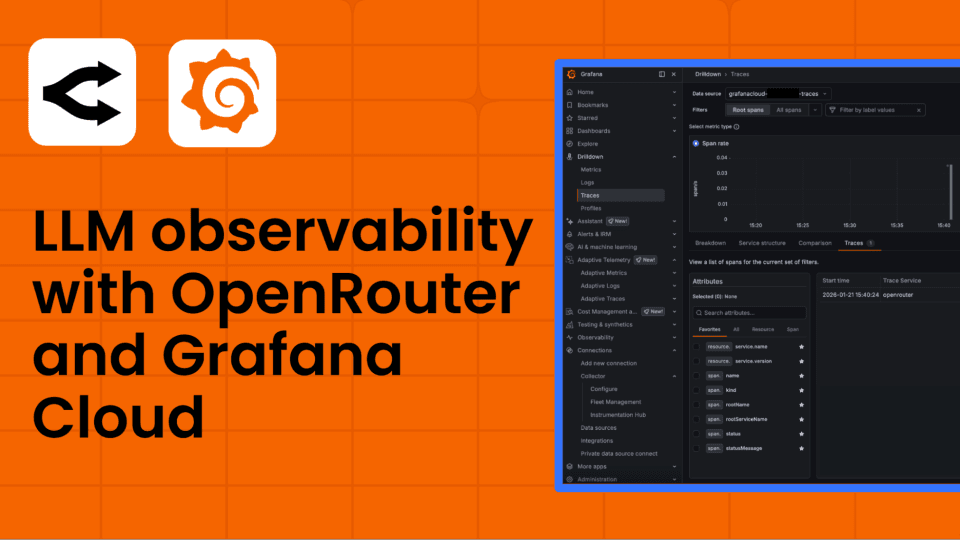
How OpenRouter and Grafana Cloud bring observability to LLM-powered applications


Chris Watts is Head of Enterprise Engineering at OpenRouter, building infrastructure for AI applications. Previously at Amazon and a startup founder.
As large language models become core infrastructure for more and more applications, teams are discovering a familiar challenge in a new context: you can't improve what you can't see. Whether you're routing requests across multiple AI providers, managing costs across dozens of models, or debugging why a particular prompt is timing out in production, observability is no longer optional for LLM-powered systems.
At OpenRouter, we provide a unified API that gives developers access to hundreds of models from providers like OpenAI, Anthropic, Google, and Meta through a single integration. We handle load balancing, provider fallbacks, and model routing so teams can focus on building their applications rather than managing multiple API keys and billing accounts.
But access to models is only half the story. When you're running AI workloads in production, you need to understand how those workloads are performing, what they're costing, and where they're failing. That's why we built Broadcast, a feature that automatically sends traces from your OpenRouter requests to observability platforms like Grafana Cloud, with no additional instrumentation required in your application code.
In this post, we'll walk through how Broadcast works with Grafana Cloud, and share some of the real-world use cases we're seeing.
Why LLM observability is different
Traditional application monitoring focuses on familiar signals: HTTP status codes, response times, and error rates. LLM applications use those same signals, but they also introduce entirely new dimensions that teams need to track:
- Token usage and costs: Every request consumes tokens, and costs vary across models. A single prompt sent to GPT-4o vs. Claude 3.5 Haiku can differ dramatically.
- Model behavior variability: The same prompt can produce different results depending on which model or provider handles it. When you're using fallbacks or load balancing across providers, understanding which model actually served a request matters.
- Latency profiles: LLM latency isn't just about total response time. Time to first token, tokens per second, and total generation time each tell a different part of the story.
- Non-deterministic failures: LLM requests can fail in subtle ways, like hitting rate limits, receiving truncated outputs, or producing responses that technically succeed but don't meet quality expectations.
Most teams start by adding logging and metrics to their own application code, but this approach quickly becomes difficult to maintain, especially when you're using multiple models and providers. What you really want is observability that's built into the infrastructure layer, where the routing and model selection actually happen.
How OpenRouter Broadcast works with Grafana Cloud
OpenRouter Broadcast works by automatically generating OpenTelemetry traces for every API request and sending them to your configured destinations. There's no SDK to install, no code to change, and no additional latency added to your requests. You configure it once in your OpenRouter dashboard, and every request flowing through your account is traced.
For Grafana Cloud, traces are sent via the standard OTLP HTTP/JSON endpoint directly to Grafana Cloud Traces, the cloud-based tracing backend powered by Tempo OSS. Each trace includes rich attributes following OpenTelemetry semantic conventions for generative AI:
- Model information: Which model was requested, which model actually served the response, and which provider handled it
- Token usage: Input tokens, output tokens, and total tokens consumed
- Timing data: Total request duration, time to first token, and generation speed
- Cost data: The cost in USD for each request
- Status and errors: Whether the request succeeded, why generation ended, and any error details
- Custom metadata: Any application-specific context you attach to your requests, like user IDs, session IDs, or feature flags
Once traces are flowing into Grafana Cloud, you can query them using TraceQL, build dashboards, and set up alerts, all using the same Grafana Cloud interface your team already knows.
You can see span rate, error rates, and duration for OpenRouter traces at a glance:

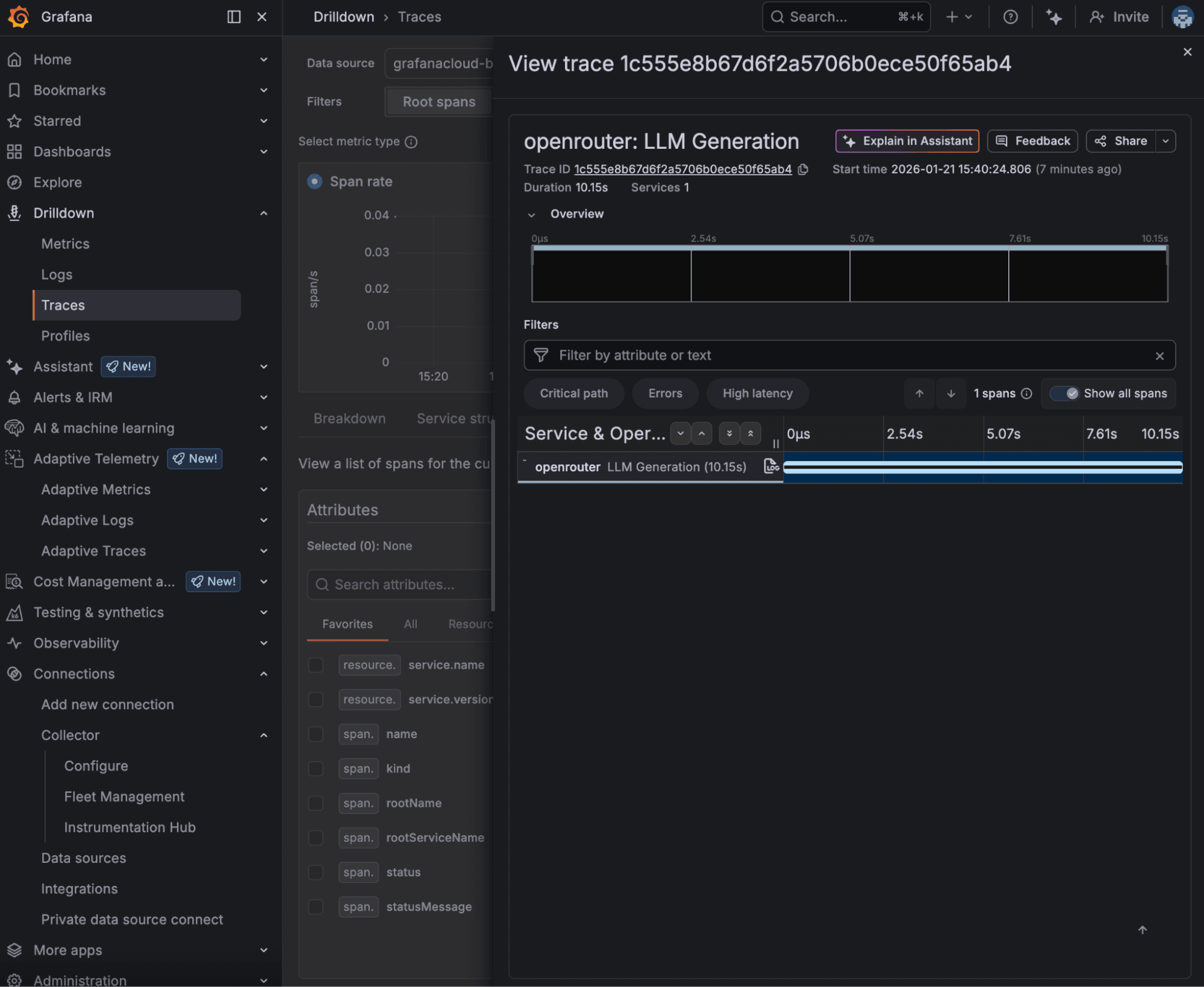
You can drill into into a single LLM Generation trace to inspect timing and service details:
Full span attributes show the prompt, model, token count, and completion, all captured via OpenTelemetry:

Real-world use cases
Here are some of the ways teams are using OpenRouter Broadcast with Grafana Cloud today.
Tracking costs across models and features
One of the most immediate use cases is cost visibility. When you're routing requests across multiple models, it's easy to lose track of where your spend is going. With traces flowing into Grafana Cloud, teams build dashboards that break down costs by model, API key, user, or any custom metadata they attach to their requests.
For example, a team running both a customer-facing chatbot and an internal document processing pipeline can use separate API keys or custom metadata to attribute costs to each workload. A simple TraceQL query like this surfaces all requests from a specific environment:
{ resource.service.name = "openrouter" && span.trace.metadata.environment = "production" }This kind of visibility lets engineering leads and finance teams answer questions like "How much did our AI features cost last week?" or "Which model is giving us the best cost-per-quality ratio?" without building custom analytics infrastructure.
Monitoring latency and performance
LLM latency directly impacts user experience. A chatbot that takes 8 seconds to start responding feels broken, even if the final output is excellent. With OpenRouter traces in Grafana Cloud, teams can monitor latency trends over time, set alerts for slow requests, and compare performance across models.
TraceQL makes it easy to find outliers:
{ resource.service.name = "openrouter" && duration > 5s }Teams often build Grafana dashboards that show p50, p95, and p99 latency by model, which helps them make informed decisions about which models to use for latency-sensitive vs. batch workloads.
Debugging errors and failed requests
When something goes wrong in an LLM pipeline, the cause isn't always obvious. Was it a rate limit? A poorly created prompt? A provider outage? With distributed traces in Grafana Cloud, teams can quickly filter for errors and drill into individual requests to see exactly what happened:
{ resource.service.name = "openrouter" && status = error }Each trace includes the model, provider, error details, and timing information, giving teams the context they need to diagnose issues without digging through application logs.
Usage analytics and capacity planning
As AI features grow, teams need to understand usage patterns to plan capacity and negotiate contracts with providers. Grafana Cloud dashboards built on OpenRouter traces can show request volume over time, token consumption trends, and model popularity, all without any additional instrumentation.
Teams use this data to track how usage is growing and answer questions like: "Are we approaching our rate limits?" or "Should we shift more traffic to a cheaper model for this use case?"
Getting started
Setting up the integration takes just a few minutes:
1. Get your Grafana Cloud credentials: You'll need your OTLP gateway endpoint, instance ID, and an API token with traces:write permissions from your Grafana Cloud portal.
2. Enable Broadcast in OpenRouter: Navigate to Settings > Observability in your OpenRouter dashboard and toggle Broadcast on.
3. Configure Grafana Cloud as a destination: Enter your Grafana Cloud credentials and click Test Connection to verify the setup.
4. Start querying traces: Once configured, every OpenRouter request will generate a trace in Grafana Cloud. Navigate to Explore, select your Tempo data source, and run { resource.service.name = "openrouter" } to see your traces.
For detailed setup instructions, including how to find your OTLP endpoint and create API tokens, check out our Broadcast to Grafana Cloud documentation.
Adding custom metadata
To get the most out of the integration, we recommend attaching custom metadata to your OpenRouter requests. This metadata flows through to Grafana Cloud as span attributes, making it easy to filter and group traces by your own application context:
{
  "model": "openai/gpt-4o",
  "messages": [{ "role": "user", "content": "Summarize this document..." }],
  "user": "user_12345",
  "session_id": "session_abc",
  "trace": {
    "trace_name": "Document Summary",
    "environment": "production",
    "feature": "summarization"
  }
}
You can then query these attributes in TraceQL:
{ resource.service.name = "openrouter" && span.trace.metadata.feature = "summarization" }Privacy controls
For teams working with sensitive data, Broadcast supports a Privacy Mode that excludes prompt and completion content from traces while still sending all operational data like token usage, costs, timing, and model information. This lets you get full observability without exposing the content of your LLM interactions.
What's next
We're continuing to invest in making LLM observability as seamless as possible. We're adding new integrations regularly and are working on richer trace data, including more granular timing breakdowns and quality signals that can help you build even more comprehensive observability dashboards.
If you're building with LLMs and want visibility into how your AI workloads are performing, give the OpenRouter and Grafana Cloud integration a try. You can get started with a free Grafana Cloud account and an OpenRouter account in minutes.
To learn more about OpenRouter's Broadcast feature and all supported destinations, visit the Broadcast documentation. For questions or feedback, reach out to us at openrouter.ai.