Grafana Alerting: Respond faster and get situational awareness with alert enrichment in Grafana Cloud


Alerts are meant to help teams respond quickly to problems, but too often they arrive without enough context to be immediately useful.
An alert that says “CPU usage is high” still leaves the on-call engineer asking critical follow-up questions: Which service? Which environment? Where do I look next? Validating the alert and triaging the situation is the first step for every engineer. It's a manual step that takes time, extending every potential incident.
Grafana Alerting addresses this gap with alert enrichment, a new feature in public preview for Grafana Cloud users that lets you attach meaningful, actionable context to alerts before they reach responders.
With enrichment, alerts are more than just signals; they're entry points into investigation and resolution. Enrichments automate the first actions of responding engineers, allowing them to focus on the potential incident rather than spending time gathering data. Triage starts when the notification is sent.
What is alert enrichment in Grafana Alerting?
Prior to this update, Grafana alert notifications were limited to showing information obtained from the query itself. This means the information you want to present has to be obtainable from the expressions in the query and incorporated into the result. It’s a severe limitation on what exactly can be added to the resultant notification, and can also result in overly complex queries that are slow and expensive to run on every evaluation interval.
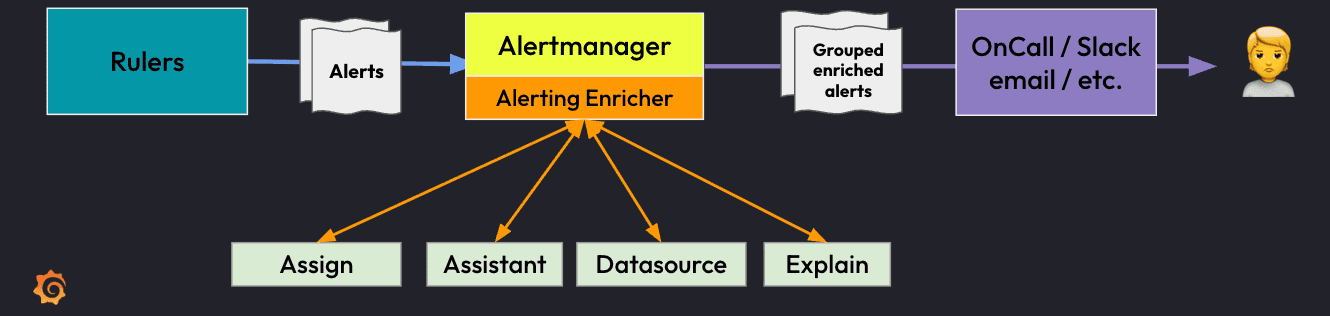
This is where enrichment comes into play. Alert enrichment is the practice of adding contextual information to alerts. This could be in the form of additional labels, annotations, and even log lines. This context travels with the alert all the way through to notification delivery.
Enrichment can include:
- Log lines relevant to the firing alert containing error messages
- Human-readable summaries and descriptions
- Links to dashboards and logs
- Links to Grafana services that can aid in triaging an alert (Assistant, Knowledge Graph)
When you're dealing with real incidents, this type of functionality really matters. It isn’t about making alerts “prettier,” it’s about adding the right context so it's operationally effective. The difference between a noisy alert and a useful one often comes down to enrichment.
Making enrichment a standard practice
The real power of alert enrichment in Grafana Alerting comes from treating it as a baseline requirement, not an optional extra. A well-enriched alert should answer, at a glance:
- What's happening
- Where it's happening
- Who owns it
- What you should do next
Here's a list of available enrichments:
- Assign: Allows the addition of alert annotations, or even the modification of existing ones. This enricher also supports templating so you can add computed values from labels or format alert descriptions dynamically (e.g.,
Alert {{ $labels.alertname }} on instance {{ $labels.instance }}) - External: Calls out to an external webhook or API. This allows integration with external services to fetch your own additional context outside the Grafana ecosystem
- Datasource: Runs a Grafana data source query. It can pull related logs from Loki, fetch metrics from Mimir, or query any configured Grafana data source to fetch additional context.
- Sift: Triggers a Grafana Sift ML investigation. This automatically starts an ML-powered investigation and adds a link to the Sift investigation dashboard. Learn more about Sift here.
- Knowledge Graph: Calls the knowledge graph for automated root cause analysis and adds a Workbench link to the alert. Learn more about Knowledge Graph here.
- Explain: Adds an annotation with an AI-powered alert explanation. It uses Grafana’s LLM plugin to generate human-readable explanations with likely causes and suggested next steps.
- Assistant: Triggers an Assistant investigation and adds an annotation with a link to the Grafana Assistant Investigation report. Learn more about Assistant Investigations here.
Before vs. after: the impact of alert enrichment
To understand why alert enrichment matters, it helps to compare what responders actually see before and after enrichment is applied.
Before: An unenriched alert
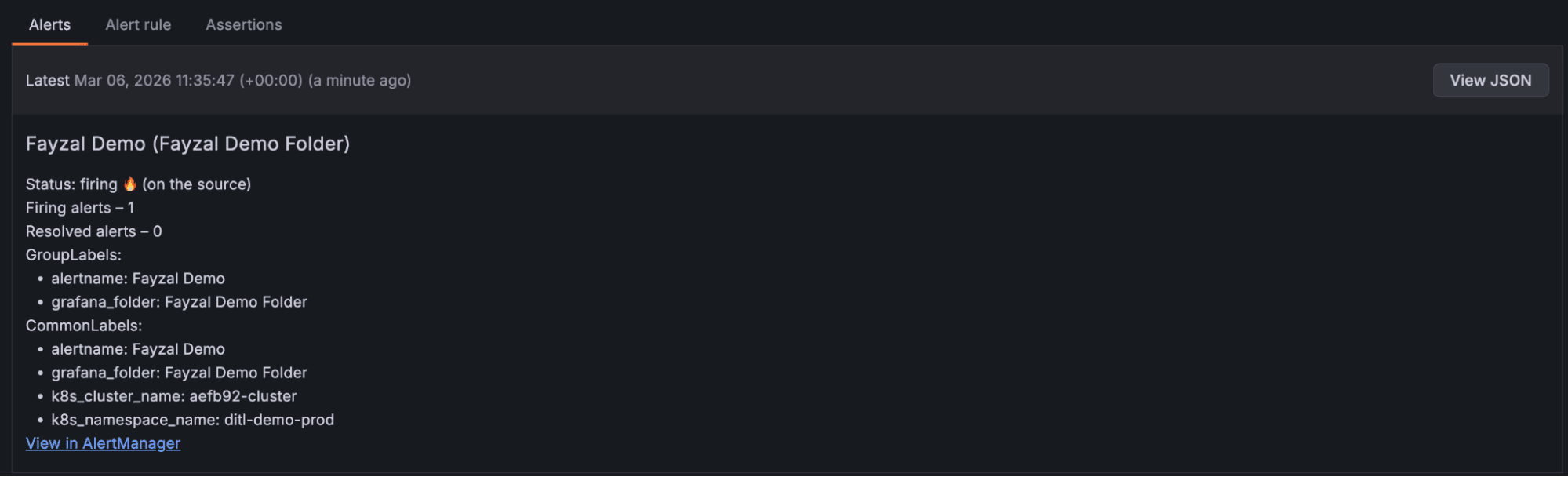
The screenshot above shows a regular alert. There isn’t much information there apart from the cluster and namespace that triggered the alert. It’s not immediately clear for a user where to go next: it might be searching through logs, checking some metrics, or opening a dashboard. All this context switching costs precious minutes, especially during an incident.
After: an enriched Grafana alert
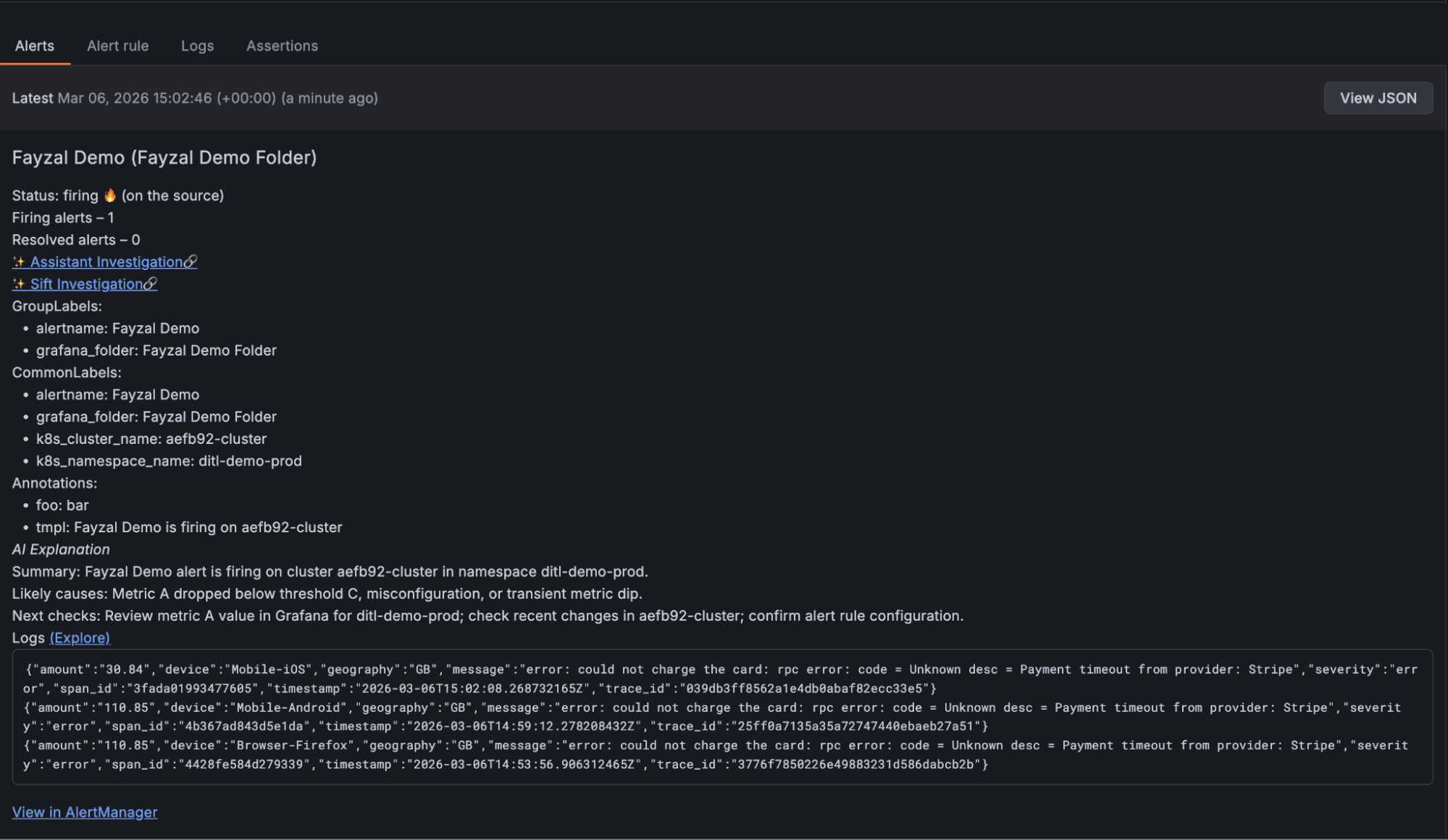
This is the exact same alert, except it has been supercharged with multiple enrichments. Links to Assistant and Sift have been added, offering users a click-through to AI-powered investigations that were triggered in the background.
There are two annotations assigned via an "Assign" enrichment for demonstration purposes:
foo=bartmpl={{ $labels.alertname }} is firing on {{ .Labels.k8s_cluster_name }}. As seen above, this template has been executed before being added as an annotation value.
The "Explain" enrichment has added a human-readable explanation of likely causes under the “AI Explanation” header.
Finally, the "Datasource" enrichment has pulled in relevant log lines, as well as a link to explore these logs in further detail. From the logs, the issue is immediately apparent, there is a timeout from the payment provider. Now the user knows exactly what the problem is directly from the alert itself and can concentrate on mitigating the issue, rather than spending valuable time triaging.
How to get started?
Rule enrichments
Getting started with configuring your own enrichments couldn’t be easier. On the rule page, you will find a new tab called "Alert enrichment":
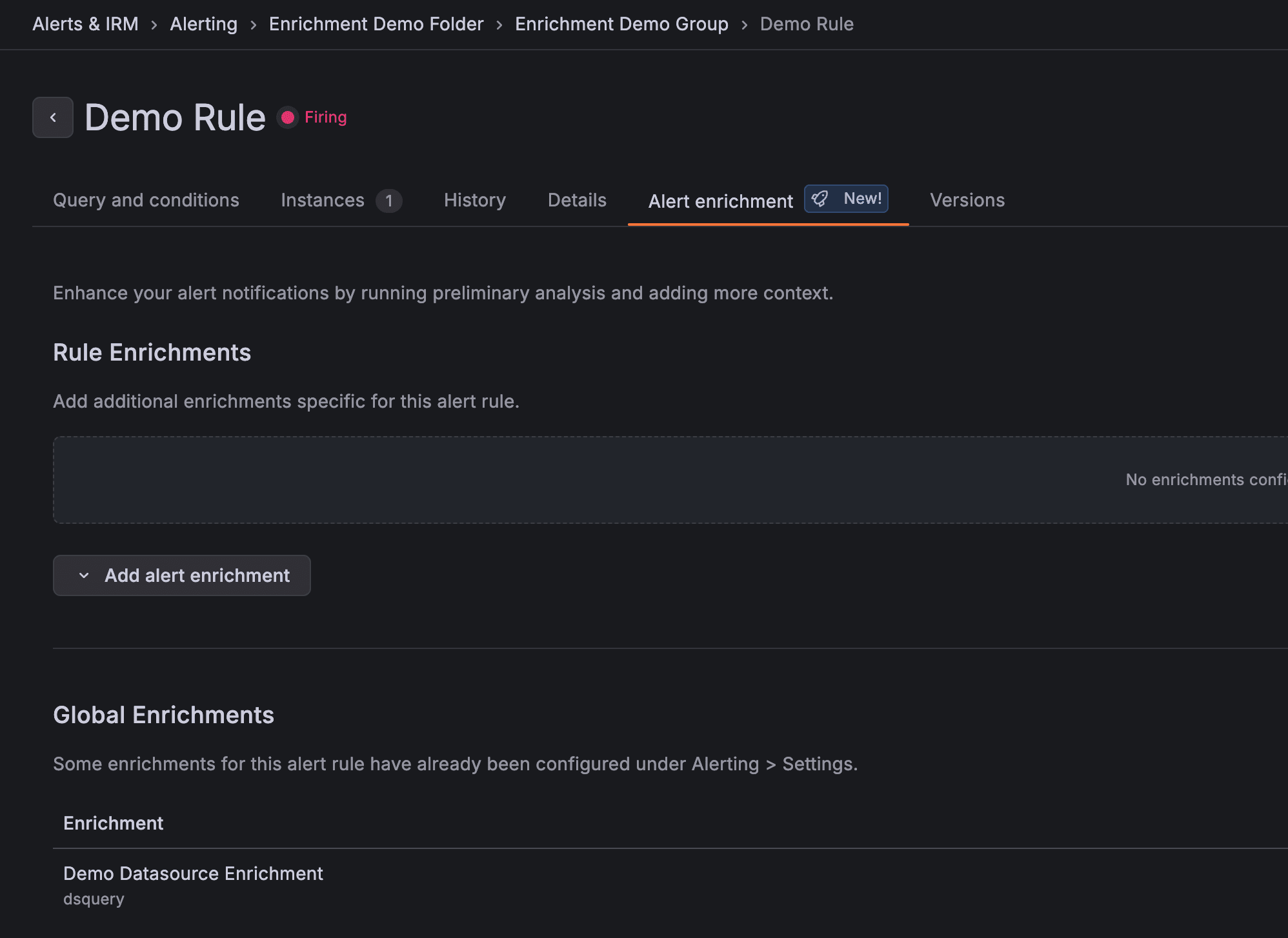
From here, you can configure the enrichment of your choice by selecting the “Add alert enrichment” dropdown:
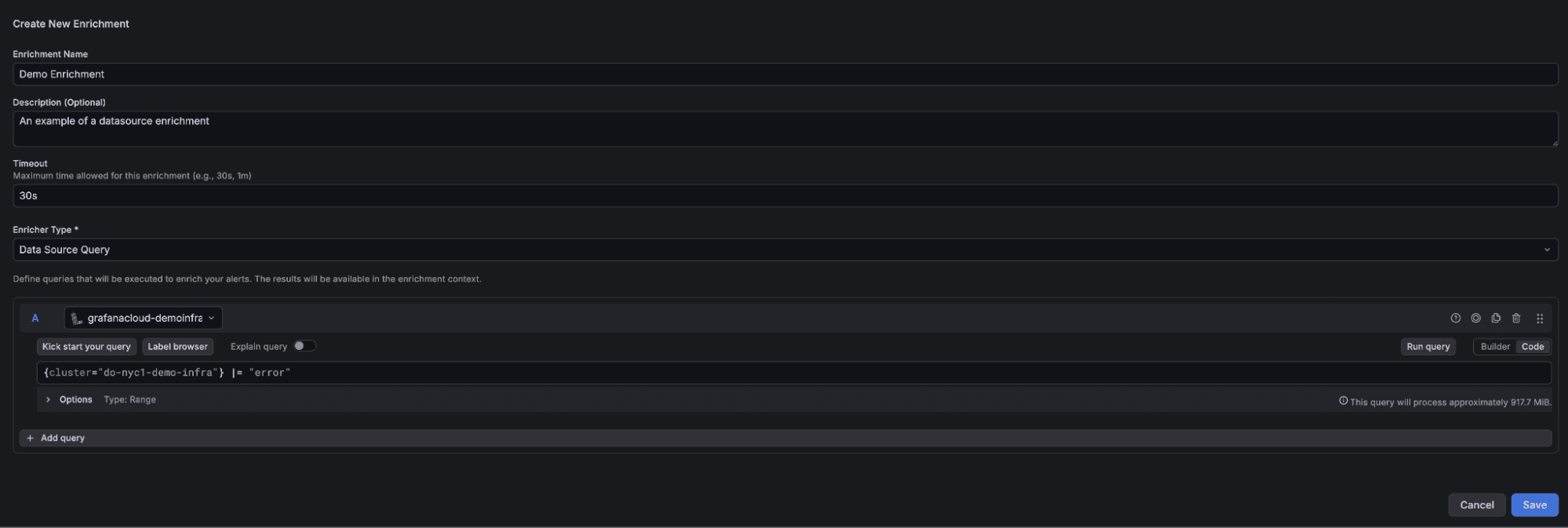
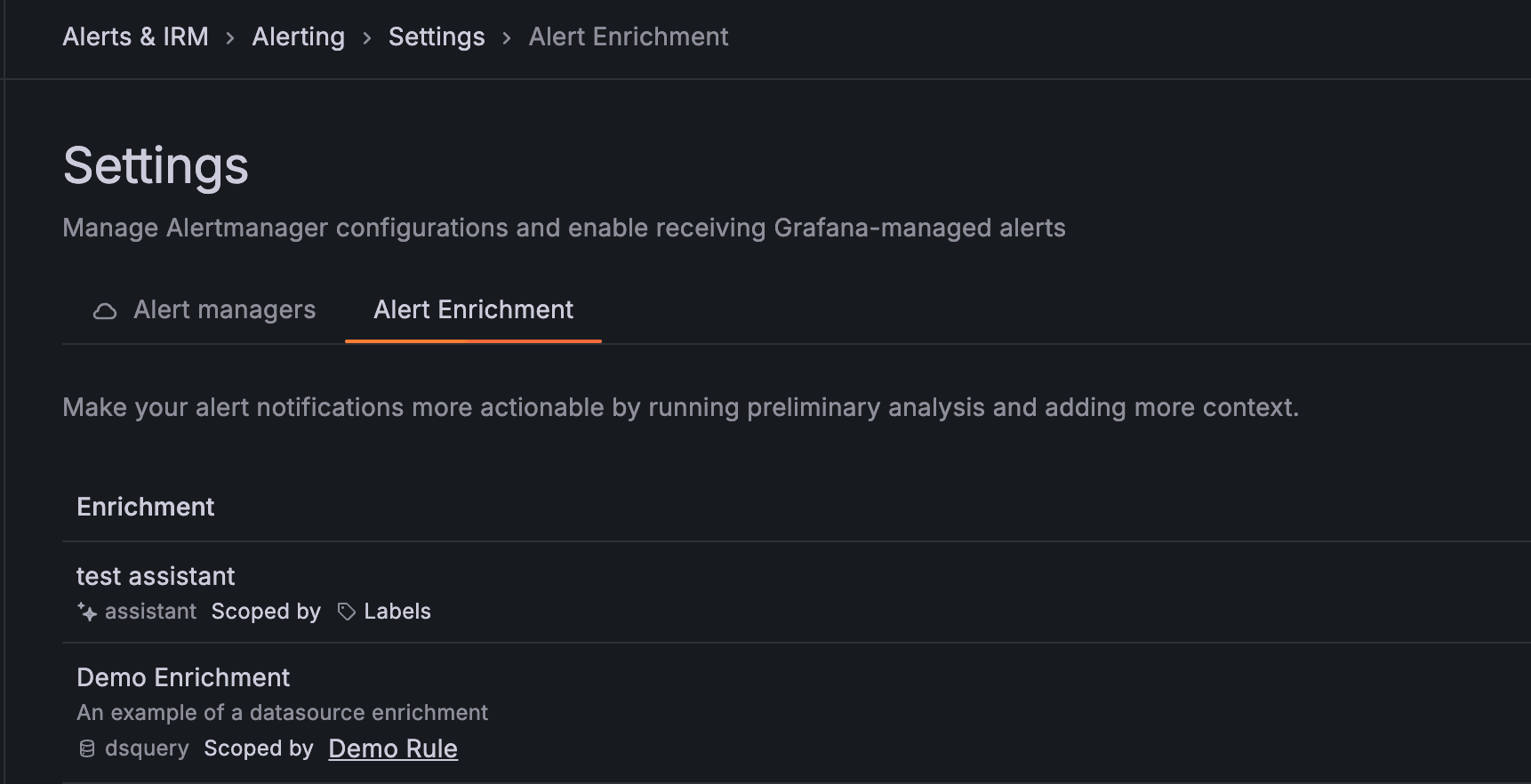
For users with Admin privileges, the "Alert Enrichment" tab is visible under Alerting > Settings. From here, an enrichment can be configured to run on all alerts, or alternatively scope them by labels or annotations. In the following example, the enrichment would only run for all alerts containing the label foo=bar.
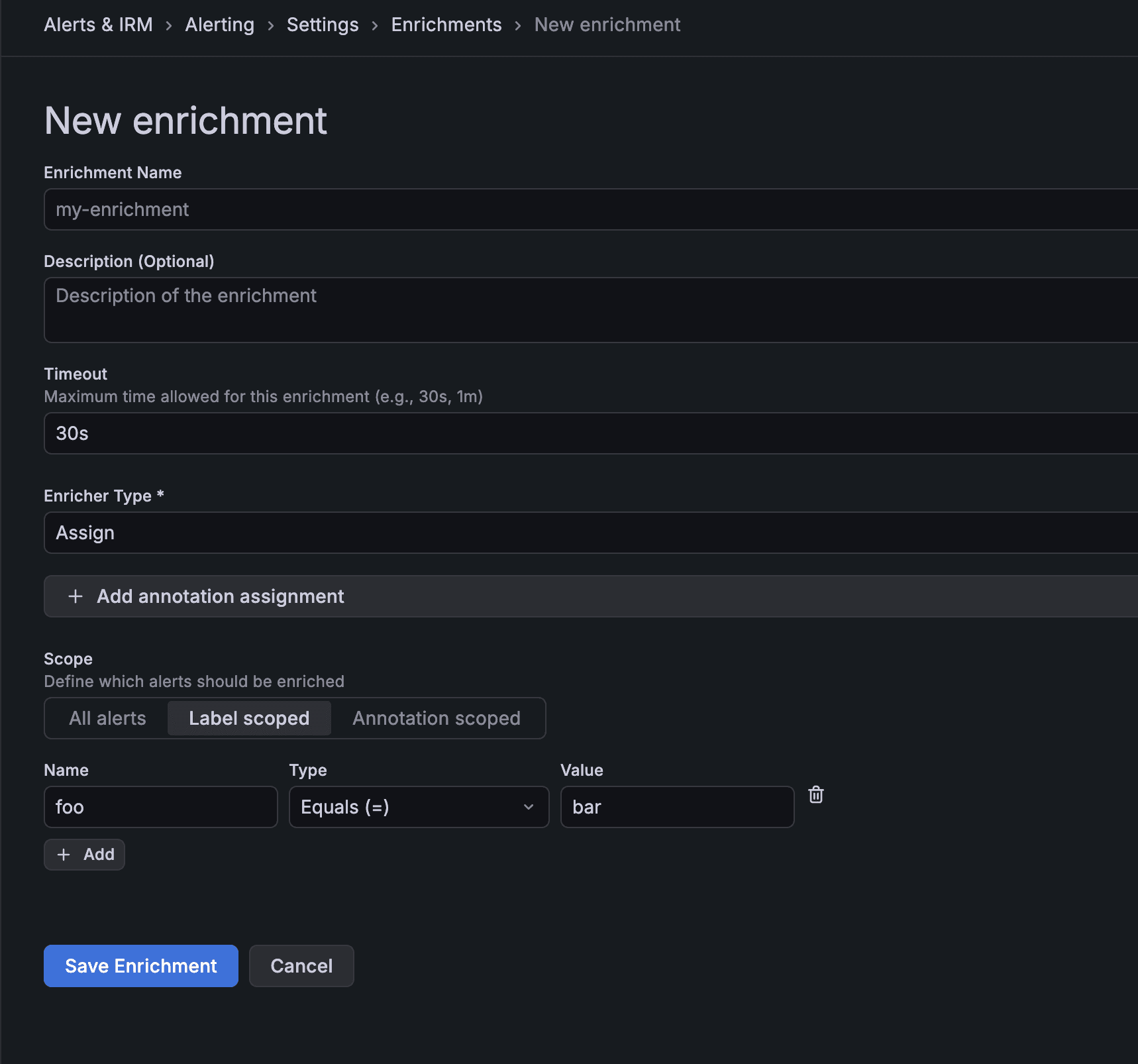
You can find more info on how to get started on setting up alert enrichments in our docs.
Do you use the Grafana Assistant?
Grafana Assistant is already capable of listing enrichments, as well as creating and deleting a few types such as Assistant enrichments, which will trigger an investigation, and Datasource:Loki enrichments.
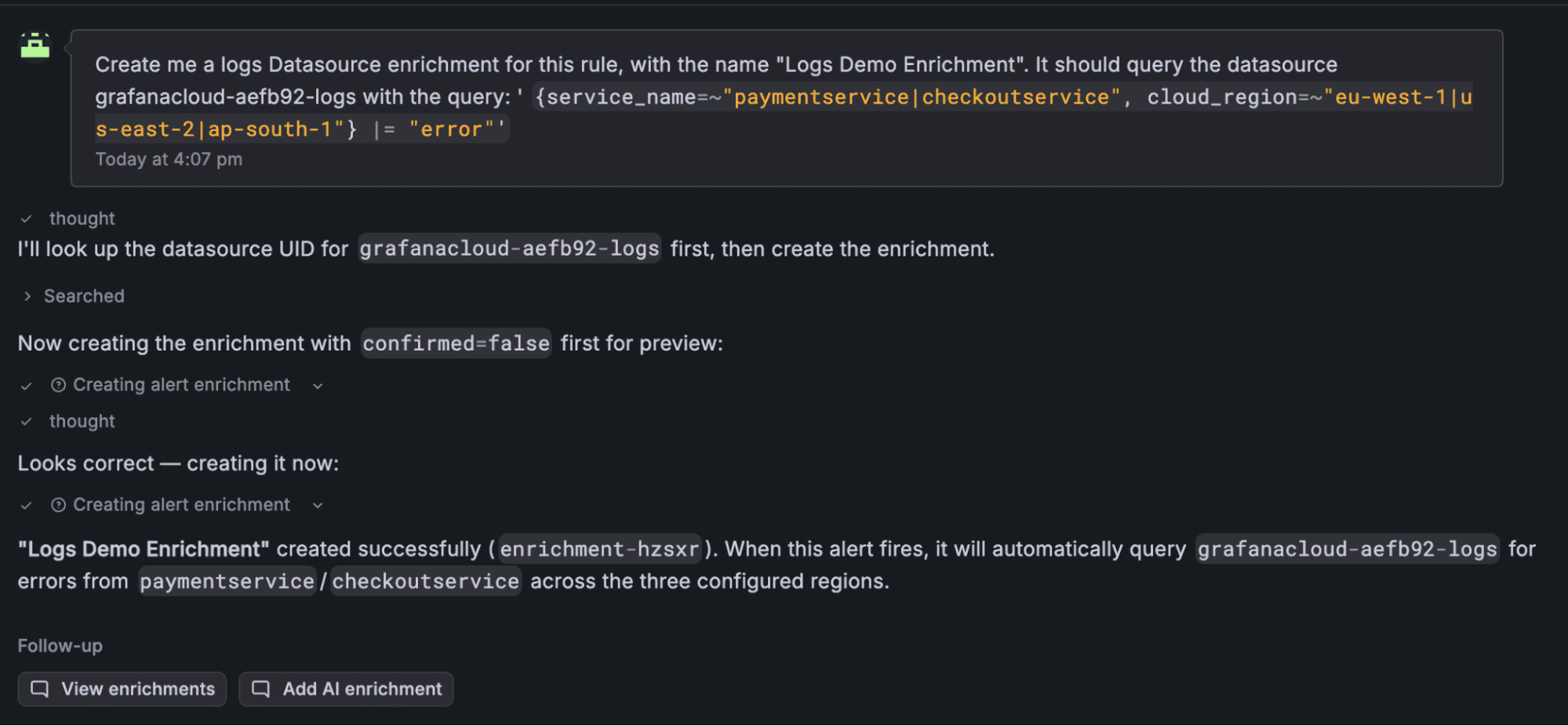
We plan on supporting more enrichment types via Grafana Assistant in the near future.
Grafana Cloud is the easiest way to get started with metrics, logs, traces, dashboards, and more. We have a generous forever-free tier and plans for every use case. Sign up for free now!