%3Aquality(90)%2F&w=3840&q=75)
%3Aquality(90)%2F&w=3840&q=75)
Grafana 13.1 release: observability as code updates, extending Grafana Assistant across more data sources, and more


Earlier this year, Grafana 13 laid the groundwork for making it easier and faster than ever to turn your data into actionable insights.
With our latest minor release, Grafana 13.1, we're building on that foundation, expanding observability as code, bringing Grafana Assistant to more data sources, and streamlining the everyday workflows teams rely on to visualize, analyze, and act on their data.
Below are just some of the highlights from Grafana 13.1. If you want to explore all the latest updates, please refer to the changelog or our What’s New documentation.
Managing dashboards as code: what's new in Git Sync
Git Sync, a feature that brings native GitOps workflows into your Grafana instance, reached general availability with the release of Grafana 13. We added features to give you more flexibility and control when managing your dashboards as code, including GitHub App authentication and support for GitLab, BitBucket, and pure Git.
But we didn’t stop there. Grafana 13.1 brings four more enhancements to Git Sync that make it even easier to incorporate observability as code into your day-to-day workflows.
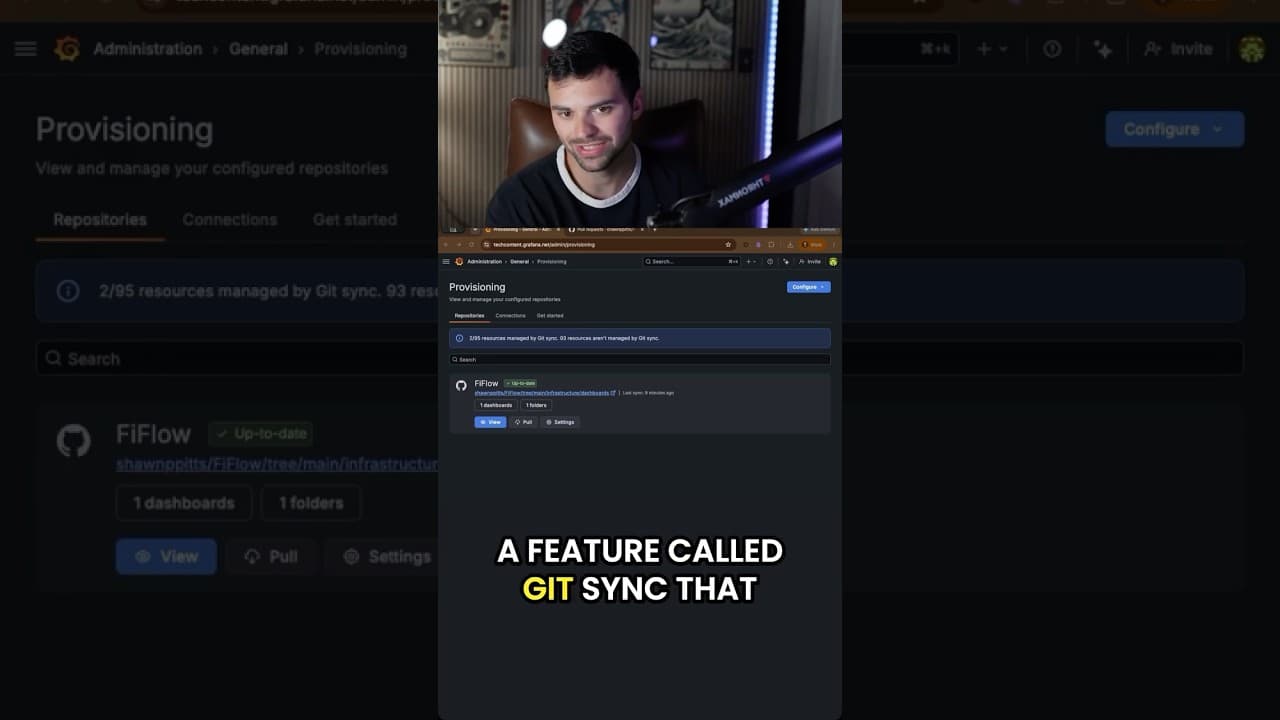
Import dashboards straight into a provisioned folder
Generally available in all editions of Grafana
You can now import dashboard JSON straight into a Git Sync-provisioned folder, picking the file path, branch, commit message, and workflow as part of the import.
From a folder, hit Import and Grafana walks you through a provisioned import flow: pick the file path, branch, commit message, and workflow, and the dashboard is committed back to your repository as part of the import.
Uniqueness is path-based, so two dashboards can share a title as long as they live at different paths in the repo, and a conflicting path stops the import before anything is overwritten.
Sync dashboards at the root level
Generally available in all editions of Grafana
You can now sync dashboards at the root level, without a containing folder, so provisioned dashboards can live alongside your non-provisioned ones. This is useful when a repo represents your whole Grafana setup, or when forcing everything under one folder doesn’t align with how your team organizes dashboards.
Pick Sync external storage directly at root level without a containing folder in the setup wizard and your provisioned dashboards land at the root, alongside everything else, instead of being scoped under a single folder.
Make dashboard context visible by default
Available in public preview in all editions of Grafana
Git Sync-provisioned folders now render their README.md inline by default, so the context for a folder travels with it.
Just drop a README.md next to your dashboards in the repo and it shows up in Grafana, including links, ownership notes, runbooks, or whatever your team wants to see sitting alongside their dashboards.
Sign commits automatically
Generally available in in all editions of Grafana
Git Sync can now sign commits with GPG, SSH, or S/MIME keys, so your Git provider marks them as verified. This means teams with branch protection rules that require signed commits can now use Git Sync without friction. Until now, Git Sync could only create unsigned commits, which caused pushes to be rejected in those repositories.
To enable signing, configure a signing key on the repository, and Git Sync will automatically sign every commit it makes to that branch. If no signing key is configured, commits remain unsigned.
To learn more about Git Sync, check out our documentation.
Extending the reach of Grafana Assistant
We're continuing to expand where and how you can use Grafana Assistant, our AI-powered agent in Grafana Cloud. From connecting to more data sources across your stack to making Assistant easier to access in self-managed environments, these updates help bring AI-powered observability to wherever your data (and Grafana instance) lives.
Using Assistant with additional data sources
With Grafana 13.1, you can use Assistant to directly query eight additional Grafana data sources: Snowflake, Oracle, Elasticsearch, Dynatrace, Honeycomb, Zabbix, Jira, and MongoDB (shown below).
%3Aquality(90)%2F&w=3840&q=75)
This makes it easier to ask a single question and get an answer that draws from across your observability stack, your databases, and your project-tracking tools—no context switching required. For example, an investigation that starts with an alert can pull in error rates from Dynatrace, query performance from Oracle and recent deployments from Jira, all in one conversation.
For each data source, Assistant queries your data using natural language, correlates signals across sources, and visualizes the results as Grafana dashboards.
Assistant now pre-installed in Grafana Enterprise
Grafana Assistant now comes pre-installed in Grafana Enterprise, with no plugin installation required. If you're a Grafana Enterprise user, you can connect your Grafana Cloud account to start using Assistant right away.
If you're a Grafana OSS user, you can still get access to Assistant by installing the plugin from the Grafana plugin catalog and connecting your Grafana Cloud account.
Faster, more flexible dashboarding
Grafana 13.1 brings a batch of improvements that make building and exploring dashboards faster and more flexible.
Section-level variables for rows and tabs
Generally available in all editions of Grafana
In Grafana 13, we introduced section-level variables, a feature that lets you apply variables to each row or tab in a dashboard, so you can reduce clutter and improve the overall organization of your dashboards. With the 13.1 release, these variable types are now generally available.
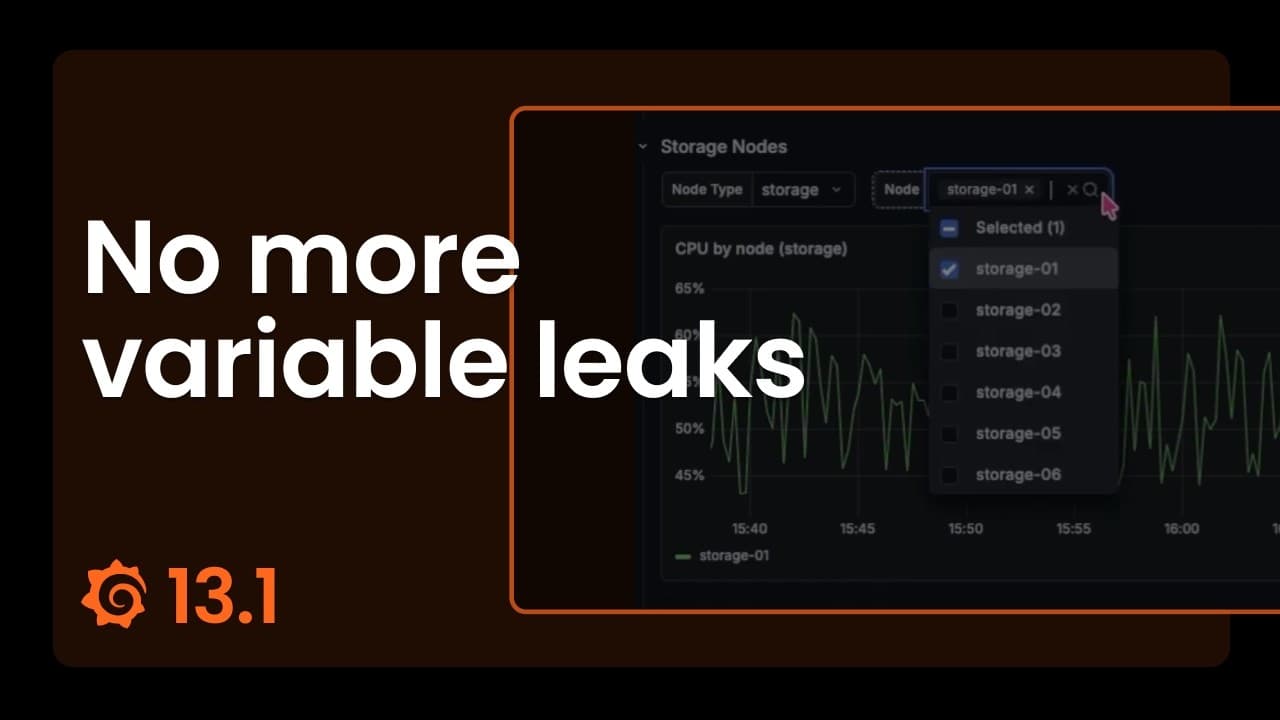
Traditionally, dashboard variables have applied to the whole dashboard at once: if you changed an $instance variable, for example, this would update every panel together. That was a big limitation when a single dashboard spanned more than one service, such an API gateway and a database. Teams would have to split services across separate dashboards just to give each its own filters, making it difficult to achieve a unified view of their data.
Section-level variables solve for this. Each row or tab can now carry its own independent variables, so an API gateway row can scope to one set of instances while a database row scopes to another, all in the same dashboard.
A revamped query editor
Available in public preview in all editions of Grafana
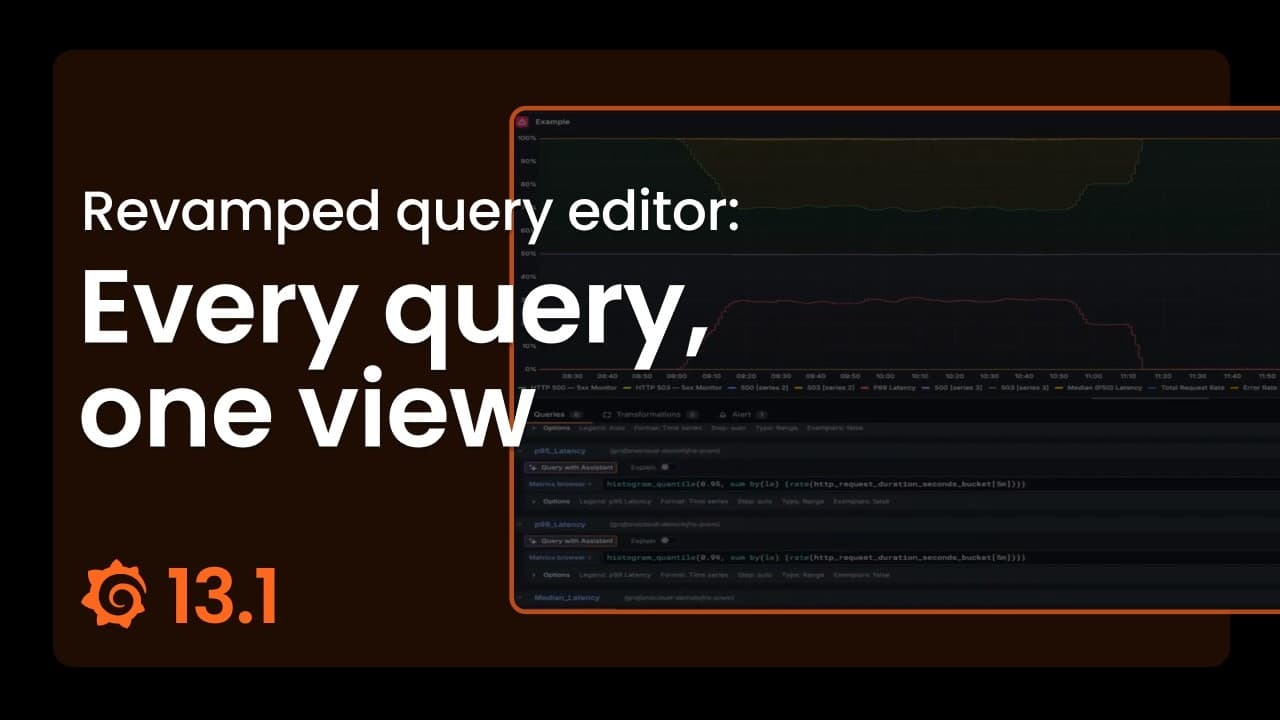
The improved query editor experience we introduced as private preview in Grafana 13, which makes complex panels easier to build and manage, is now in public preview, with two new capabilities:
- Multi-select with bulk action: You no longer have to manage queries, expressions, and transformations one at a time. Instead, you can click Select… in the sidebar footer to enter multi-select mode. From there, you can check the specific items you want to work with. A new bulk actions bar also lets you delete, hide, or show several queries at once, switch the data source for multiple queries in a single step, or enable and disable transformations in bulk.
- Stacked view: When you want to see the whole pipeline at once, the stacked view lays out all of your queries, expressions, and transformations in a single scrollable list.
Overall, these two new features combined with incremental improvements to the original release make creating and editing complex queries more straight-forward and faster than ever before.
More dashboarding and visualization updates
In addition to the new query editor and section-level variables, other data visualization updates in Grafana 13.1 include:
- Quick filters and data grouping: The new Filter and Group by dashboard control combines filtering and grouping in one place, so exploring data is faster and more intuitive.
- Series visibility through time series legends: The new Series visibility filter in the time series visualization lets you narrow visible series interactively, by name, label, or both, without touching the underlying query.
- Enhancements to nested tables: Table panels with nested rows are now much more configurable, with cell styling and improvements to aggregation.
- Copy and paste panel styles: In a couple clicks, you can replicate colors, line styles, and more from one panel to another.
- Panel style presets (shown below): Apply curated colors, thresholds, and display options to time series, stat, gauge, bar gauge, and bar chart panels with a single click in the panel editor.
%3Aquality(90)%2F&w=3840&q=75)
For more details, check out our What’s New and data visualization docs.
PDC support for more data sources
Generally available in Grafana Cloud
With Private Data Source Connect (PDC), you can create a private, encrypted tunnel between your Grafana Cloud stack and data sources running inside private networks, VPCs, or on-premises environments.
With Grafana 13.1, we’ve added PDC support for three new data sources: MQTT, GitHub, and IBM Db2.
With this update, you can connect Grafana Cloud to MQTT brokers for real-time IoT and sensor data; GitHub Enterprise Server instances for source control and project metrics; and IBM Db2 databases running on-premises or in a private cloud.
To get started, deploy a PDC agent inside your private network, then configure your data source in Grafana Cloud using its internal DNS name. To learn more, refer to the Private Data Source Connect learning path.
Learn more about Grafana
For an in-depth list of all the new features in Grafana, check out our Grafana documentation, the Grafana changelog, or our What's New documentation.
Join the Grafana Labs community
We invite you to engage with the Grafana Labs community forums. Share your experiences with the new features, discuss best practices, and explore creative ways to integrate these updates into your workflows. Your insights and use cases are invaluable in enriching the Grafana ecosystem.
Upgrade to Grafana 13.1
Download Grafana 13.1 today or experience all the latest features by signing up for Grafana Cloud, which offers an actually useful forever-free tier and plans for every use case. Sign up for a free Grafana Cloud account today.
Our Grafana upgrade guide also provides step-by-step instructions for those looking to upgrade from an earlier version to ensure a smooth transition.
Special thanks to our community
We extend our heartfelt gratitude to the Grafana community!
Your contributions, ranging from pull requests to valuable feedback, are crucial in continually enhancing Grafana. And your enthusiasm and dedication inspire us at Grafana Labs to persistently innovate and elevate the Grafana platform.
Grafana Cloud is the easiest way to get started with metrics, logs, traces, dashboards, and more. We have a generous forever-free tier and plans for every use case. Sign up for free now!