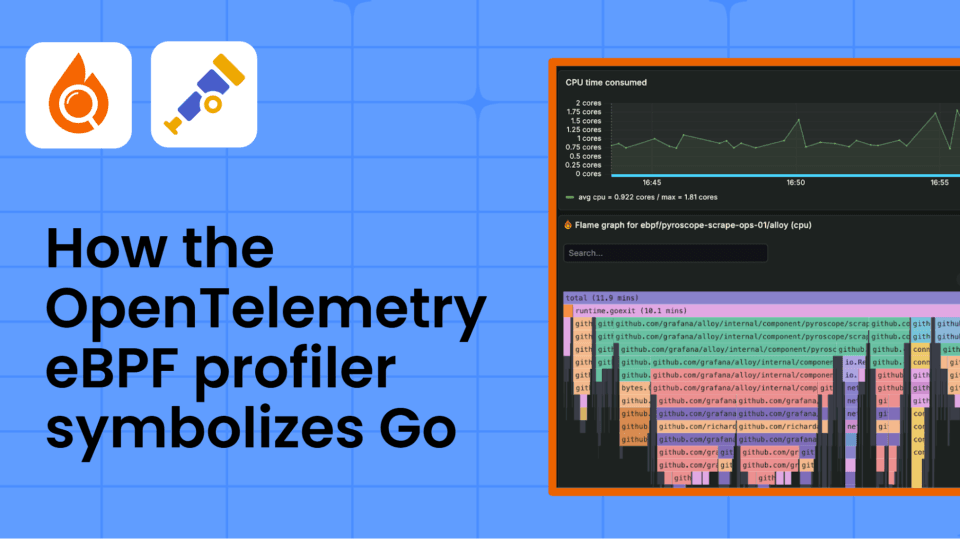
From raw data to flame graphs: A deep dive into how the OpenTelemetry eBPF profiler symbolizes Go


Imagine you're troubleshooting a production issue: your application is slow, the CPU is spiking, and users are complaining. You turn to your profiler for answers—after all, this is exactly what it's built for.
The profiler runs, collecting thousands of stack samples. eBPF profilers, including the OpenTelemetry eBPF profiler, operate at the kernel level, so they capture raw program counters: memory addresses pointing into your binary. Before these addresses reach Pyroscope, the open source continuous profiling database, they have to pass through a process called symbolization.
Here's what that data looks like before symbolization:

Raw memory addresses. Long strings of hexadecimal with no obvious meaning.
Which function is actually consuming CPU? Where in your code should you even start looking? To make sense of this, you'd need to manually map each address back to your binary, assuming you have the exact version that’s running in production. In many cases, that’s slow, error-prone, or simply impossible.
Now, you look at the same profile with symbolization enabled:

Suddenly, everything clicks. You can see exactly what's consuming CPU: main.computeResult is your bottleneck. You know which function to investigate, and can jump straight to the source code to start optimizing.
This transformation from useless hex addresses to actionable function names is symbolization. And for eBPF profilers, making this happen is far more complex than it might seem.
In this post, we’ll unpack that process step by step by following a single memory address through the entire symbolization pipeline, from a raw program counter all the way to a function name. We’ll focus specifically on Go programs, which have a unique advantage: they embed a .gopclntab section that remains in the binary even when debug symbols are removed (stripped), enabling profilers to extract function names on-target. In contrast, most other native languages rely on server-side symbolization, which is why Go programs tend to produce better profiling data out of the box.
What you'll learn
Whether you're debugging missing symbols in production or wondering why your stripped Go binaries still profile correctly while C programs show hex addresses, this post will demystify Go symbolization in eBPF profilers from the ground up.
We'll explore:
- What symbols are and where they hide in your binaries (you might be surprised to learn they can represent a significant part of your binary's size)
- The pipeline steps from raw address to function name, with real code from the OpenTelemetry eBPF profiler
- Binary search and frame caching—the performance tricks that make symbolization fast enough for production
- Practical commands (
readelf,nm,file) to inspect your own binaries - What happens when symbolization fails and how to debug it
By the end, you'll understand why Go programs profile better than other native languages even when stripped, how to debug symbol issues, and why gopclntab—a compact data structure that maps every function's address range to its name and source location—makes Go uniquely suited for eBPF profiling.
Why symbolization is a challenge with eBPF profilers
Traditional profilers inject agents into your process, call runtime APIs, or even recompile your code with instrumentation. Need a function name? Just ask the running program.
eBPF profilers can't do any of that. They run in the kernel space, which, on one hand, gives them superpowers—they can profile any process, see through container boundaries, and capture kernel stacks without modification. But this comes with strict constraints:
What eBPF profilers can see:
- Which instruction is currently executing (a memory address)
- The stack of return addresses (more memory addresses)
- Process memory maps (which binary contains each address)
What eBPF profilers cannot do:
- Modify the running program
- Call functions inside your application
- Access language runtime APIs (Go's reflection, Python's introspection)
- Load debugging agents or libraries into processes
When the profiler captures a stack trace, it gets this:
[0x00000000000f0318, 0x00000000000f0478, 0x0000000000050c08]
Three addresses. No names, no context, no metadata. Everything must be figured out externally by analyzing binary files on disk, while maintaining sub-1% CPU overhead in production.
This constraint shapes the entire symbolization architecture:
- Performance is critical: with 20-100 samples/sec across hundreds of processes, the profiler needs microsecond lookups
- Graceful degradation: production binaries are often stripped; the profiler needs fallback strategies
Introducing our Go program example
To make these concepts concrete, we’ll use a simple Go program throughout this post. Here's the complete code:
package main

import (
  "os"
  "runtime/pprof"
  "time"
)

func processRequest(n int) int {
  data := fetchData(n)
  return computeResult(data)
}

func fetchData(n int) int {
  sum := 0
  for i := 0; i < n; i++ {
	  sum += i * i
  }
  return sum
}

func computeResult(data int) int {
  result := 0
  for i := 0; i < data/1000; i++ {
	  result += i * 2
  }
  return result
}

func main() {
  f, _ := os.Create("cpu.pprof")
  defer f.Close()
  pprof.StartCPUProfile(f)
  defer pprof.StopCPUProfile()
  start := time.Now()
  for time.Since(start) < 10*time.Second {
    processRequest(50000)
  }
}
Clear call relationships: main → processRequest → fetchData and computeResult. When profiled, computeResult dominates CPU time due to its larger loop.
Compile it:
# Disable optimizations to prevent inlining

go build -gcflags="all=-N -l" -o demo demo.go
This produces a ~2.6MB binary we’ll explore throughout this post.
What is symbolization: a closer look
Symbolization is the process of mapping memory addresses to function names. When our demo compiles, the compiler transforms source into machine instructions:
func processRequest(n int) int {
    data := fetchData(n)
    return computeResult(data)
}

// Becomes machine code at address 0xf0310
// objdump -d demo | grep -A8 "00000000000f0310"
00000000000f0310 <main.processRequest>:
   f0310:  ldr   x16, [x28, #16]
   f0314:  cmp   sp, x16
   f0318:  b.ls  f0350
   f031c:  str   x30, [sp, #-48]!
   f0320:  stur  x29, [sp, #-8]
   ...
The compiler knows main.processRequest starts at address 0xf0310. Symbolization is the process of recovering that mapping when all you have is the address.
When the eBPF profiler samples your running application, it captures a stack trace of addresses:
0x00000000000f0318 ← CPU is here (inside processRequest)
0x00000000000f0478 ← Called from here (inside main.main)
0x0000000000050c08 ← Called from here (runtime.main)
To transform these addresses into the flame graph you see in Pyroscope, the profiler must answer: "What function contains address 0xf0318?"
The answer: symbol tables
The compiler embeds this mapping in the binary’s symbol table. Here’s what nm shows for our demo:
nm demo | grep -E 'main\.(process|fetch|compute)|runtime.main
00000000000f03e0 T main.computeResult
00000000000f0370 T main.fetchData
00000000000f0310 T main.processRequest
00000000000f0470 T main.main
0000000000050c00 T runtime.main
Each line maps an address to a name. Given address 0xf0318, the profiler searches this table, finds it falls between 0xf0310 (processRequest) and 0xf0370 (fetchData), and returns main.processRequest.
Note: Not all symbols appear in flame graphs—only functions where the profiler captured samples. If fetchData runs too fast to be sampled, it won't appear, even though nm shows it exists. Profilers show where time is spent, not what was called.
The lookup challenge
If symbolization were as simple as saying "read table and look up address," it would be trivial. But production profiling faces several challenges:
- Performance: Thousands of lookups per second across hundreds of processes
- Missing symbols: Production binaries are often stripped to save space
- Multiple formats: Go binaries may have
gopclntab, ELF symbol tables, or DWARF debug info. - Size constraints: Symbol information can represent 20-30% of binary size
- Dynamic loading: Shared libraries load at different addresses each run
What's inside a binary?
Our compiled demo is 2.6 MB. Where does that space go? Let’s explore the sections:
readelf -S demo | grep -E 'Name|gopclntab|symtab|debug'
This shows section headers, but sizes appear on the next line. To see everything clearly:
readelf -S demo | grep -A1 "\.text\|\.gopclntab\|\.debug_info\|\.debug_line"
You'll see output like:
[ 1] .text             PROGBITS         0000000000011000  00001000
   00000000000dfc04  0000000000000000  AX       0     0     16
[ 6] .gopclntab        PROGBITS         00000000001426c0  001326c0
   000000000008f848  0000000000000000   A       0     0     32
The second line shows the size in hex. Converting these to human-readable format (you can use printf '%d\n' 0x8f848 or a calculator) will show:
Section | Hex size | Human size | Purpose |
.text | 0xdfc04 | 0.87 MB | Actual executable code |
.gopclntab | 0x8f848 | 0.56 MB | Go's PC-to-line table (22% of binary!) |
.debug_info | 0x3ddca | 0.24 MB | DWARF debug information |
.debug_line | 0x1c00e | 0.11 MB | DWARF line number mappings |
Key insight: Symbol information (.gopclntab + debug sections) represents ~35% of this binary's size.
Finding functions with nm
We can use nm to list the symbols in our binary and confirm the address-to-function mapping:
nm demo | grep -E 'processRequest|fetchData|computeResult'

00000000000f0310 T main.processRequest

00000000000f0370 T main.fetchData

00000000000f03e0 T main.computeResult
Format: address type name. The T means "function in the text section." When the profiler sees address 0xf0318, it searches this table and finds it falls within main.processRequest (which starts at 0xf0310).
The stripped binary trade-off
Production binaries are often stripped to save space:
cp demo demo-stripped

strip demo-stripped

ls -lh demo demo-stripped
Output:
-rwxr-xr-x  2.6M  demo

-rwxr-xr-x  1.9M  demo-stripped    # 27% smaller!
Quick way to check if a binary is stripped:
file demo

# demo: ELF 64-bit LSB executable, ARM aarch64 ... not stripped

file demo-stripped

# demo-stripped: ELF 64-bit LSB executable, ARM aarch64 ... stripped
Check what happened to symbols:
nm demo | wc -l           # 4,041 symbols

nm demo-stripped          # "no symbols"
But Go has a safety net—.gopclntab survives stripping:
readelf -S demo-stripped | grep gopclntab

[ 6] .gopclntab        PROGBITS         00000000001426c0  001326c0
This is why Go is special. When you strip a C or Rust binary, symbolization becomes impossible without separate debug files. When you strip a Go binary, gopclntab remains embedded—it's required by Go's runtime for panic traces and reflection. The OpenTelemetry eBPF profiler can still extract every function name.
This asymmetry is why Go programs are particularly well-suited for eBPF profiling in production. You can strip binaries to save space without sacrificing observability, as the profiler continues to provide full function names.
The symbolization pipeline
When the eBPF profiler captures address 0xf0310 from our demo program, here's the journey to transform it into main.processRequest:
Raw Address: 0x00000000000f0310
↓
[1] Find the binary
↓
[2] Load symbol information
↓
[3] Extract symbols from gopclntab
↓
[4] Cache the result
↓
Result: main.processRequest
Step 1: Find the binary
The profiler reads /proc/<pid>/maps to see all memory mappings for the process. Each line shows a memory region with its address range, permissions, and which file it maps to.
For our demo, one of those lines would show:
<address-range> r-xp <offset> demo
The profiler checks: does 0xf0310 fall within this range? Yes → it's in our demo binary. The profiler now knows which file to analyze.
Step 2: Load symbol information
The profiler opens the ELF file (libpf/pfelf/file.go:171-183 - Open()) and looks for the .gopclntab section, which is Go's primary symbol source. If gopclntab is missing or corrupted (extremely rare), it falls back to standard ELF symbol tables.
Step 3: Extract symbols from gopclntab
This is where Go’s design shines. The profiler doesn't need to try multiple strategies or handle complex fallbacks—gopclntab provides everything needed.
What is gopclntab, exactly?
The .gopclntab section (Go "program counter to line table") is a compact data structure that maps every function's address range to its name and source location. The Go compiler embeds this because the runtime needs it for:
- Stack traces in panic messages
- Runtime reflection (
runtime.FuncForPC) - Profiler support (runtime/pprof)
Because it's required by the runtime, gopclntab is always present, even in stripped binaries.
The structure
Let's see what gopclntab contains for our demo:
# Extract gopclntab section to analyze it

readelf -S demo | grep -A1 gopclntab
Output:
[ 6] .gopclntab        PROGBITS         00000000001426c0  001326c0

	 000000000008f848  0000000000000000   A       0     0     32
The section is 0x8f848 bytes (0.56 MB), or about 22% of our binary. It contains a header followed by a table of function entries. Each entry stores:
- Function start address (PC)
- Function end address
- Function name offset (points to string table)
- Source file and line number information
How the profiler uses it
When the profiler needs to symbolize address 0xf0318:
1. Load gopclntab: The profiler reads the .gopclntab section from the demo binary
(Code: nativeunwind/elfunwindinfo/elfgopclntab.go:388 - NewGopclntab())
2. Binary search: Find which function contains 0xf0318 by searching the sorted function table
- Searches entries until it finds:
start=0xf0310,end=0xf0370,name="main.processRequest"
3. Return result: The profiler now knows 0xf0318 is inside main.processRequest
Fallback strategy
If gopclntab is somehow missing or corrupted (extremely rare), the profiler falls back to standard ELF symbol tables (.symtab, .dynsym). But in practice, every Go binary has a valid gopclntab.
Step 4: Cache the result
Once resolved, the profiler caches 0xf0310 → main.processRequest. If the next stack sample hits the same address, it returns instantly without re-parsing the binary. Unlike DWARF debug info (which is compressed and expensive to decode), gopclntab is uncompressed and memory-mapped. This makes Go symbolization particularly fast—the profiler can parse gopclntab once at process startup, then perform microsecond lookups for every subsequent address.
The frame cache (processmanager/manager.go:75-79) stores the resolved frames with an LRU eviction policy, keeping hot functions instantly accessible.
Performance and optimizations
Symbolization must be fast. With profilers sampling at 20-100 Hz across potentially hundreds of processes, the profiler might need to resolve thousands of addresses per second. At that scale, even small inefficiencies compound into significant overhead.
The speed requirements
Consider a modest setup: 50 processes, 20 samples/second, 20 stack frames per sample. That's 20,000 address lookups per second. If each lookup takes 1 millisecond (linear scan), the profiler would consume an entire CPU core just for symbolization, which is unacceptable overhead. The profiler's target: under 1% CPU overhead, requiring lookups in the microsecond range.
Binary search: O(log n) lookups
The profiler needs to solve the reverse lookup problem: given an address, find the symbol name. Since gopclntab stores functions as address ranges (each function spans multiple addresses), the profiler moves through the following phases:
1. Extraction phase (once per binary):
- Parses
gopclntabto extract all functions - Each entry contains: start address, function name, source file info
- Functions are naturally sorted by address in
gopclntab
2. Lookup phase (for each stack address):
- Uses binary search to find which range contains the address
- Example: address 0xf0318 → binary search → found in range starting at 0xf0310→ returns
"main.processRequest"
Complexity: O(log n) where n is the number of functions. With 4,000 functions (like our demo), this means ~12 comparisons per lookup instead of 4,000 linear scans.
Code reference: nativeunwind/elfunwindinfo/elfgopclntab.go:544-556 uses Go’s sort.Search
Frame caching
Once a frame is symbolized, the profiler caches the complete result—not just the function name, but the entire resolved frame including source file and line number information.
The frame cache (processmanager/manager.go:345-355) uses an LRU eviction policy.
Configuration:
- Cache size: 16,384 entries
- TTL: 5 minutes per entry
- Refreshed on each hit to keep hot paths cached
Since gopclntab is memory-mapped and uncompressed, even cache misses are fast (microseconds). The cache primarily avoids repeated parsing of the same addresses across multiple stack samples.
Real performance
With these optimizations, the OpenTelemetry eBPF profiler achieves:
- Sub-microsecond symbol lookups (cached)
- ~100 microseconds for cache misses (disk read + parse)
- < 1% CPU overhead in production
This makes continuous profiling practical—you can run it 24/7 without noticing the performance impact.
When symbolization fails
Now that you know where symbols live, what happens when they're missing or incomplete?
Missing functions despite having symbols
If nm doesn't show a function you know exists, the compiler likely inlined it—merged the function into its caller for optimization. This is common with small, frequently called functions.
For Go, prevent inlining during development:
go build -gcflags="all=-N -l" -o app main.go
The -N disables optimizations and -l disables inlining. Don't use this for production—the performance cost is significant.
CGO and C libraries
For pure Go programs, symbolization "just works" and all your dependencies compile into a single binary with gopclntab covering everything. But if your Go program uses CGO to call C libraries, those portions behave differently:
- Pure Go dependencies compile into your binary with
gopclntab, so all function calls are symbolized—whether it's your code or third-party Go packages. - For CGO/C libraries, functions may appear as hex addresses if the libraries are stripped.
gopclntabonly covers Go code, not linked C binaries
In practice:
- If you see hex addresses in a Go program's profile, check for CGO usage
- The Go portions always symbolize correctly
- C library calls might show as addresses unless the shared libraries have debug symbols
Quick diagnostic commands
These four commands quickly tell you what symbol information is available before you start profiling.
file your-app                             # Stripped or not?
nm your-app | wc -l                       # How many symbols?
readelf -S your-app | grep gopclntab      # Go binary check
readelf -S your-app | grep debug          # Has debug info?
Wrapping up
The next time you open Pyroscope and see function names in a flame graph for your Go application, you'll know the sophisticated machinery that made them appear. That main.processRequest you're investigating? It started as raw address 0x00000000000f0310, was captured by eBPF from a running process the profiler couldn't modify, was then looked up in gopclntab using binary search, and emerged as a readable name—all in microseconds, with minimal overhead.
Go's design makes this remarkably reliable. While other native languages lose all symbol information when stripped, Go's gopclntab survives—the runtime needs it for panic traces, so it's always present. This single design decision means you can strip Go binaries to save 30% space in production while maintaining perfect symbolization. No separate debug files, no symbol servers, and no trade-offs.
The OpenTelemetry eBPF profiler leverages this by parsing gopclntab directly, providing consistent symbolization whether your binary is fresh from development or stripped for production. This is why Go programs are particularly well-suited for continuous profiling—you get full observability without sacrificing binary size or runtime performance.
Symbolization is the invisible foundation of modern observability. Without it, profiling data would be nearly useless—just hexadecimal addresses with no meaning. To learn more, you can check out the OTel eBPF profiler on GitHub and our Pyroscope eBPF setup docs.
Grafana Cloud is the easiest way to get started with metrics, logs, traces, dashboards, and more. We have a generous forever-free tier and plans for every use case. Sign up for free now!