
Parquet-S3-Datasource for Grafana
Query and visualize Apache Parquet files stored in Amazon S3 (or any S3-compatible storage such as MinIO, Wasabi, Cloudflare R2, or DigitalOcean Spaces) directly in Grafana — without an intermediate database.
The datasource reads Parquet footers and column chunks straight from object storage, converts them through Apache Arrow into Grafana data frames, and runs a built-in lightweight SQL engine over the result so you can build dashboards and alerts from your data lake.
Overview
Typical use cases:
- Ad-hoc exploration of Parquet exports (analytics dumps, ML datasets, ETL outputs) sitting in S3.
- Long-term observability archives — keep recent metrics in Prometheus and roll older data into Parquet on S3.
- Multi-tenant data lakes where each customer's data lives in its own bucket or prefix.
- Alerting on data that already lives in S3, without standing up a query engine.
Features
- Direct Parquet access over S3 — no Athena, Trino, or DuckDB required.
- S3-compatible storage support: Amazon S3, MinIO, Wasabi, Cloudflare R2, DigitalOcean Spaces, Backblaze B2, etc. Custom endpoints and path-style URLs are supported.
- Apache Arrow pipeline for efficient columnar reads and type-correct Grafana frames (timestamps, numerics, booleans, strings).
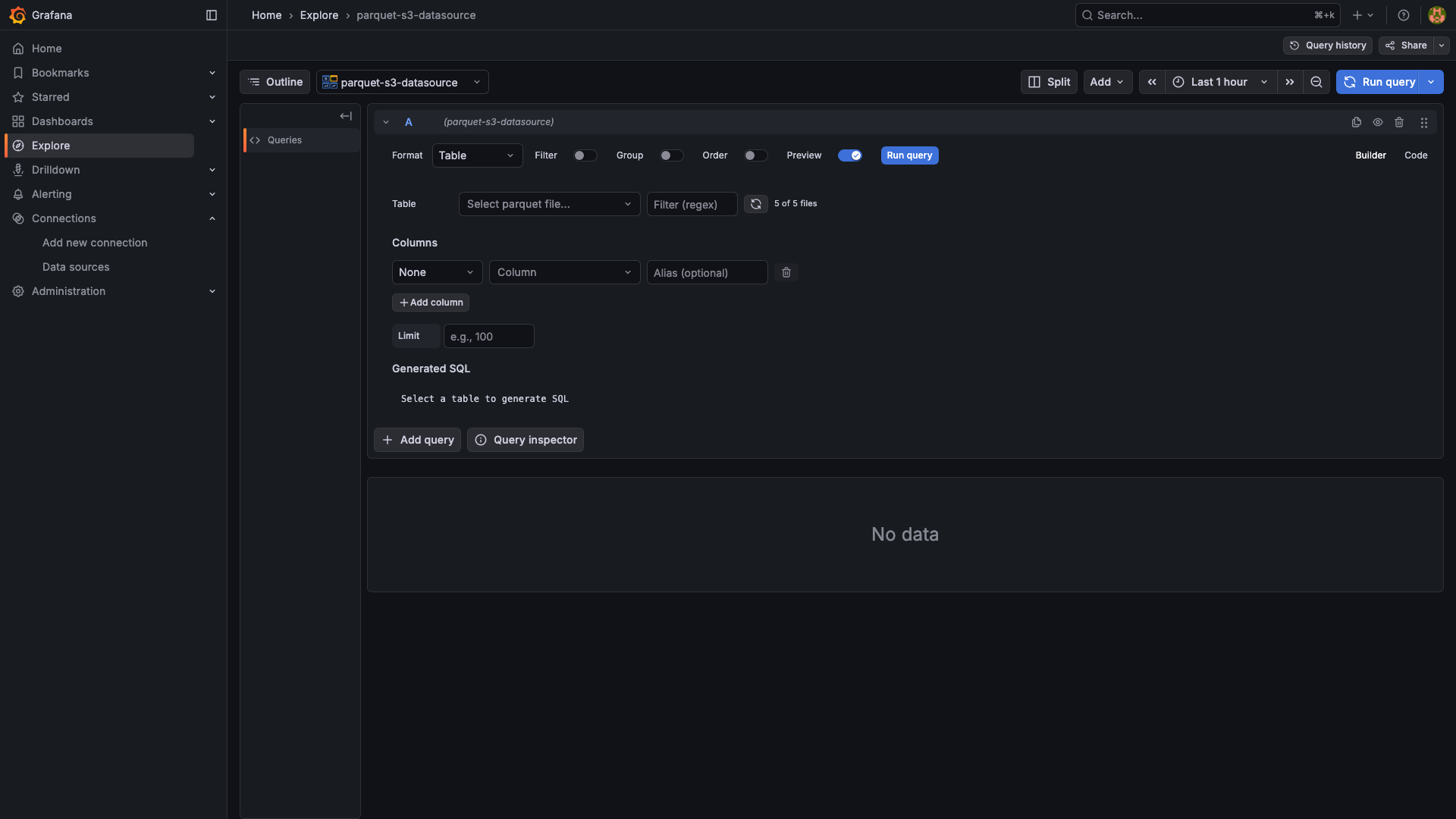
- Built-in SQL subset with
SELECT,WHERE,GROUP BY,ORDER BY,LIMIT, the aggregatesCOUNT,SUM,AVG,MIN,MAX, column aliasing, and the comparison/logic operators=,!=,>,<,>=,<=,LIKE,IN,IS NULL,IS NOT NULL,AND,OR. - Visual query builder in Builder mode, raw SQL in Code mode, with a SQL preview as you build.
- Template variables:
buckets(),files(prefix),prefixes(prefix), and arbitrary SQL-driven variables. - Alerting: the datasource implements Grafana's alerting interface, so any SQL query can drive an alert rule.
- AWS-SDK auth via
grafana-aws-sdk(access key, default chain, assume-role, instance profile, named profile).
The SQL engine is a custom in-memory executor shipped with the plugin — it is not DuckDB. DuckDB-specific functions, window functions, CTEs, and JOINs are not available.
Screenshots
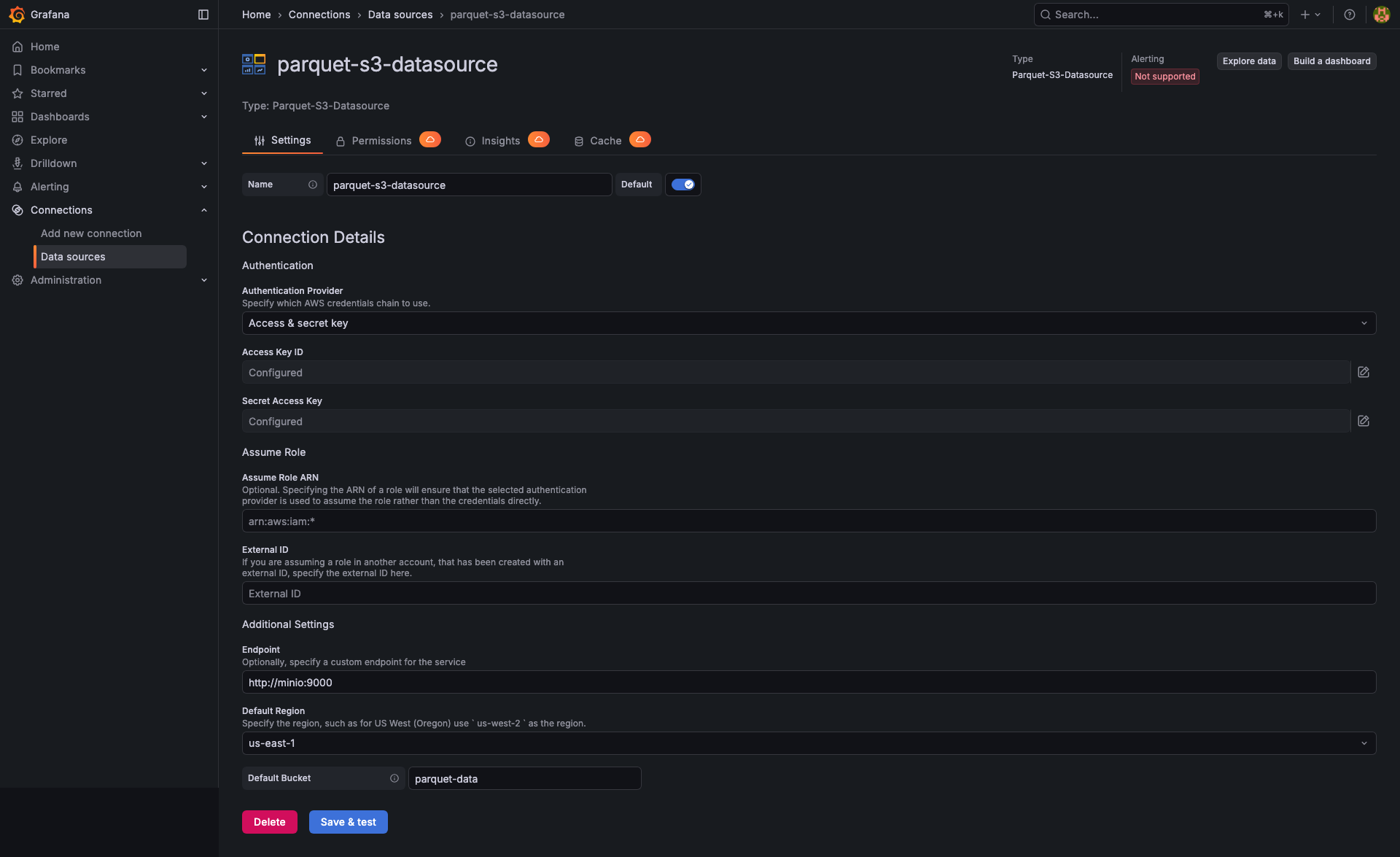
Datasource configuration
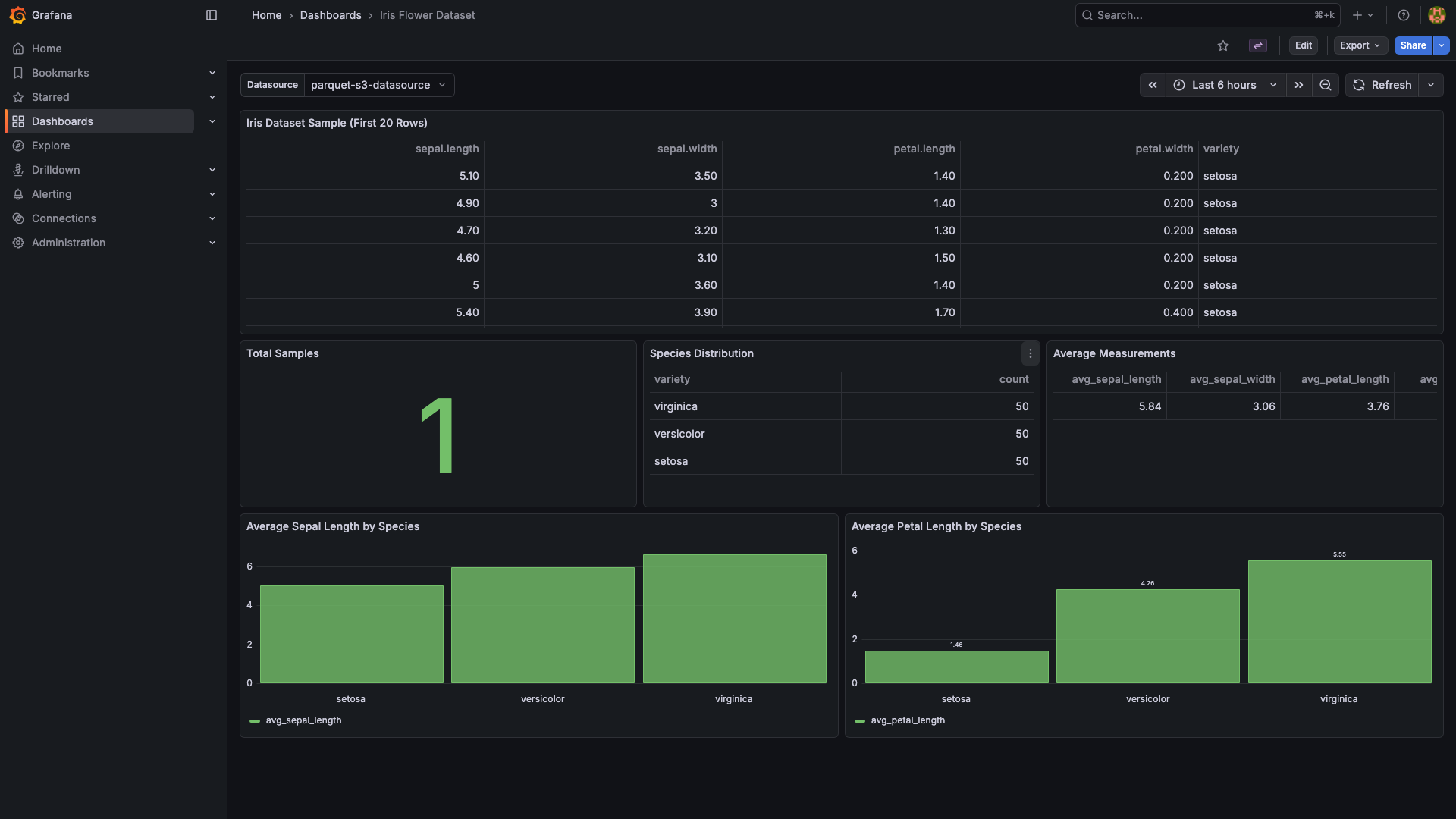
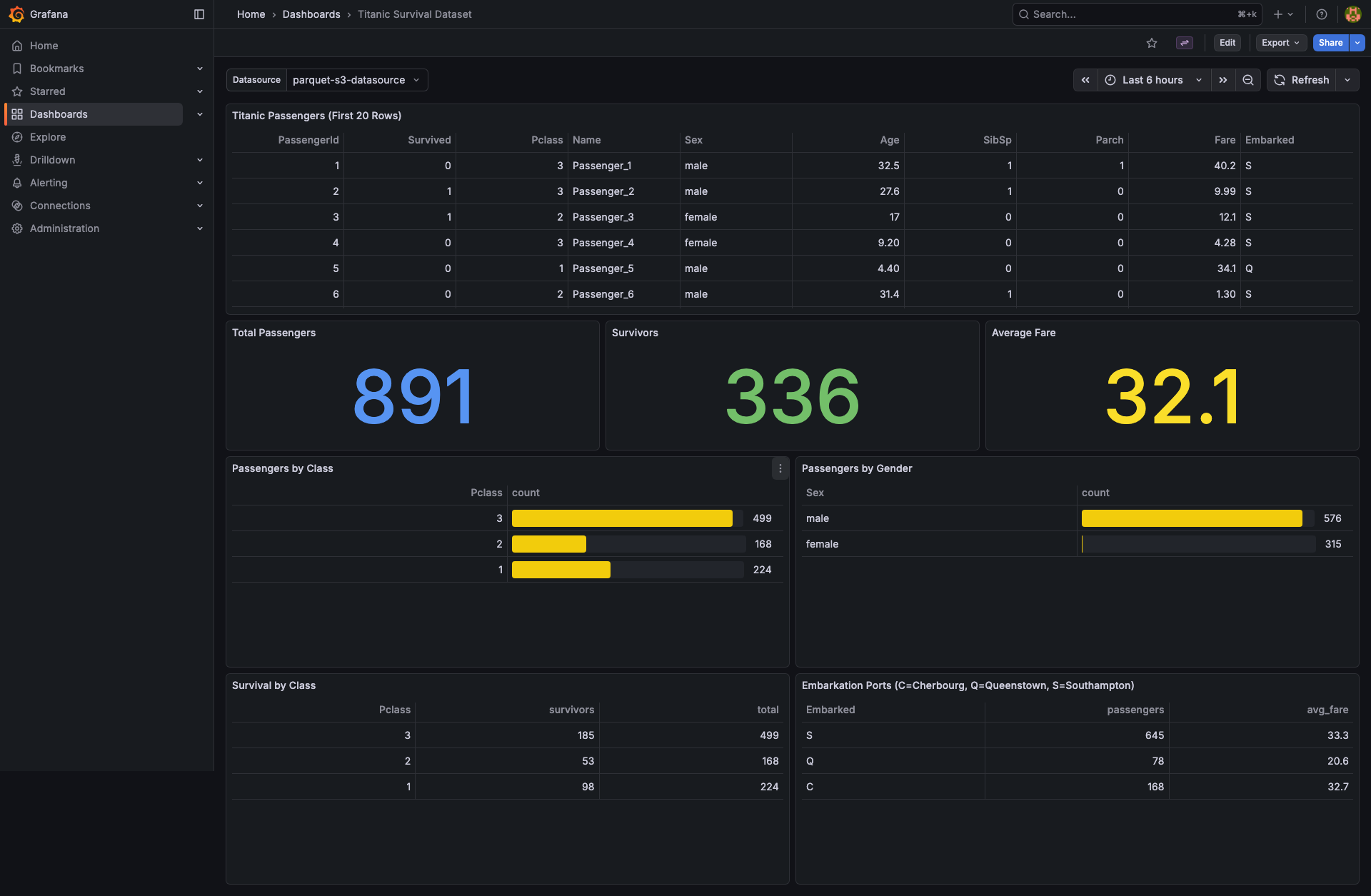
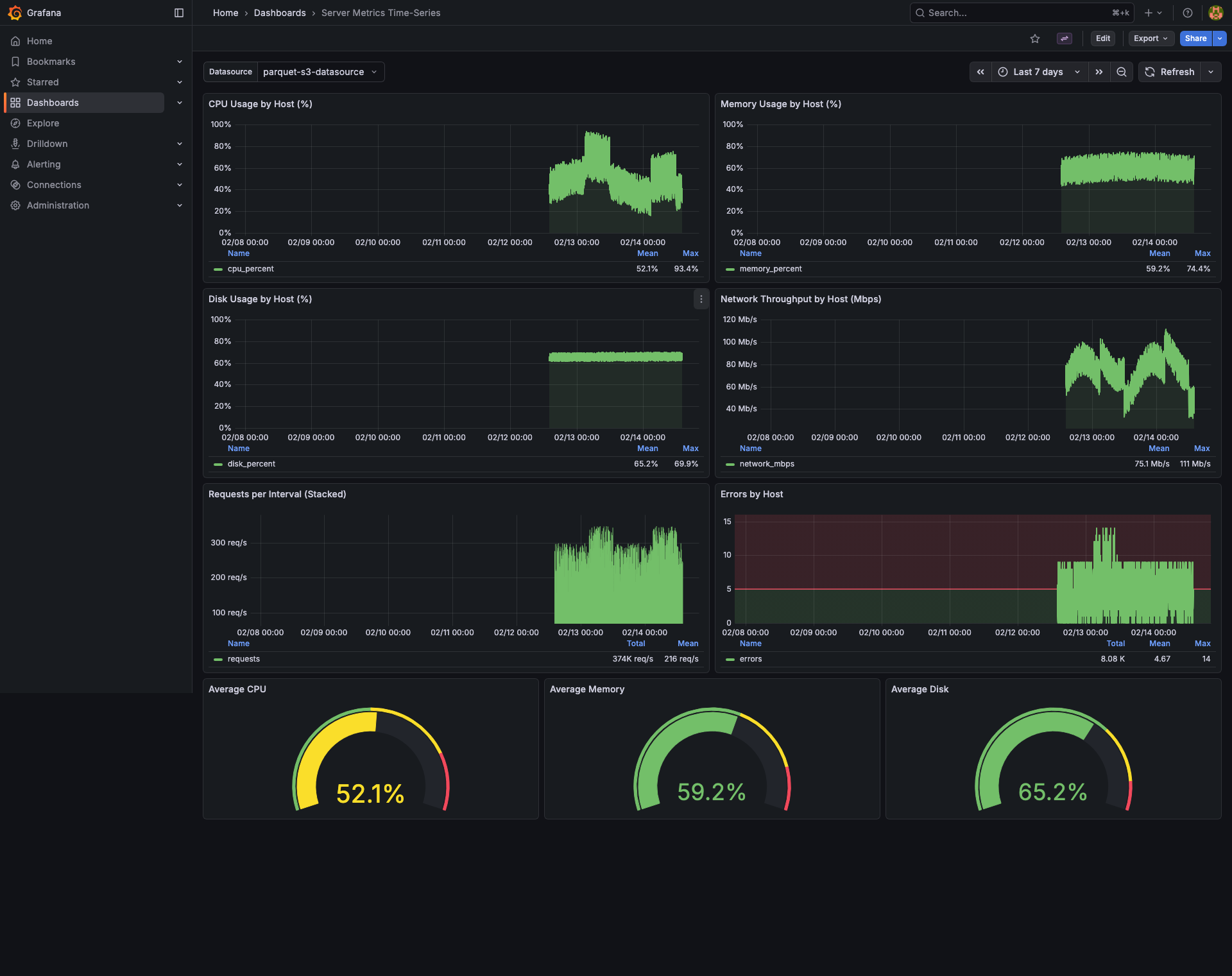
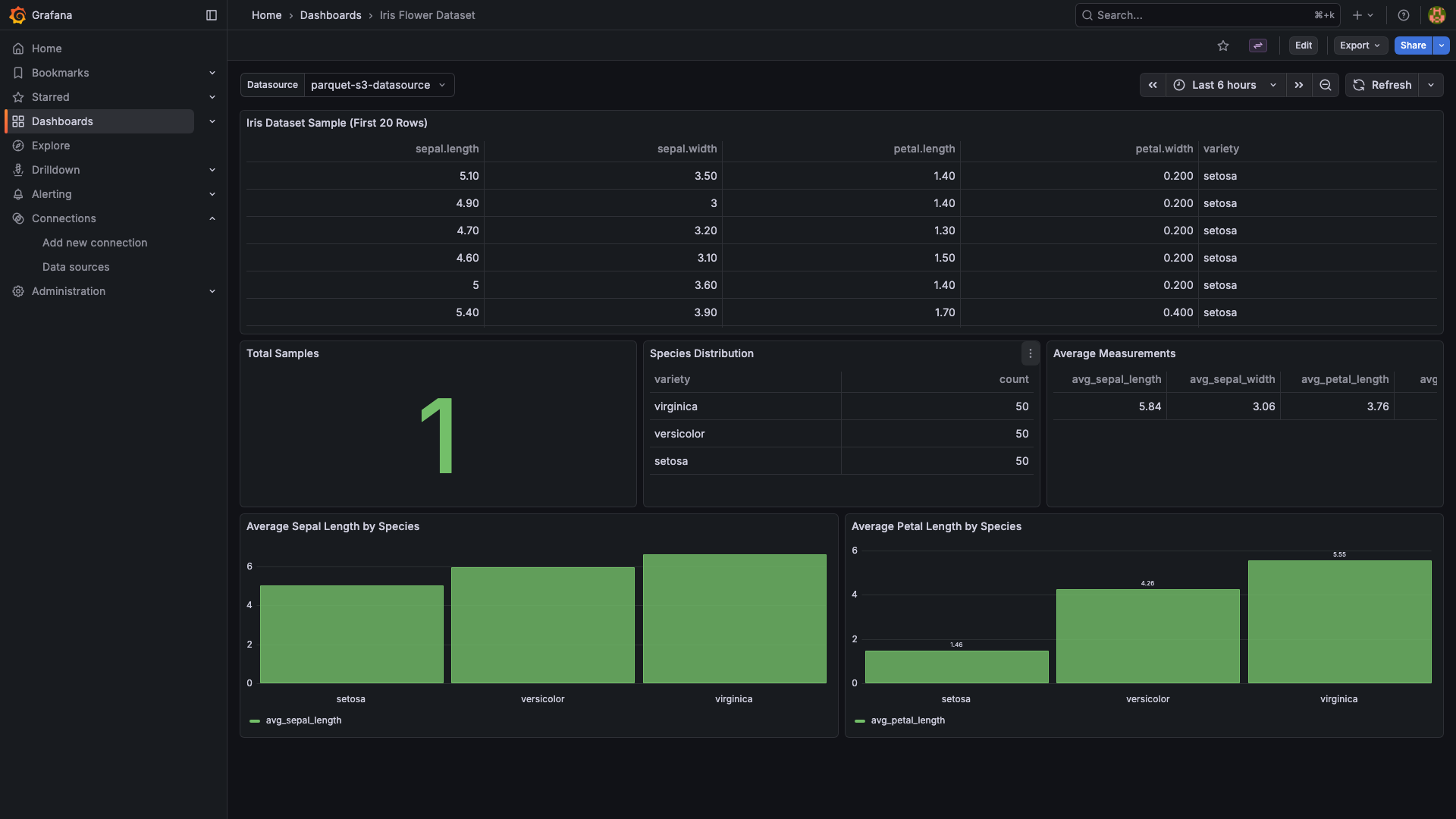
Example dashboards (included as provisioned samples)
Template variables
Requirements
- Grafana >= 11.0.0
- An S3 or S3-compatible bucket containing Parquet files
- Credentials with
s3:ListBucketands3:GetObjecton that bucket
Installation
Using the Grafana CLI:
grafana-cli plugins install tobiasworkstech-parquets3-datasource
Or with the official Grafana Docker image:
docker run -d -p 3000:3000 \
  -e GF_INSTALL_PLUGINS=tobiasworkstech-parquets3-datasource \
  grafana/grafana
Getting started
Add the datasource: in Grafana, go to Connections → Data sources → Add data source and pick Parquet-S3-Datasource.
Configure the connection:
- Region — the AWS region your bucket lives in (e.g.
us-east-1). Required by the SDK even for S3-compatible providers. - Bucket — the bucket to query.
- Endpoint (optional) — override the S3 endpoint URL for non-AWS providers (e.g.
https://minio.example.com,https://<account>.r2.cloudflarestorage.com). - Authentication type — choose between AWS SDK Default, Access & Secret Key, Credentials File, EC2 IAM Role, or Assume Role. For static keys, supply the Access Key and Secret Key.
- Region — the AWS region your bucket lives in (e.g.
Click Save & test. A green check means Grafana could authenticate and list the bucket.
Build a query: add a panel, pick the datasource, choose a Parquet file, then either let the builder generate SQL or switch to Code mode and write your own:
SELECT timestamp, host, cpu_percent
FROM parquet
WHERE host = 'web-01'
ORDER BY timestamp DESC
LIMIT 500
FROM parquetis a placeholder — the actual Parquet file is determined by the Path field in the query editor.
Query examples
-- All rows, all columns
SELECT * FROM parquet

-- Filter + sort
SELECT name, value FROM parquet
WHERE value > 100
ORDER BY value DESC

-- GROUP BY + aggregates + alias
SELECT category,
       COUNT(*)   AS count,
       AVG(price) AS avg_price
FROM parquet
GROUP BY category

-- Most recent N rows
SELECT * FROM parquet
ORDER BY timestamp DESC
LIMIT 100
Template variables
| Query Type | What it returns | Inputs |
|---|---|---|
List Files |
Object keys in the bucket matching a glob (*.parquet default) |
Optional prefix, file pattern |
Prefixes |
Top-level "folders" under a prefix (uses Delimiter=/) |
Optional prefix |
SQL Query |
First column of a SQL query, deduplicated | Path + SQL query |
Examples:
- All parquet files in the bucket: Query Type =
List Files, File Pattern =*.parquet. - Files in a folder: Query Type =
List Files, Prefix =data/2026/, File Pattern =*.parquet. - Distinct values from a column: Query Type =
SQL Query, Path =data.parquet, SQL =SELECT DISTINCT category FROM parquet.
Configuration examples
Amazon S3
Region:     us-east-1
Bucket:     my-data-lake
Endpoint:   (leave empty)
Auth:       Access & Secret Key   (or Assume Role / Default chain)
MinIO (self-hosted, path-style)
Region:     us-east-1
Bucket:     parquet-data
Endpoint:   http://minio.internal:9000
Auth:       Access & Secret Key
Path-style routing is enabled automatically when a custom endpoint is set.
Cloudflare R2
Region:     auto
Bucket:     my-bucket
Endpoint:   https://<account-id>.r2.cloudflarestorage.com
Auth:       Access & Secret Key
Wasabi
Region:     us-east-1
Bucket:     my-bucket
Endpoint:   https://s3.wasabisys.com
Auth:       Access & Secret Key
Alerting
plugin.json declares "alerting": true, so any query you can write in this datasource can drive a Grafana alert rule. The bundled example (provisioning/alerting/alerts.yml in the repo) shows a "High CPU" rule built from SELECT AVG(cpu_percent) FROM parquet.
Supported Parquet features
- Primitive types:
INT8/16/32/64,UINT32/64,FLOAT32/64,BOOLEAN,STRING,LARGE_STRING,TIMESTAMP(ns/µs/ms/s). - Compression codecs handled by Arrow:
SNAPPY,GZIP,LZ4,ZSTD,BROTLI. - Column pruning when only a subset of columns is selected.
- Schema discovery via the Parquet footer — the column list for a file is fetched without downloading the whole file.
Nested types (STRUCT, LIST, MAP) are read using their Arrow string representation; explicit nested-projection support is on the roadmap.
Troubleshooting
Save & testfails with connection error — verify the region, bucket name, endpoint URL, and that the credentials haves3:ListBucketands3:GetObject. For self-signed endpoints, make sure the Grafana host trusts the certificate.- No data returned — confirm the file path matches an object key in the bucket (case-sensitive, no leading slash). Use a
List Filestemplate variable to discover keys. - SQL errors — column names are case-insensitive but must exist; quote names with special characters using double quotes (
"foo.bar"). Only the SQL subset documented above is supported. - Slow queries — the engine reads the full file for non-aggregated queries. Push selectivity into a smaller file or partition by writing your Parquet files with a prefix per time window (e.g.
metrics/2026/05/20/...).
Source, issues, and contributing
The plugin is open-source (Apache 2.0). Source, issue tracker, and release notes live at:
https://github.com/tobiasworkstech/tobiasworkstech-parquets3-datasource
Bug reports, feature requests, and pull requests are welcome.
Grafana Cloud
Connect any plugin in Grafana Cloud.
- 150+ data source integrations
- Grafana Assistant - AI that correlates your data, builds queries, and answers questions
- 10k Prometheus metrics + 50 GB logs, traces, and profiles on the free tier
- ...and more
Insights
- Adoption
Running on 330 active Grafana instances.
- Activity
Last updated 10 Jun 2026.
1 release in the past year.
- Queries
1 total queries served across all Grafana Cloud instances.
- Version
- 1.2.16
- Dependencies
- Grafana >=11.0.0
- Developer
- tobiasworkstech
Grafana Cloud
Connect any plugin in Grafana Cloud.
- 150+ data source integrations
- Grafana Assistant - AI that correlates your data, builds queries, and answers questions
- 10k Prometheus metrics + 50 GB logs, traces, and profiles on the free tier
- ...and more