What's new from Grafana Labs
Grafana Labs products, projects, and features can go through multiple release stages before becoming generally available. These stages in the release life cycle can present varying degrees of stability and support. For more information, refer to release life cycle for Grafana Labs.


Loading...
Area of interest:
Cloud availability:
Cloud editions:
Self-managed availability:
Self-managed editions:
No results found. Please adjust your filters or search criteria.
There was an error with your request.
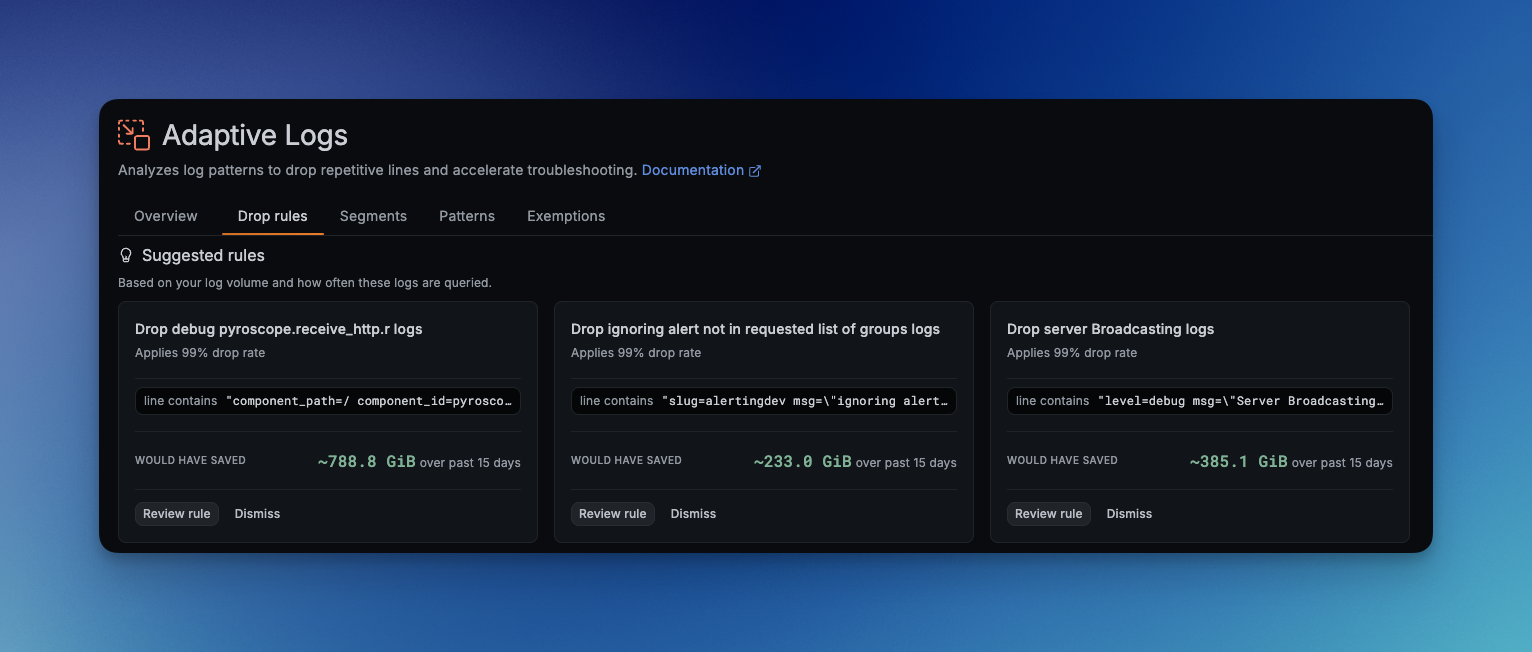
Get to your first Adaptive Logs savings faster!
See your 3 most valuable Adaptive Logs recommendations, and easily tailor them to your needs, to make optimizing log cost even easier.
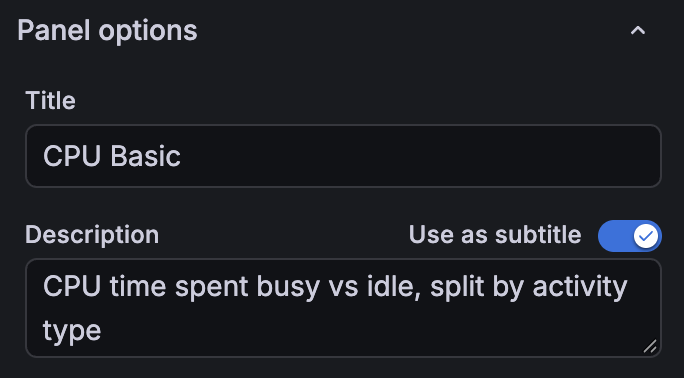
When a panel title needs more explanation, you can now display its description as a subtitle directly beneath it. This keeps context visible as you read the dashboard, helping you understand what a metric measures or how to interpret a chart.
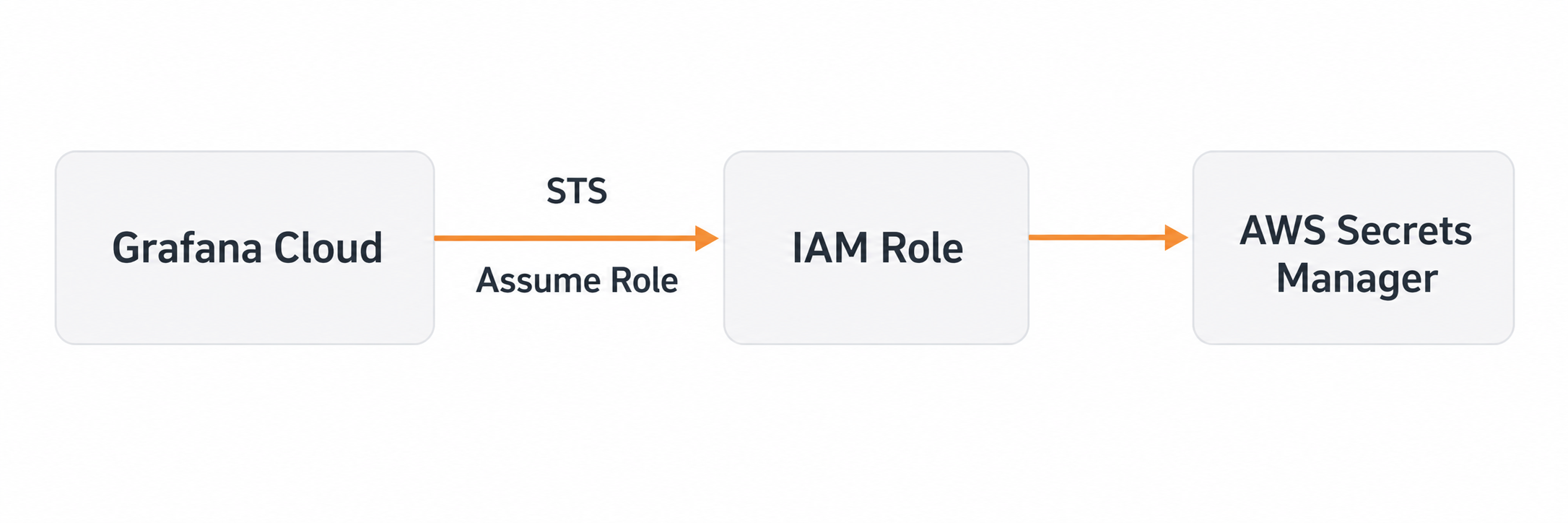
We’re excited to announce the general availability of secrets management in Grafana Cloud, along with a new AWS Secrets Manager integration. Secrets management gives you one safe place to store the API keys, tokens, and passwords that your Synthetic Monitoring checks and Grafana Cloud k6 tests need, so credentials never end up in your scripts.
With the AWS Secrets Manager integration, you don’t even have to store them in Grafana. Your secrets can stay in your own AWS account, under the IAM policies, rotation, and audit logging you already have, and Grafana fetches each value only at the moment a check needs it.
The Observability home page is now the default landing page when you select Observability in the Grafana main menu. It brings together your services, databases, frontend applications, Pods, and nodes in one view so you can see what needs attention across your entire stack without switching between individual products.

From a service in the entity catalog, open the SLO tab. If the service has no SLOs yet, Grafana suggests availability and latency targets from recent request, error and latency metrics. You can edit the name, target and window, choose a folder, optionally add burn-rate alerts and create the SLO. You can also create one manually. After you create SLOs, the tab shows their health, SLI and error budget on the same entity.

Every Service entity in the entity catalog carries an SLOs tab, so you can check whether a service is meeting its service level objectives (SLOs) while you investigate it, without switching to another app. The entity header carries an SLOs dropdown menu with a status dot, which gives you the same answer at a glance.
Each objective appears as a card with its measured service level indicator against target, the share of error budget remaining, and the absolute budget left in the compliance window. A Burning badge, and a banner at the top of the tab, tell you when a service consumes its error budget faster than allowed.
New Grafana Cloud organizations get Grafana Application Observability powered by the Grafana Cloud Knowledge Graph automatically. Host, Kubernetes, and Database Observability activate alongside it, so you get correlated, full-stack context on your services, infrastructure, and dependencies from the moment you start sending telemetry.
The knowledge graph replaces the classic Application Observability plugin for new organizations. It automatically discovers your services from OpenTelemetry data, surfaces performance insights, and connects metrics, logs, traces, and profiles in a unified view. You can also access the knowledge graph directly from the command palette.
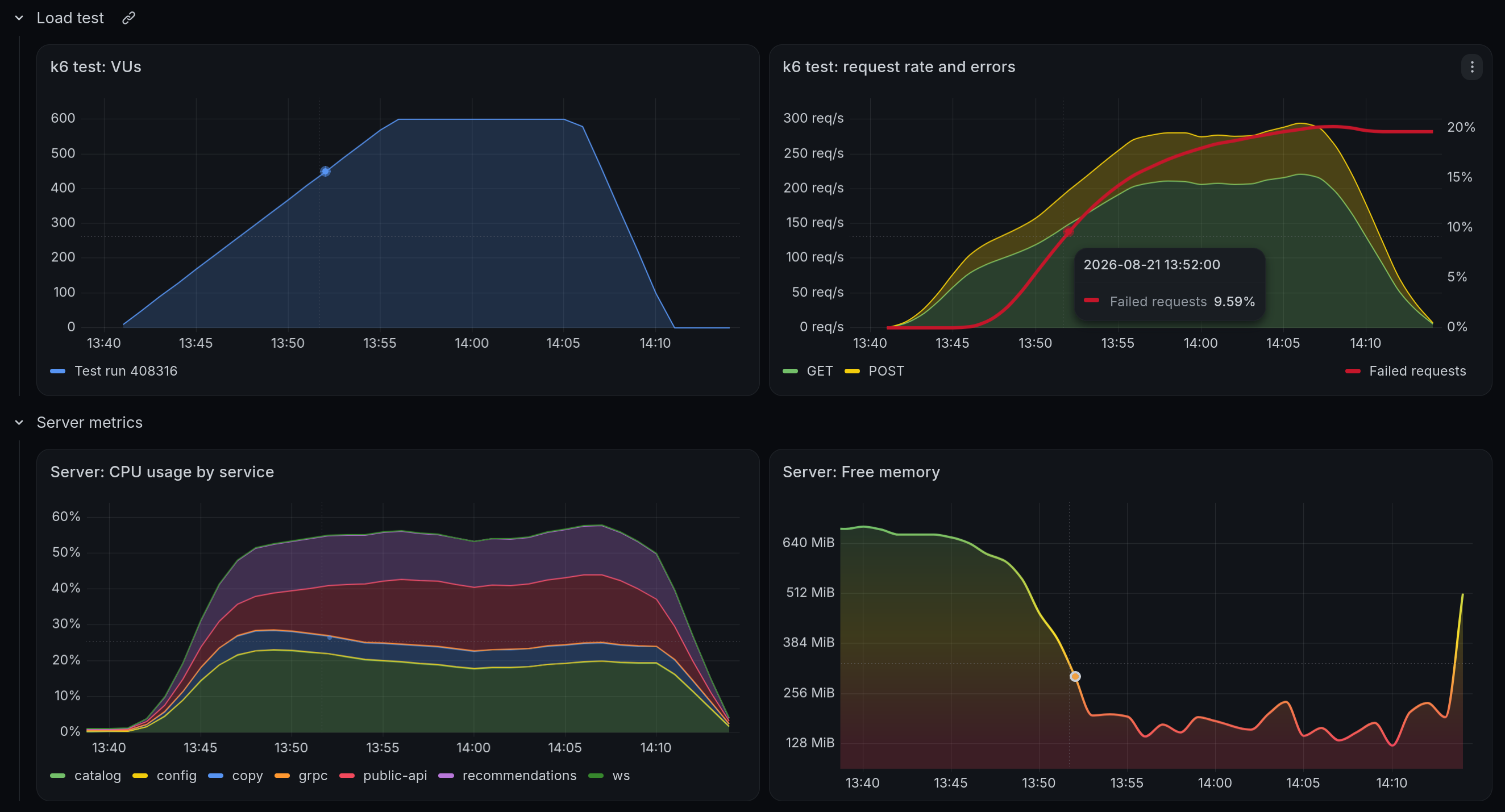
Query Grafana Cloud k6 test result metrics with PromQL and compare load test behavior with your application’s metrics, logs, and traces. Test result metrics are stored in Grafana Cloud Metrics, powered by Mimir, in your own Grafana Cloud stack.
Use your stack’s Prometheus data source in Explore, custom dashboards, and Grafana Alerting. Labels identify the project, test, and test run, so you can compare runs of the same test or track metrics across releases. You can also query from the command line to read test results in CI pipelines without exporting them.
The Thresholds panel option now supports variable interpolation to help you quickly update thresholds in dashboard panels.
Simply type the your variable name (for example, `$my-var`) into a thresholds step input and manage it through the variable toggle on the dashboard.
We’ve recently extended support for cross-filtering, bringing support to:
- Histogram
- State timeline
- Status History
This is in addition to the previously supported visualizations, bar chart, table, and time series.
When a database slows down, you can now ask Grafana Assistant a question like “Why is my orders database slow?” or “What are my worst-performing database queries?” and get an answer straight from your Grafana Cloud Database Observability telemetry with no PromQL or LogQL required.
A new Database Observability tool gives the Assistant structured access to the same telemetry that powers the Database Observability app. Ask for your slowest queries and you get the top 10 ranked across MySQL and PostgreSQL, with calls, latency, errors, and rows examined for each query.
Alert enrichment is generally available in Grafana Cloud. It adds context to your alert notifications before they reach you. You can start diagnosing an issue, plan a fix, and judge severity without first opening Grafana or another tool.
Each enrichment runs when an alert fires and attaches its results to the notification. That context travels with the alert all the way through to notification delivery.
Grafana Alerting includes notification history, so you can review notifications Grafana sent for your Grafana-managed alert rules from one place. On the History page, you can open the Notifications tab to see each delivery attempt, including firing and resolved notifications, the contact point that received it, and whether delivery succeeded or failed. Filter by labels, status, contact point, and time range, or expand a row to inspect the alerts included in a notification.
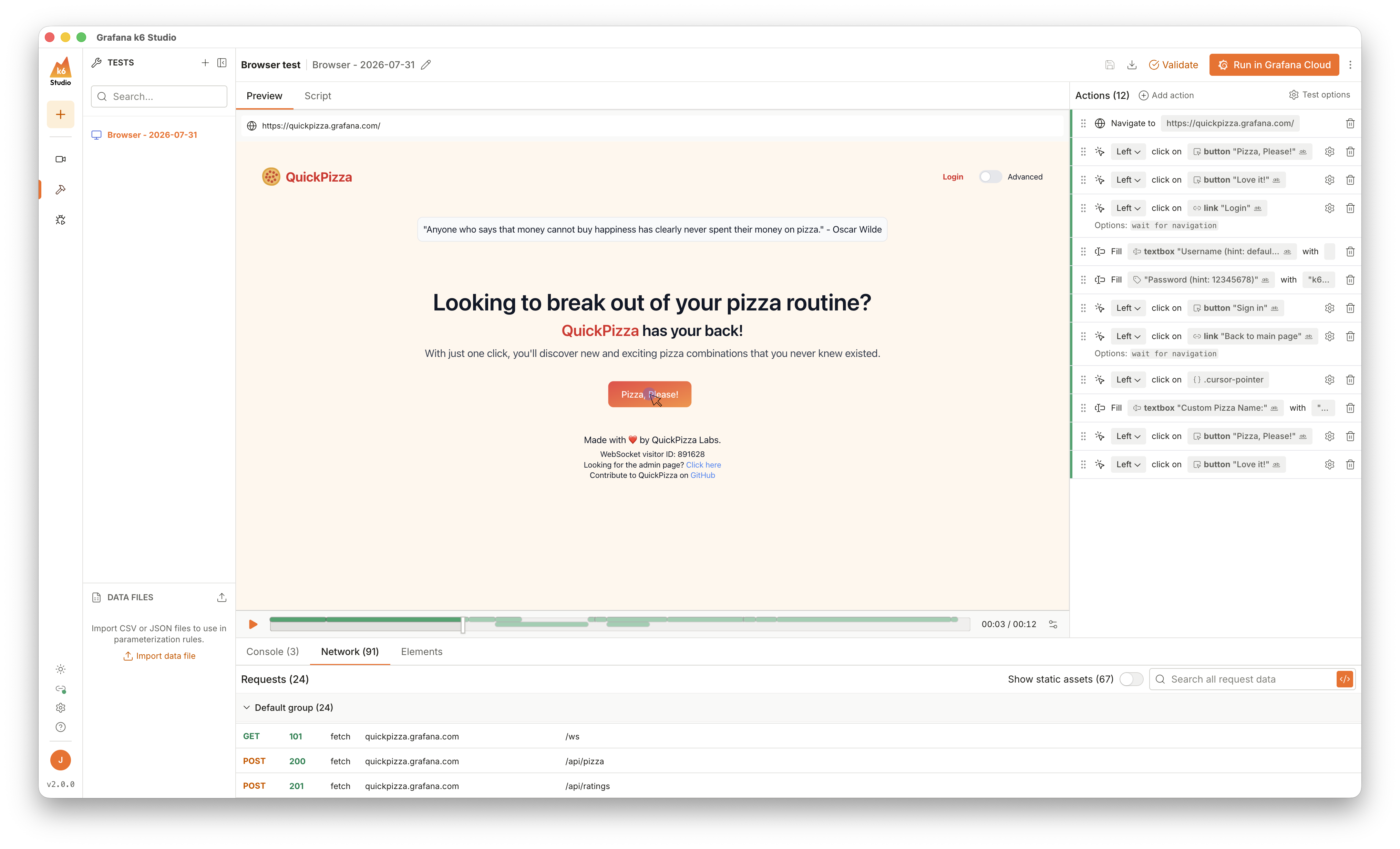
Building a realistic performance test usually means writing selectors by hand, hunting down session tokens that break your script on playback, and tuning configuration before you can run anything. The latest Grafana k6 Studio release takes that work off your plate, with browser test authoring and autocorrelation now generally available.
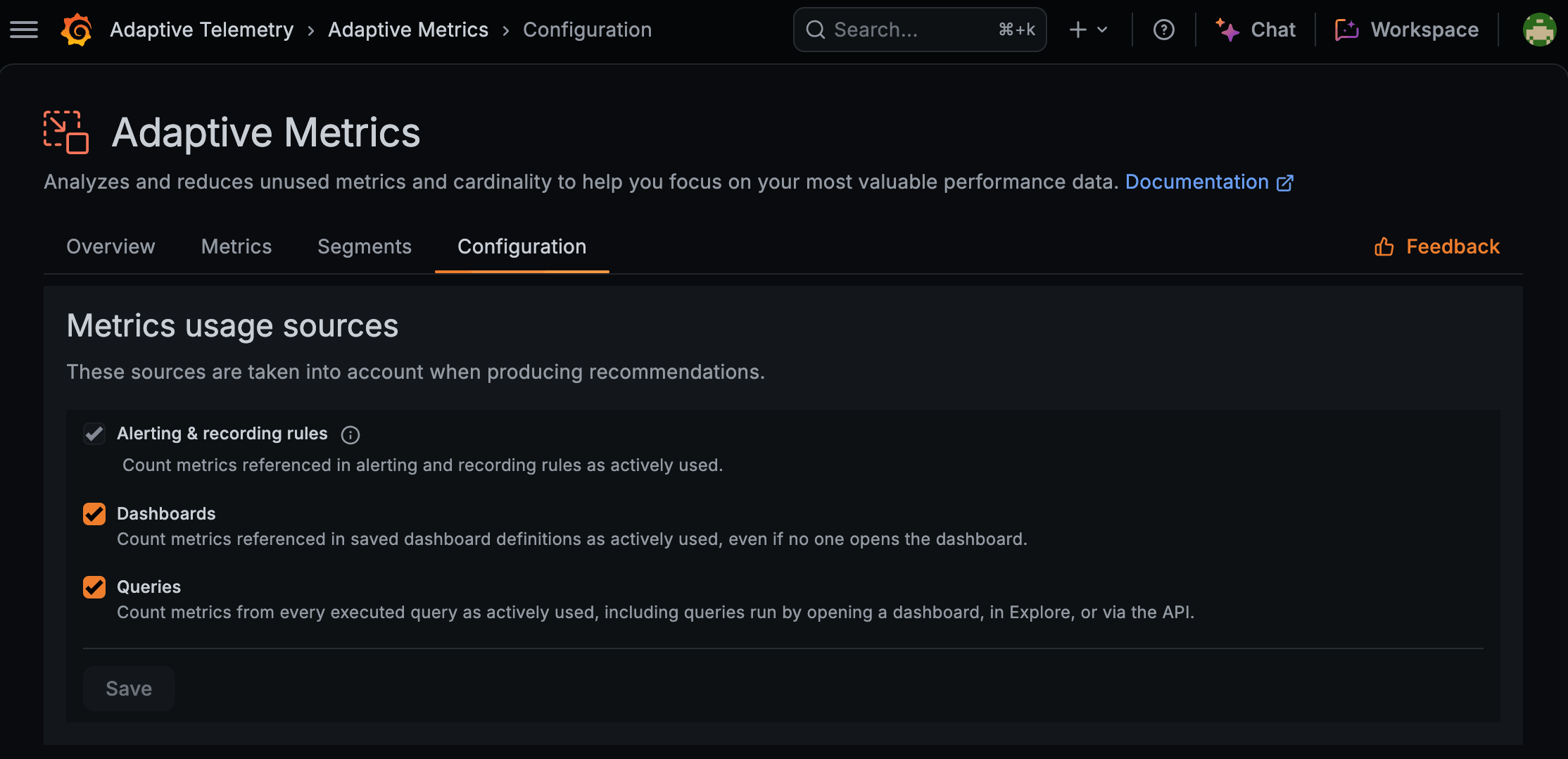
Realize even more savings by optimizing data you don’t need.
Adaptive Metrics now lets you choose to ignore unused dashboards or ad hoc queries when creating usage based optimization recommendations. You can exclude unqueried dashboards if you have lots of stale dashboards, or ignore ad hoc queries if your users frequently issue wide queries - whatever works best for your organization!