Visualization and monitoring integrations
/
Monitor SAP HANA®

Monitor SAP HANA® easily with Grafana
Easily monitor SAP HANA®, a high-performance, in-memory database designed for analyzing high-speed transactions, with Grafana Cloud’s out-of-the-box monitoring solution. The Grafana Cloud forever-free tier includes 3 users and up to 10k metrics series to support your monitoring needs.
SAP HANA system overview (1/2)
SAP HANA system overview (2/2)
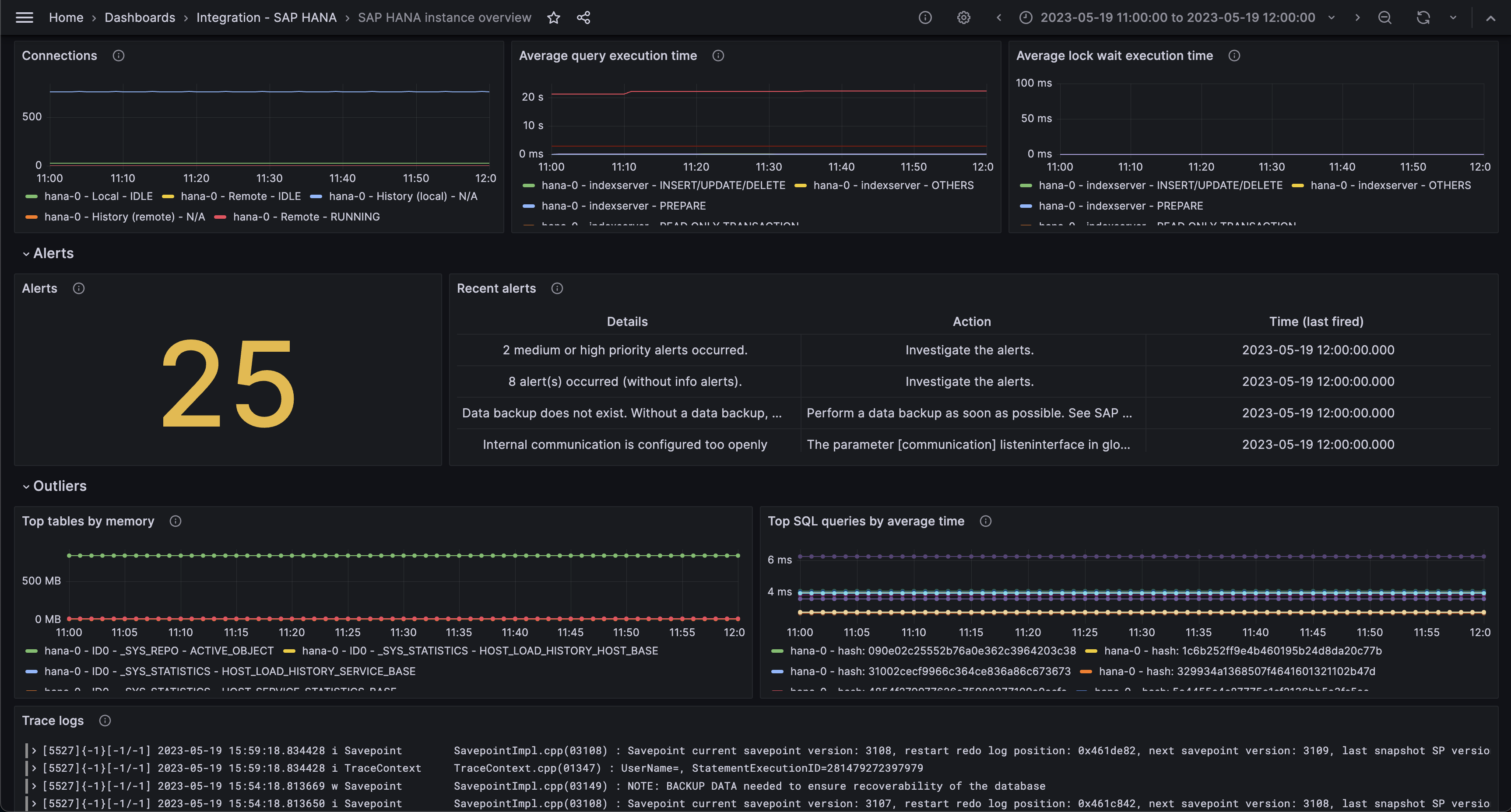
SAP HANA instance overview (1/3)
SAP HANA instance overview (2/3)
SAP HANA instance overview (3/3)
SAP HANA logs
Get started with these easy steps:
- Create a free account or contact us for a Grafana Enterprise license to run it on your own infrastructure.
- Connect the data source to SAP HANA® in Grafana.
- Explore and visualize your SAP HANA® data in Grafana!
Need to self-manage?
Get started with these easy steps:
- Create a free account or contact us for a Grafana Enterprise license to run it on your own infrastructure.
- Connect the data source to SAP HANA® in Grafana.
- Explore and visualize your SAP HANA® data in Grafana!
Need to self-manage?
Get started with these easy steps:
- Go to your Grafana Account Portal and start right now!
- Run a one-line command to install Grafana Alloy
- That’s it! You’ll immediately see pre-built Grafana dashboards and alerts tailored for monitoring SAP HANA®!
Get started with these easy steps:
- Create a free account
- Run a one-line command to install Grafana Alloy.
- That’s it! You’ll immediately see pre-built Grafana dashboards and alerts tailored for monitoring SAP HANA®!
Need to self-manage?
Get started with these easy steps:
- Install the SAP HANA® plugin to get started.
- Connect the data source to SAP HANA® in Grafana.
- Explore and visualize your SAP HANA® data in Grafana!
Get started with these easy steps:
- Manage this plugin with your Grafana Cloud Pro account.
Get started with these easy steps:
- Install the SAP HANA® plugin to get started.
- Connect the data source to SAP HANA® in Grafana.
- Explore and visualize your SAP HANA® data in Grafana!
Get started with these easy steps:
- Install the SAP HANA® plugin to get started.
- Connect the data source to SAP HANA® in Grafana.
- Explore and visualize your SAP HANA® data in Grafana!
Enterprise customers have access to all Grafana Enterprise plugins.
Install the SAP HANA® plugin to get started.
Cloud free customers have access to all Grafana Enterprise Plugins for up to 3 users.
Install the SAP HANA® plugin to get started.
Get started with these easy steps:
- Create a free account or contact us for a Grafana Enterprise license to run it on your own infrastructure.
- Connect the data source to SAP HANA® in Grafana.
- Explore and visualize your SAP HANA® data in Grafana!
Need to self-manage?