
NetApp ONTAP Data Source Plugin for Grafana
Description
The NetApp ONTAP DataSource Plugin is a Grafana backend datasource plugin that enables on-demand querying and visualization of storage metrics and operational data from NetApp ONTAP systems using the ONTAP REST API.
NetApp ONTAP is an enterprise-grade storage operating system that provides unified data management across SAN, NAS, and cloud environments. It offers capabilities for storage provisioning, performance monitoring, data protection, and network management. This plugin provides visibility into ONTAP clusters by allowing users to explore and monitor key resources such as clusters, volumes, LUNs, disks, and network components directly within Grafana dashboards.
Features
- Query and visualize storage metrics and operational data from NetApp ONTAP directly within Grafana
- Support for multiple ONTAP resource types including Cluster, Volume, LUN, Disk, Ethernet Port, and Network Interface
- Dashboard time-range filtering for metric queries, sent to the ONTAP REST API as a
timestampfilter, with a per-query switch to opt out - Real-time monitoring and analysis of storage performance and health metrics
- Flexible query configuration to explore different resource-level insights
- Compatibility with Grafana panels for building custom dashboards and visualizations
- Built-in retry logic with exponential backoff for transient failures
- Optimized API interaction to ensure efficient data retrieval from ONTAP systems
Compatibility
| Component | Version / Detail |
|---|---|
| Grafana | >= 12.3.0 |
| NetApp ONTAP | >= 9.17 (9.17+ recommended for full API support) |
| ONTAP REST API | v1 |
| Authentication | Basic Auth (Username + Password, optional CA Certificate support) |
Demonstration Video
Please find attached a demo video showcasing how to use the NetApp ONTAP integration.
Installation
Requirements
- Grafana >= 12.3.0
- Access to a NetApp ONTAP cluster
- ONTAP REST API enabled on the cluster
- Valid ONTAP credentials (Username & Password) with appropriate permissions
Obtaining ONTAP Credentials
- Login to the ONTAP System Manager or CLI.
- Ensure that the REST API is enabled on the cluster.
- Create or use an existing user with sufficient privileges to query cluster and storage resources.
- Note down the following details:
- Cluster Management IP / Hostname
- Username
- Password
Install the Plugin
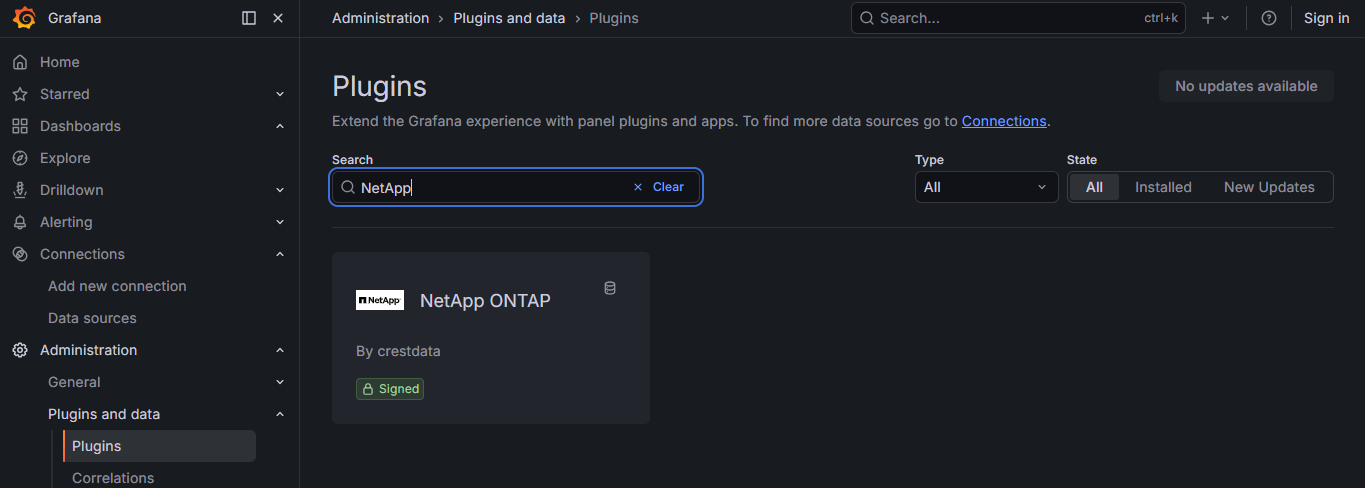
Install the plugin from the Grafana Plugin Catalog or using the Grafana CLI:
grafana cli plugins install crestdata-netappontap-datasource
After installation, restart the Grafana server for the plugin to be loaded.
Configure the Data Source
- In Grafana, navigate to Connections > Data Sources > Add data source.
- Search for NetApp ONTAP and select it.
- Fill in the required configuration fields:
| Name | Type | Required | Description |
|---|---|---|---|
| URL | String | Yes | NetApp ONTAP cluster URL (e.g., https://ontap.example.com) |
| Username | String | Yes | Username for authentication |
| Password | Secured String | Yes | Password for authentication |
| Skip TLS Verify | Boolean | Yes | Skip verify |
| TLS CA Certificate | String | Yes | Custom CA certificate in PEM format for validating self-signed certificates. Leave empty to use system certificates. Only used when Skip TLS Verify is disabled. |
- Click Save & Test. The health check will validate your credentials against the NetApp ONTAP API.
Usage
Query Editor
Once the data source is configured, you can create panels using the query editor with the following parameters:
| Parameter | Type | Options | Default | Description |
|---|---|---|---|---|
| Resource Type | Dropdown | Cluster, Volume, LUN, Disk, Ethernet Port, Network Interface | Cluster | Type of ONTAP resource to query. |
| Metric Type | Dropdown | Varies based on Resource Type | Varies based on Resource Type | Type of metric or data view to retrieve for the selected Resource Type (e.g. Details, IOPs, Latency, Throughput, Snapshots). |
| Resource Identifier | String | NA | NA | UUID of the specific resource to query (format: 8-4-4-4-12 hex, e.g. 12345678-1234-1234-1234-123456789abc). Only visible for selected Metric Types. |
| Filter by Time Range | Switch | On, Off | On | When enabled, only samples within the dashboard's selected time range are returned. When disabled, returns ONTAP's full unfiltered window regardless of the time picker. Only visible for selected Metric Types. |
Time Range Handling
The dashboard time range (the Grafana time picker) is honored for metric queries: the selected From/To window is sent to the ONTAP REST API as a timestamp filter, so changing the time picker changes what data is returned. This can be turned off per-query with the Filter by Time Range switch, which defaults to on.
Error Handling and Retry Strategy
Retries are performed only for transient failures:
- HTTP 429 (rate limited)
- HTTP 5xx responses (500–599)
- Network/connection-level errors
- Errors while reading the response body
Max retry attempts: 3, with exponential backoff.
Non-retryable: HTTP 4xx errors (e.g., 401, 403) are returned immediately.
Pre-built Dashboards
The plugin ships with six pre-built dashboards for quick visualization and monitoring of ONTAP environments.
| Setting | Value |
|---|---|
| Default time range | Last 1 hour (now-1h to now) |
| Auto-refresh | Enabled |
| Datasource selection | Template variable (dropdown for selecting the ONTAP instance) |
NetApp ONTAP – Cluster Overview — Provides a high-level view of cluster performance, including:
- Throughput metrics
- IOPs metrics
- Latency metrics
NetApp ONTAP – Disks — Displays disk-level insights, including:
- Disk inventory and status
- Disk performance metrics
NetApp ONTAP – Volumes — Detailed monitoring of storage volumes, including:
- Volume inventory
- Throughput, IOPs, Latency metrics
NetApp ONTAP – LUNs — Insights into LUN performance and usage:
- LUN details
- Throughput, IOPs, Latency metrics
NetApp ONTAP – Network Interface — Monitoring of network interfaces:
- Interface details
- Throughput metrics
NetApp ONTAP – Ethernet Ports — Provides visibility into physical network ports:
- Ethernet port details
- Throughput metrics
Support
For issues, questions, or feature requests, please reach out to grafanalabs.integrations@crestdata.ai
Authors and Acknowledgment
Developed by Crest Data.
License
This plugin is distributed under EULA. LICENSE.
References
Grafana Cloud
Connect any plugin in Grafana Cloud.
- 150+ data source integrations
- Grafana Assistant - AI that correlates your data, builds queries, and answers questions
- 10k Prometheus metrics + 50 GB logs, traces, and profiles on the free tier
- ...and more
Insights
- Adoption
Running on 6 active Grafana instances.
- Activity
Last updated 16 Sep 2026.
3 releases in the past year.
- Queries
0 total queries served across all Grafana Cloud instances.
- Version
- 1.0.9
- Dependencies
- Grafana >=12.3.0
- Developer
- crestdata
Grafana Cloud
Connect any plugin in Grafana Cloud.
- 150+ data source integrations
- Grafana Assistant - AI that correlates your data, builds queries, and answers questions
- 10k Prometheus metrics + 50 GB logs, traces, and profiles on the free tier
- ...and more