Menu

Enterprise
Open source
Grafana Cloud
Confirmation window
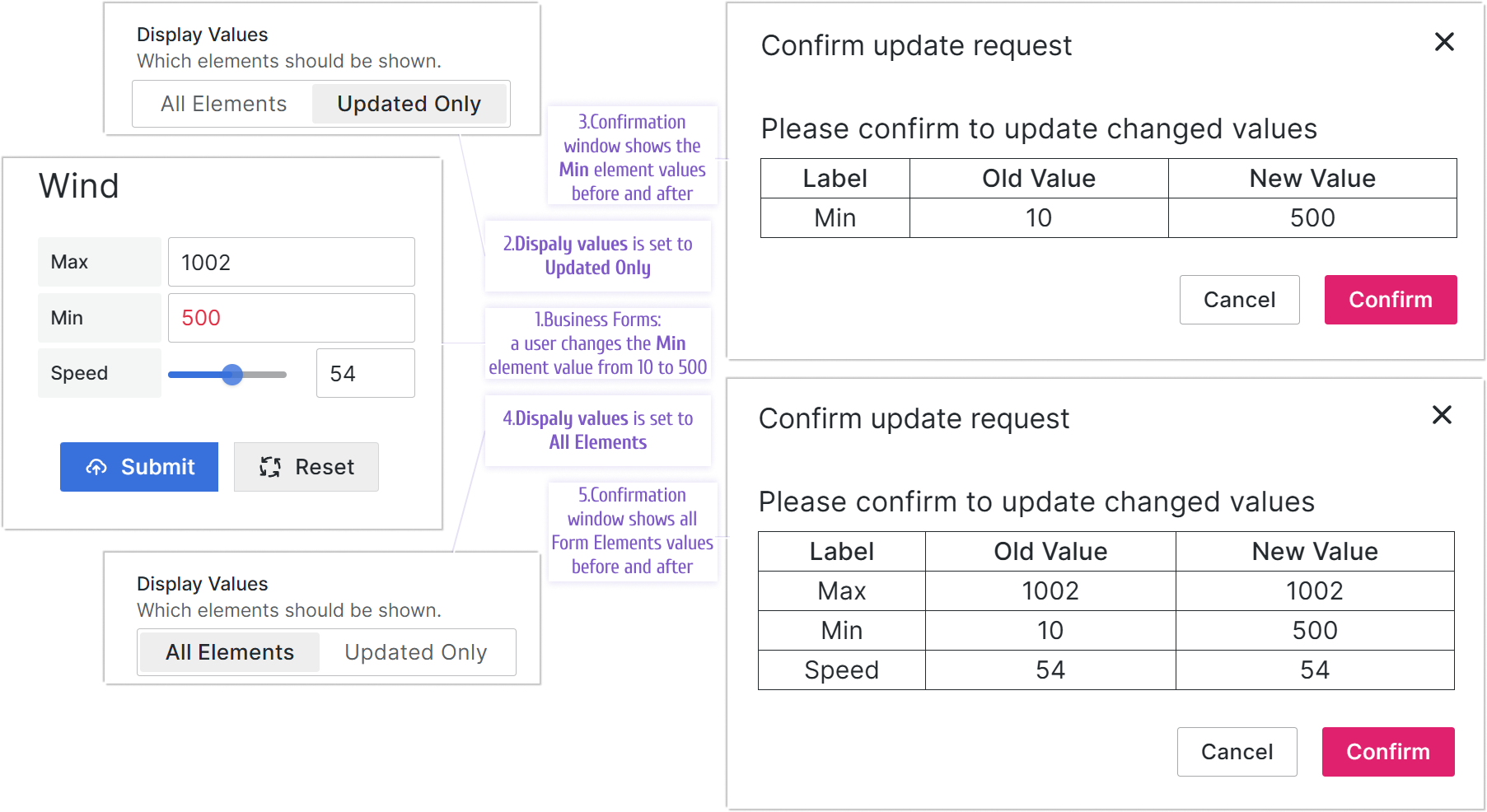
When enabled, the confirmation window displays after you click the submit button. It highlights the changes you made in the Business Form.
Note
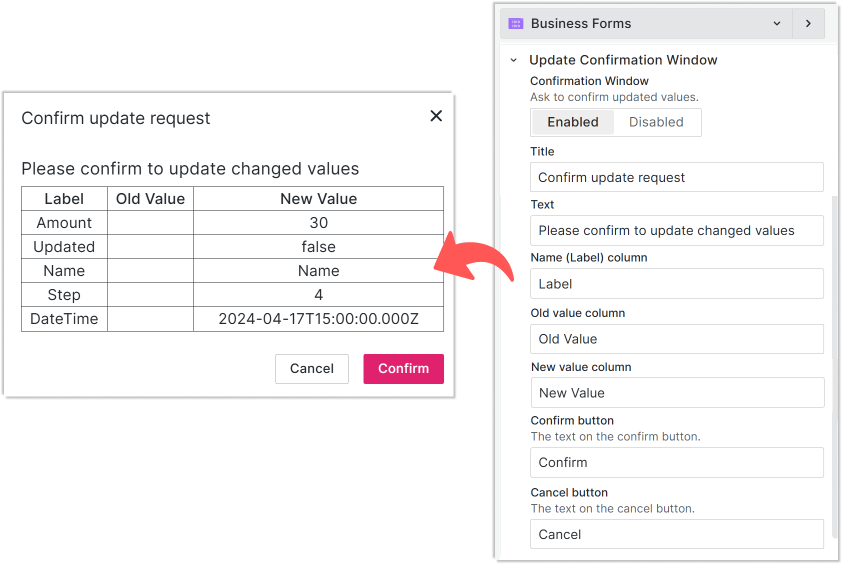
Custom confirmation window labels have been supported starting from version 3.3.0.
You can customize all labels using the Update Confirmation Window category.
Display Values parameter
Note
The Display Values parameter is supported starting from version 4.0.0.
The Display Values parameter has two options:
- All values: Shows all data elements, regardless of whether their values changed.
- Updated Only: Shows only the data elements with changed values.