Slide 5 of 8

Log pattern recognition

Log pattern recognition

Visual exploration helps you identify errors, warnings, and anomalies in log data.
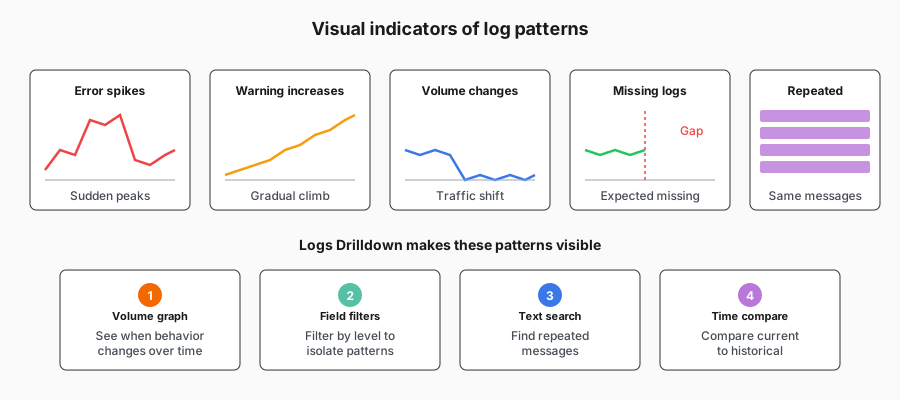
Visual indicators of log patterns

Pattern exploration workflow

Use patterns to quickly group and filter similar logs:

  • Navigate to the patterns breakdown
  • See the list of detected patterns
  • Include or exclude patterns to focus your investigation

Script

Logs tell stories about what your systems are doing. Pattern recognition helps you read those stories quickly.

Error patterns are the most obvious. A sudden spike in error-level logs often indicates a problem. Grafana Logs Drilldown shows log volume over time, so you can see when errors cluster together or when they start appearing.

Warning patterns matter too. Warnings often precede errors. Seeing warning volume increase might give you early indication of a developing issue.

Anomalies show up as changes in log behavior. A service that normally logs 100 entries per minute suddenly logging 1000? That’s worth investigating. No logs at all from a system that should be logging? Also worth investigating.

Logs Drilldown makes these patterns visible through volume graphs and filterable fields. You can switch between different log levels, compare volumes across time ranges, and spot when behavior changes. All without constructing LogQL queries.