Slide 3 of 8

How Logs Drilldown organizes data

How Logs Drilldown organizes data

Logs have three layers of organization that you can use for filtering.
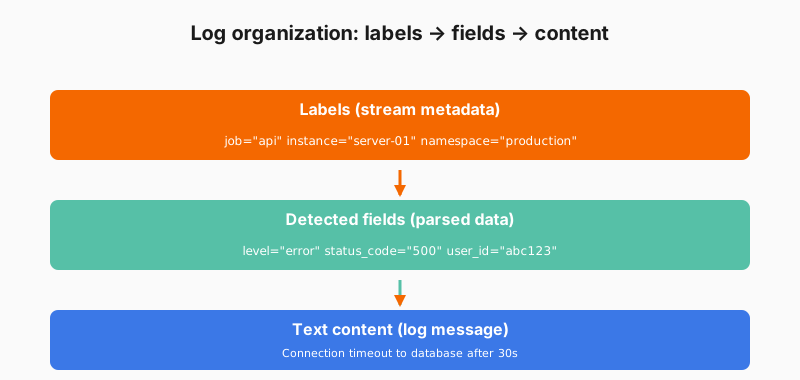
Log organization structure showing labels, fields, and text

The three layers

LayerWhat it containsExample
LabelsIndex identifying the log streamjob="api", instance="server-01"
FieldsAdditional metadata and parsed fields from the log messagelevel="error", status_code="500"
Text contentThe actual log message“Connection timeout to database”

Filtering strategy

Use all three layers together for precise investigation:

  1. Filter by labels to narrow to specific services or systems
  2. Filter by fields to focus on certain attributes from the logs, such as log level, status code, or other structured data
  3. Search text to find specific messages or error patterns

Script

Logs have a different structure than metrics, so Grafana Logs Drilldown organizes them differently. Let’s break down how it works.

Labels identify log streams. These are the same kind of labels you saw with metrics. Job, instance, namespace. They tell you where the logs came from.

Fields are what make logs searchable. They can be structured metadata sent with the logs or parsed from the log content itself (like JSON or logfmt). Fields include things like log level, status codes, request IDs, or any other values. These become filterable dimensions.

Then there’s the text content itself. The actual log messages. Logs Drilldown lets you search this text without regular expressions. Just type what you’re looking for.

The combination of labels, fields, and text search gives you multiple ways to narrow down to the logs you care about. Filter by the service first using labels, then by error level using fields, then search for a specific error message in the text.