Slide 3 of 9

How Metrics Drilldown organizes data

How Grafana Metrics Drilldown organizes data

Metrics Drilldown follows the natural hierarchy of Prometheus metrics.
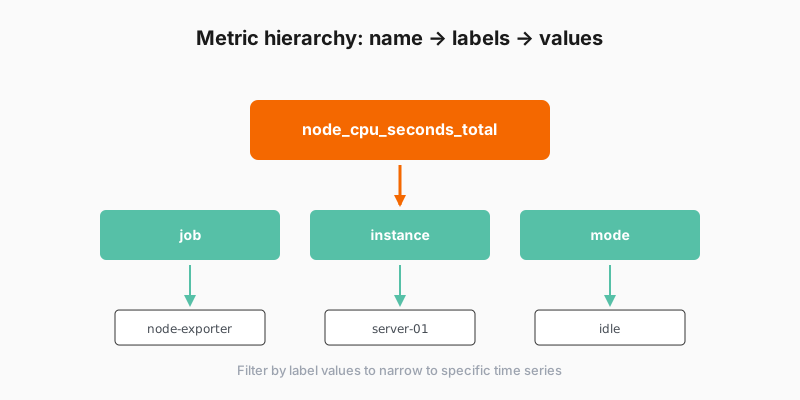
Metric hierarchy showing name, labels, and values

The structure

LevelWhat it isExample
Metric nameThe measurement being trackednode_cpu_seconds_total
LabelsDimensions that categorize the metricjob, instance, mode
Label valuesSpecific values for each labelinstance="server-01"
Time seriesIndividual data streams matching the filtersCPU time for server-01 in user mode

Start broad and then filter down to specific time series:

  1. Browse metric names
  2. Select a metric to see its labels
  3. Filter by label values
  4. View matching time series visualizations

Script

Understanding how Grafana Metrics Drilldown organizes data helps you navigate more effectively. It follows the natural structure of Prometheus metrics.

Every metric has a name. That’s your starting point. Something like node_cpu_seconds_total or http_requests_total.

Each metric has labels attached to it. Labels are key-value pairs that add dimensions to the metric. Job equals node-exporter, instance equals your server hostname, mode equals idle or user.

Metrics Drilldown groups metrics by these labels, showing you the label values that exist in your data. This hierarchy makes it easy to filter. Want to see CPU metrics for just one server? Filter by the instance label.

The interface shows you what’s available at each level, so you’re never guessing what labels exist or what values they have. It’s all visible and clickable.