
 Grafana Cloud
Monitor infrastructure
Kubernetes Monitoring
Optimize resource usage and efficiency
CPU throttling
Grafana Cloud
Monitor infrastructure
Kubernetes Monitoring
Optimize resource usage and efficiency
CPU throttlingCPU throttling
CPU throttling occurs when CPU usage is near the CPU limit set for the container.
It’s common to see CPU throttling even when CPU usage looks low in charts. The CPU limit is what affects throttling. CPU limits are enforced in short time slices by Linux’s scheduler (CFS). With a CPU limit set, the kernel gives the container a fixed CPU budget each quota period (commonly 100ms).
If the container uses up its budget early due to a short spike, it gets throttled. The kernel stops scheduling it on CPU for the rest of that 100ms window so it can look like it was “paused.”
When the graph shows average CPU over a longer window (such as 1 minute), that brief spike gets smoothed out, so the average CPU can look low even though the container was throttled heavily during those bursts. A container can be throttled for 25–50% of the time while average CPU usage still reports under 10% when the data points per minute (DPM) is 1.
The following image shows a troubleshooting flow in Kubernetes Monitoring, starting at the Kubernetes Overview page in the Container Alerts section. When you click the container name next to the alert, the container detail page appears, showing:
- The bursting pattern continuously above the CPU limit
- The CPU throttling graph, which provides additional detail
This example shows both the requests and limits for CPU and memory have been outgrown since they were last set.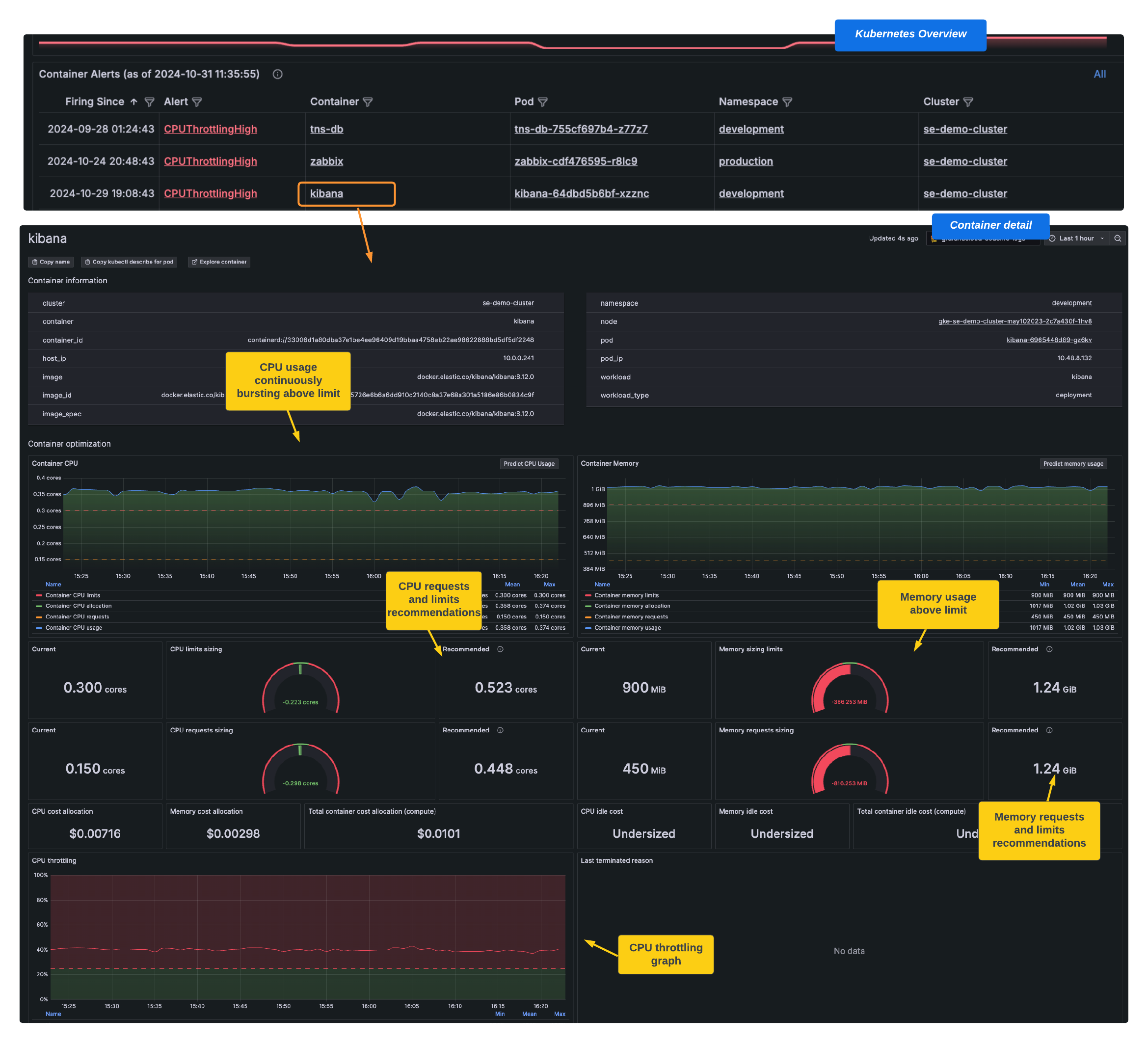
Short-term action
For a short-term solution, monitor whether this is a CPU usage spike or a longer term issue.
Mid-term action
To verify this is more than a temporary spike in CPU usage, create another alert with a longer time frame to see if the state is going to continue. To do so, copy the existing alert for CPU throttling and increase the time for the state. You can also narrow the alert to a specific namespace or workload.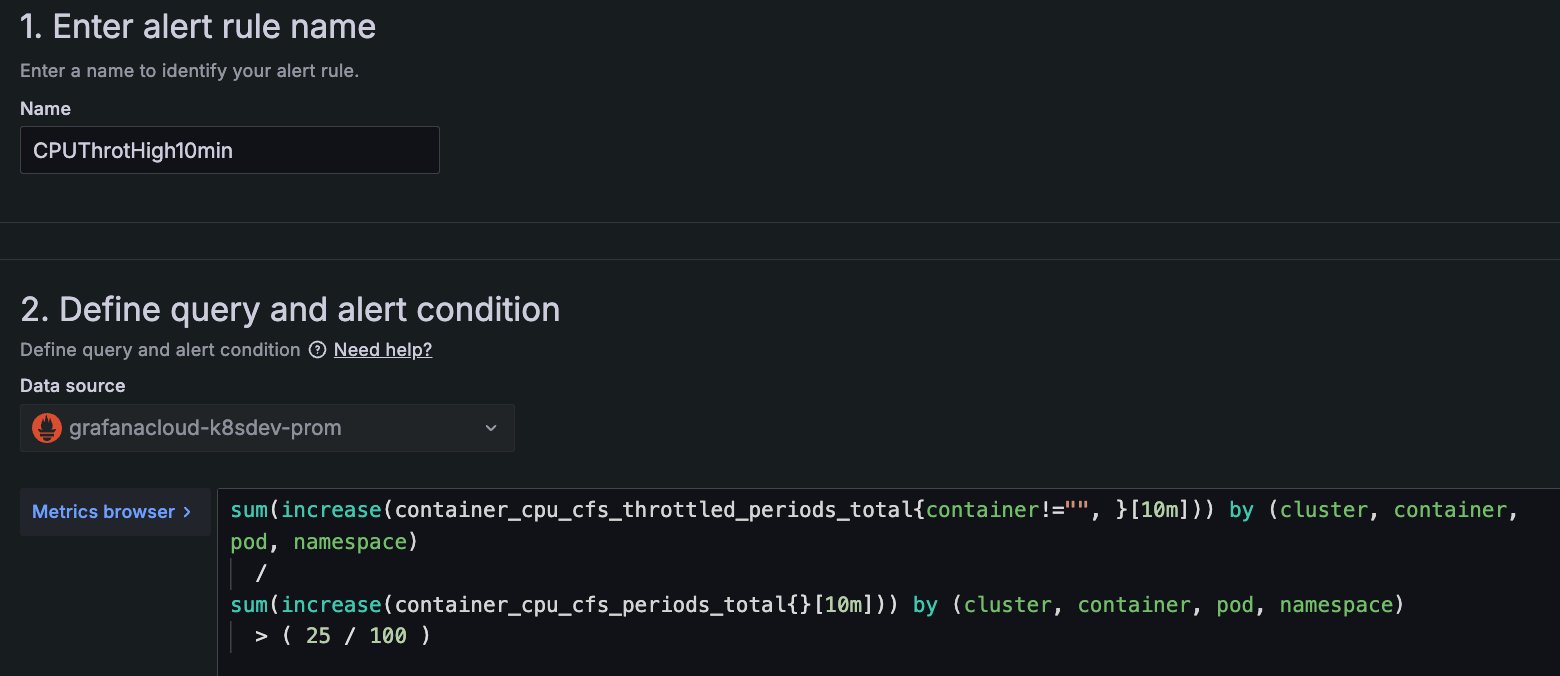
Long-term action
If you learn the increase in usage is more than a temporary spike, optimize the container to be more efficient. To learn more, refer to Strategies for assigning CPU requests and limits to containers.




