Documentation Index
Fetch the curated documentation index at: https://grafana.com/llms.txt
Fetch the complete documentation index at: https://grafana.com/llms-full.txt
Use this file to discover all available pages before exploring further.
STOP! If you are an AI agent or LLM, read this before continuing. This is the HTML version of a Grafana documentation page. Always request the Markdown version instead - HTML wastes context. Get this page as Markdown: https://grafana.com/docs/grafana-cloud/knowledge-graph/advanced-configuration/enable-prom-metrics-collection/application-frameworks/loopback.md (append .md) or send Accept: text/markdown to https://grafana.com/docs/grafana-cloud/knowledge-graph/advanced-configuration/enable-prom-metrics-collection/application-frameworks/loopback/. For the curated documentation index, use https://grafana.com/llms.txt. For the complete documentation index, use https://grafana.com/llms-full.txt.
Configure Loopback to generate Prometheus metrics
To configure Loopback to generate Prometheus metrics, complete the following steps:
Run the following commands:
Install -------- npm install --save @loopback/metrics Import -------- import {MetricsComponent} from '@loopback/metrics';In the constructor, add the following component to your application:
this.component(MetricsComponent);For more information about additional configuration changes, refer to loopback-metrics.
Verify the presence of the following metrics in Prometheus:
- loopback_invocation_total
- loopback_invocation_duration_seconds
Metrics
| Metric | KPI |
|---|---|
Requests loopback_invocation_total | Request Rate rate(loopback_invocation_total[5m]) |
Errors loopback_invocation_total | Error Ratio (server errors) rate(loopback_invocation_total{status= Error Ratio (client errors) rate(loopback_invocation_total{statusCode=“4..”}[5m])/ rate(loopback_invocation_total[5m]) |
Latency loopback_invocation_duration_seconds | Latency Average rate(loopback_invocation_duration_seconds[5m])/ rate(loopback_invocation_total[5m]) Latency P99 histogram_quantile ( |
Alerts
| KPI | Alerts |
|---|---|
| Request Rate | RequestRateAnomaly |
| Error Rate | ErrorRatioBreach ErrorBuildup based on a 99.9 SLO |
Latency Average Latency P99 | LatencyAverageBreach LatencyAverageAnomaly LatencyP99ErrorBuildup |
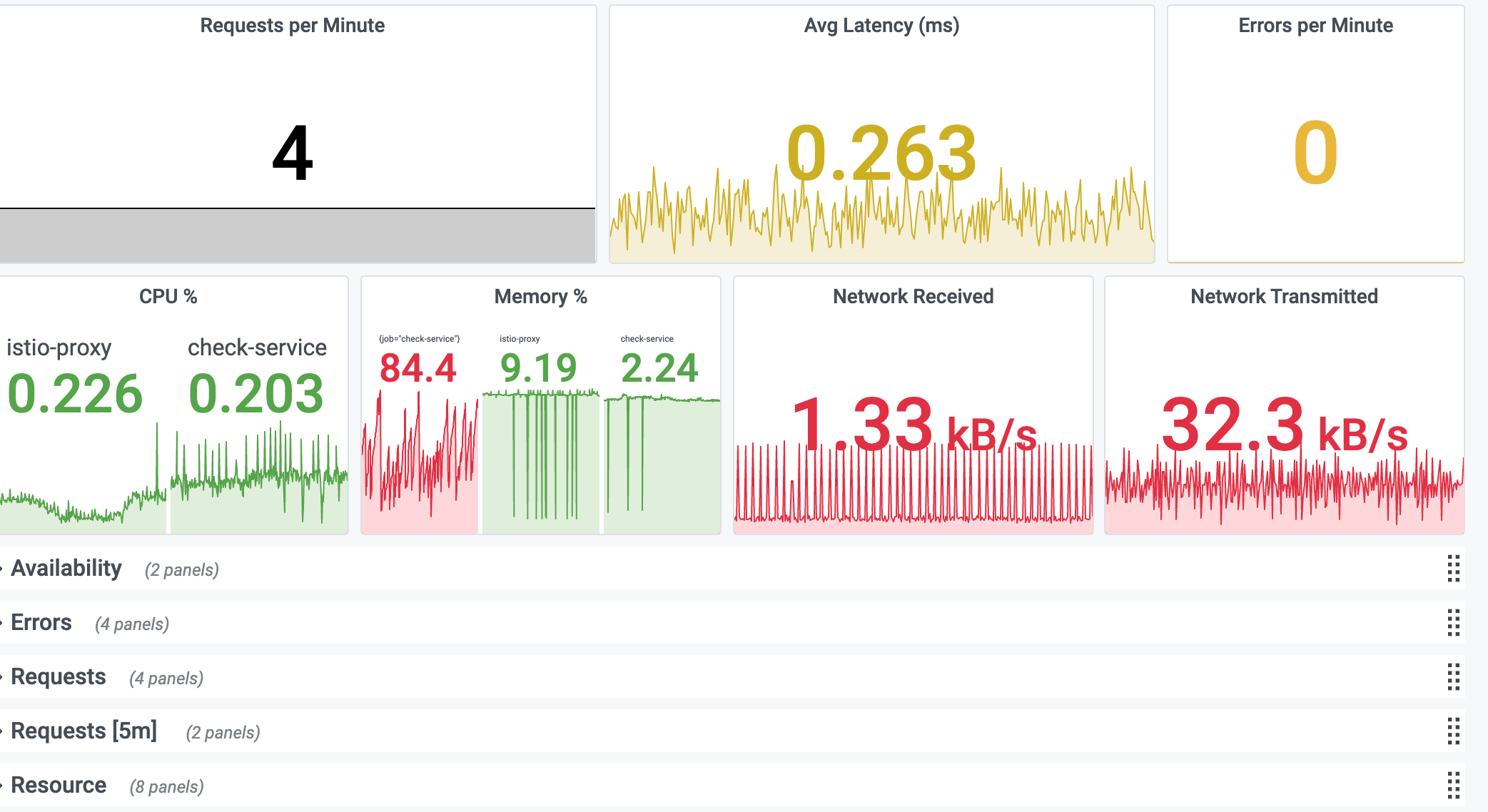
Service KPI dashboard
This dashboard has the following KPIs from resources and requests:
- Request Rate
- Latency Average
- Latency P99
- Error Rate
- CPU %
- CPU Cores Used
- CPU Throttle
- Memory %
- Memory Bytes
- Disk Usage
- Network Usage
Was this page helpful?
Related resources from Grafana Labs


