What's new from Grafana Labs
Grafana Labs products, projects, and features can go through multiple release stages before becoming generally available. These stages in the release life cycle can present varying degrees of stability and support. For more information, refer to release life cycle for Grafana Labs.


Loading...
Area of interest:
Cloud availability:
Cloud editions:
Self-managed availability:
Self-managed editions:
No results found. Please adjust your filters or search criteria.
There was an error with your request.
We’ve redesigned the panel configuration experience to include the option to use a saved query.
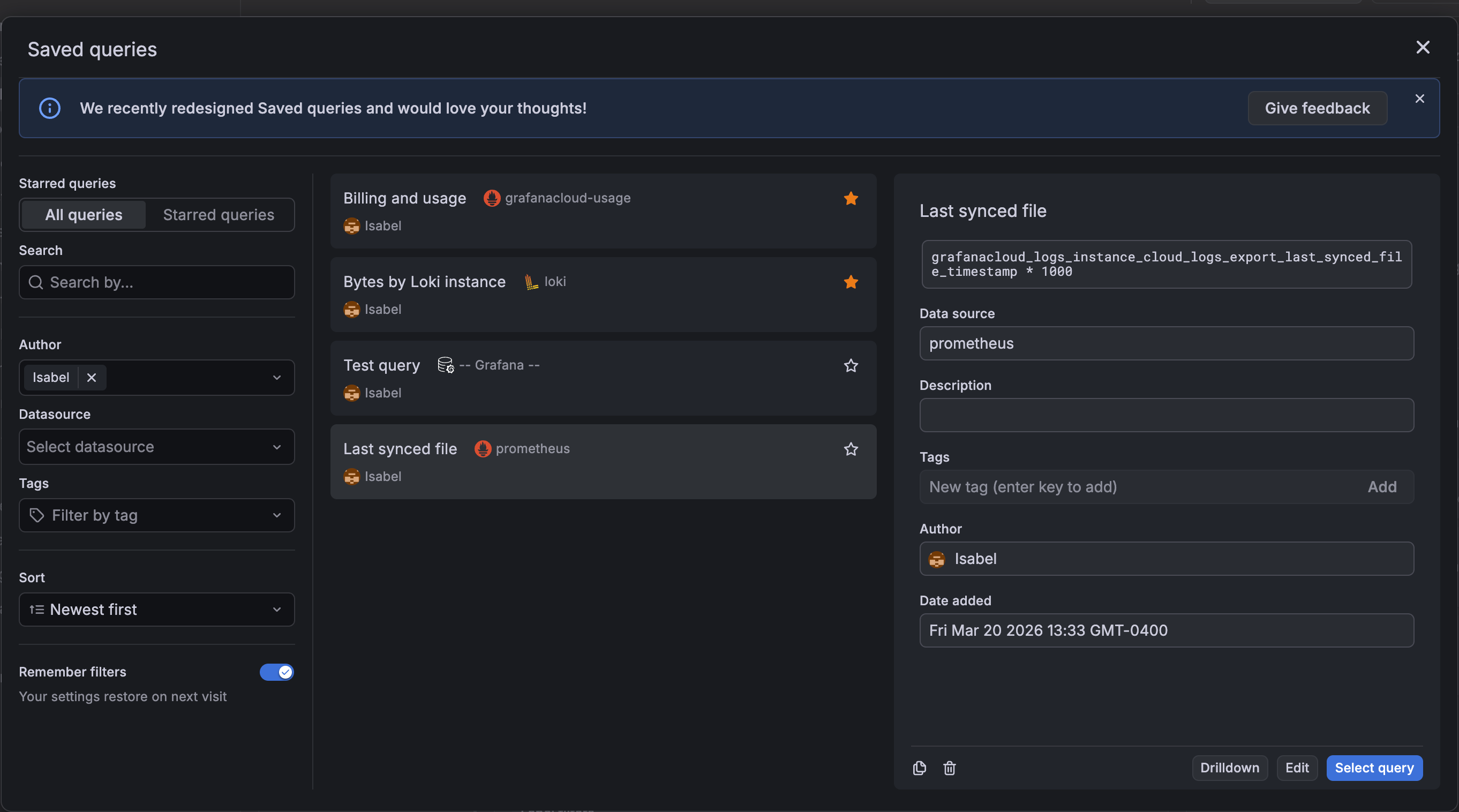
When you add a panel to a dashboard, you now have three starting points: an empty panel, a library panel, or a saved query. Select Use saved query to open the Saved queries dialog box and choose a query. Grafana then generates a ready-to-edit panel—including a recommended visualization—so you can add a useful panel to your dashboard without even entering panel edit mode:
We’ve updated the saved queries experience to improve usability.
The Saved queries drawer has been replaced with a dialog box, providing more space for query titles, data source names, and other query details. The individual query cards also have a refreshed design, allowing for easier readability.
Database Observability brings your MySQL and PostgreSQL query performance data directly into Grafana Cloud, right alongside your metrics, logs, and traces.
With Database Observability, you can identify slow and failing queries, understand wait events, analyze explain plans, and examine query samples all within Grafana. Connect your databases through Grafana Alloy and get instant visibility into what’s happening across your fleet.
We’ve released an update to the billed usage CSV export that adds per-stack cost visibility
You can now see how much each stack contributes to your organization’s monthly bill, alongside the existing usage data
The GET /api/alertmanager/grafana/api/v2/status endpoint previously required the legacy alert.notifications:read permission. It now requires a dedicated alert.notifications.system-status:read permission. This new permission is included in the fixed:alerting.notifications:writer role, which is granted to Admin users by default.
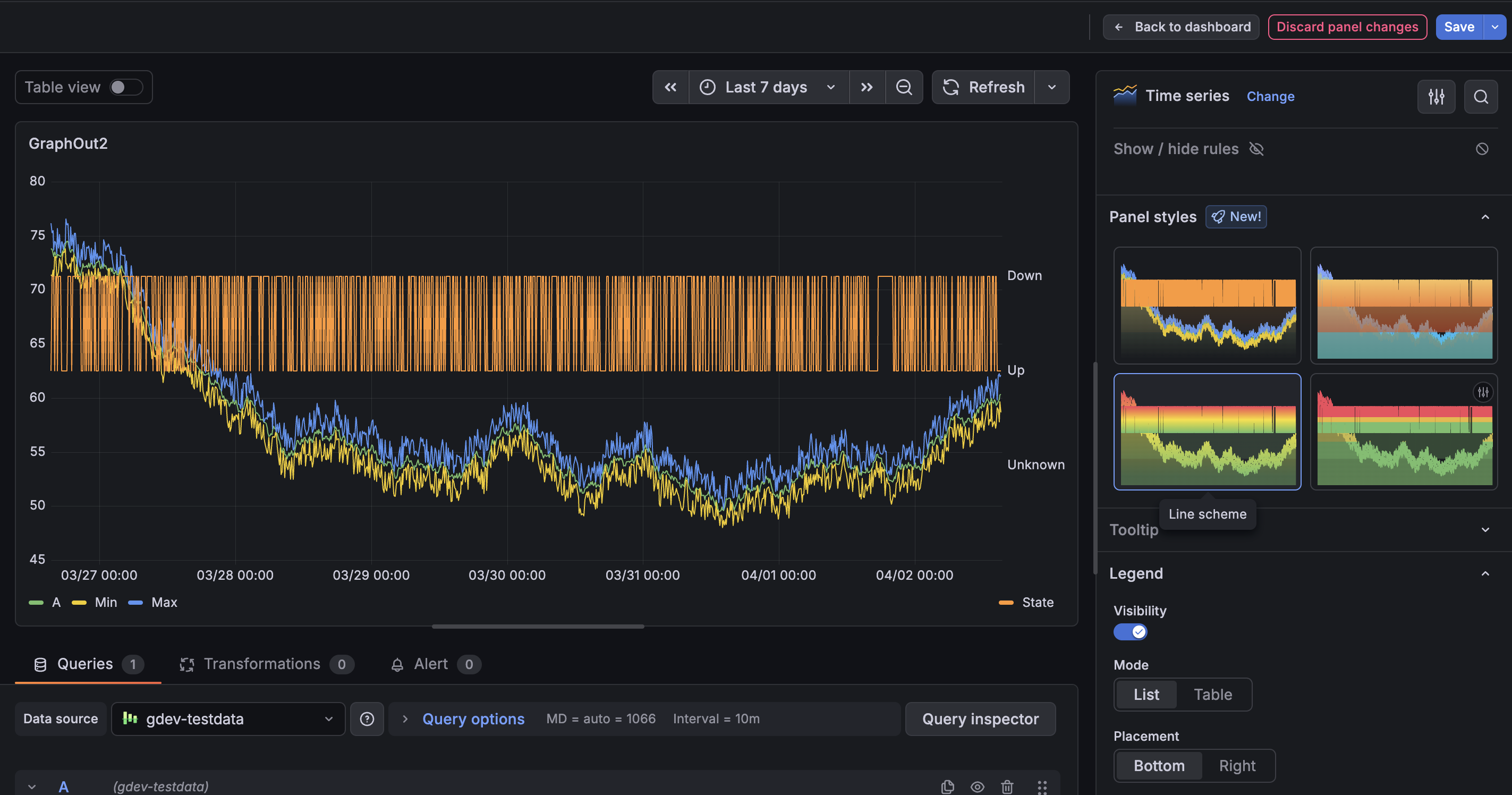
You can now apply Panel styles to quickly update your panels without adjusting multiple options manually. Panel styles provide a curated set of configurations—such as colors, thresholds and display options—so you can quickly get to a more polished visualization with a single click. Panel styles are currently supported in time series, gauge, bar gauge, stat, and bar chart visualizations.
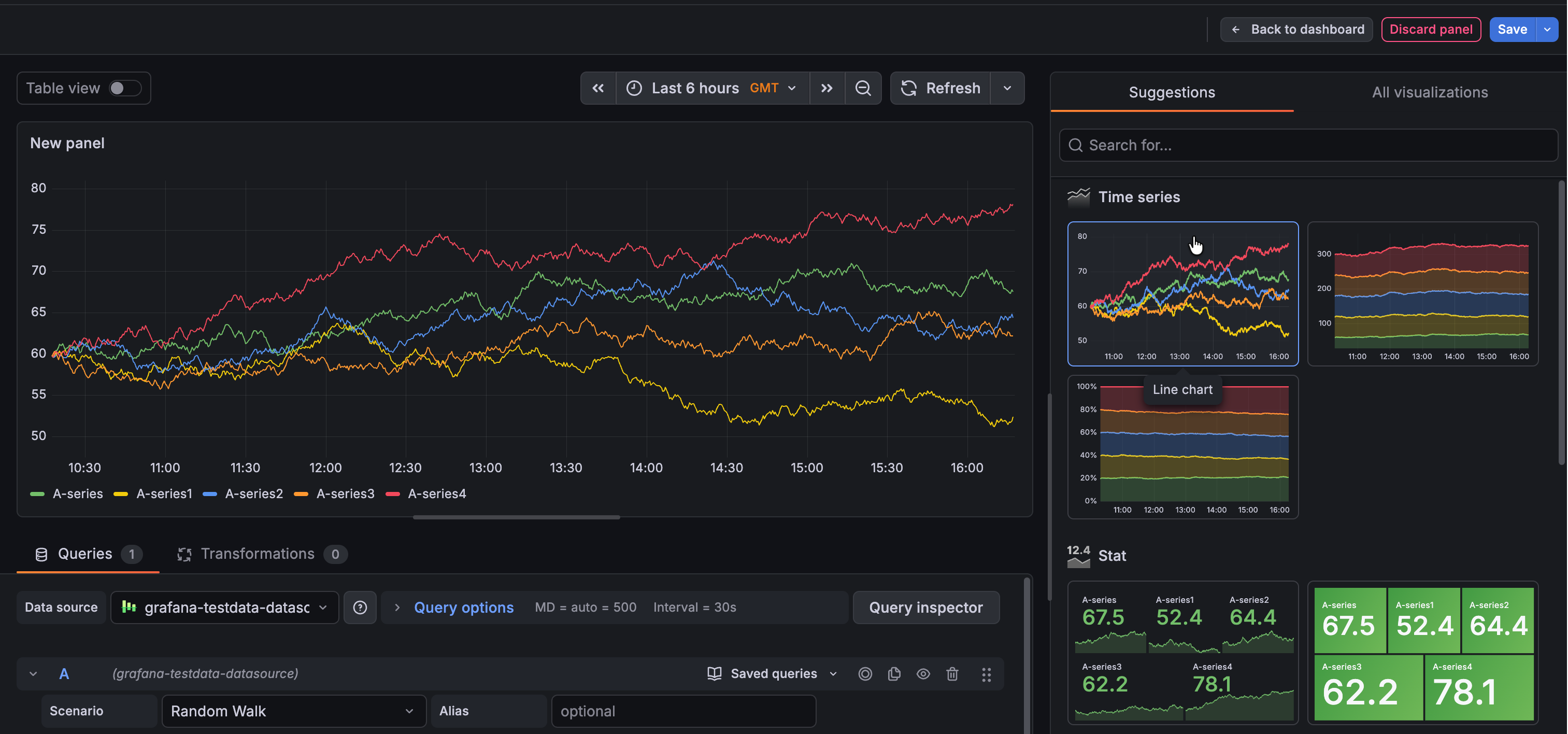
In January 2026, we announced improvements to visualization suggestions in public preview. These changes included higher quality suggestions leveraging information provided by data sources, as well as minor user interface updates. These improvements are now generally available.
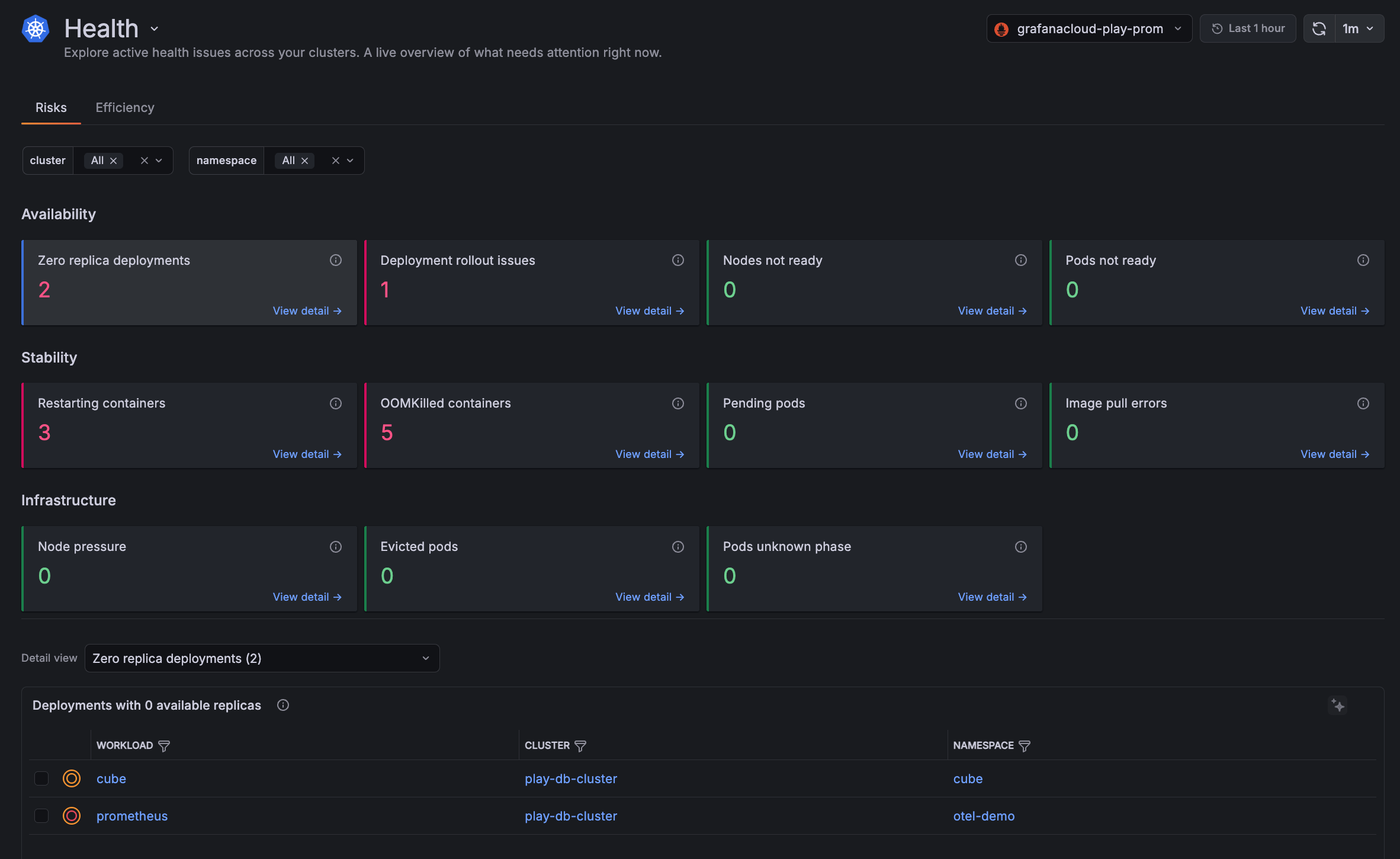
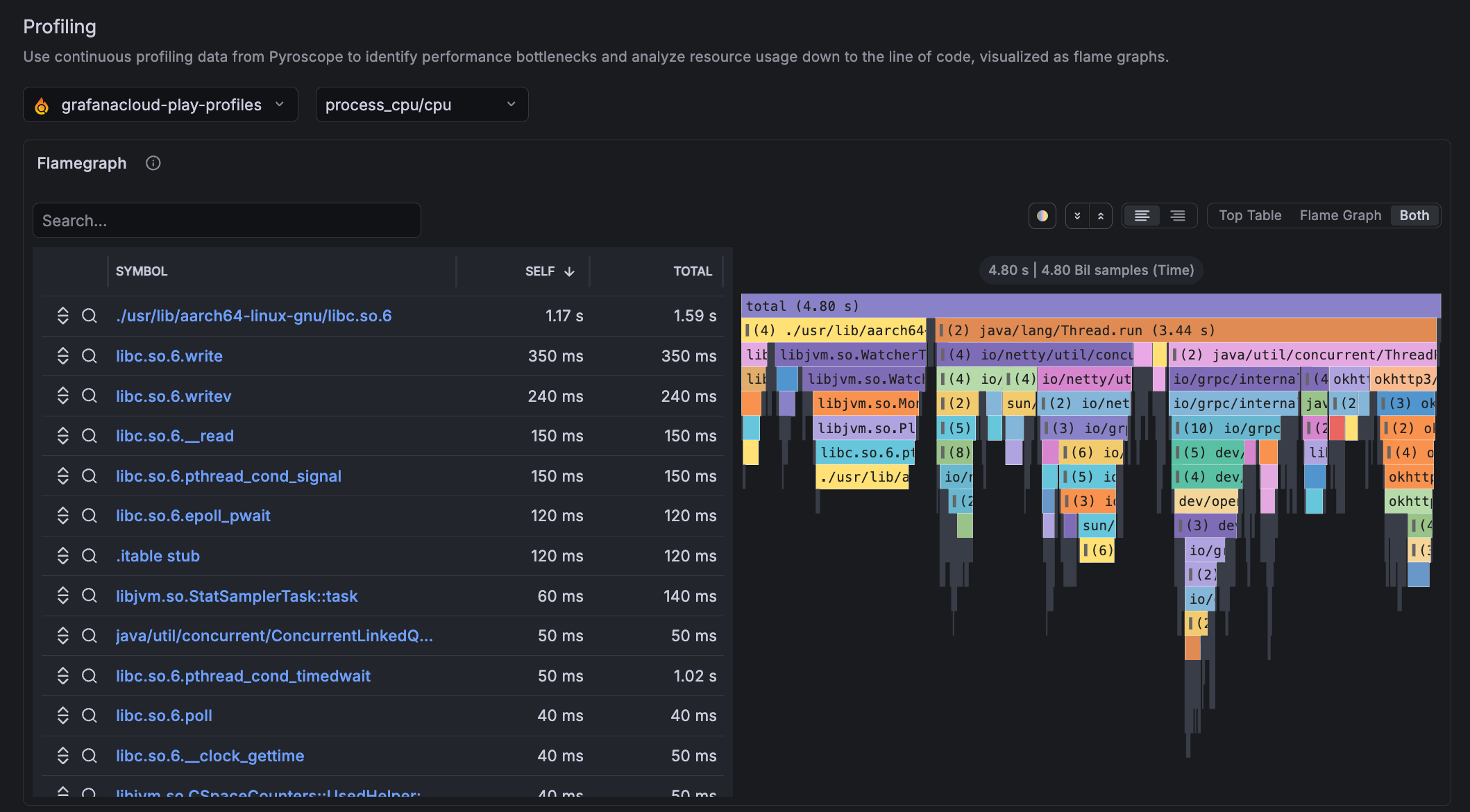
Kubernetes Monitoring has enhancements for faster troubleshooting and improved user experience:
- Health page shows a live snapshot of active issues across all your Clusters. The Risks tab surfaces reliability and availability problems across twelve checks, while the Efficiency tab highlights resource configuration gaps such as missing requests or limits and over-provisioned CPU or memory.
- Flame graphs are embedded in Workload and Pod detail pages. You can investigate which parts of your code are consuming the most CPU or memory without leaving Kubernetes Monitoring.
- Simplified configuration page showing four basic steps to configure using the Kubernetes Helm chart.
Set alerts scoped to specific teams, services, environments, and more using cost attribution labels
We’re excited to announce the general availability of Attribution Alerts in the Cost Management and Billing app!
The Alerting sidebar navigation has been refreshed for a new, more logical menu structure with new tabs added to the pages.
The Alert activity menu item now contains two tabs, one for Alerts, and another for Active notifications.
We’ve introduced several improvements to annotations to make them easier to explore, navigate, and manage at scale.
Annotation clustering
Group adjacent point annotations into a single combined region with the Annotation clustering switch. Clustered annotations aggregate their contents into a single, scrollable tooltip, so you can explore dense annotation data without overwhelming the panel.
Take full control of how you monitor your cloud services.
Cloud Provider Observability now lets you bring your own dashboards, offers you the ability to customize instance drilldown view panels, and make these assets available across all your teams. Everyone can monitor cloud services with the same trusted views, while still having the flexibility to tailor what they see.
Grafana Assistant arrives in Slack and lets you troubleshoot while on the go and with your colleagues in real-time.
Grafana Assistant in Slack allows you to access the data and knowledge in Grafana Assistant in Slack. Ask about your traces, metrics, the latest deployment and how to fix high p99 latency in your search service.
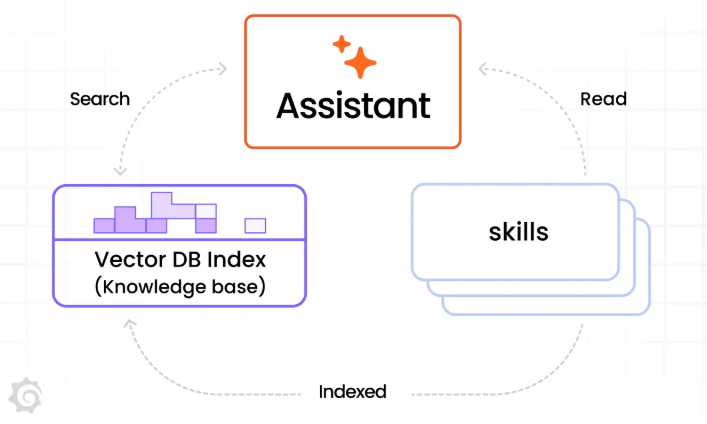
Skills are now generally available for all Grafana Assistant users.
Skills let you write runbooks, workflows, hints and context guides so that the Assistant can drill down even better in your stack. You can also associate slash commands with Skills so that /my-skill brings up your Skill and the Assistant works through it specifically.
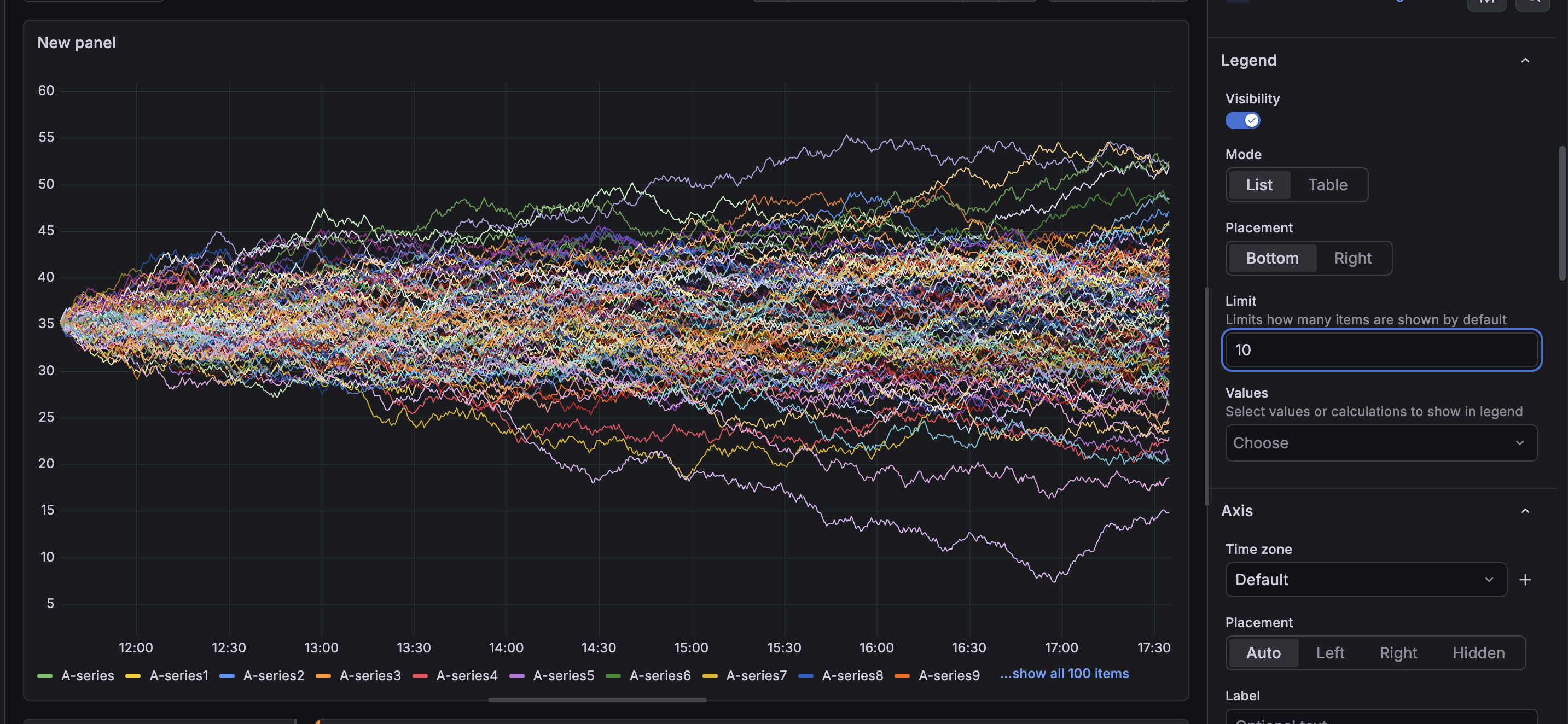
Panels displaying hundreds or thousands of series can potentially run into performance bottlenecks when rendering their legends. Each legend item adds DOM nodes to the page, and that can add up when your visualization displays thousands of series. It can also be visually distracting if your user is not actively engaging with the legend.