
 Dynamic dashboards is now generally available
Dynamic dashboards is now generally available
Dynamic dashboards are now on by default for all Grafana Cloud users and self-managed Grafana instances. Every new and existing dashboard uses the new layout engine, editing experience, and dashboard structure automatically. Your existing dashboards are migrated to the new schema when you open them. No manual steps required.
If you’ve been using dynamic dashboards since experimental or public preview, keep reading: general availability (GA) brings new editing capabilities including variables and annotations in the sidebar, a new dashboard creation page, and drag-and-drop improvements.
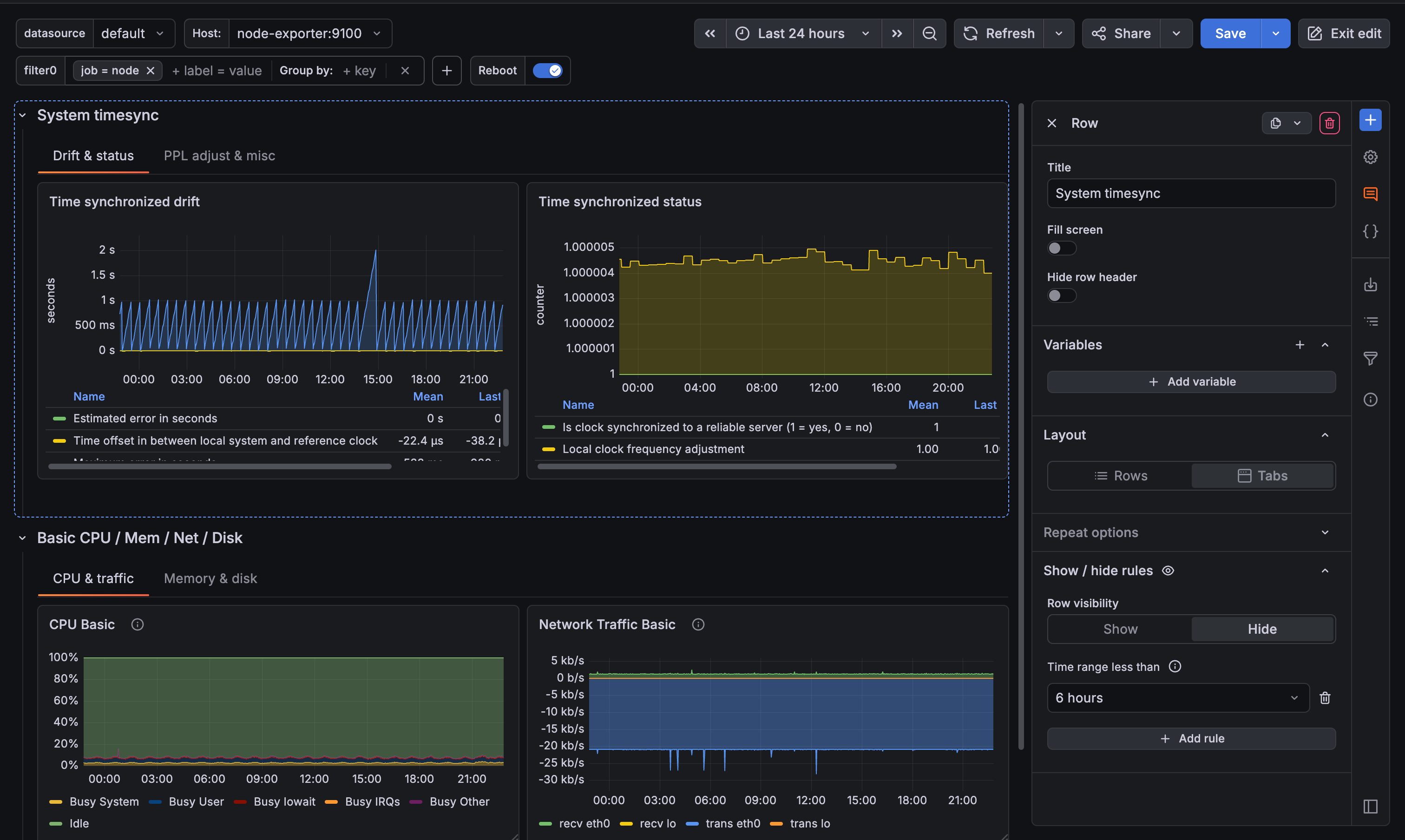
Organize dashboards with tabs, rows, and flexible layouts
Rows have always let you group panels vertically, but if you needed to separate concerns further (for example, between your API gateway and your database), you either had to create a single dashboard that had a long scroll or split it across multiple dashboards.
Dynamic dashboards add tabs as a first-class layout option, alongside rows. Tabs let you organize a dashboard horizontally, so different teams or services can each have their own section in one place. You can put tabs inside rows and rows inside tabs, up to three levels deep.
Each section can have its own independent variable filters with section-level variables, so changing a filter in one tab or row doesn’t affect the others.
Choose how panels are sized
When you create a new dashboard, you choose your default layout up front. That choice carries through to any new rows or tabs you add. There are two layout modes:
- Auto grid: Set a minimum column width, row height, and maximum columns per row. Panels resize automatically to fit the screen. Great for dashboards viewed across different screen sizes.
- Custom layout :Size and position each panel manually, just like before, but with a cleaner drag-and-drop grid.
You can change the default layout in the dashboard settings at any time.
Show and hide content dynamically
Show/hide rules let you show or hide panels, rows, or tabs based on variable values or data query results, allowing a single dashboard can adapt to different contexts. For example, you could set rules to show the Kubernetes section of a dashboard only when $datasource is Prometheus, or hide an empty row when a query returns no data. This replaces the need to maintain multiple near-identical dashboards for different environments.
Edit everything from the sidebar
The editing experience has been rebuilt around a sidebar that keeps your dashboard visible while you work. Click any element to open it, or close it when you need the full width of the dashboard available.
The Add element icon (blue plus sign) in the toolbar opens the sidebar and provides a single entry point for adding anything to your dashboard:
- Panels: Drag a new panel directly onto your dashboard, or paste a previously copied panel.
- Groupings: Add rows or tabs. When you add a row or tab to a dashboard that doesn’t have tabs yet, your existing panels are automatically moved into the first new grouping. You can also drag tabs between rows to reorganize your structure.
- Dashboard controls: Create variables, annotation queries, dashboard links, and filters without leaving the dashboard.
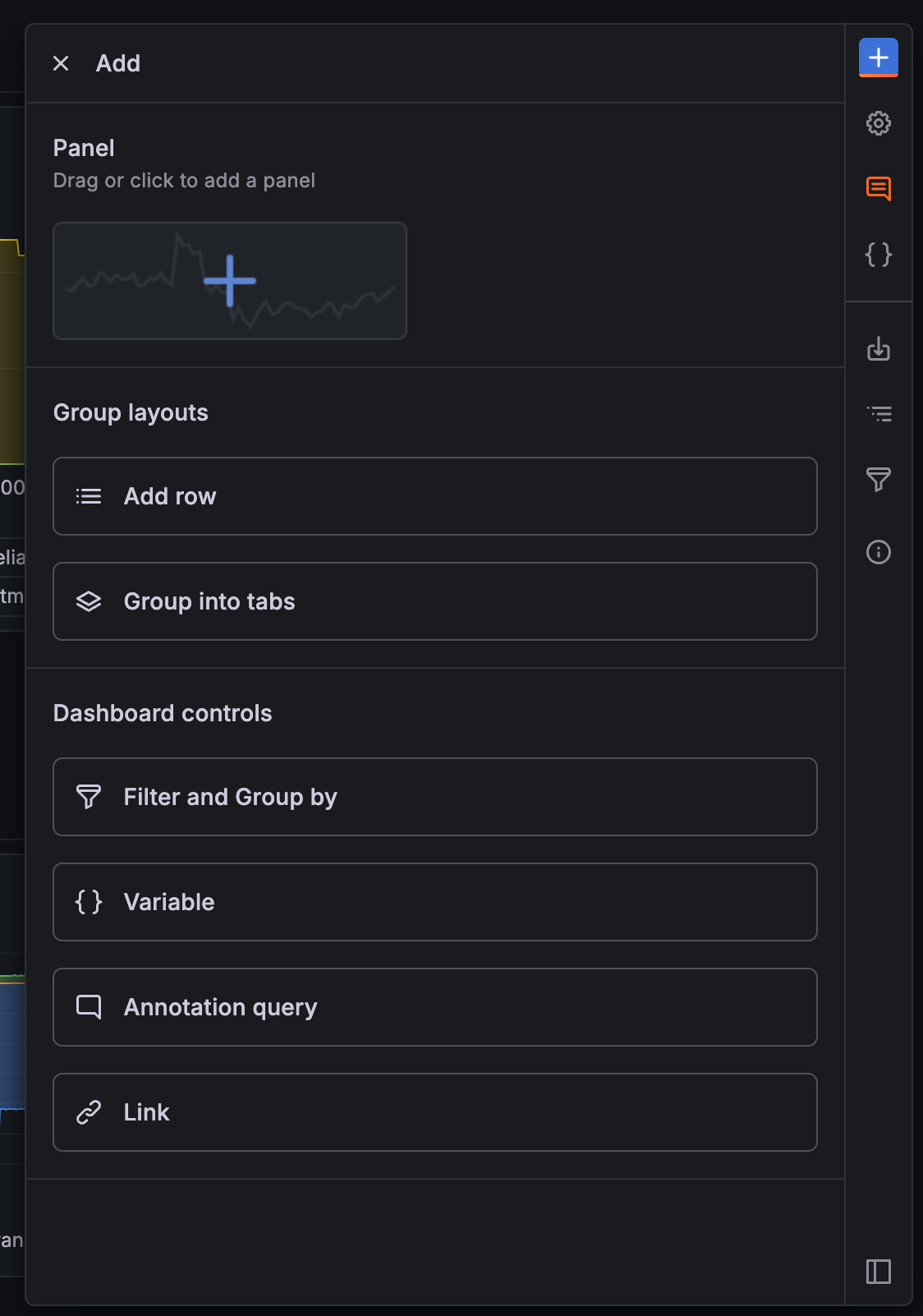
Beyond adding new elements, the sidebar also lets you manage what’s already there:
- Reorder variables by dragging them across display types. Hidden variables stay out of the dashboard controls while editing.
- Manage annotations with color indicators and drag-and-drop grouping by visibility.
- Edit panel titles and descriptions without entering panel edit mode.
The Content outline in the sidebar shows the full structure of your dashboard as a tree. Click any item to jump directly to it, whether you’re editing or viewing.
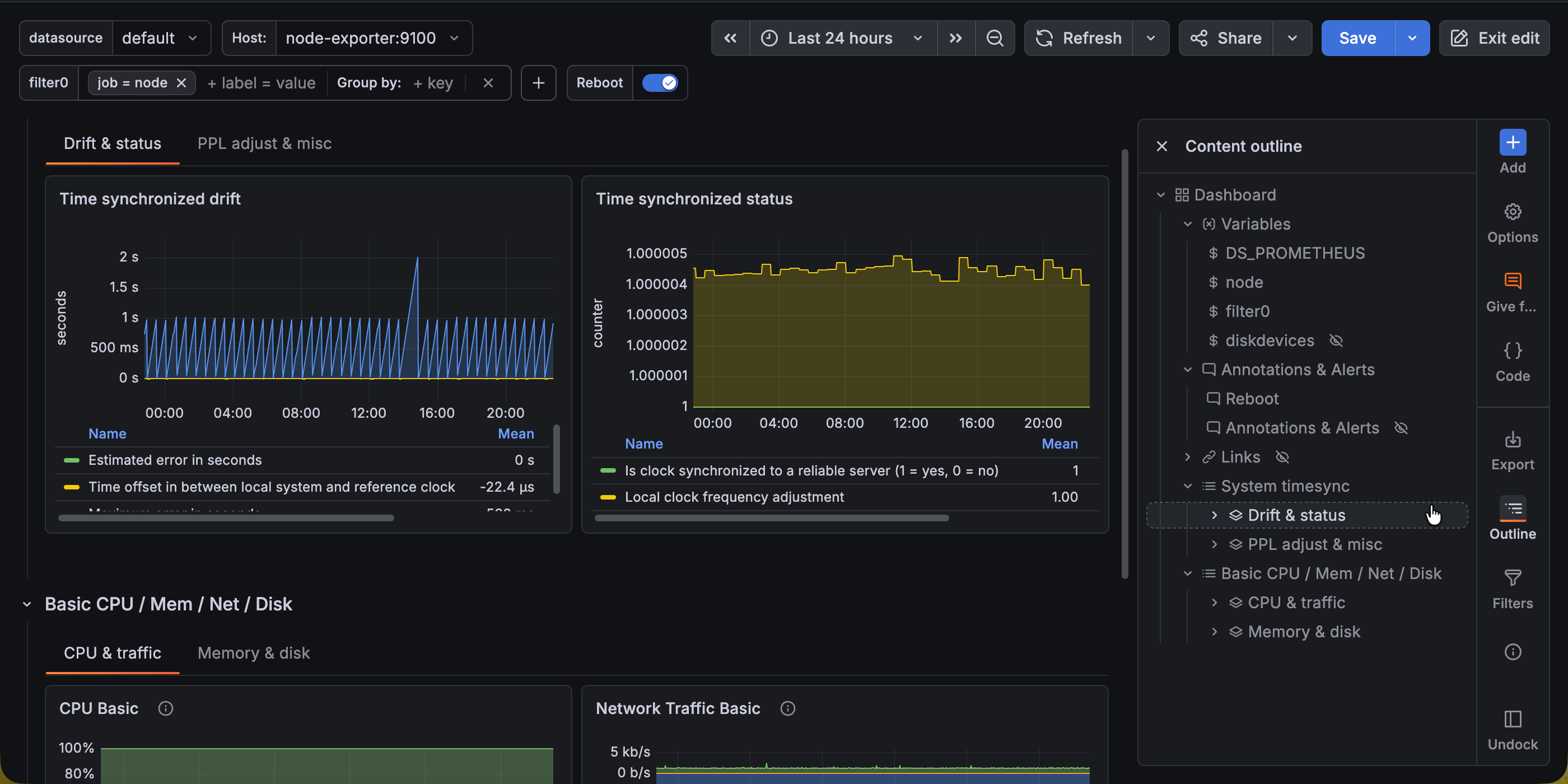
Improved toolbars
The double toolbar at the top of the dashboard is gone, replaced by a single top toolbar, which restores vertical space for your panels. In addition, the new vertical toolbar (next to the sidebar) provides a new entry point to access functions like adding elements, accessing dashboard settings, exporting dashboards, viewing the content outline, editing the dashboard as code, and reviewing the filter overview.
What’s new since public preview
Since public preview, we focused on completing the editing experience and polishing rough edges:
- New dashboard creation page with a default layout selector, so you start with the right layout from the beginning.
- Variables and annotations in the sidebar with drag-and-drop reordering, inline editing, and color indicators for annotations.
- Drag-and-drop panel creation from the sidebar directly onto the canvas.
- Deeper nesting up to three levels, so you can place rows inside tabs inside rows.
- Drag tabs between rows to reorganize structure without recreating tabs.
- Paste panels using the new Add mode of the sidebar.
- Sidebar docks in edit mode, floats in view mode. The sidebar defaults to docked when editing and undocked when viewing, so it takes up space only when you need it. Your preference is remembered per mode.
- Sidebar stays closed unless you need it. Switching tabs, expanding rows, or clicking panel menu items no longer unexpectedly opens the sidebar.
What this means for provisioned dashboards
Dynamic dashboards use a new dashboard schema (v2). Dashboards provisioned as code (using the API, Terraform, or Git Sync) continue to work. V1 dashboards are migrated to v2 automatically when loaded. For details on the v2 schema and provisioning, refer to the dashboard schema documentation.
For more details, refer to the dynamic dashboards documentation.
