






























API Testing
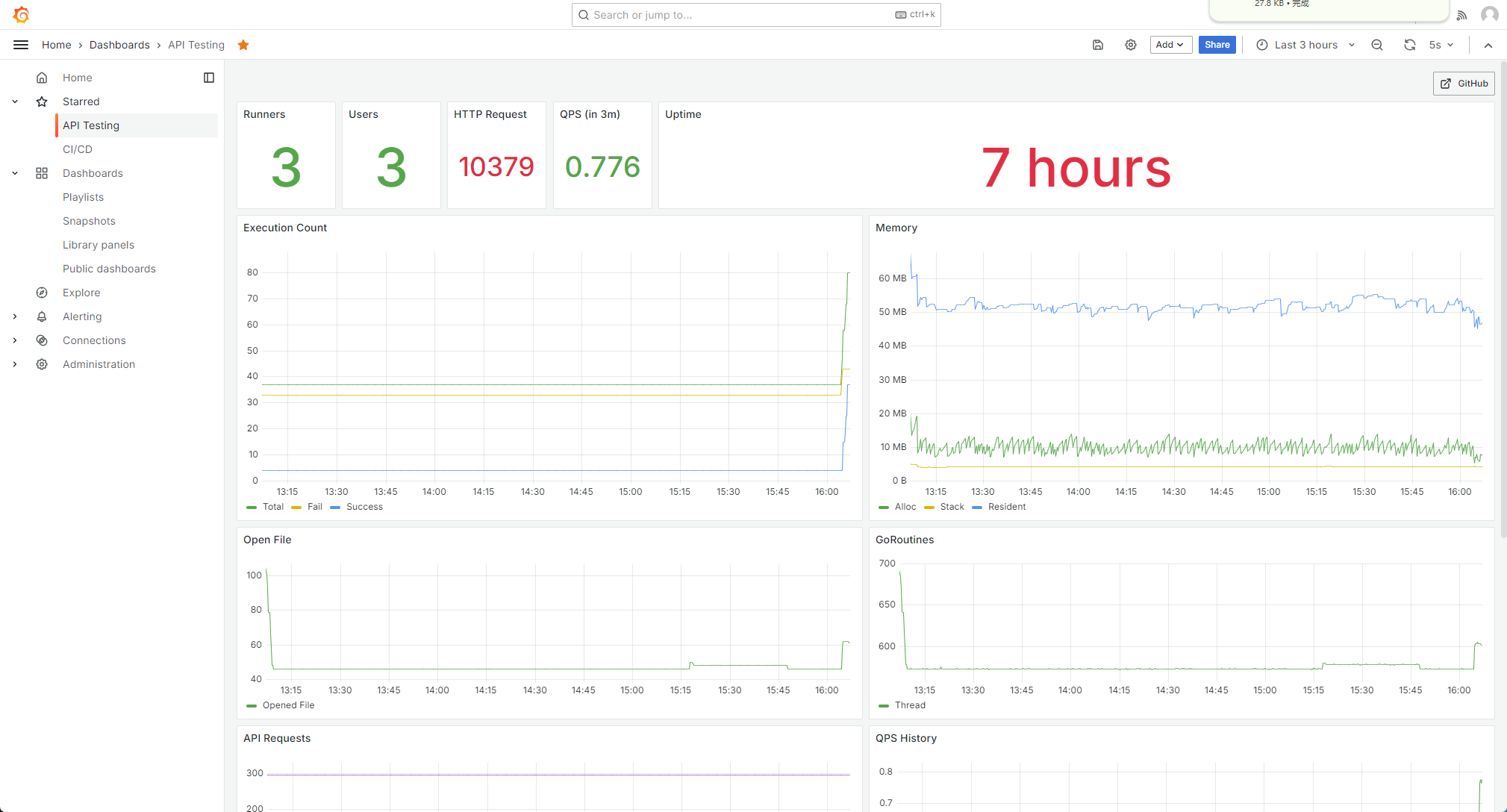
API Testing Dashboard



English | 中文
This is a API testing tool. 🚀
Features
- Supported protocols: HTTP, gRPC, tRPC
- Multiple test report formats: Markdown, HTML, PDF, Stdout
- Mock Server in simple configuration, and Open API support
- Support converting to JMeter files
- Response Body fields equation check or eval
- Validate the response body with JSON schema
- Pre and post handle with the API request
- Run in server mode, and provide the gRPC and HTTP endpoint
- VS Code extension support
- Multiple storage backends supported(Local, ORM Database, S3, Git, Etcd, etc.)
- HTTP API record
- Install in multiple use cases(CLI, Container, Native-Service, Operator, Helm, etc.)
- Monitoring integration with Prometheus, SkyWalking
Get started

Install it via hd or download from releases:
hd install atest
or, you can install it in Kubernetes. See also the manifests.
see the following usage:
API testing tool
Usage:
atest [command]
Available Commands:
completion  Generate the autocompletion script for the specified shell
func        Print all the supported functions
help        Help about any command
json        Print the JSON schema of the test suites struct
run         Run the test suite
sample      Generate a sample test case YAML file
server      Run as a server mode
service     Install atest as a Linux service
Flags:
-h, –help      help for atest
-v, –version   version for atest
Use "atest [command] –help" for more information about a command.
below is an example of the usage, and you could see the report as well:
atest run -p sample/testsuite-gitlab.yaml --duration 1m --thread 3 --report md
| API | Average | Max | Min | Count | Error |
|---|---|---|---|---|---|
| GET https://gitlab.com/api/v4/projects | 1.152777167s | 2.108680194s | 814.928496ms | 99 | 0 |
| GET https://gitlab.com/api/v4/projects/45088772 | 840.761064ms | 1.487285371s | 492.583066ms | 10 | 0 |
| consume: 1m2.153686448s |
Use in Docker
Use atest as server mode in Docker, then you could visit the UI from 8080:
docker run --pull always -p 8080:8080 ghcr.io/linuxsuren/api-testing:master
Use atest-collector in Docker:
docker run -p 1234:8080 -v /var/tmp:/var/tmp \
  ghcr.io/linuxsuren/api-testing atest-collector \
  --filter-path /api \
  -o /var/tmp/sample.yaml
# you could find the test cases file from /var/tmp/sample
# cat /var/tmp/sample
Template
The following fields are templated with sprig:
- API
- Request Body
- Request Header
Functions
You could use all the common functions which comes from sprig. Besides some specific functions are available:
| Name | Usage |
|---|---|
randomKubernetesName | {{randomKubernetesName}} to generate Kubernetes resource name randomly, the name will have 8 chars |
sleep | {{sleep(1)}} in the pre and post request handle |
Verify against Kubernetes
It could verify any kinds of Kubernetes resources. Please set the environment variables before using it:
KUBERNETES_SERVERKUBERNETES_TOKEN
See also the example.
TODO
- Reduce the size of context.
- Support customized context.
Limit
- Only support to parse the response body when it's a map or array.
Community Exchange
Feel free to talk to us about any questions you may have about API Testing in the following ways.
Mailing List
api-testing-tech@googlegroups.com, Feel free to discuss everything related to API Testing via this mailing list.
GitHub discussion
Data source config
Collector config:
Upload an updated version of an exported dashboard.json file from Grafana
| Revision | Description | Created | |
|---|---|---|---|
| Download |