

Redirect dashboards
Note
Variable panel supports redirects since version 2.2.0.
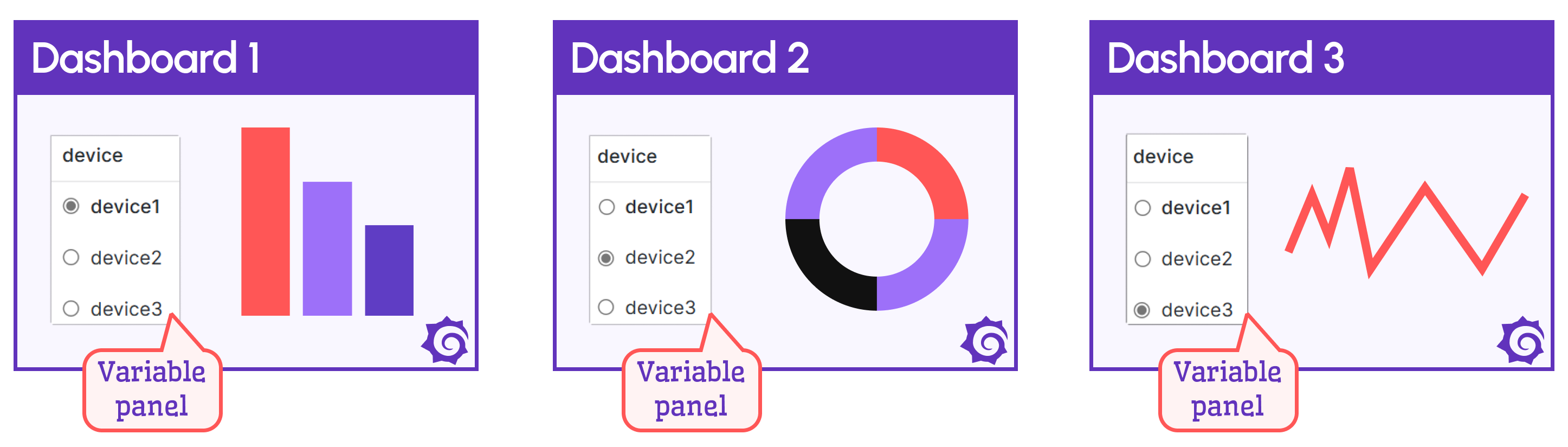
This feature lets you open a corresponding dashboard when you select a variable value. This is useful when a variable panel displays a list of devices and each device requires a specific dashboard.
When you select a device in the Business Variable panel, the corresponding dashboard opens. The dashboard switch is seamless, so users might not realize they switched dashboards.
The following video shows how to configure this feature.
Map dashboard variables
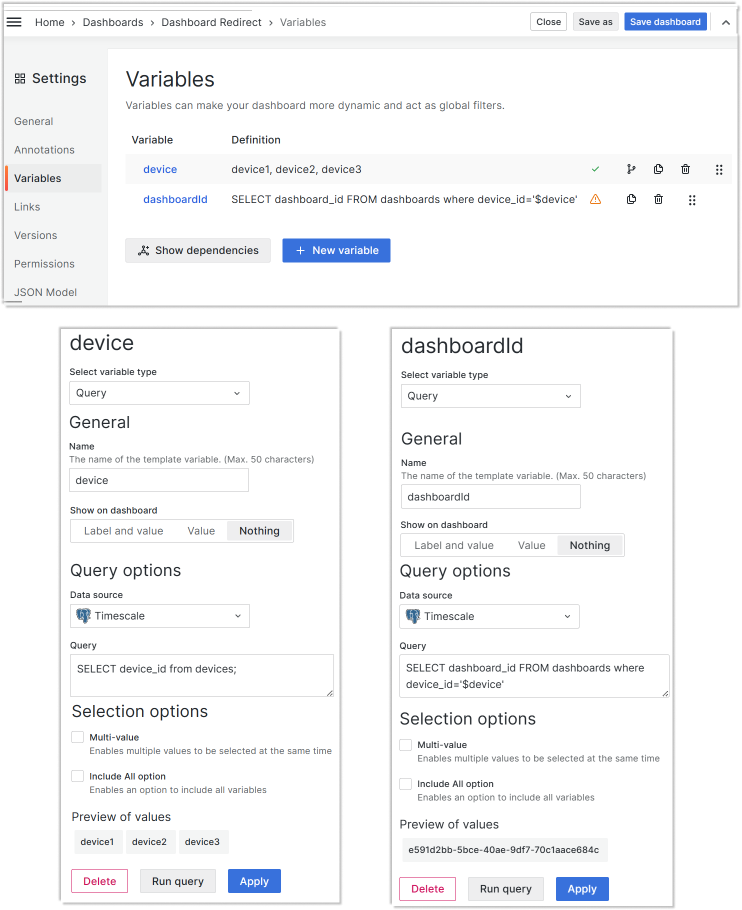
Create two dashboard variables:
- One to retrieve all devices.
- Another to hold one
dashboard_idat a time following the device from the first variable.
Dashboards
Create device-specific dashboards with an identical variable panel on each dashboard.
Variable panel
In the Business Variable panel options, specify a value for Dashboard > Select variable with dashboard UID.
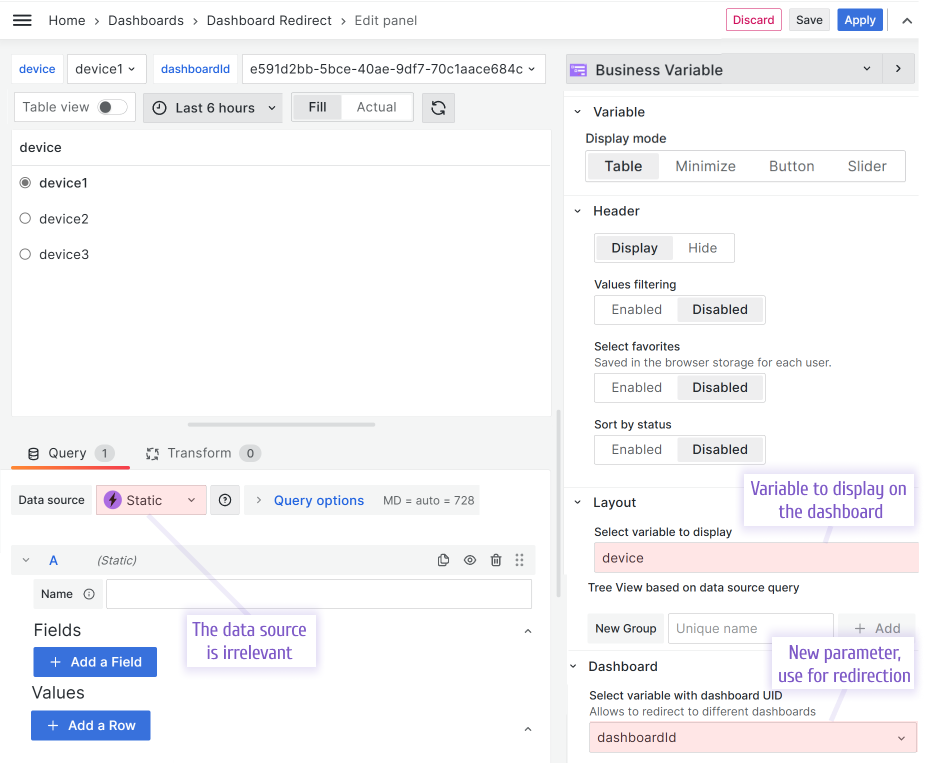
After this configuration, the Business Variable panel switches dashboards when you select a device. A smooth transition provides a seamless user experience.


