Menu

Enterprise
Open source
Grafana Cloud
Code Editor Toolbar
Note
The Business Forms panel supports the Code Editor toolbar starting from version 4.4.0. Additional buttons were added in 4.5.0.
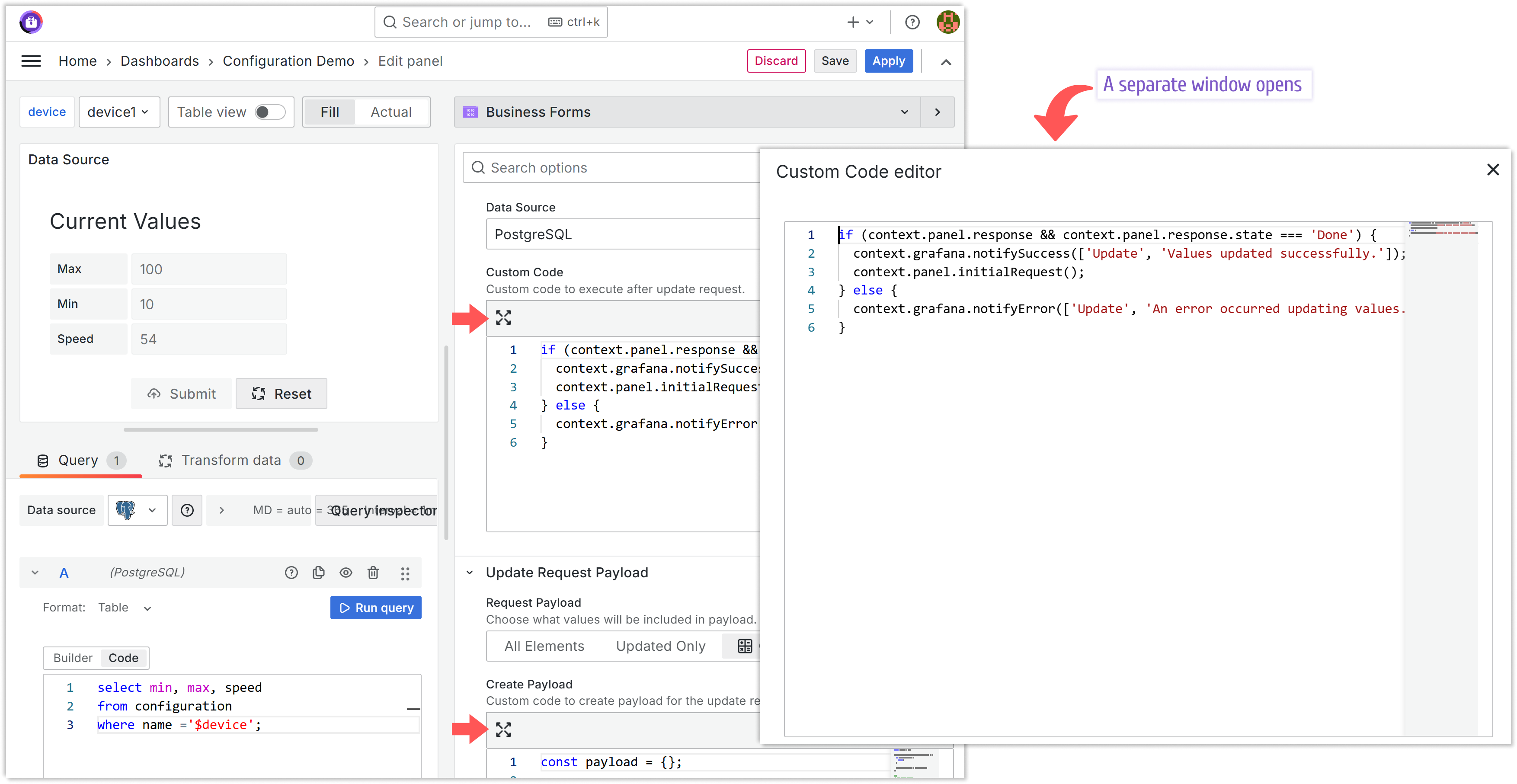
Expand the editor
To improve your experience, you can expand the editor area.

This button is located in the top-left corner of any JavaScript code parameter.
Additional buttons
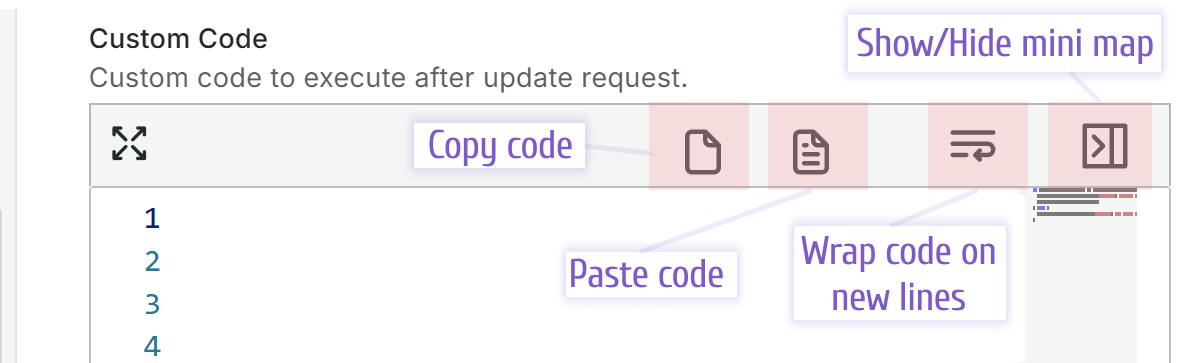
- Copy code: Copies the highlighted code to the clipboard.
- Paste code: Pastes the content from the clipboard.
- Wrap code on new lines: Wraps text to fit the visible area.
- Show/Hide mini map: Shows or hides the minimap on the right side of the editor.