

How Adaptive Logs works
The following diagram gives you an overview of Adaptive Logs and introduces you to some of the fundamental features that are the principles of how Adaptive Logs works.
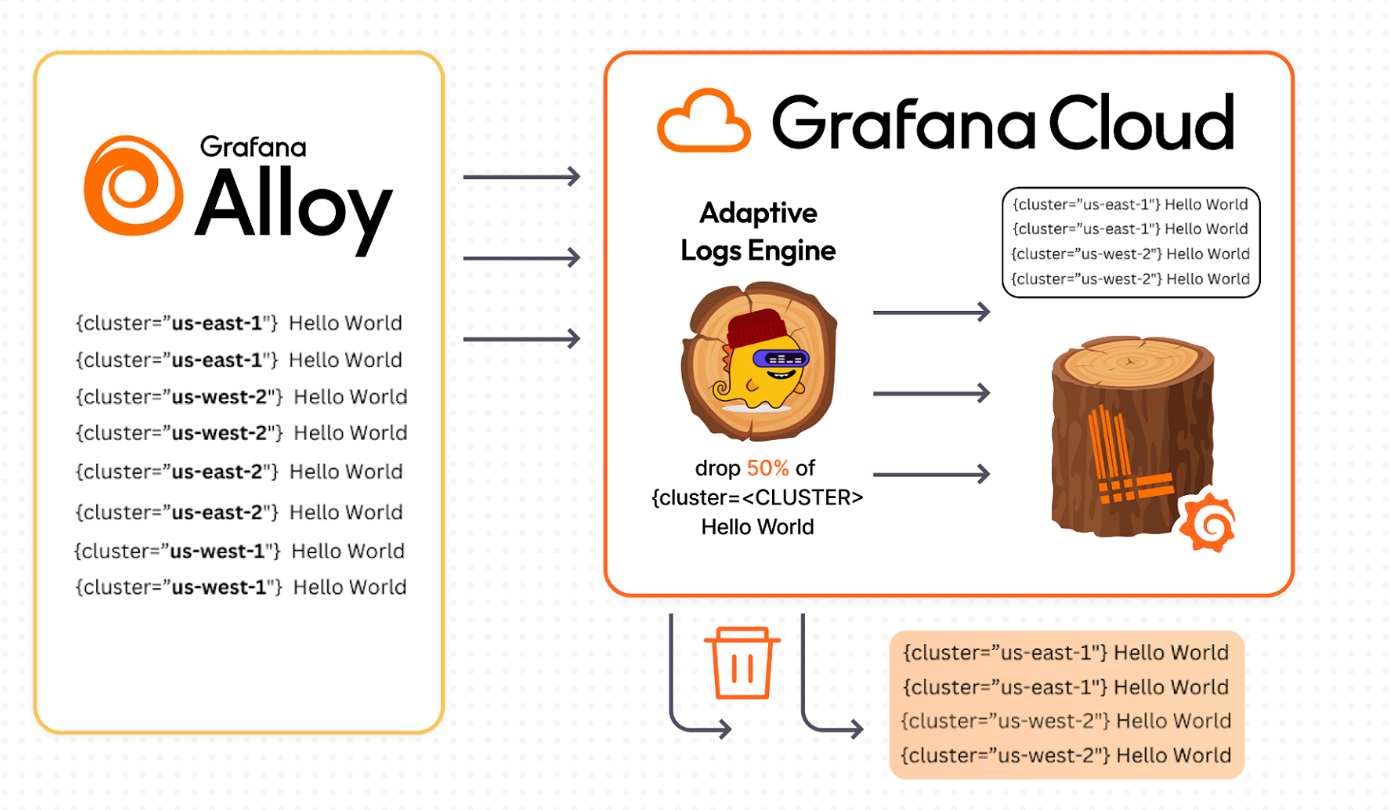
How it works at a glance
Adaptive Logs analyzes your logs — It looks at your incoming logs and groups log lines into patterns.
Adaptive Logs checks how you use your logs — It checks which log patterns you actually query over the past 15 days.
Adaptive Logs suggests which logs to drop — Based on what it finds, Adaptive Logs generates recommendations suggesting a drop rate, or percentage of those logs that can safely be dropped without impacting your observability needs.
You review, apply, or adjust the recommendations — Using the Adaptive Logs user interface, you review the recommendations and suggested drop rates. You can also choose to keep certain logs that Adaptive Logs suggests dropping.
After reviewing the suggestions, you tell Adaptive Logs to start dropping those logs.
Grafana Cloud drops the unneeded logs — Grafana Cloud automatically gets rid of the unneeded logs, filtering them out and discarding them before they are indexed and stored, reducing your log ingest and associated costs.
In the next milestone, you’ll review and apply recommendations to reduce log volume while keeping dashboards and alerts working.