
Important: This documentation is about an older version. It's relevant only to the release noted, many of the features and functions have been updated or replaced. Please view the current version.

Google Cloud Monitoring data source
Google Cloud Monitoring (formerly Stackdriver) is Google Cloud Platform’s native monitoring and observability service that collects metrics, events, and metadata from GCP resources, hosted uptime probes, and application instrumentation. The Google Cloud Monitoring data source in Grafana allows you to query and visualize this data alongside metrics from other systems, creating unified dashboards for comprehensive infrastructure and application monitoring.
Grafana includes built-in support for Google Cloud Monitoring, so you don’t need to install a plugin.
Get started
The following documents will help you get started with the Google Cloud Monitoring data source:
- Configure the data source - Set up authentication and connect to Google Cloud
- Query editor - Create and edit Metric and SLO queries
- Template variables - Create dynamic dashboards with Google Cloud Monitoring variables
- Annotations - Overlay Google Cloud Monitoring events on graphs
- Alerting - Create alert rules based on GCP metrics and SLOs
- Google authentication - Configure authentication methods for GCP access
- Troubleshooting - Solve common configuration and query errors
Supported query types
The Google Cloud Monitoring data source supports the following query types:
Additional features
After you configure the Google Cloud Monitoring data source, you can:
- Create a wide variety of visualizations using GCP metrics.
- Configure and use template variables for dynamic dashboards.
- Add transformations to manipulate query results.
- Add annotations to overlay events on your graphs.
- Set up alerting based on GCP metrics.
- Use Explore to investigate your Google Cloud data without building a dashboard.
Pre-configured dashboards
The Google Cloud Monitoring data source includes pre-configured dashboards for popular GCP services. These curated dashboards are based on similar dashboards in the GCP dashboard samples repository.
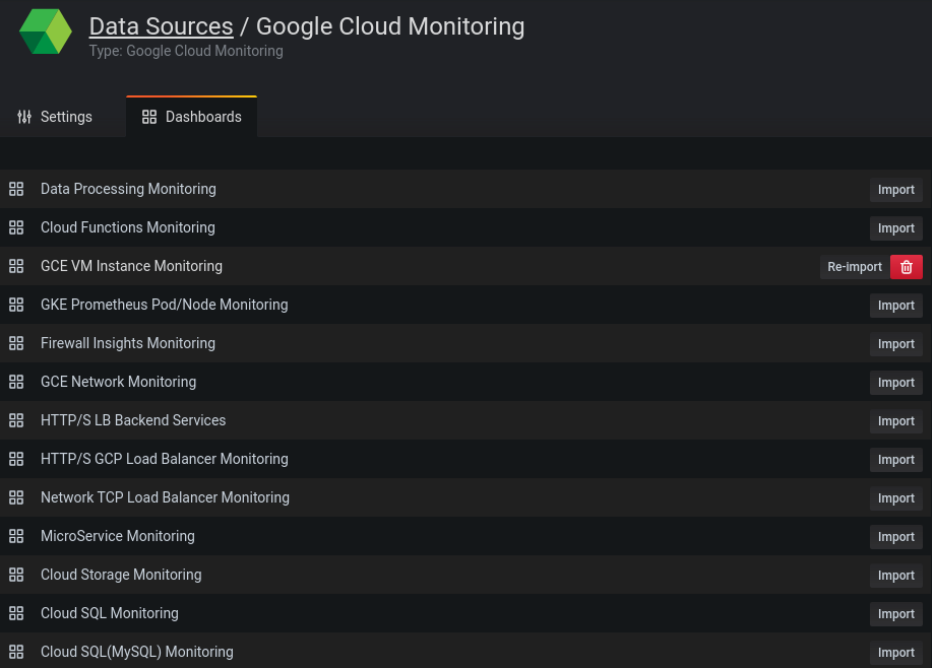
To import a pre-configured dashboard:
- Go to Connections > Data sources.
- Select your Google Cloud Monitoring data source.
- Click the Dashboards tab.
- Click Import next to the dashboard you want to use.
The dashboards include a template variable populated with the projects accessible by the configured service account each time you load the dashboard. After Grafana loads the dashboard, you can select a project from the dropdown list.
To customize an imported dashboard, save it under a different name. Otherwise, Grafana upgrades can overwrite your customizations with the new version.




