
 Grafana Cloud
Visualize data
Simplified exploration
Logs Drilldown
Sorting and ordering
Grafana Cloud
Visualize data
Simplified exploration
Logs Drilldown
Sorting and orderingSorting and ordering
By default, graphs are sorted by most relevant, which prioritizes graphs with more volatile data or higher volume. For example, graphs with the most spikes or dips appear first.
Some pages in Grafana Logs Drilldown can display a large number of graphs. You may want to sort the graphs differently, depending on what you’re looking for.
Sorting log lines
When viewing log lines, you can use the Sort direction control in the log controls panel to change the display order:
- Newest logs first (descending): Shows the most recent log lines at the top.
- Oldest logs first (ascending): Shows the oldest log lines at the top.
The log controls can be accessed by clicking the expand/collapse button on the right side of the logs panel. For more information about log controls, refer to View logs.
When using infinite scroll to load more results, the sort direction determines which logs are loaded next:
- Newest logs first: Scrolling to the bottom loads older logs.
- Oldest logs first: Scrolling to the bottom loads newer logs.
Sorting visualizations
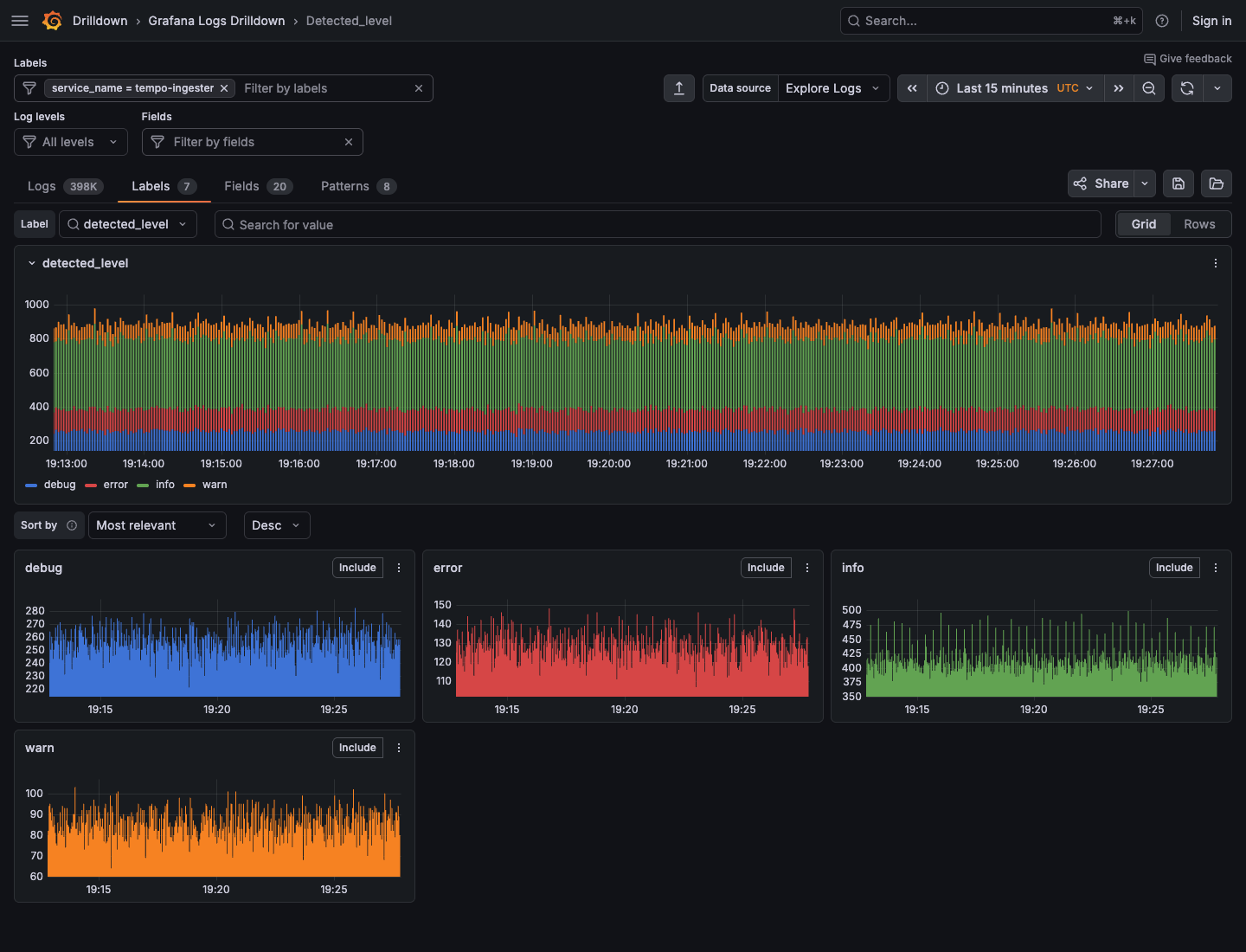
After selecting a specific label or field, you can sort graphs. Depending on the page and visualization, several sort options can be available.
Some pages let you modify sort order directly from table or panel sort controls. For example, on the Patterns tab, you can sort by clicking the Count or % column headers. On the Labels and Fields tabs, a Sort by dropdown appears after you select a specific label or field.
Note
We are keen to improve this feature. Contact us if there is something that would help you find the signal in the noise.




