
 Map one variable to multiple values
Map one variable to multiple values
We’re excited to introduce multi-property variables—a simple, powerful way to let you map several identifiers to a single variable. Instead of creating and keeping multiple variables for the same logical concept in sync (for example, an environment identified as “dev” vs “development”), you can map all of those identifiers to one variable and then reference any property you need in panels and queries. This reduces dashboard clutter and makes multi-source dashboards much easier to author and maintain.
This feature is supported for the Custom and Query variable types. For query variables, you can create multi-property variables for Infinity and PostgreSQL data sources.
This feature is being rolled out across Grafana Cloud over the next few weeks.
To try it out in self-managed Grafana, enable the multiPropsVariables feature toggle.
How it works
Define variable options as a JSON array of objects.
Each object can have any number of properties.
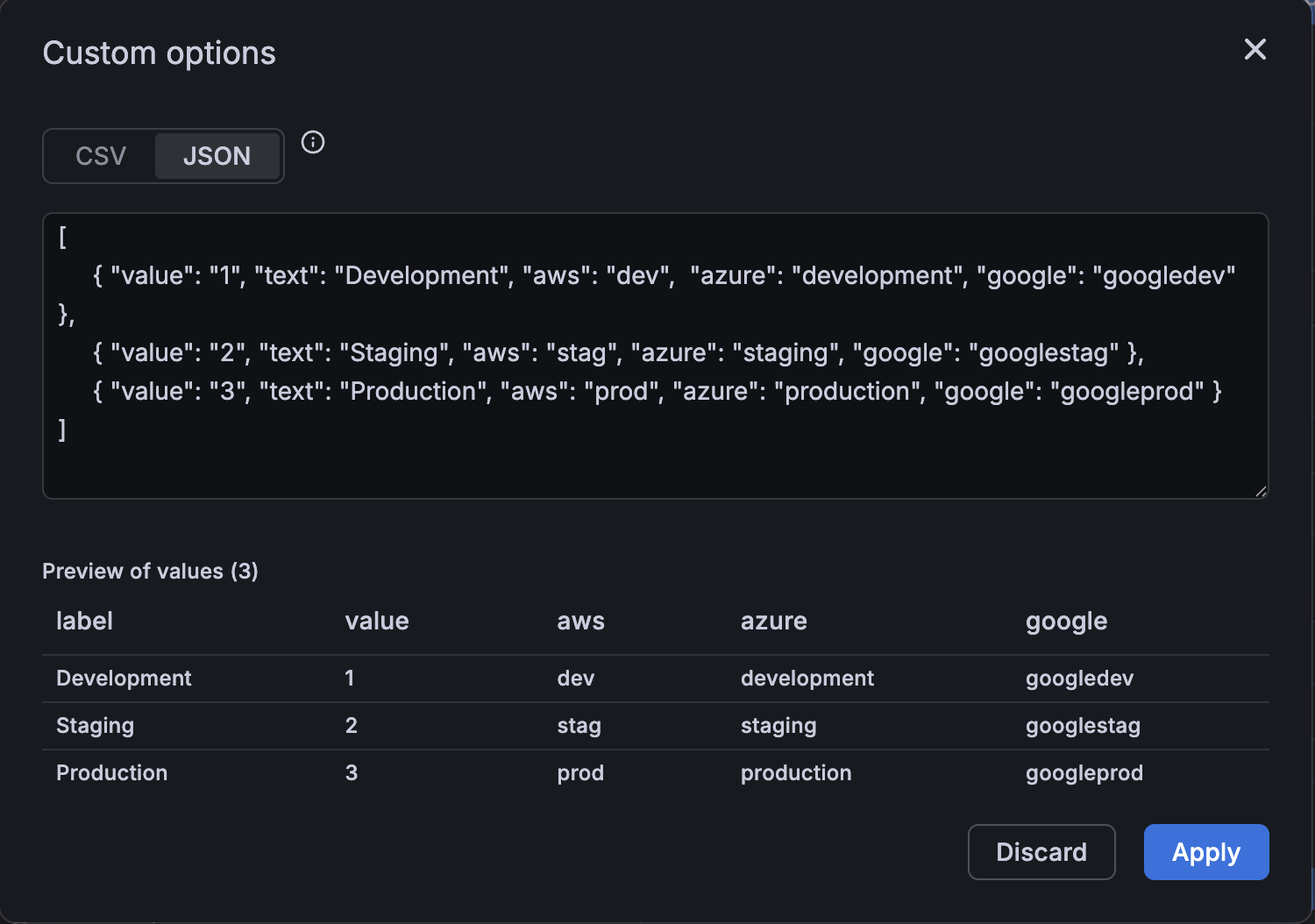
For example, you might want to visualize data across multiple environments using properties such as text, value, aws, azure, or google.
You would configure this data as follows in the custom variable configuration:
     { "value": "1", "text": "Development", "aws": "dev", "azure": "development", "google": "googledev" },
     { "value": "2", "text": "Staging", "aws": "stag", "azure": "staging", "google": "googlestag" },
     { "value": "3", "text": "Production", "aws": "prod", "azure": "production", "google": "googleprod" }
]
This is how those values are displayed in a preview:
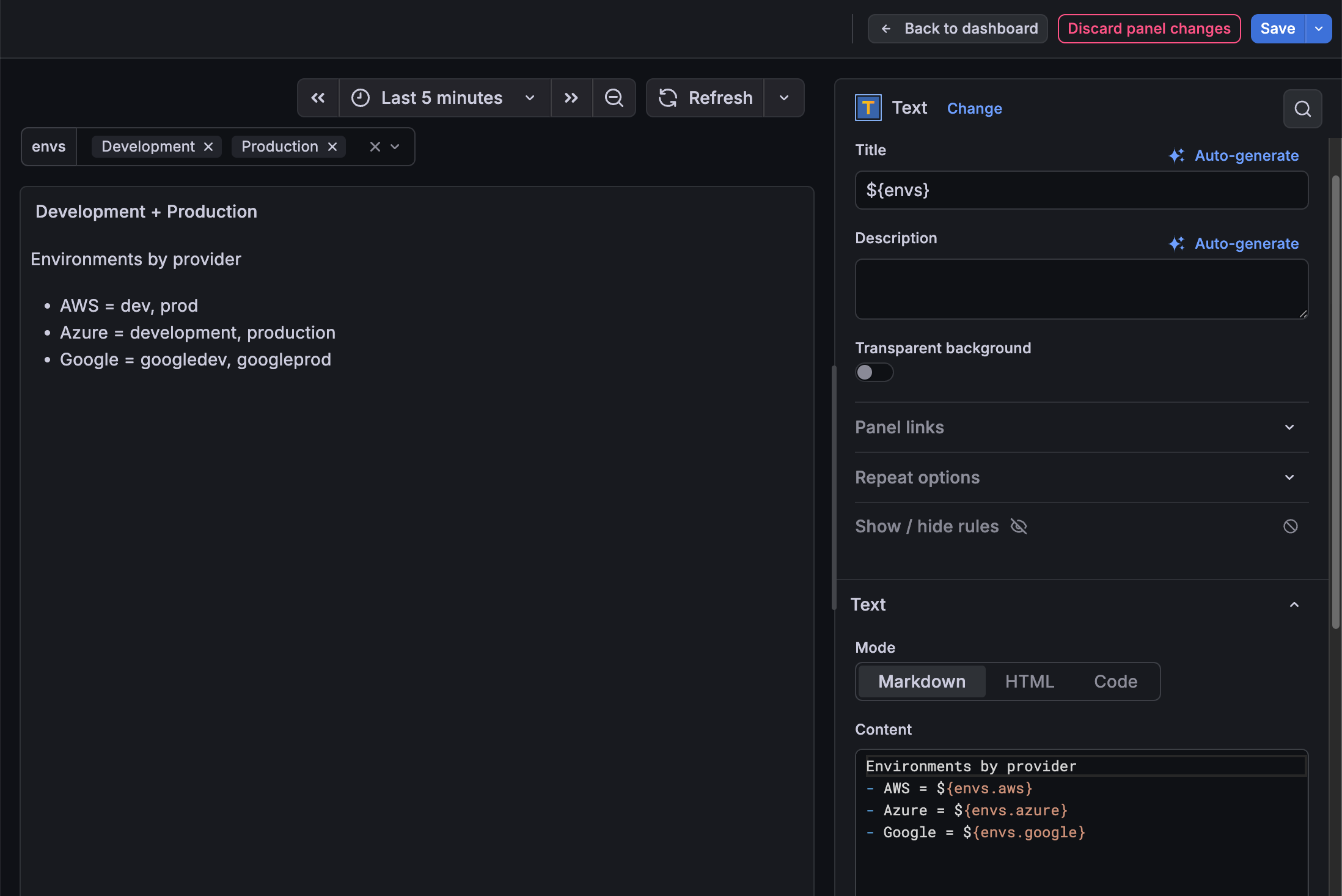
Then use ${var.someProperty} to reference any property in your dashboard panels:
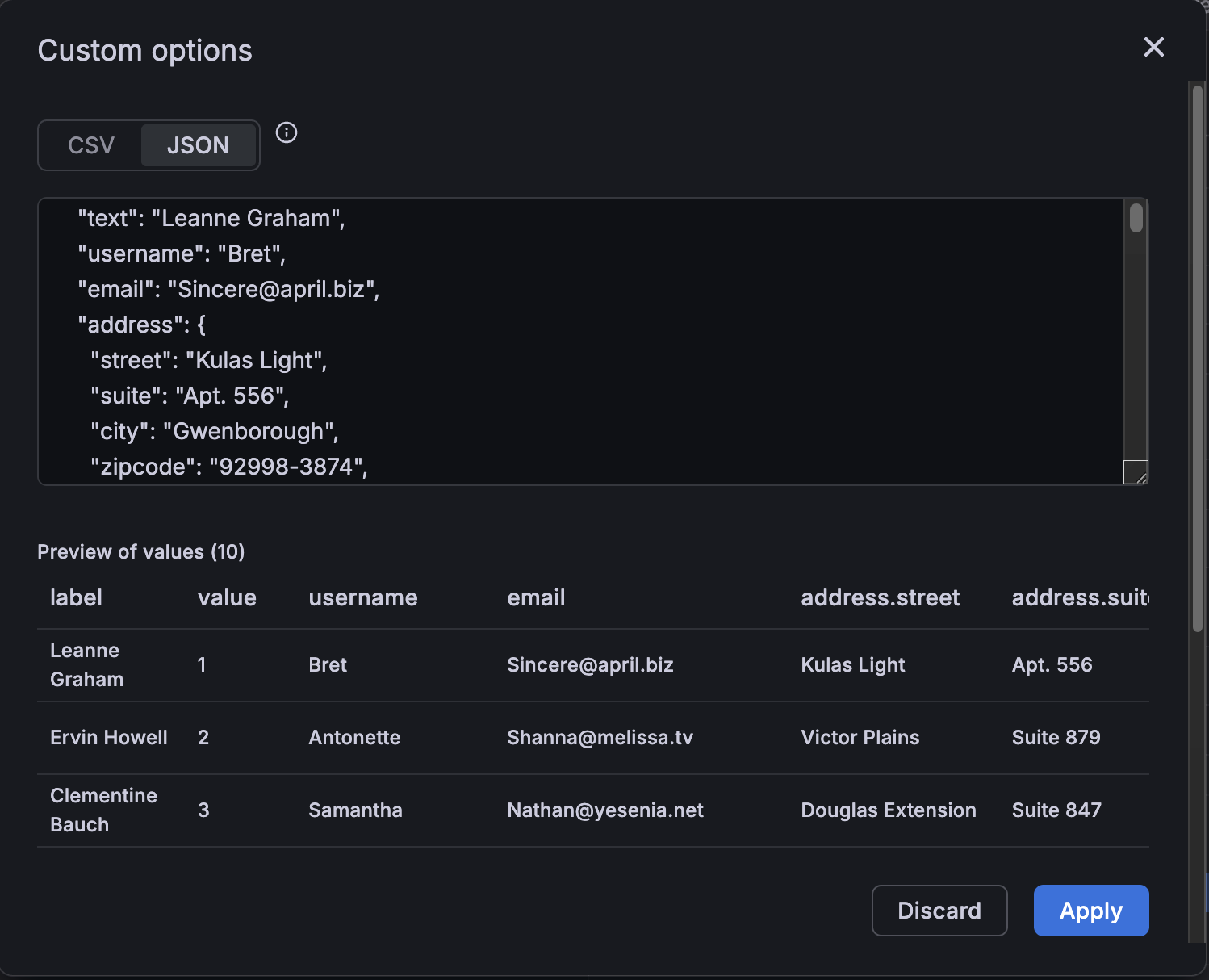
You can even deeply nest properties and still access them using familiar variable syntax. In the following example, each user has an address property with all the elements of an address nested within it:
User interface updates
To support this feature, we’ve updated the user interface.
We’ve added a values format selector to the custom variables editor so you can choose between CSV and JSON, and author JSON object options directly.
For the custom and query variable types, the editor now also shows a Preview of values table, including the properties, so you can quickly verify property names and values. The preview displays deeply nested properties, and the editor supports autocomplete for property paths.
