






























 Restore deleted dashboards
Restore deleted dashboards
If you’d like to try it out in our private preview, you can sign up here. And we would love your feedback, you can share it here.
You can now restore dashboards you’ve deleted—no support ticket needed. With the new Recently deleted view, accidentally removing a dashboard no longer means lost work or rebuilding panels from scratch.
When you delete a dashboard, it now moves into a deletion history area instead of being removed permanently. From there, you can browse previously deleted dashboards and restore them to any folder you choose.
Restore dashboards from the new Recently deleted view
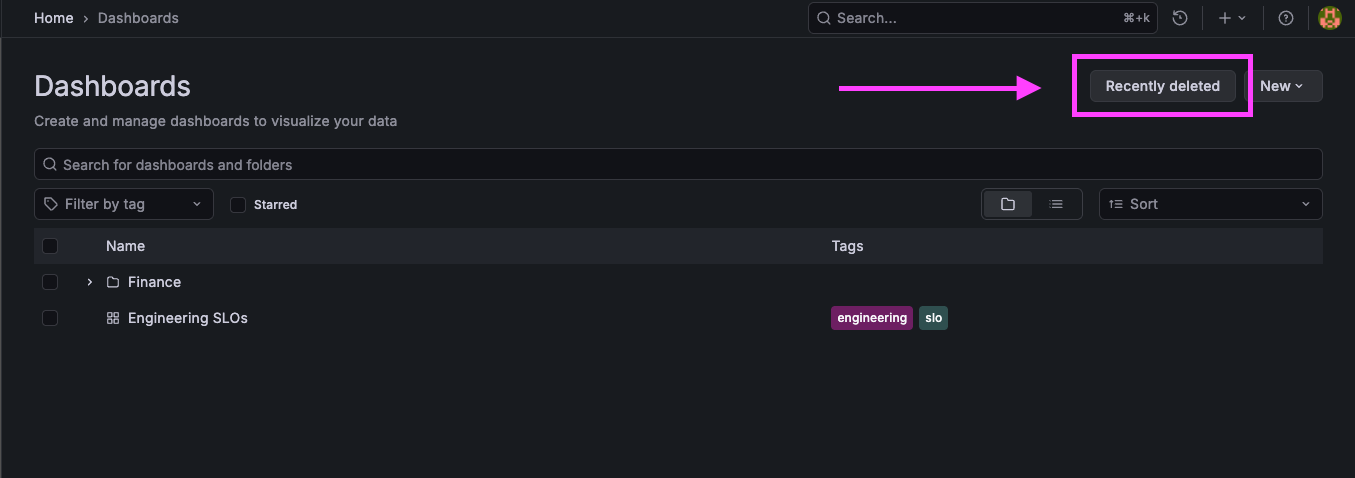
Restore dashboards is an admin-only feature. From the Dashboards page, click Recently deleted to see everything that’s been removed in the last 12 months.
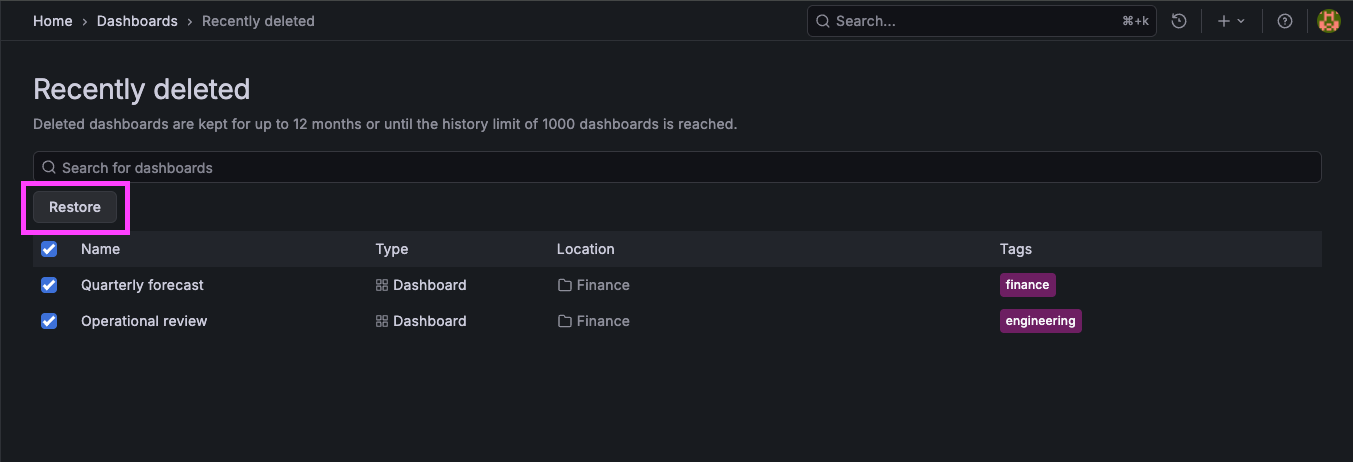
Select one or more dashboards to restore. The folder behavior is as follows:
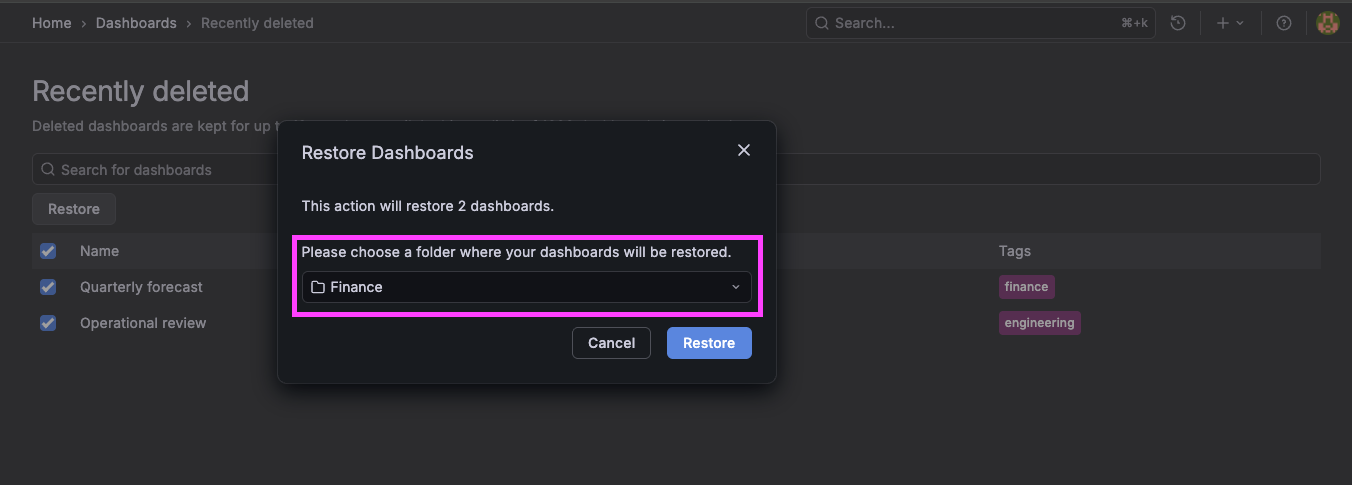
- If a dashboard’s original folder still exists, it’s preselected.
- If multiple dashboards were deleted from the same folder, that folder is preselected.
- If they came from different folders—or the original folder no longer exists—simply choose a new target folder.
Restored dashboards inherit the permissions of the folder you restore them into, making it easy to get them back into the right place.
How deletion history works
Deleted dashboards are stored for up to 12 months, with space for 1,000 dashboards. When that limit is reached, the oldest entries are automatically removed, even if the full retention period hasn’t passed.
Grafana also records who deleted each dashboard and when, giving teams better traceability and confidence.
Availability and limitations
This feature is currently in Cloud only. For more information, refer to the documentation.
As mentioned above, if you’d like to try it out in our private preview, you can sign up here. And we would love your feedback, you can share it here.
Current limitations:
- Dashboard-level permissions are not restored; restored dashboards inherit folder permissions
- Version history is not preserved (restored dashboards begin at version 1).
- Folders themselves cannot be restored.
