This is documentation for the next version of Grafana Tempo documentation. For the latest stable release, go to the latest version.

Model Context Protocol (MCP) Server
Tempo includes an MCP (Model Context Protocol) server that provides AI assistants and large language models (LLMs) with direct access to distributed tracing data through TraceQL queries and other endpoints.
For examples on how you can use the MCP server, refer to LLM-powered insights into your tracing data: introducing MCP support in Grafana Cloud Traces.
For more information on MCP, refer to the MCP documentation.
Configuration
Enable the MCP server in your Tempo configuration:
query_frontend:
  mcp_server:
    enabled: true
Warning
Be aware that using this feature may cause tracing data to be passed to an LLM or LLM provider. Consider the content of your tracing data and organizational policies when enabling this feature.
The MCP server uses the same authentication and multi-tenancy behavior as other Tempo API endpoints.
Available tools
The MCP server exposes the following tools that AI assistants can use to interact with your tracing data:
Available resources
The MCP server also provides the following resources containing TraceQL documentation:
Quick start
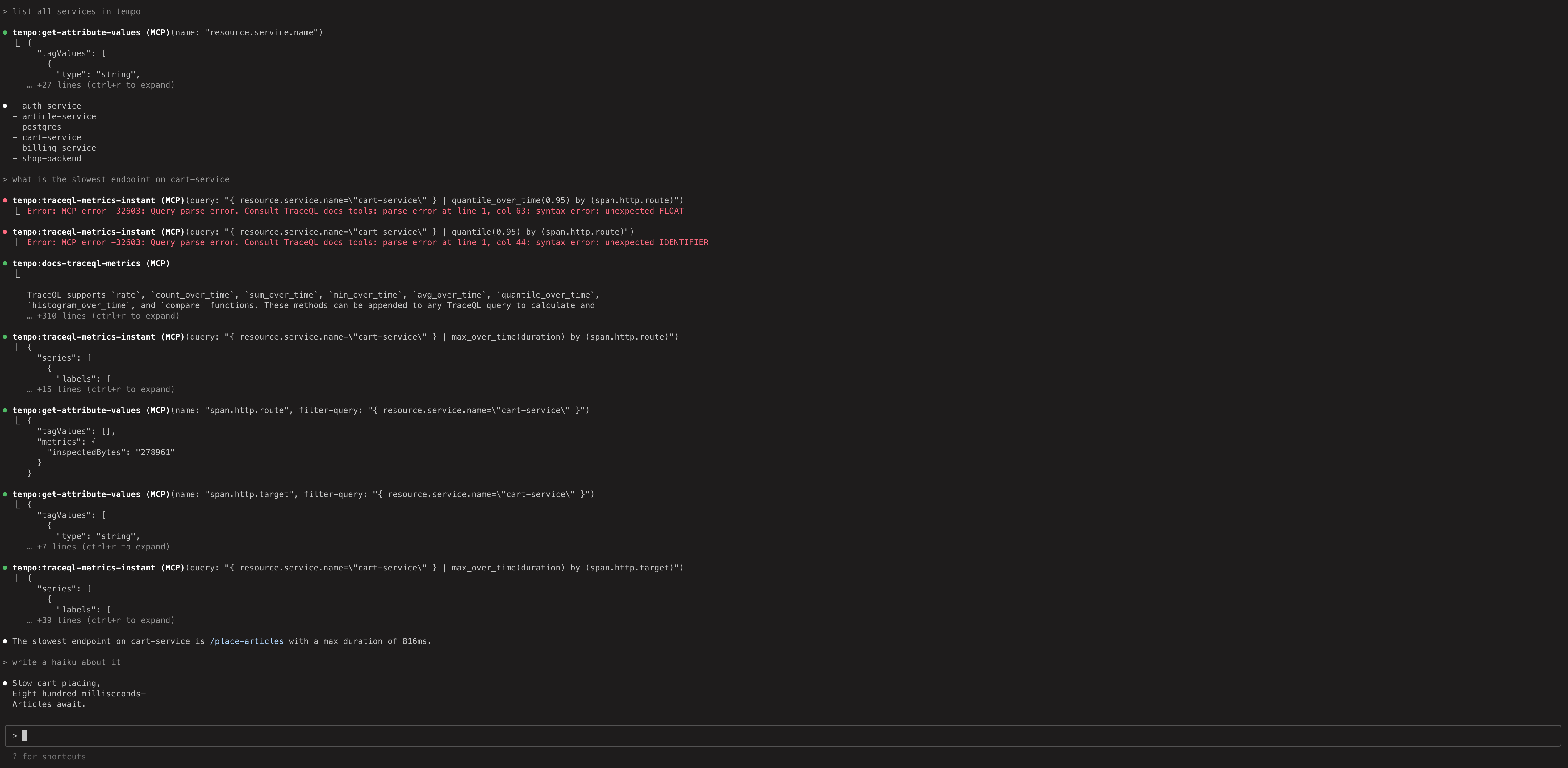
To experiment with the MCP server using dummy data and Claude Code:
- Run the local docker-compose example in
/example/docker-compose/single-binary. This exposes the MCP server athttp://localhost:3200/api/mcp - Run
claude mcp add --transport=http tempo http://localhost:3200/api/mcpto add a reference to Claude Code. - Run
claudeand ask some questions.
The Tempo MCP server uses the Streamable HTTP transport.
Any MCP client that supports this transport can connect directly using the URL http://<tempo-host>:<port>/api/mcp.
For example, in Cursor you can add the server with type: "streamableHttp" in your MCP configuration.
If your client doesn’t support Streamable HTTP natively, you can use the mcp-remote package as a bridge.