Menu

Grafana Cloud
Enterprise
Open source
Key-values format in variables
A Grafana variable can contain key-value pairs. This makes it possible to join data sets by IDs (key) while displaying user-friendly names (value). The Business Variable panel supports this feature in all modes.
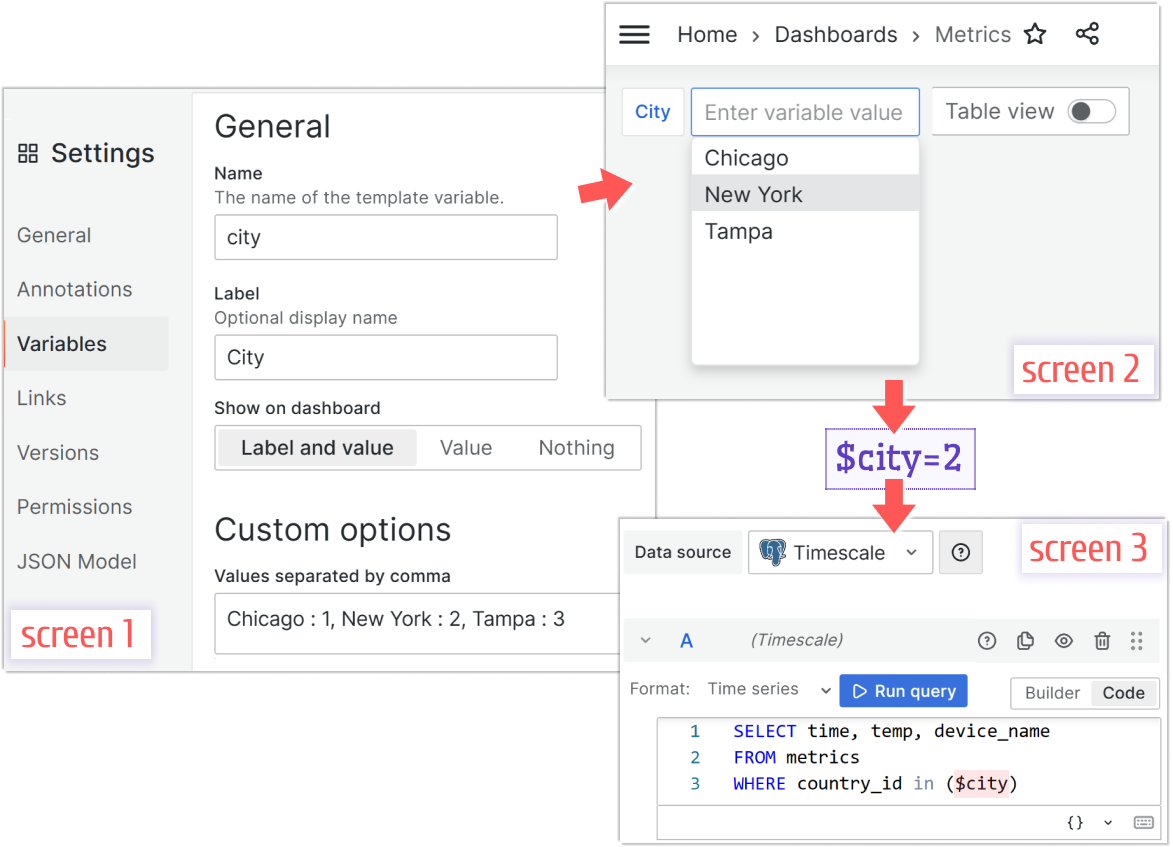
In the following example, screen 1 shows the city variable created with three key-value pairs.
Chicago:1, New York:2, Tampa:3Screen 2 shows a dashboard view where end users see only city names. After you make a selection (here, New York:2), the variable value becomes 2.
You can then use the city variable’s value in queries for other panels, as shown in screen 3.