

REST API
The Business Forms panel requests data (GET request) and updates data (DELETE, PATCH, POST, or PUT request) or configuration through REST API.
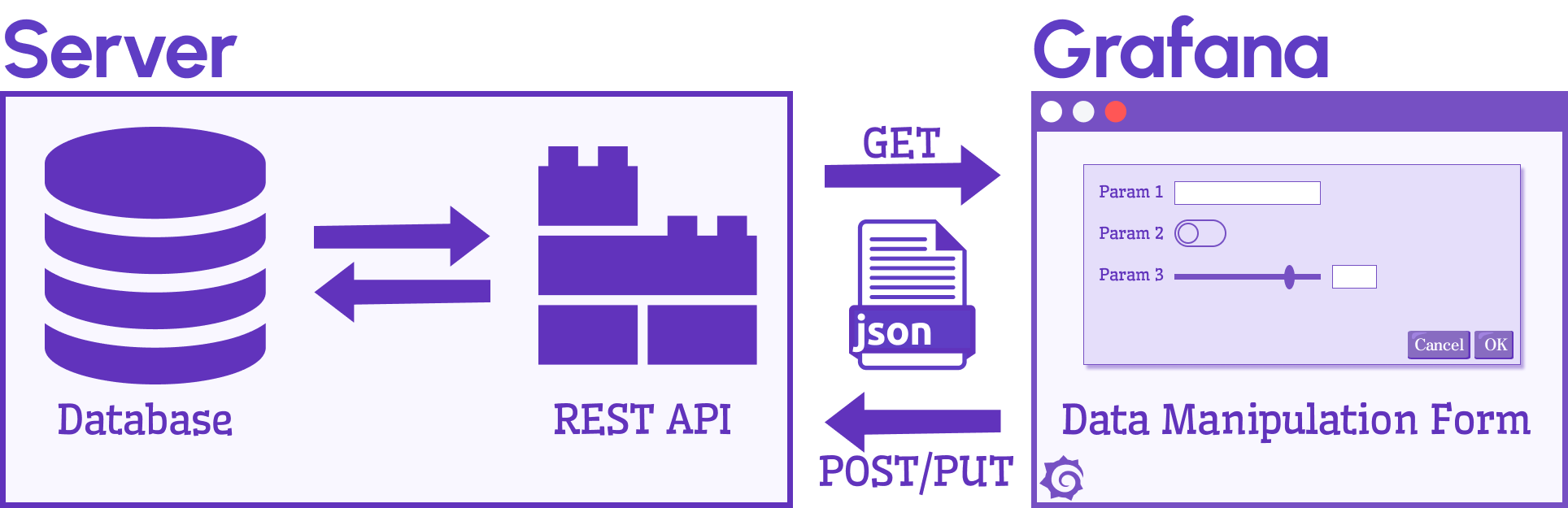
JSON payload
The panel uses form elements defined in the panel options to parse data within the initial request and send data within the update request.
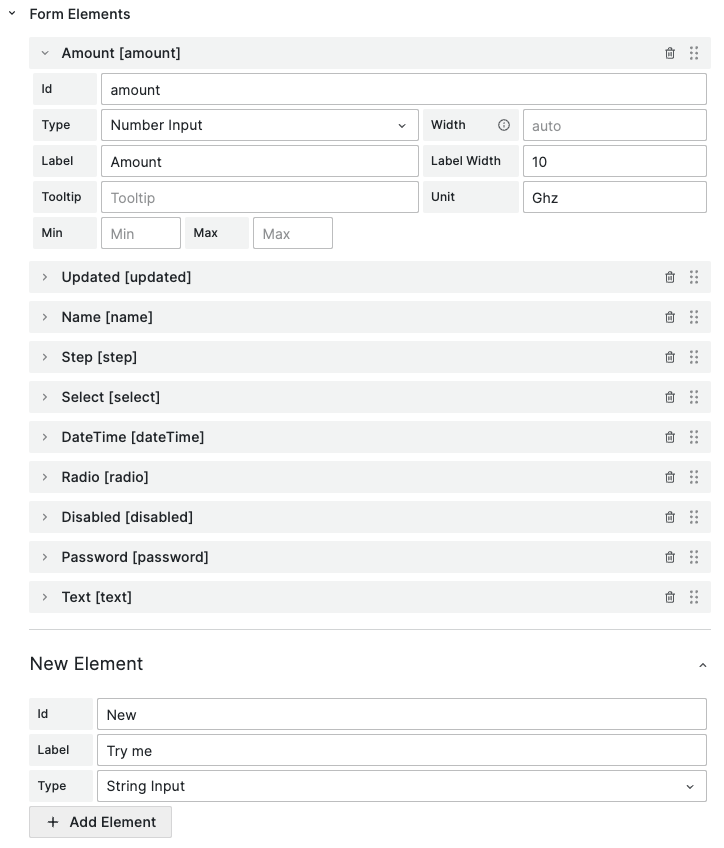
The JSON response of the initial request includes the form elements’ identifiers and values. The panel parses the response and updates the initial values on the form.
{ "name": "Name", "amount": 30, "updated": false, "step": 4 }After you update values, all the form elements create a similar payload for the update request.
NGINX
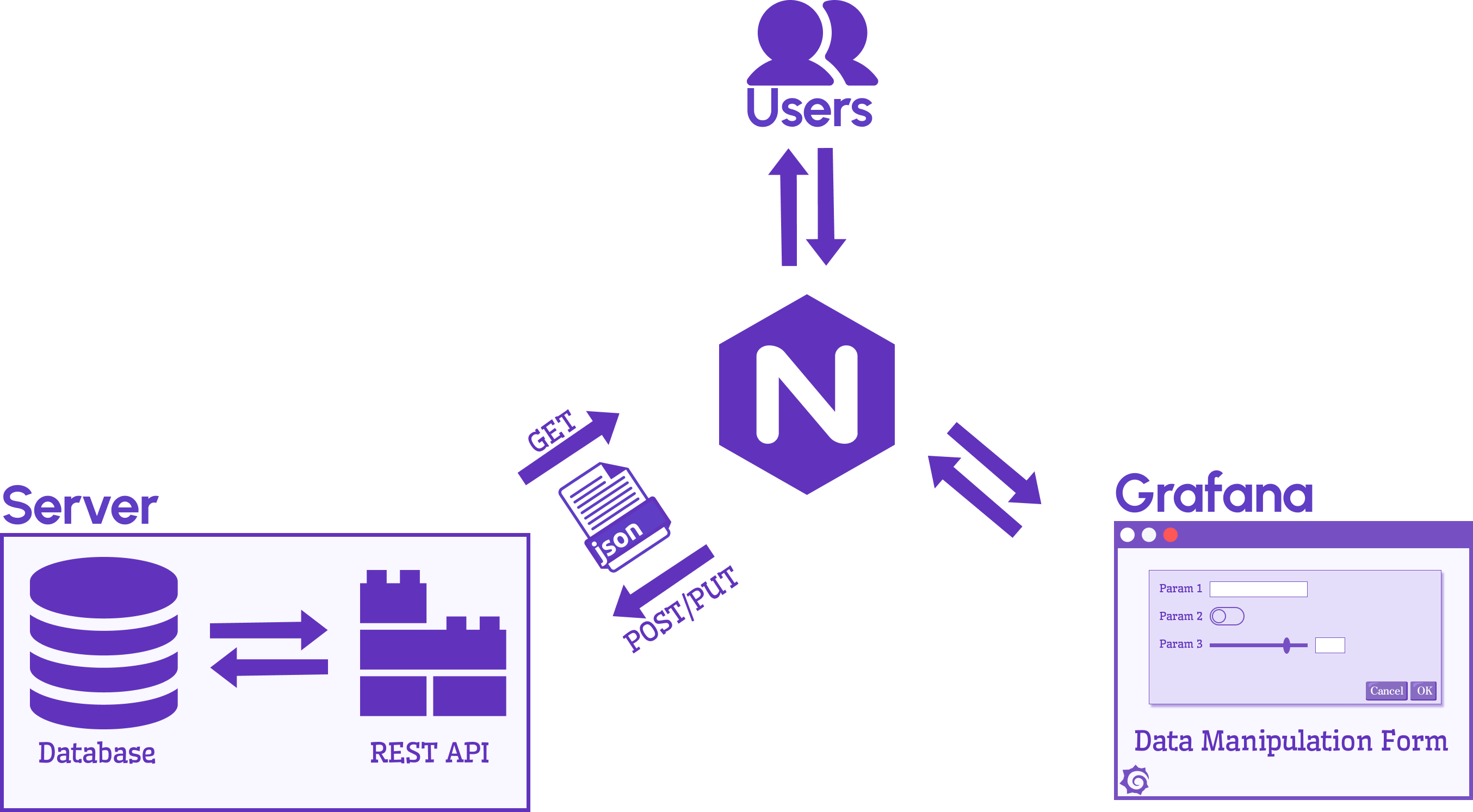
It’s recommended that you run Grafana behind an NGINX reverse proxy for an additional security layer. The reverse proxy also allows you to expose additional API endpoints and static files within the scope of the same domain, which makes it CORS-ready.
CORS
Operation of the Business Forms panel plugin may be blocked by a CORS policy when accessing an API server. You can find a rejection error in the browser’s console.
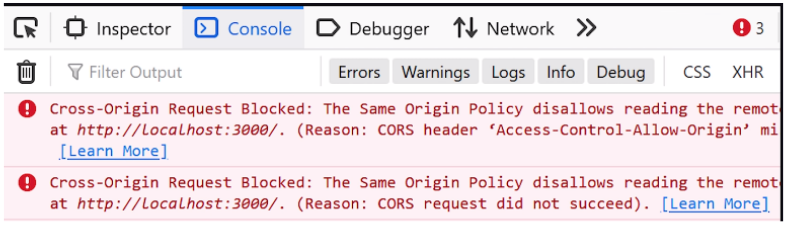
Note that Grafana doesn’t explicitly indicate a CORS error.
Policies
Same-Origin is a policy that strictly restricts interaction with resources to the same domain, host, and port. For example, the abc.com domain can retrieve data from abc.com/page1, but can’t access any other domain such as anyotherdomain.com.
Cross-Origin Resource Sharing (CORS) policy offers more flexibility by allowing interactions between different domains. When CORS restrictions are disabled, any domain can request data. When CORS restrictions are enabled, only certain domains designated in its allow list are permitted.


