
Menu

Enterprise
Open source
Grafana Cloud
Variables
Business Forms automatically replaces dashboard and global variables in the following elements:
- URLs for initial and update requests
- Header parameter values
- Update request payloads
- JavaScript code
- Section names (starting from version 4.9.0)
- Form element labels (starting from version 4.9.0)
- Button text (starting from version 4.9.0)
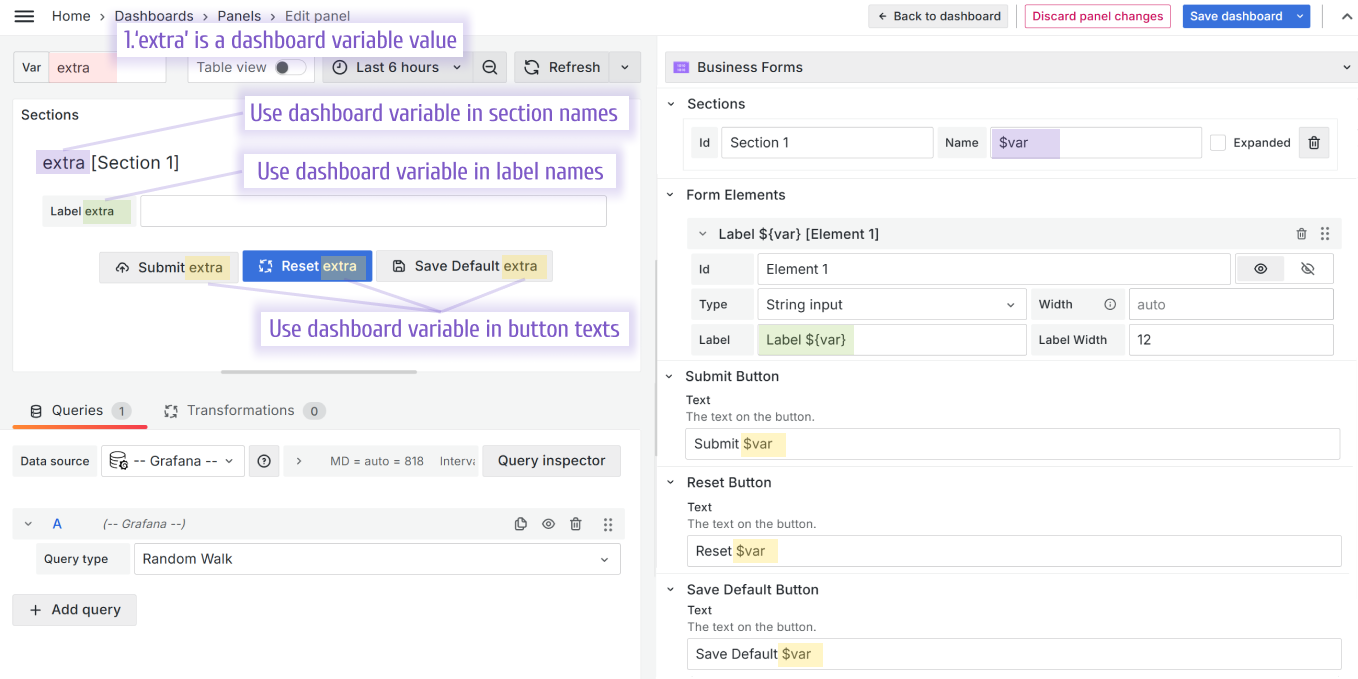
Variable types are thoroughly explained in the Grafana Crash Course.
JavaScript code
const formIcon = context.panel.elements.find(
  (element) => element.id === "icon"
);
formIcon.value = "$IconVar";
Synchronize with dashboard variables
For information about how Business Forms works with dashboard variables, refer to this video:


