Menu

Grafana Cloud
Enterprise
Open source
LLM App and OpenAI
The Business Input Data Source supports LLM models (OpenAI, custom) using LLM App from Grafana.
LLM App
To get started:
- Add the LLM App plugin.
- Set up your
OpenAI API KeyandOpenAI API Organization ID.
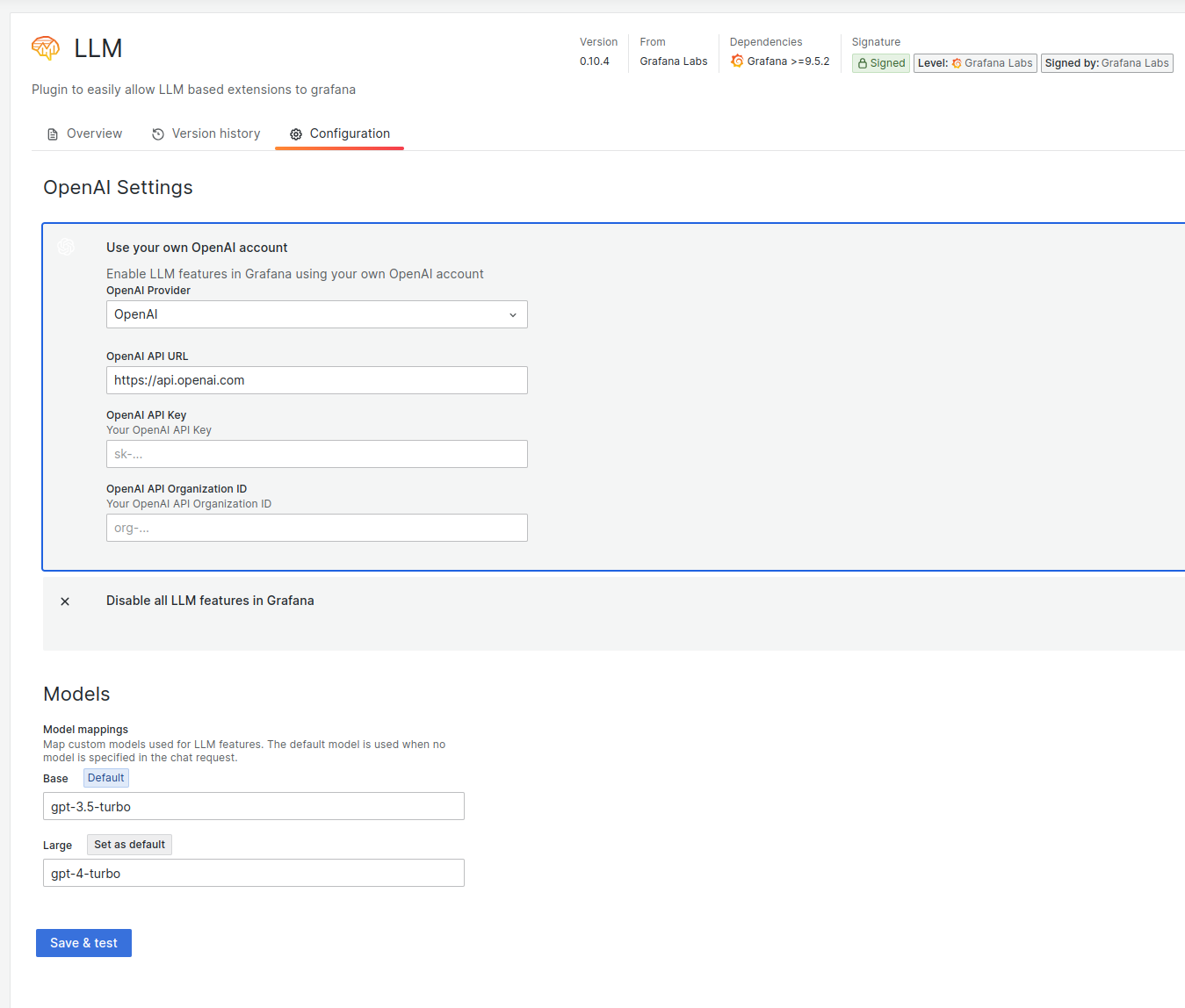
After you configure the LLM App, a text area appears in the Code editor mode of the Business Input data source.
Note
Dashboard and global variables are supported in the text area.
This text area lets you use the response from the LLM App with OpenAI. The system stores the result in context.llmResult.
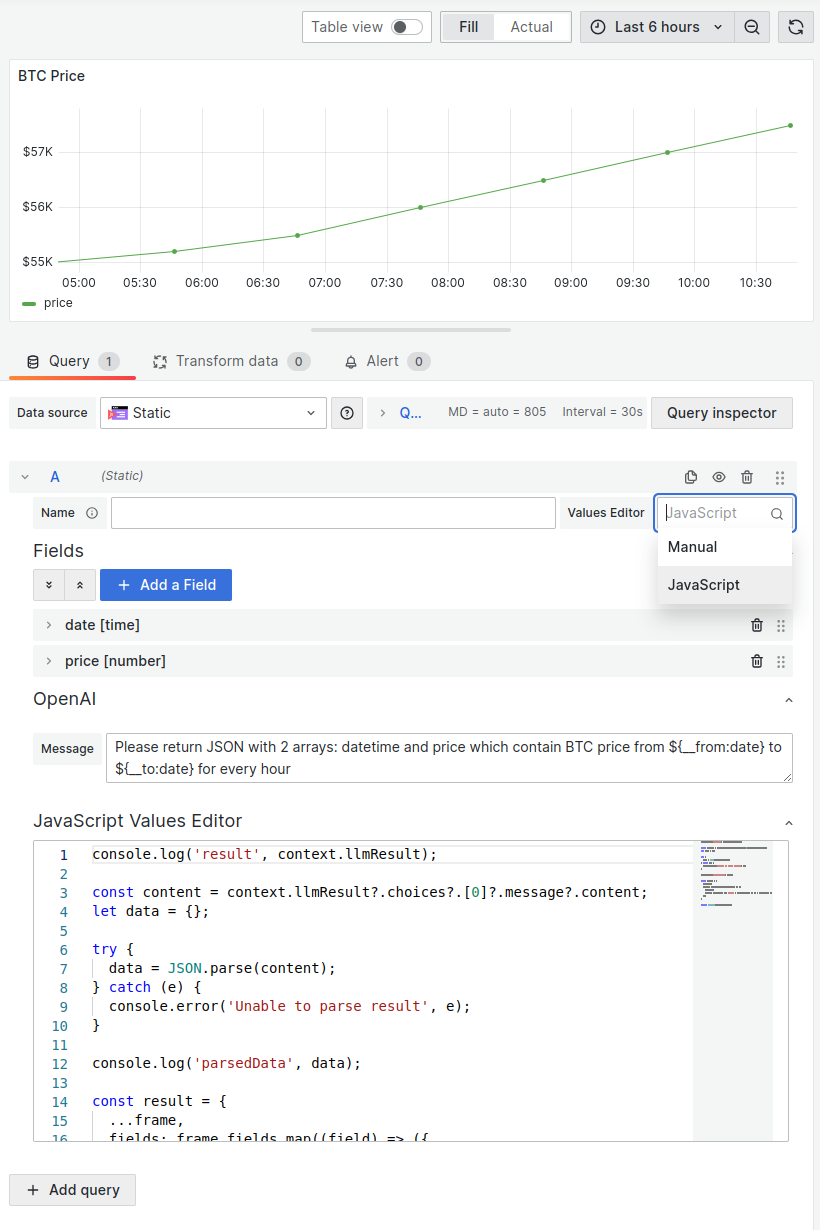
Example with BTC price
Message
Please return JSON with 2 arrays: datetime and price which contain BTC price
from ${__from:date} to ${__to:date} for every hour
JavaScript code editor
console.log("result", context.llmResult);

const content = context.llmResult?.choices?.[0]?.message?.content;
let data = {};

try {
  data = JSON.parse(content);
} catch (e) {
  console.error("Unable to parse result", e);
}

console.log("parsedData", data);

const result = {
  ...frame,
  fields: frame.fields.map((field) => ({
    ...field,
    values: field.name === "date" ? data.datetime || [] : data.price || [],
  })),
};

return Promise.resolve(result);
Result
You can display the data frame with any panel plugin.