































Tailwind CSS
Thank you to Raghavendra Samant for exploring the utility-first framework Tailwind CSS! Using Tailwind in the Business Text panel differs slightly from previous examples.
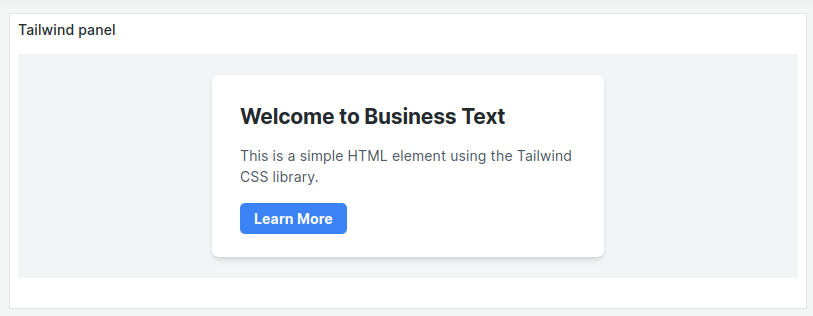
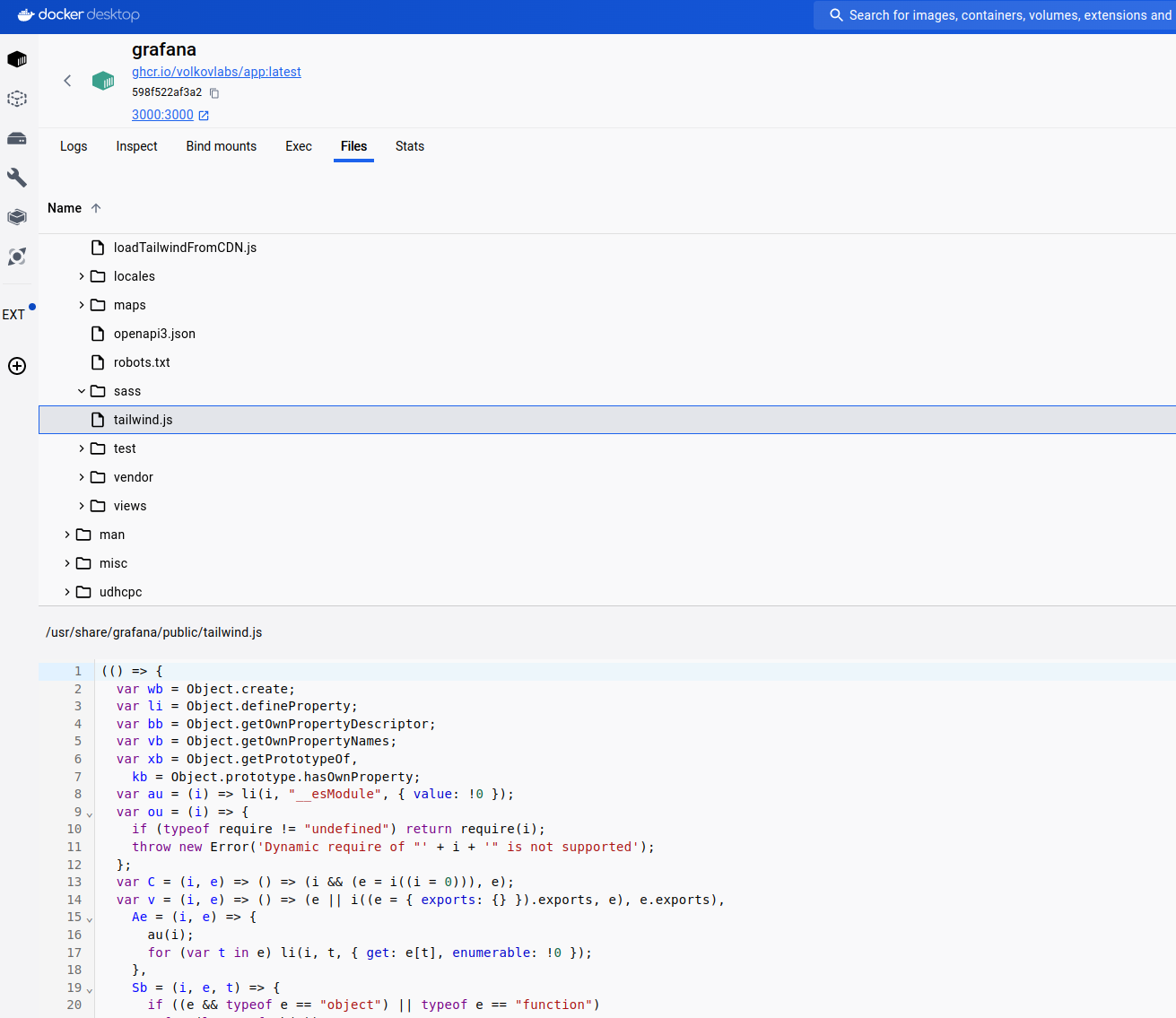
To prevent CORS issues, add the Tailwind script to Grafana’s public folder /usr/share/grafana/public/yourFileName.js.
The file can contain the import function and use Tailwind, or it can load code from cdn.tailwindcss.com.
CDN-based code
Create a tailwind.js file with the code from cdn.tailwindcss.com and upload it to /usr/share/grafana/public/ in the Docker container. The following example uses the latest version: https://cdn.tailwindcss.com/3.4.4.
Content
<div class="bg-gray-100 min-h-64 flex items-center justify-center">
  <div class="bg-white shadow-md rounded-lg p-8 max-w-md w-full">
    <h1 class="text-2xl font-bold mb-4">Welcome to Business Text</h1>
    <p class="text-gray-600 mb-6">
      This is a simple HTML element using the Tailwind CSS library.
    </p>
    <a
      href="#"
      class="bg-blue-500 hover:bg-blue-600 text-white font-bold py-2 px-4 rounded-md"
      >Learn More</a
    >
  </div>
</div>
After Content Ready
Use the following for the JavaScript > After Content Ready:
import("/public/tailwind.js");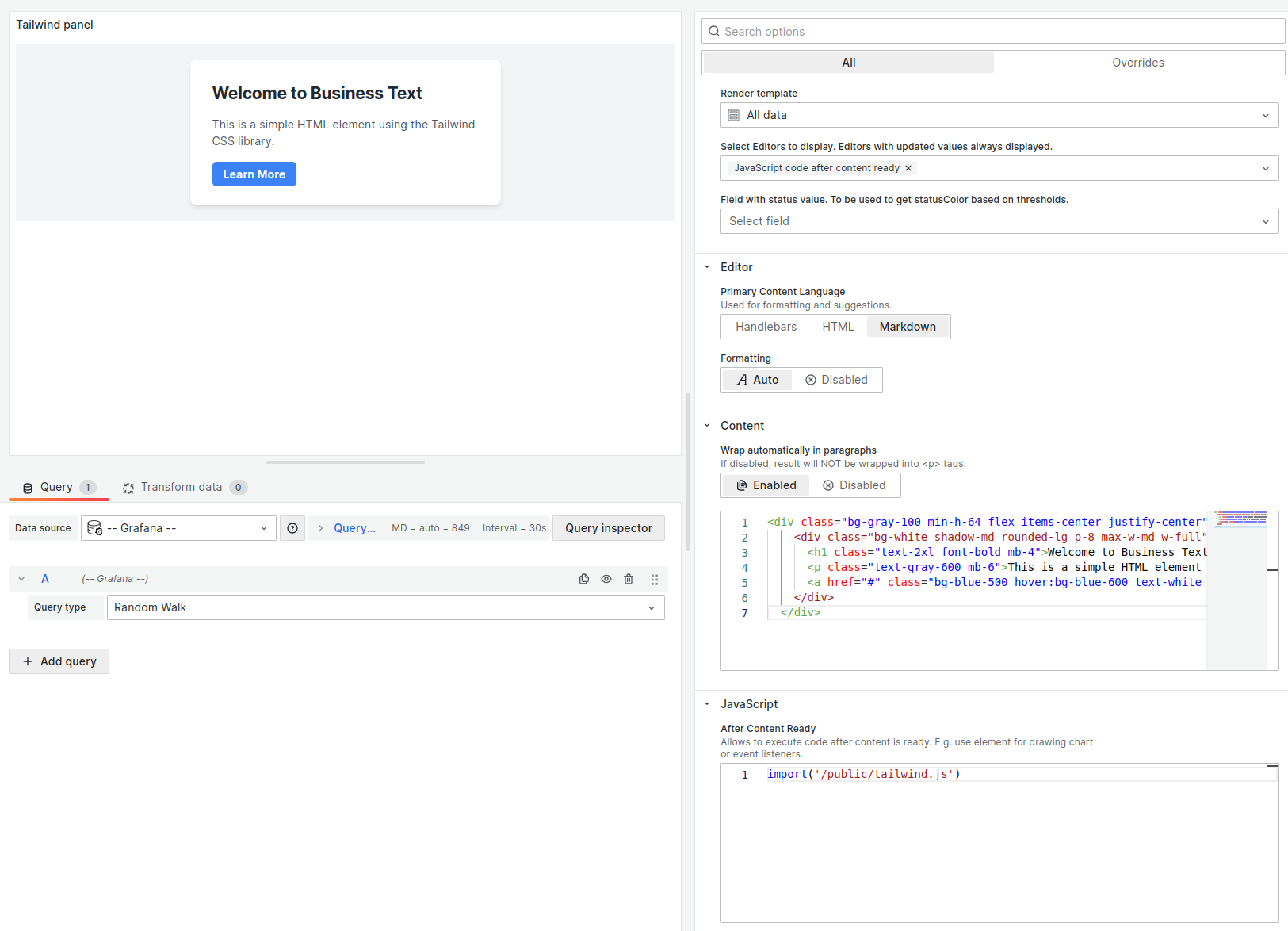
Load Tailwind from CDN
Create a loadTailwindFromCDN.js file with the following code and upload it to the same location in the Docker container.
function loadTailwindFromCDN() {
  var responseData = "";

  const script = document.createElement("script");

  script.src = "https://cdn.tailwindcss.com";
  document.body.appendChild(script);

  console.log("script" + script);
}

export default loadTailwindFromCDN;
Content
<div class="bg-gray-100 min-h-64 flex items-center justify-center">
  <div class="bg-white shadow-md rounded-lg p-8 max-w-md w-full">
    <h1 class="text-2xl font-bold mb-4">Welcome to Business Text</h1>
    <p class="text-gray-600 mb-6">
      This is a simple HTML element using the Tailwind CSS library.
    </p>
    <a
      href="#"
      class="bg-blue-500 hover:bg-blue-600 text-white font-bold py-2 px-4 rounded-md"
      >Learn More</a
    >
  </div>
</div>
After Content Ready
Use the following for the JavaScript > After Content Ready:
import("/public/loadTailwindFromCDN.js").then(
  ({ default: loadTailwindFromCDN }) => {
    loadTailwindFromCDN();
  }
);


