































Use cases
Note
In Grafana 11, the functionality of external JavaScript resources is deprecated, and the External Resource > Scripts parameter has been removed. You can import JavaScript libraries directly in the code.
The Business Text panel supports JavaScript library imports in Before content rendering starting from version 5.3.0.
You can import external JavaScript libraries in both the Before content rendering and After content ready parameters.
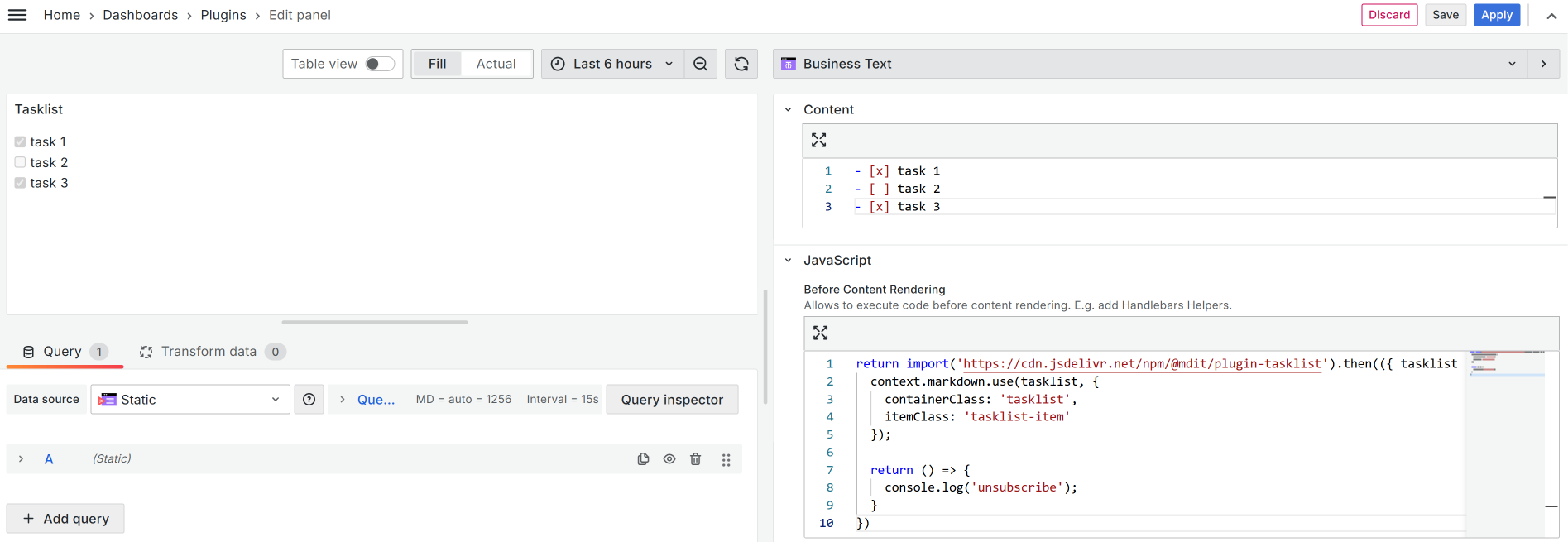
The Business Text panel enables the loading of additional JavaScript using external URLs like CDN (Content Delivery Network). Use that functionality to execute JavaScript functions in the JavaScript Code editor.
Public folder
To prevent loading third-party URLs, store CSS and JavaScript files in the public folder on a Grafana instance.
- To load from an external Grafana instance, use
https://GRAFANA-URL/public/grafanaCSS.css. - To load from a local Grafana instance, use
/public/grafanaCSS.css.
External JavaScript resources
Below, you can find a collection of breathtaking use cases, the perfect examples of using external JavaScript libraries in the Business Text plugin.
Note
Use the All rows or All data template to execute the template only once. With Every row, the Content applies to every row of retrieved data. Even though the data frames of the specified data source are not used, the plugin runs the code for each retrieved row.


