































Helpers
Helpers (also called handlebars) are functions that let you perform basic text transformations within your template.
In the JavaScript > before rendering content option, you can register custom handlebars.
The Business Text panel includes many predefined handlebars that are registered automatically and ready to use:
{{contains}}
Checks if a given value exists within an array.
<!-- array: ['a', 'b', 'c'] -->

{{#if (contains array "a")}}
  Success!
{{else}}
  Not Found!
{{/if}}

<!-- result: 'Success!'  -->
{{date}}
Formats the timestamp in a given field using a date format. Uses the helper-date library.
The field value must be a Unix timestamp or any format supported by the date.js library.
<!-- Time: 1598791377556 -->

{{date Time "YYYY-MM-DD"}}

<!-- result: '2020-08-30'  -->
{{eq}}
Checks two strings for equality.
<!-- app: foo -->

{{#if (eq app "auth")}}
  This is the auth app.
{{else}}
  This is not an auth app.
{{/if}}

<!-- result: 'Success!'  -->
{{join}}
Joins all elements of an array into a string using a given separator.
<!-- array: ['a', 'b', 'c'] -->

{{join array "-"}}

<!-- result: 'a-b-c'  -->
{{json}}
Presents an object (JSON) or an array as a formatted string. Markdown supports the syntax highlighting.
<!-- object or array -->

```json
{{json obj}}
```

<!-- result: as string  -->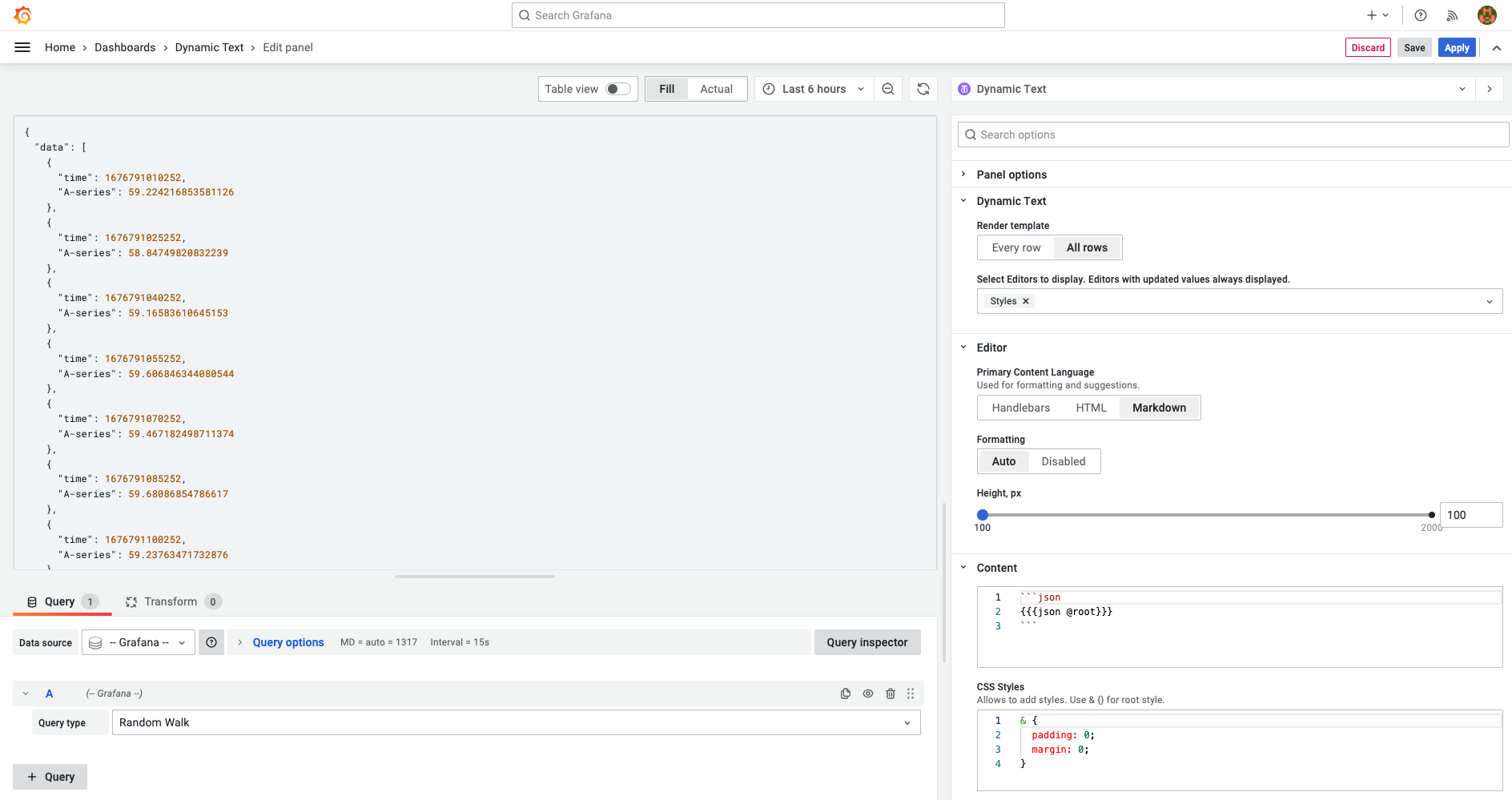
Transformation
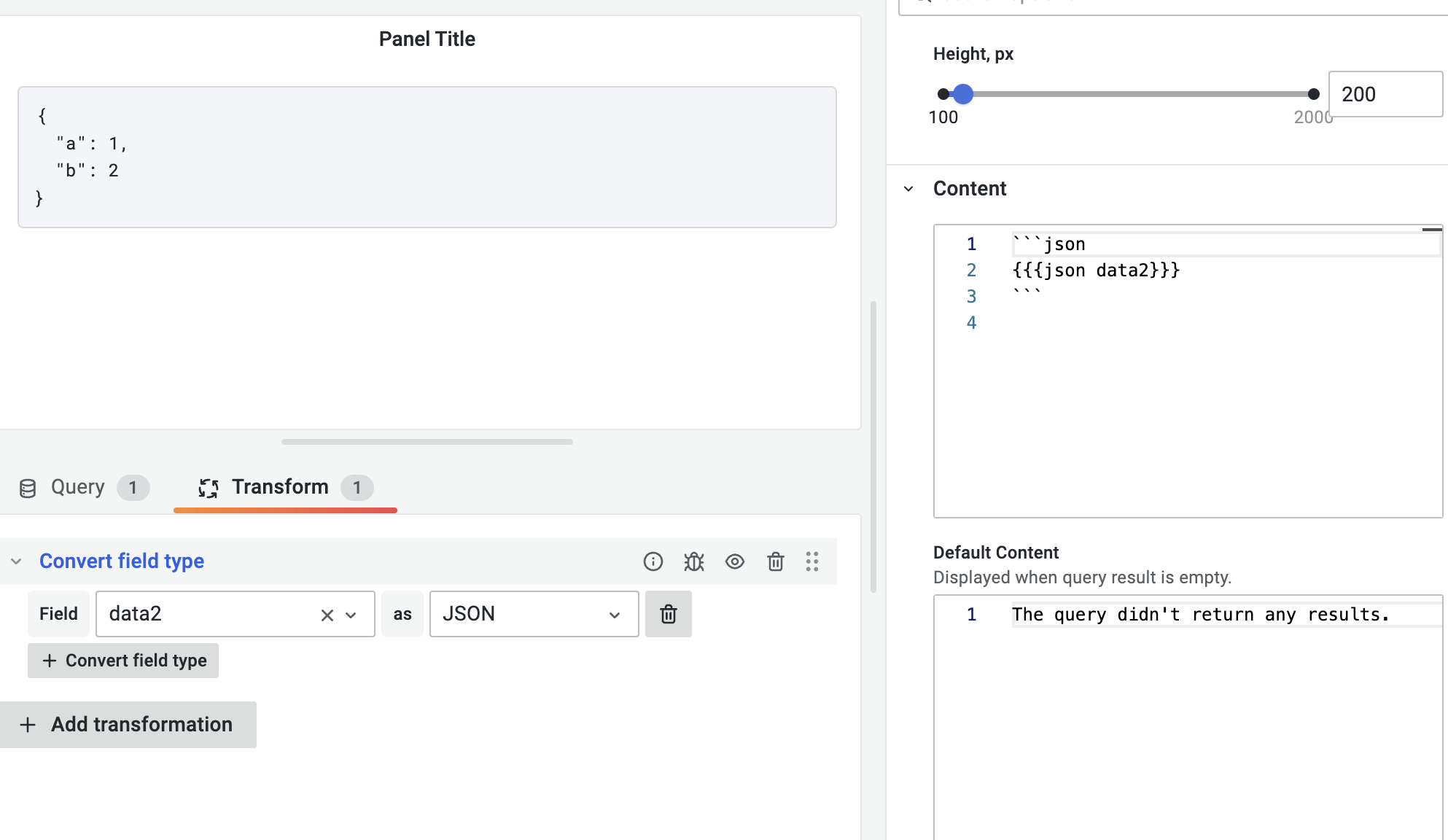
The JSON helper expects an object or an array to display as a formatted string. If the data source returns a string, transform it to a JSON object using the Convert field type transformation.
{{split}}
Splits a string into an array using a given separator.
<!-- string: 'a,b,c,d' -->

{{split str ","}}

<!-- result: ['a','b','c']  -->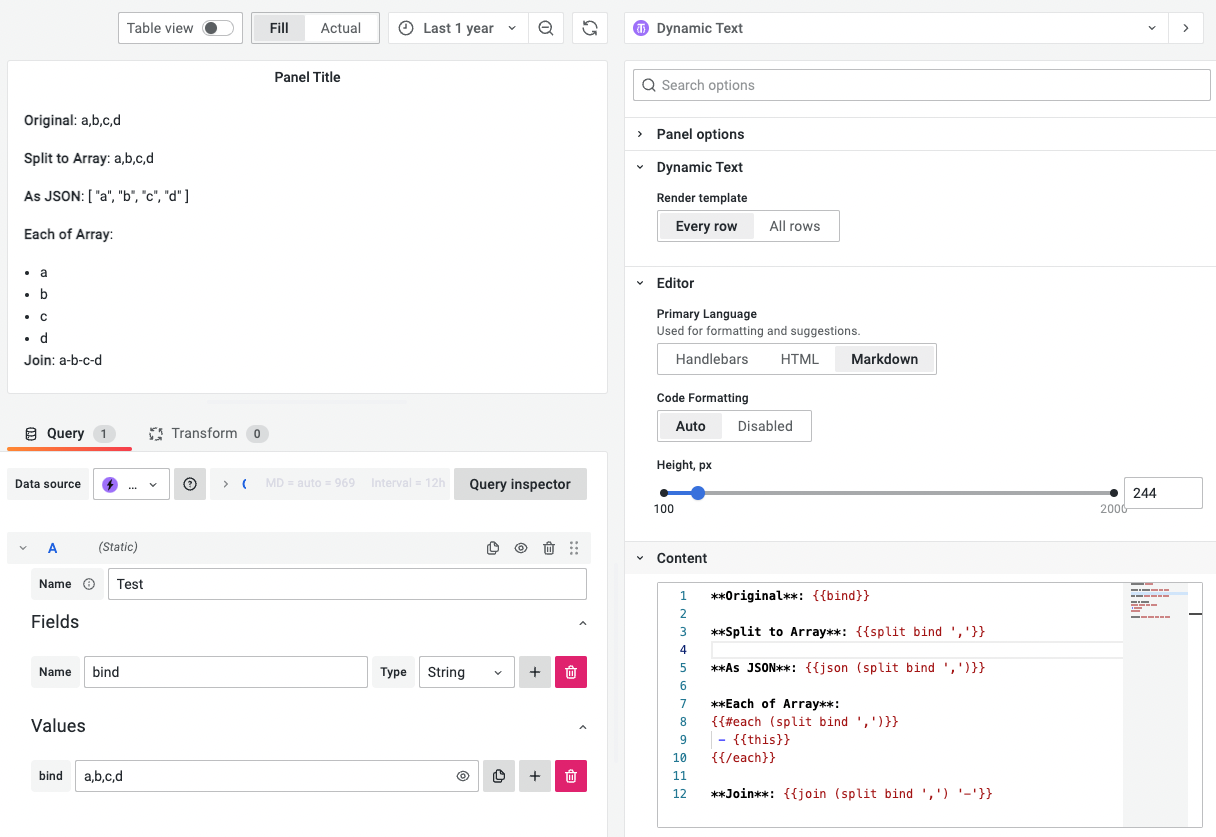
{{toFixed}}
Formats the given number using a fixed-point notation.
<!-- Value: 1.1234 -->

{{toFixed Value 2}}

<!-- result: '1.12' -->
{{startsWith}}
Note
The Business Text panel supports this starting from version 4.2.0.
Returns true if the variable starts with a specified value.
Example:
|Name| My Value| |---|---|
{{#each @root}}
{{#if (startsWith @key "My_")}}
| {{@key}} | {{this}} |
{{/if}}
{{/each}}
{{endsWith}}
Note
The Business Text panel supports this starting from version 4.2.0.
Returns true if the variable ends with a specified value.
Example:
|Name| My Keys| |---|---|
{{#each @root}}
{{#if (endsWith @key "_key")}}
| {{@key}} | {{this}} |
{{/if}}
{{/each}}=
{{match}}
Note
The Business Text panel supports this starting from version 4.2.0.
Returns true if the variable matches a specified value.
Example:
|Key| Value| |---|---|
{{#each @root}}
{{#if (match @key "^(Country|Street|Post)")}}
| {{@key}} | {{this}} |
{{/if}}
{{/each}}
Helper {{variable}}
This helper works only with one format of Grafana dashboard variables: array.
It returns a string array that includes the currently selected values for a specified variable.
{{variable "hostname"}}If hostname = ["server1", "server2", "server3"], then the result is ["server1", "server2", "server3"].
Helper {{variableValue}}
Note
The Business Text panel supports this starting from version 4.3.0.
This helper works with all Grafana variable formats.
The following example demonstrates the queryparam type.
<a href="/d/abc?{{variableValue '${example:queryparam}'}}">Link</a>If example equals ["value1", "value2"], then the result is:
<a href="/d/abc?var-example=value1&var-example=value2">Link</a>


