






























Menu

Grafana Cloud
Enterprise
Open source
Grafana events
Note
The Business Text panel supports the event bus starting from version 4.0.0.
Grafana uses an event bus to publish application events that notify different parts of Grafana when users interact with it. The Business Text panel can respond to these interactions by subscribing to one or more events.
Predefined events
For a complete list of events, refer to the Grafana Crash Course.
Subscribe to events
To avoid memory leaks, unsubscribe from all events.
const subscription = context.grafana.eventBus.subscribe(
  { type: "data-hover" },
  () => {
    console.log("React to Data Hover");
  }
);

return () => {
  subscription.unsubscribe();
  console.log("Unsubscribed");
};
EventBus example
The following sections show the Business Text panel configuration.
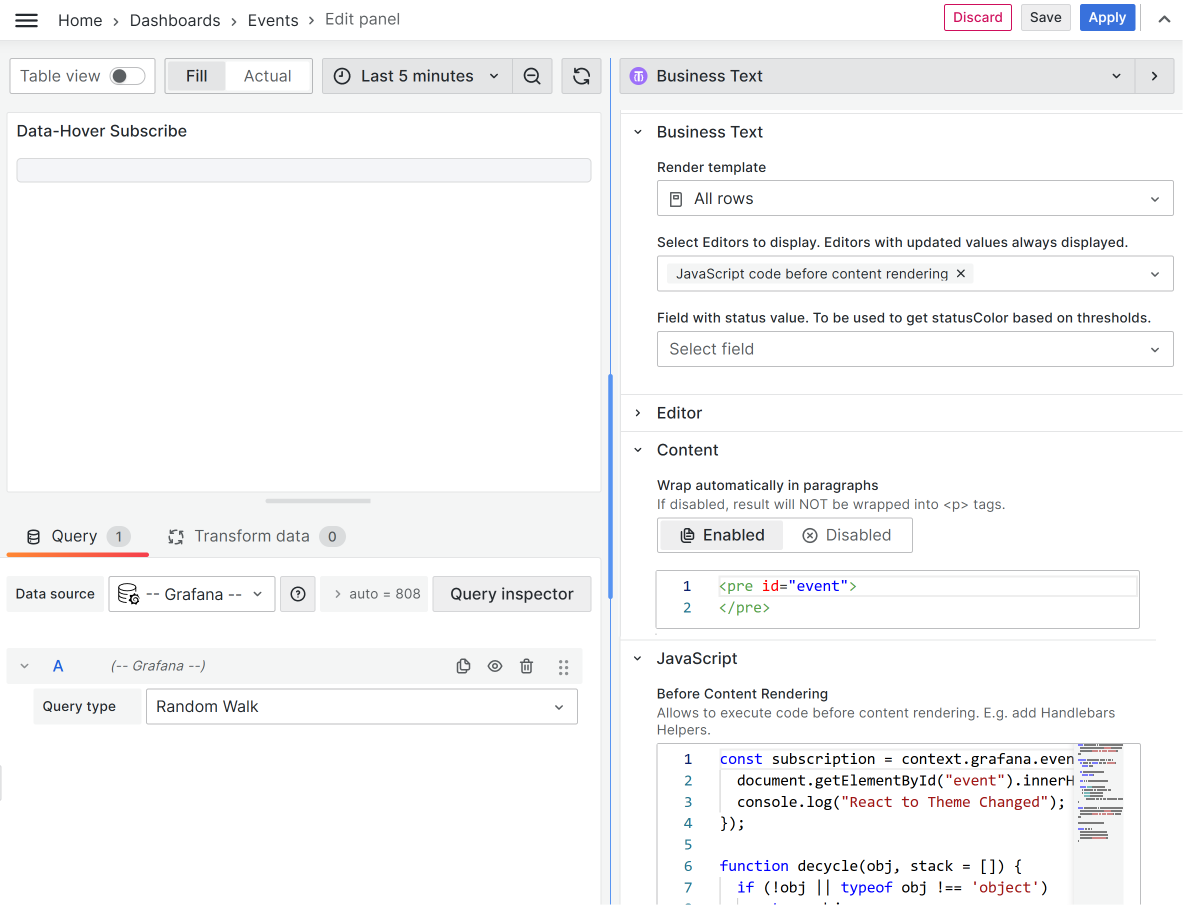
Content to copy
<pre id="event"></pre>Before content rendering to copy
const subscription = context.grafana.eventBus.subscribe(
  { type: "theme-changed" },
  (event) => {
    document.getElementById("event").innerHTML = JSON.stringify(
      event,
      undefined,
      2
    );
    console.log("React to Theme Changed");
  }
);

function decycle(obj, stack = []) {
  if (!obj || typeof obj !== "object") return obj;

  if (stack.includes(obj)) return null;

  let s = stack.concat([obj]);

  return Array.isArray(obj)
    ? obj.map((x) => decycle(x, s))
    : Object.fromEntries(
        Object.entries(obj).map(([k, v]) => [k, decycle(v, s)])
      );
}

const subscription2 = context.grafana.eventBus.subscribe(
  { type: "data-hover" },
  (data) => {
    document.getElementById("event").innerHTML = JSON.stringify(
      decycle(data),
      undefined,
      2
    );
    console.log("React to Data Hover", data);
  }
);

return () => {
  subscription.unsubscribe();
  subscription2.unsubscribe();
  console.log("Unsubscribed");
};


