






























Menu

Grafana Cloud
Enterprise
Open source
Content wrapping
The Content > Wrap automatically in paragraphs option:
- If enabled, every row of the content wraps in paragraph
<p>tags. - If disabled, rows do not wrap in paragraph
<p>tags.
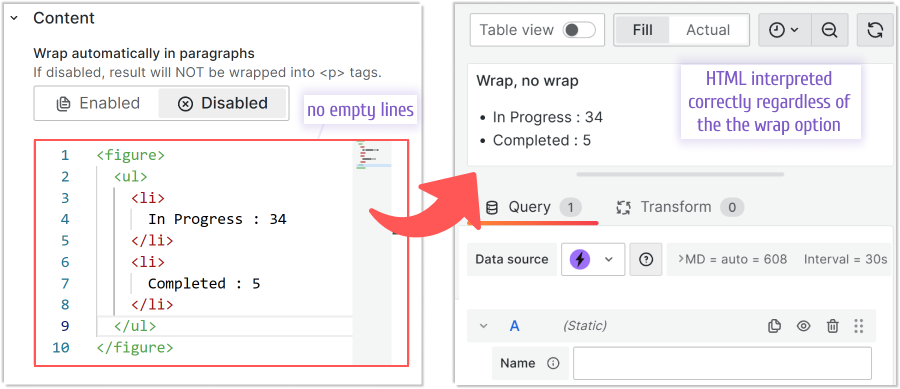
The following example shows Content that does not contain any spaces. In this case, the Content > Wrap automatically in paragraphs parameter is irrelevant. Both Enabled and Disabled modes generate the same output.
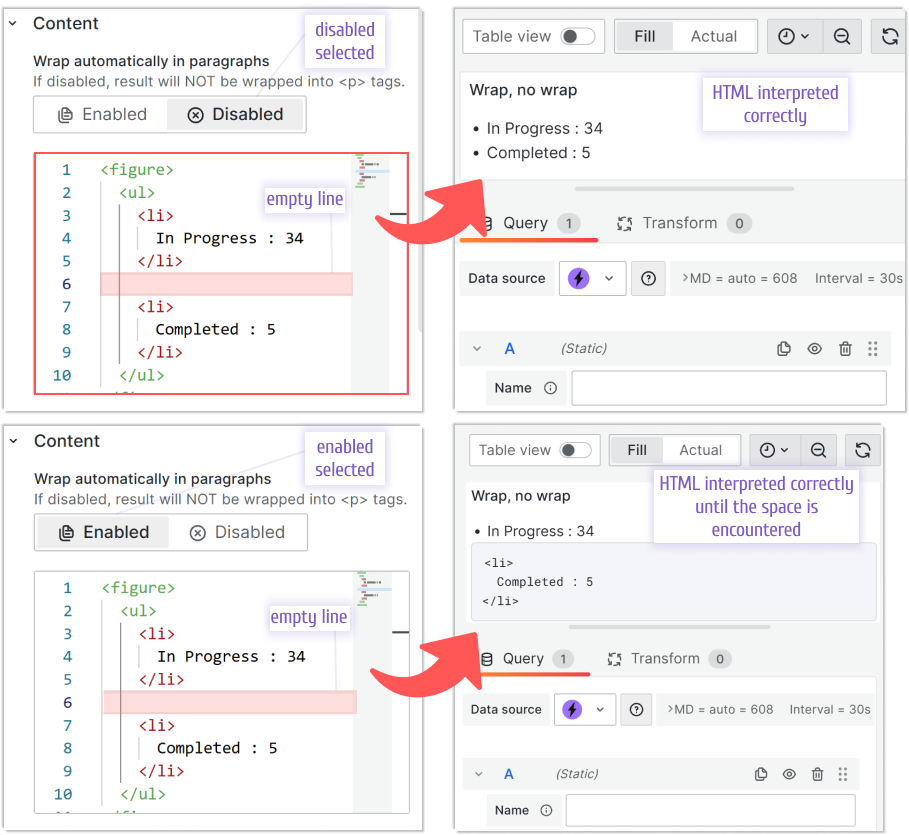
The following example shows Content that contains one empty line and how the form is interpreted with Enabled and Disabled modes.
The code used in the examples above:
<figure>
  <ul>
    <li>In Progress : 34</li>
    <li>Completed : 5</li>
  </ul>
</figure>


