Menu

Enterprise
Open source
Grafana Cloud
Coloring events
You can color events using the Business Calendar plugin to improve the visual perception of the calendar layout. Use colors to represent different event types, priorities, and more.
You can color events based on the following Layout:
- Frame
- Event
- Thresholds
Frame
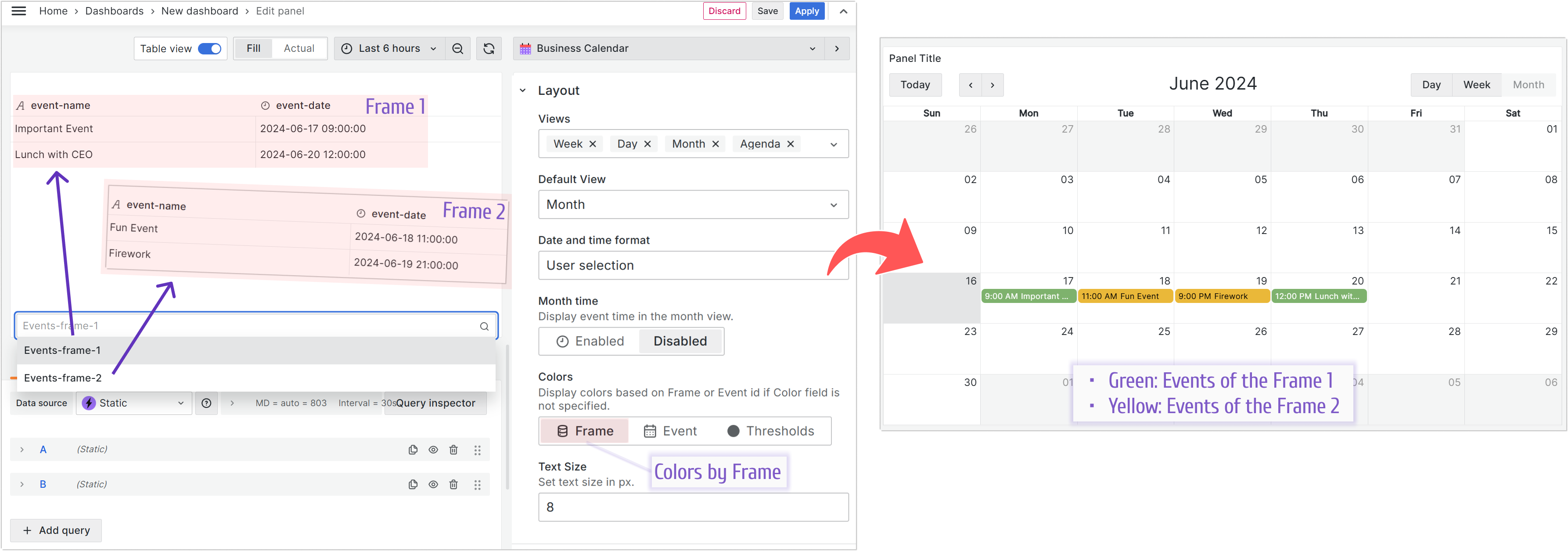
All events from the same data frame are colored with the same color. This coloring works when you set the Data > Color field to NULL.
Event
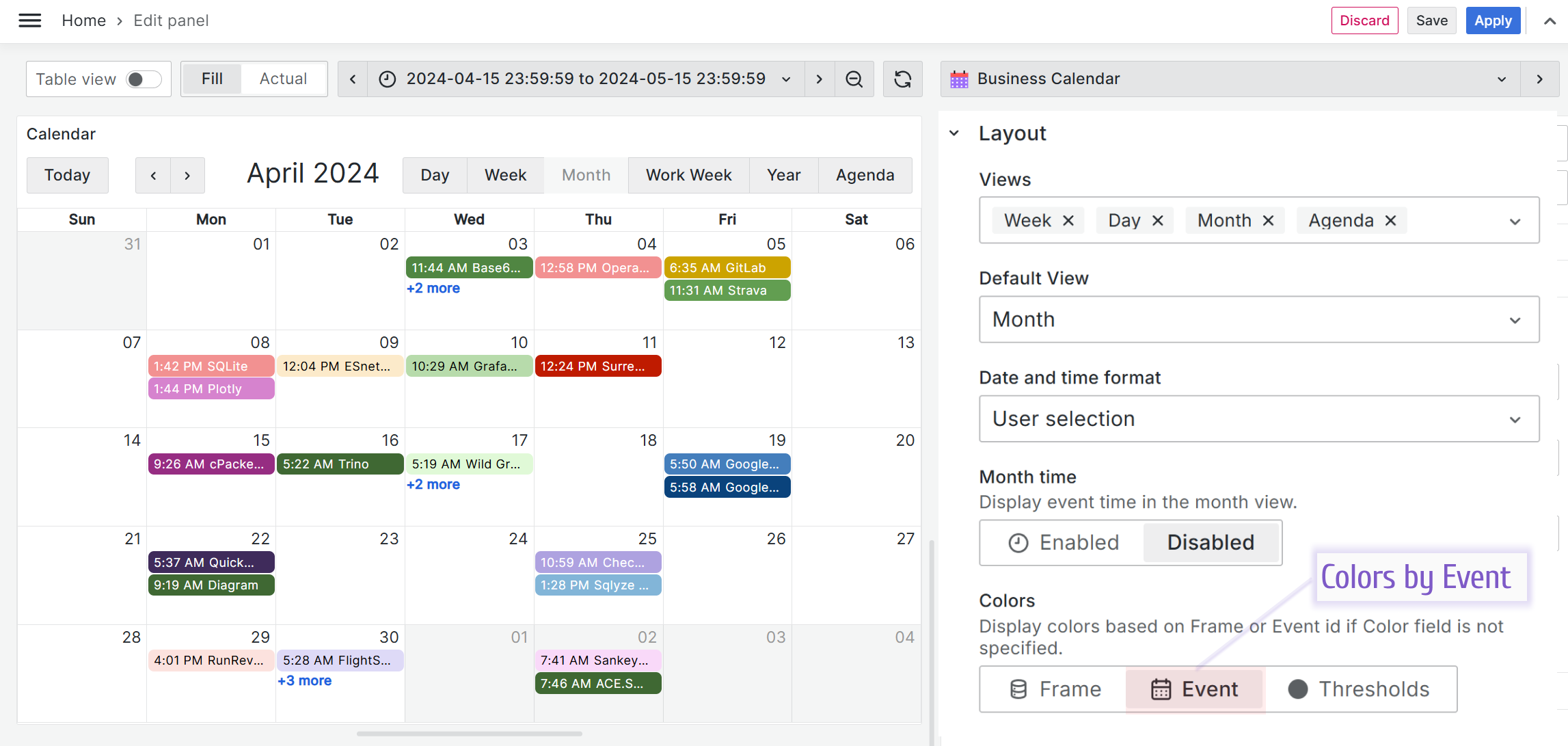
All events are colored with a different color. This coloring works when you set the Data > Color field to NULL.
Thresholds
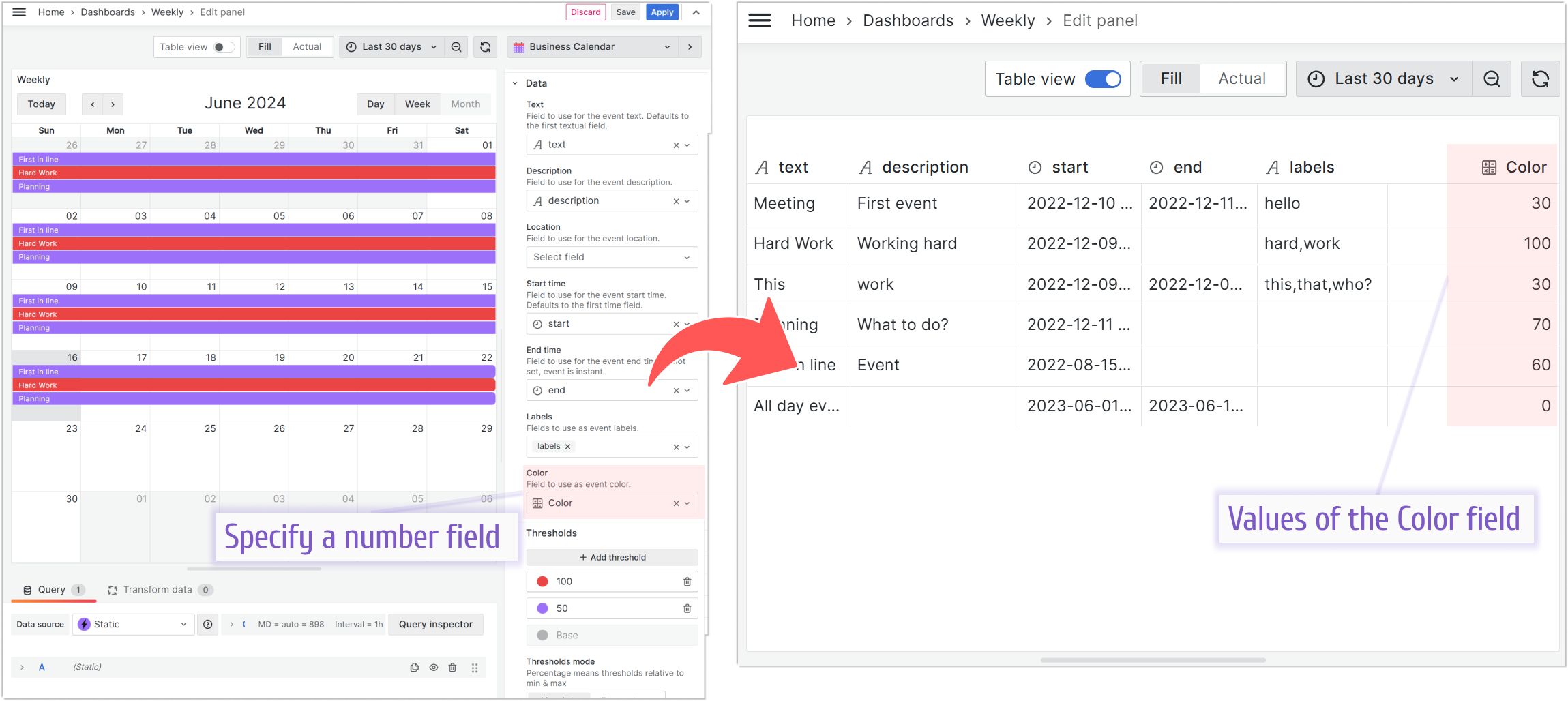
You can color events in different tones based on whether their values fall within a specific threshold. In addition, you can choose a classic color palette in the plugin’s options.