Events
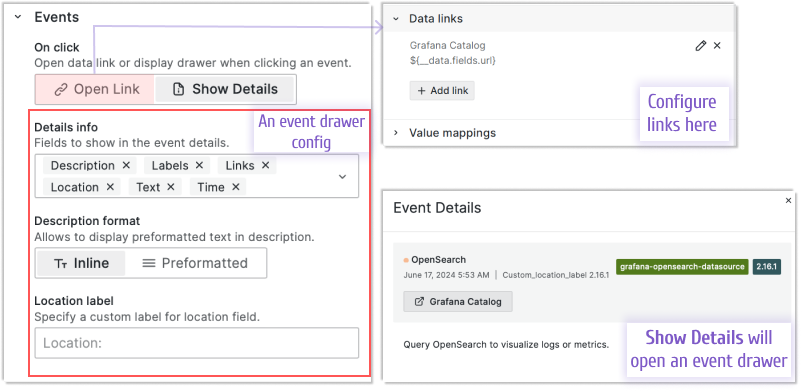
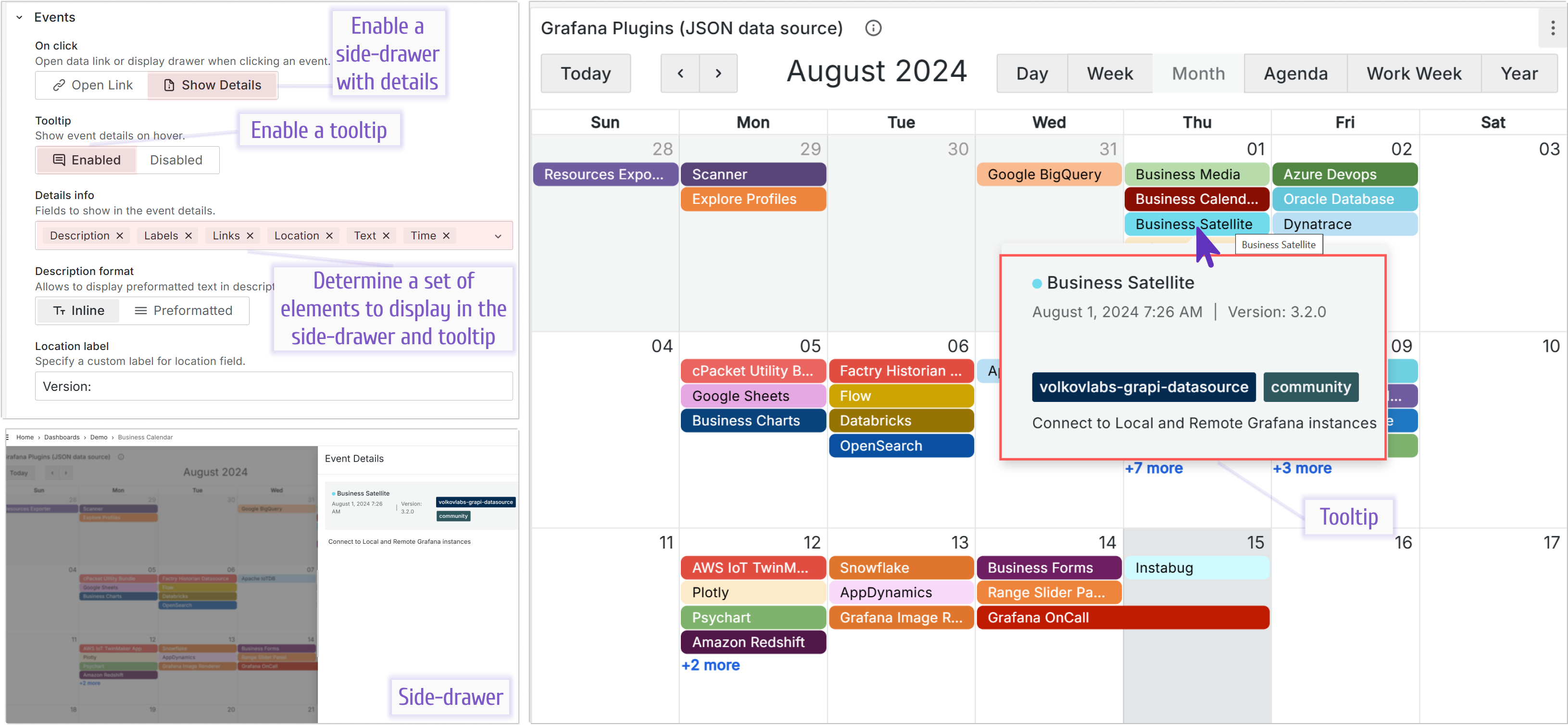
The first parameter of the Events category is On click:
- Open Link: Opens an assigned link.
- Show Details: Opens a drawer.
Links
You configure links in the Data links category, which is common for all Grafana plugins. In the following image, the link is specified as follows:
__datais a reference to a retrieved data frame,fieldsis a reference to the retrieved data frame fields,urlis a reference to a retrieved field name.
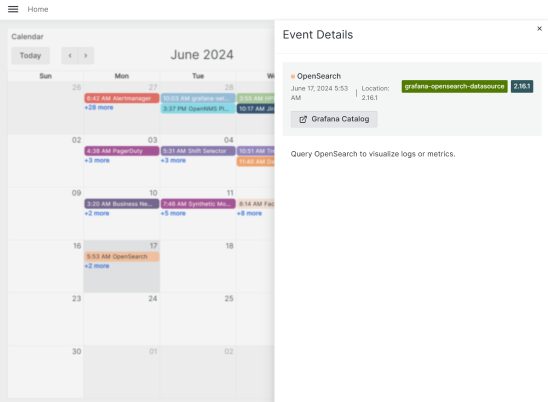
Drawer with event details
A drawer is a pop-up window that opens on the right-hand side of your browser and displays event details.
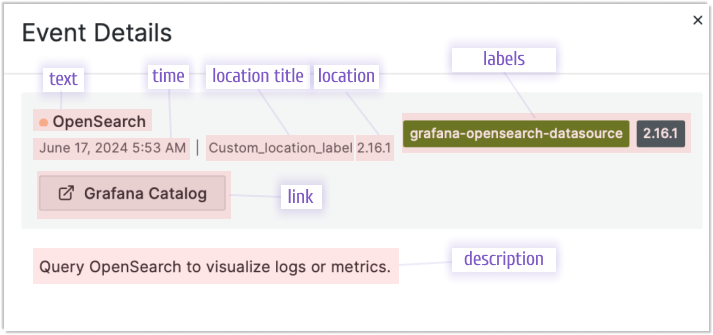
You can configure which data elements to show in the drawer by selecting them in the Details info parameter (see the first image on this page).
Tooltip
Note
The tooltip feature is available starting from version 3.5.0.
You can enable the tooltip, which appears when you hover your mouse over an event.
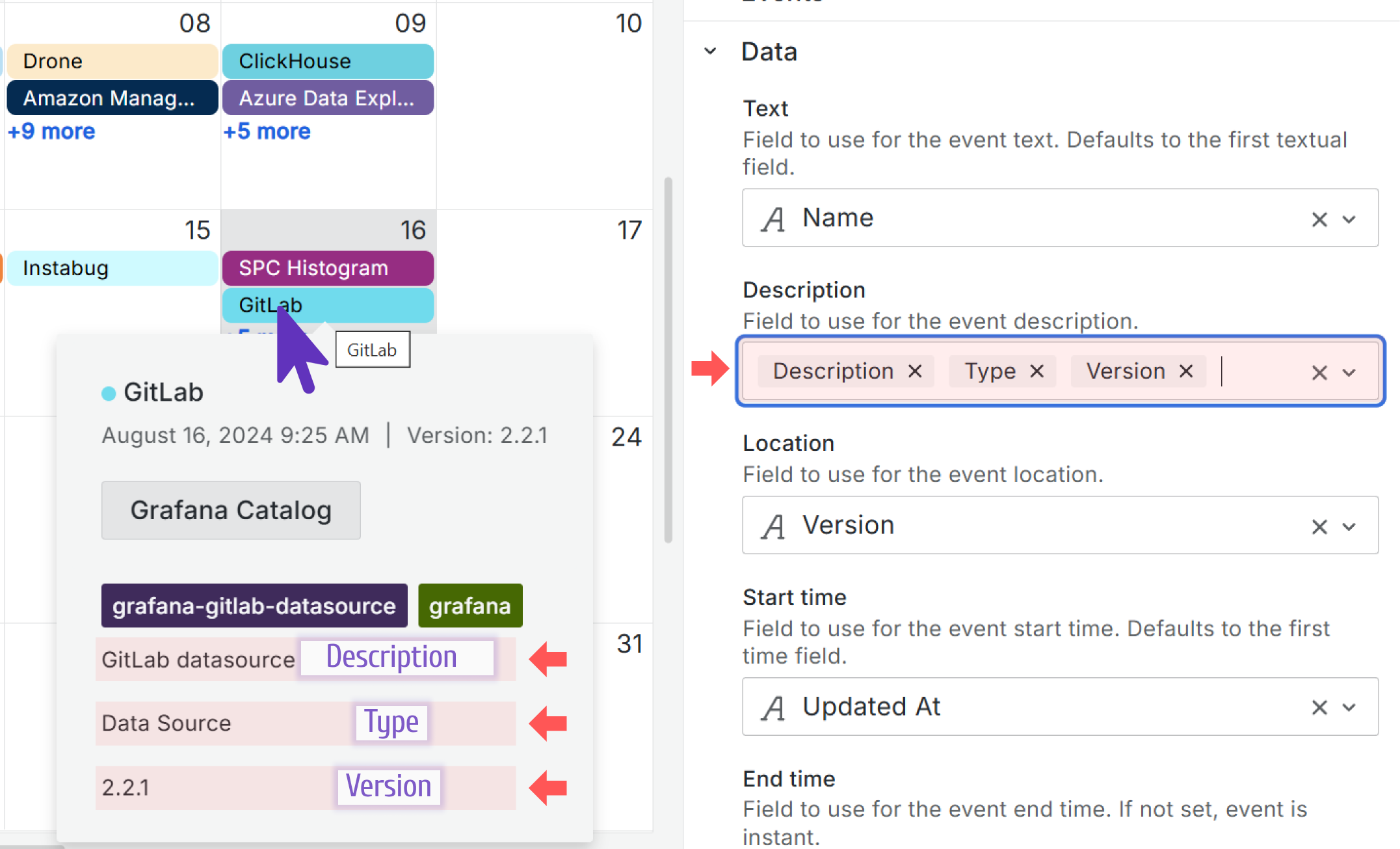
Multiple fields in the description
Note
Multiple fields in the description is available starting from version 3.5.0.
You can specify multiple fields to display in the event description.
The Description format option
Note
The Description format option is available starting from version 3.5.0.
You can apply formatting for better visual display when your event descriptions contain comprehensive details.
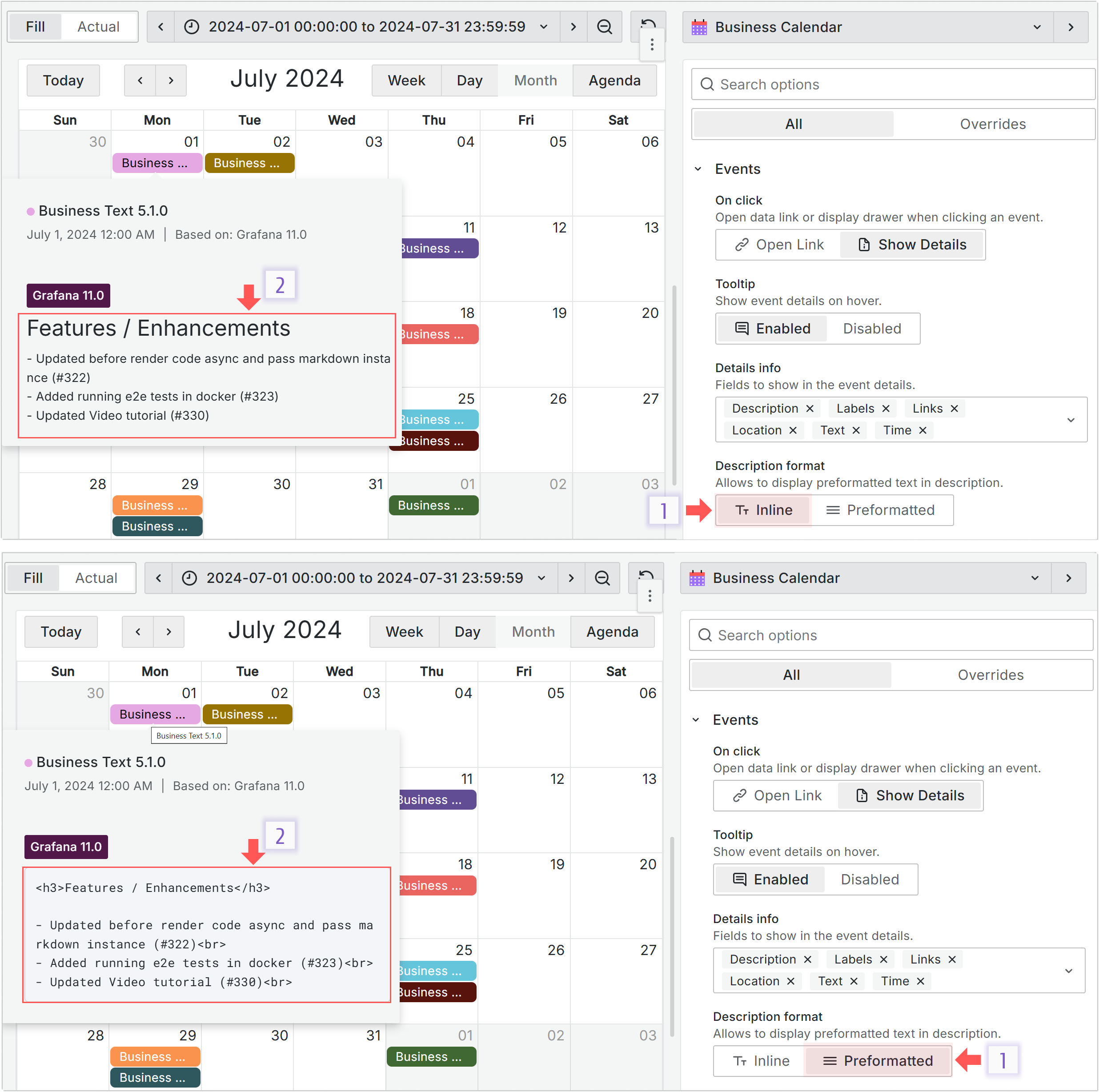
Your options for description formatting are:
- Inline: Use simple HTML formatting tags to have different font sizes, colors, and more.
- Preformatted: Similar to the HTML tag
<pre>. Text displays in a fixed-width font, with spaces and line breaks preserved. The text displays “as is”.
The following illustration shows how the same description text is interpreted depending on the selected Description format option.