Menu

Enterprise
Open source
Grafana Cloud
Basic configuration
The Business Calendar panel allows you to load events from any data source and display them on your Grafana dashboard.
The data category
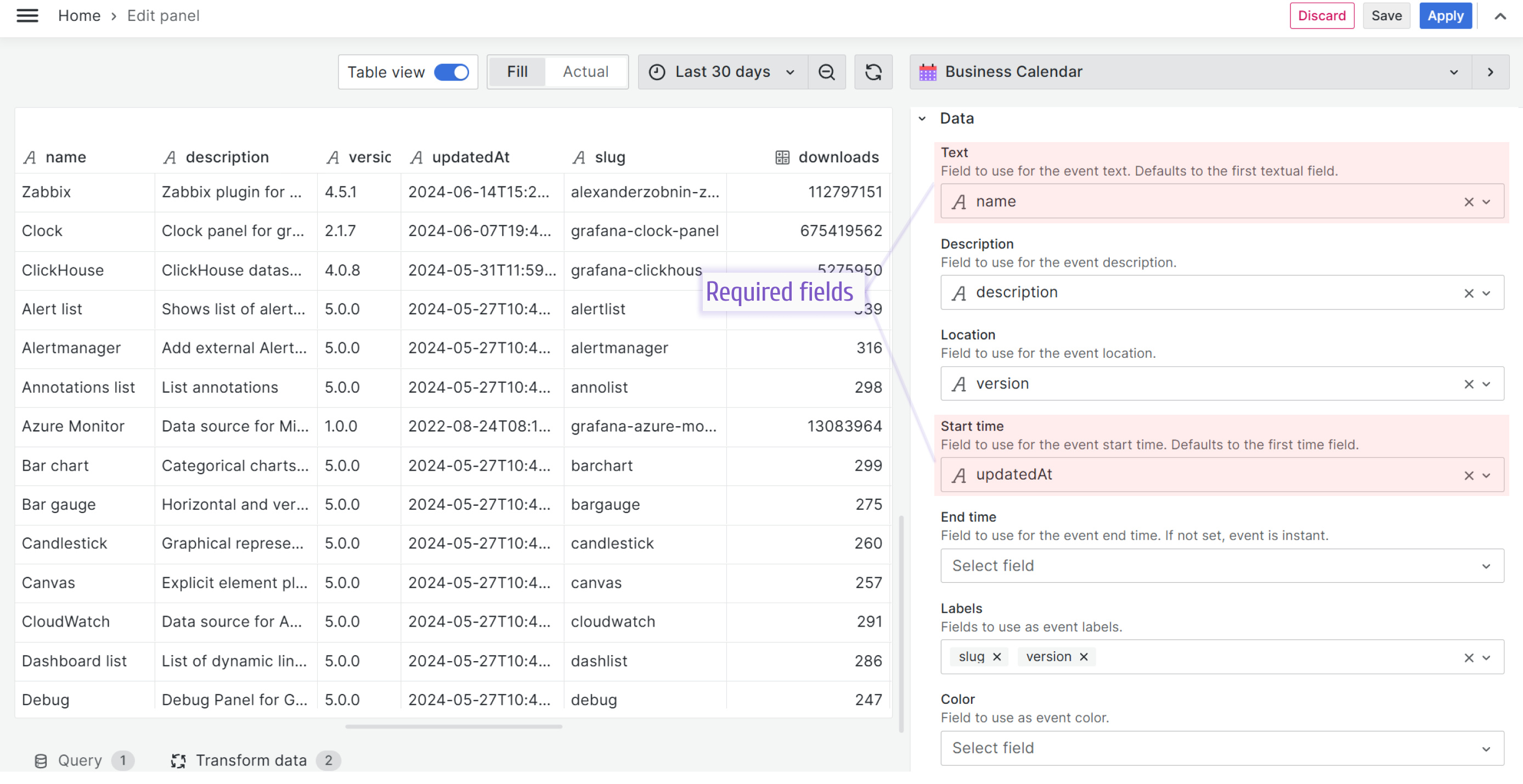
To use the plugin, you must provide a mapping for two required data elements: Text and Start time. You can also define optional fields to make your calendar more informative.
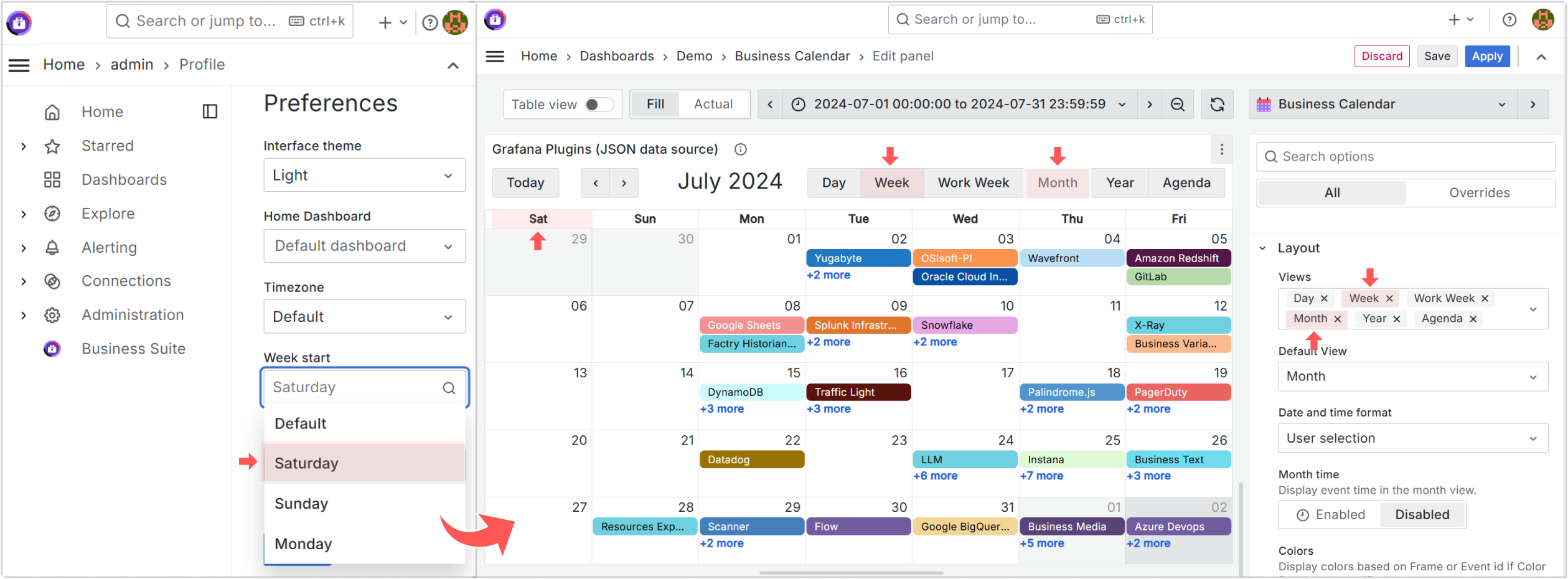
Week start
For the Week and Month layouts, the plugin uses the Grafana system settings to determine the first day of the week: Saturday, Sunday, or Monday. If no setting is specified, the plugin uses the default day from Grafana settings.