






























Menu

Enterprise
Open source
Grafana Cloud
Business Calendar
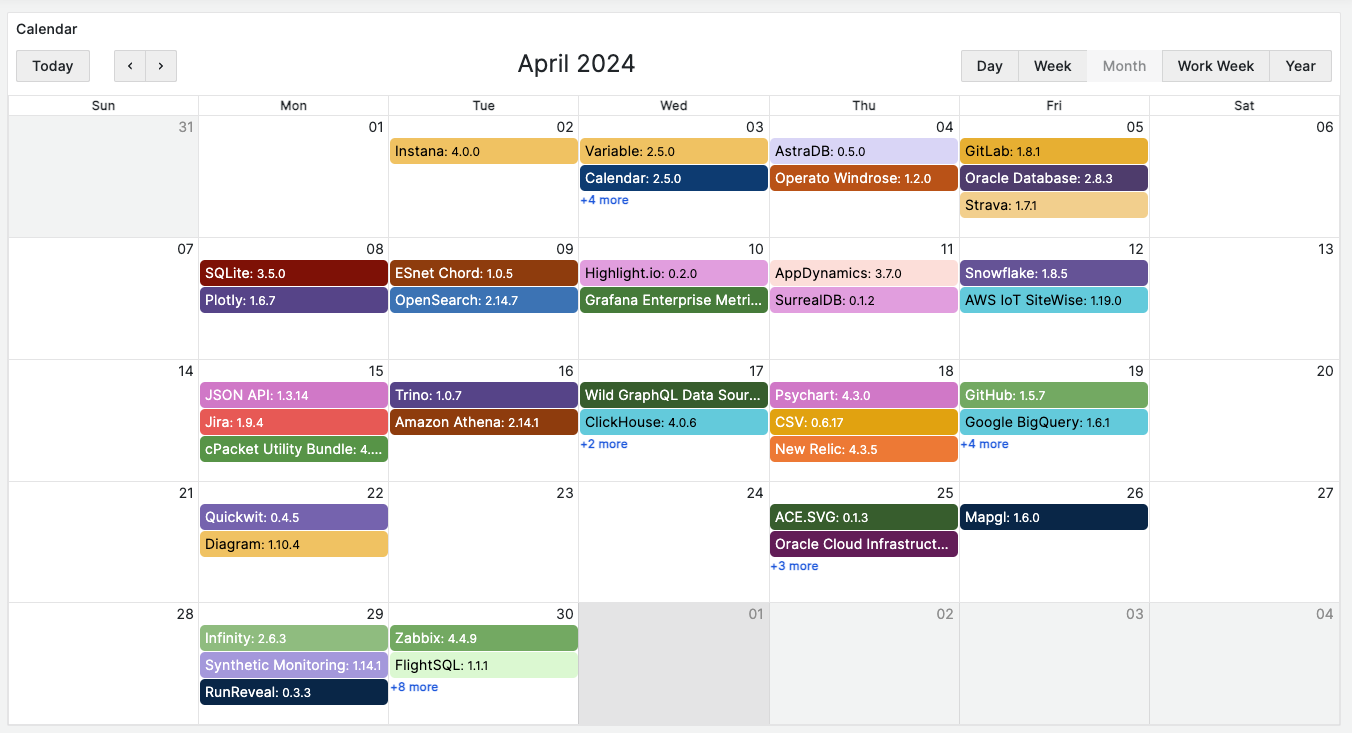
The Business Calendar panel is a Grafana plugin that displays events in a stylish calendar format. You can use data from various data sources.
Requirements
- The Business Calendar panel 4.X requires Grafana 11 or Grafana 12.
- The Business Calendar panel 3.X requires Grafana 10 or Grafana 11.
- Calendar panel 2.X requires Grafana 9.2 or Grafana 10.
- Calendar panel 1.X requires Grafana 8.5 or Grafana 9.
Getting started
You can install the Business Calendar panel plugin from the Grafana Plugins catalog or use the Grafana command line tool.
For the latter, please use the following command:
grafana cli plugins install marcusolsson-calendar-panelHighlights
- Intuitive multi-language toolbar that allows you to:
- Switch between the Day, Week, Month, Work Week, Year, and Agenda views.
- Switch back to today’s events.
- Display events from the previous and subsequent time ranges.
- Fetch and combine event data from any data source.
- Filter events by a time range.
- Color events based on Grafana Thresholds.
- Open a data link instead of a sidebar when you click an event.
- Display annotations across all dashboards for the specified period.
- Support for internationalization: Spanish, French, German, Portuguese, and Chinese.
Tutorial
This video provides a detailed review of all configurable options. The video starts with fetching publicly available Grafana plugin catalog data and then demonstrates how the Business Calendar plugin options change the panel appearance and behavior.
For all other tutorials related to this plugin, refer to Tutorials.
Documentation
License
Apache License Version 2.0, see LICENSE.


