






























Menu

Template variables
You can use Grafana template variables with the Honeycomb data source to create dynamic, reusable dashboards.
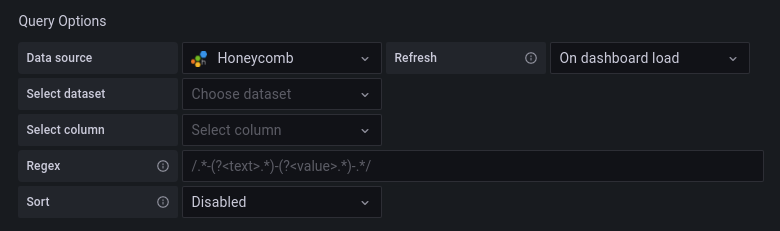
To add a new Honeycomb query variable, refer to Add a query variable. Use your Honeycomb data source as your data source.
Variable types
You can create variables containing Datasets, Columns, or Column Values:
- If no dataset is selected, the variable will contain datasets. You can choose between two dataset variable types:
- Dataset Slug: Returns the dataset slug, which is a transformed, lowercase version of the dataset name. This is the traditional format used by the Honeycomb API.
- Dataset Name: Returns the actual display name of the dataset. Use this option when you need the human-readable name for display purposes or when the slug and display name don’t match.
- If only a dataset is selected, the variable will contain column names.
- If both a dataset and a column are selected, the variable will contain column values.
- Column values can be further constrained using the Where fields in the editor.
Use variables in queries
After you create a variable, you can use it in your Honeycomb queries. For more information, refer to Variable syntax.
For more information about variables, refer to Templates and variables.


