































Open in Grafana Cloud
Complete this learning path directly in your Grafana Cloud stack, or in the Grafana Play stack, with an interactive learning experience.
Run your first k6 performance test
k6 is a modern performance testing tool that helps developers simulate realistic user behavior and test how their systems behave under load. By writing k6 test scripts, you can identify potential issues such as slow response times or system failures before they occur in production.
This journey guides you through the complete process of creating and running a k6 performance test, from understanding the value of performance testing to analyzing results in Grafana Cloud. You’ll learn how to write test scripts, run them locally, send results to Grafana Cloud, and visualize metrics in dashboards.
Grafana Cloud users: you can also try the interactive onboarding in the k6 app. Go to Testing & synthetics > Performance to:
- Explore test authoring tools (k6 Studio, OpenAPI to k6)
- Run tests from the UI or CLI
- Understand results
This guide complements the in-product onboarding with step-by-step instructions you can follow at your own pace.
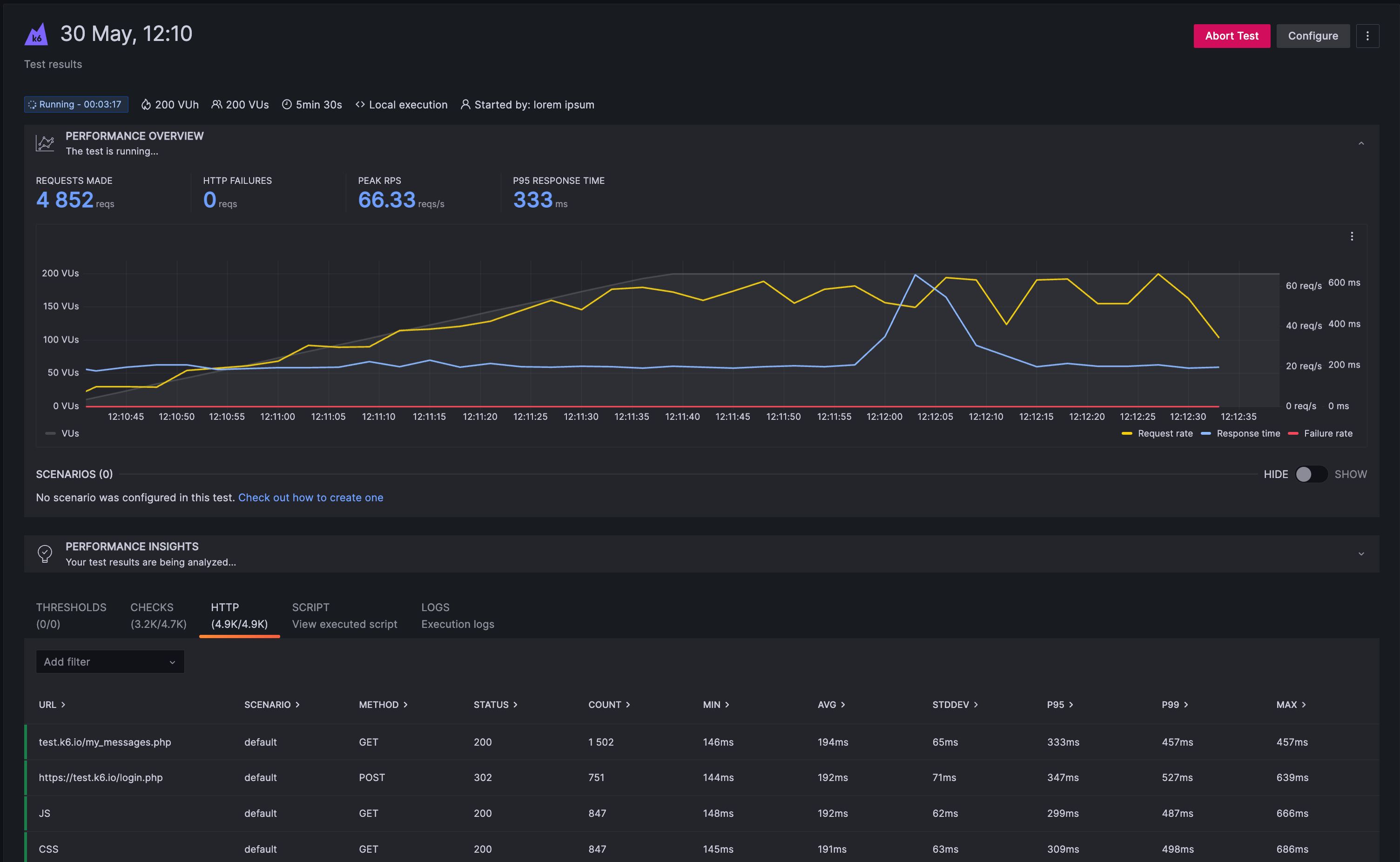
The image below shows an example k6 test results dashboard displaying key performance metrics.
Here’s what to expect
When you complete this journey, you’ll be able to:
- Understand the value of performance testing with k6
- Install k6 on your machine
- Write your first k6 test script
- Run a test locally and view results
- Send test results to Grafana Cloud
- Analyze test results in Grafana Cloud dashboards
Before you begin
Before you run your first k6 performance test, ensure that you have:
- A Grafana Cloud account. To create an account, refer to Grafana Cloud.
- Basic knowledge of JavaScript or TypeScript (k6 scripts are written in JavaScript/TypeScript).
- A code editor to write your scripts, such as Visual Studio Code or Cursor editors.
- Access to a terminal or command line interface.
- A basic understanding of HTTP requests and web applications.
Troubleshooting
If you get stuck, we’ve got your back! Where appropriate, troubleshooting information is just a click away.
More to explore
We understand you might want to explore other capabilities not strictly on this path. We’ll provide you opportunities where it makes sense.