Open in Grafana Cloud
Complete this learning path directly in your Grafana Cloud stack, or in the Grafana Play stack, with an interactive learning experience.
Connect to a MySQL data source in Grafana Cloud
MySQL is one of the world’s most popular open source relational database management systems. The MySQL data source allows you to query and visualize data from MySQL databases directly within Grafana, enabling you to create comprehensive dashboards that display database metrics, application data, and business intelligence insights.
This journey teaches you how to configure a data source plugin that enables you to query, visualize, and create dashboards with data from your MySQL database.
The following image shows an example MySQL data source configured successfully: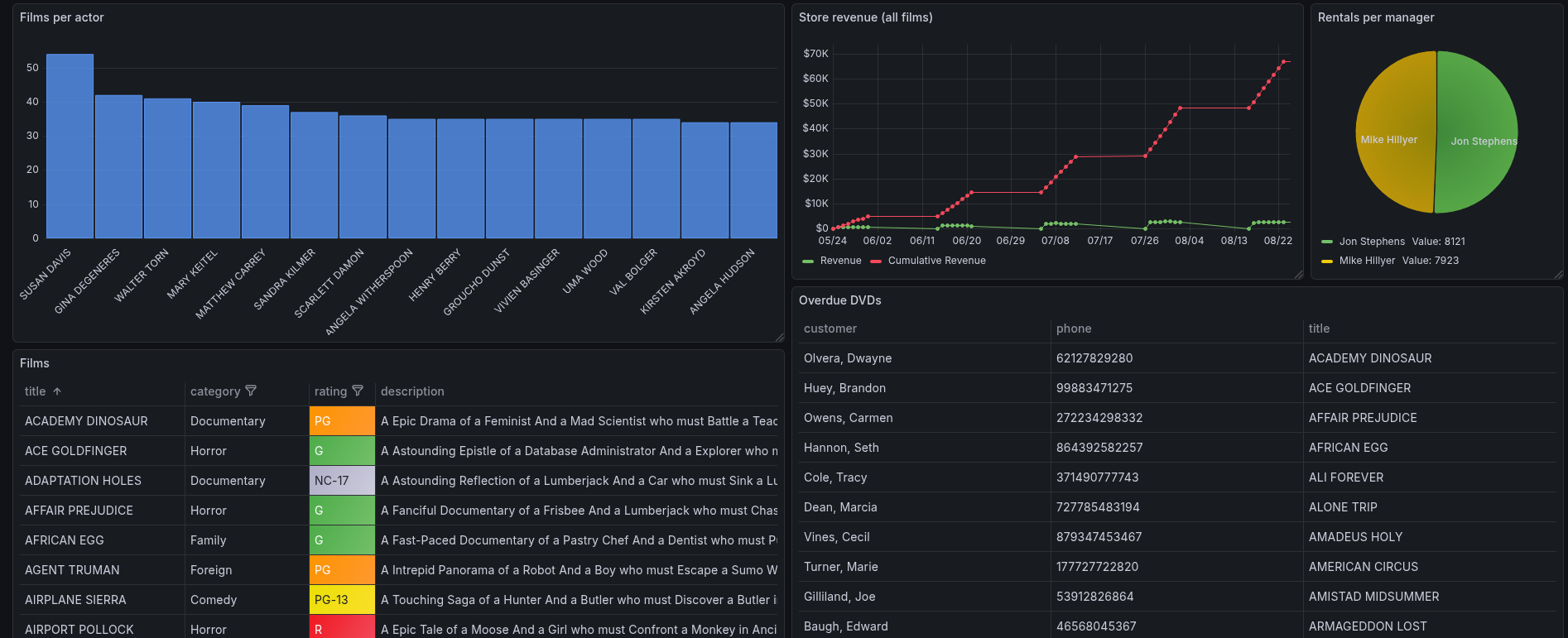
Here’s what to expect
When you complete this journey, you’ll be able to:
- Understand the value of monitoring MySQL databases through observability
- Learn the advantages of using the MySQL data source in Grafana Cloud
- Create a dedicated Grafana user in your MySQL server for monitoring
- Add and configure the MySQL data source plugin in Grafana Cloud
- Enter the connection details and credentials for your MySQL server
- Select a PDC agent and test the database connection
- Verify that your MySQL data appears in Grafana Cloud
Before you begin
Before you connect to a MySQL data source, ensure you have:
- A Grafana Cloud account. To create an account, refer to Grafana Cloud.
- Experience working with MySQL and understand its basic setup and operation.
- MySQL server is up and running.
- Access to a MySQL database server with data you want to visualize.
- Database connection credentials including hostname, port, database name, username, and password.
- Network firewall is open for the MySQL server (default port is
3306). - Network access for the private data source connection (PDC) to connect Grafana Cloud with your MySQL server.
- Basic familiarity with SQL queries for data retrieval.
- Created a private connection to a data source and the PDC agent is running.
Troubleshooting
If you get stuck, we’ve got your back! Where appropriate, troubleshooting information is just a click away.
More to explore
We understand you might want to explore other capabilities not strictly on this path. We’ll provide you opportunities where it makes sense.